

- What is Web Application Development?
- Why is Web Application Development important?
- History of web application development
- Difference between a website and a web application
- Types of Web Application Development: Best Practices
- Web Application Development Tutorial and Process
- Information and Database
- Server and Deployment Skills
- Web Application Development Phases
- Benefits of Web Application development for businesses
- Web Application Development interview questions
- Web Application Development Design Patterns
- How Global Disruptions Accelerated Web Application Development
- The future of Web Application Development
- Web Application Development Resources
Web application development has become a core part of how modern businesses operate and grow. Organizations rely on web applications to manage processes, engage users, and deliver digital experiences that work seamlessly across devices.
By investing in web application development, businesses can simplify operations, improve customer interaction, and adapt quickly to changing market needs. Web applications support branding, product visibility, lead generation, and long-term customer engagement.
Across industries, companies use web applications to connect with their audiences, streamline workflows, and scale efficiently. With the right development approach and technology stack, web applications can support performance, security, and sustainable growth.
This Guide walks you through everything step by step, from understanding different types of web applications to exploring technologies, best practices, and key considerations before development.
TL;DR
- Web application development builds scalable, browser-based software
- Modern apps use cloud-native, AI-powered, and modular architectures
- Choosing the right tech stack improves performance, security, and growth
- This guide covers types, tools, trends, and best practices for modern web applications

What is Web Application Development?
Web application development is the process of designing, building, testing, and maintaining software applications that run in a web browser and are accessed over the internet. It involves creating the frontend (user interface), backend (server-side logic), databases, and integrations needed to deliver secure, scalable, and interactive digital experiences across devices.

A web application is not for download. It is rather visited with a network. A client can get to a web application through an internet browser, such as Google Chrome, Mozilla Firefox, or Opera. The lion’s share of web applications can be written in JavaScript, HTML, and CSS.
It can be a volunteer management software, or even an Augmented Reality Furniture App.
The present web development scenario is in favor of creating a web application for a business.
Why is Web Application Development important?
It is not workable for organizations to see progress in their business without a proper web application. It can be in any sector. So, the importance of web app development is huge.

It assists associations with attracting new clients and lets them think about the association and its services. It is not possible to develop web applications by oneself.
So, many companies take the help of professionals. This is called B2B, that is, business-to-business. They hire the right resource.
Without a doubt, web application development is getting mainstream as any office needs to reach more fans, customers, and clients in less time.
The importance behind this is that an enormous number of individuals have been shifting from computers to cell phones or tablets. Due to these applications, business picks up from this.
Also, the current number of mobile OS environments has various working frameworks and operating systems for which all these web applications are created, along with business websites.
Ensure that your organization’s application is accessible on all platforms, such as Android, iOS, Windows, and Blackberry.
Web application development salary is also variable. You’ll get to know once you know the basic difference.
History of web application development
The historical backdrop a web applications development is very newsworthy and exceptional. Engineers needed to locate the most severe and extreme answers for the current issues. It was impressive to make web applications advanced and relatable.

However, the first computing models were poorly designed. It is a similar story to that of game development.
The process was quite significant and costly. If you review the Web of its most punctual days, you will say that the customer got a site page as a static record. It was hard to have an intelligent experience when you worked with such a page. You needed time to refresh this page for any changes.
The historical backdrop of web application development is not very simple, just like software development. There are numerous advances (Flash, Java, Silverlight, and so on) that make the Internet work as simply as could reasonably be expected. One can tune in to sound, watch recordings, and draw on the screen with the assistance of a mouse’s raw snap.
The Web’s activeness is increasing day by day, and it will be significantly more powerful and different in the future.
Ajax is perhaps the best case of the arrangement of advancements that improve the degree of intelligence between the client and the machine.
Without question, we will be observers of the fast improvement of internet innovations, web applications specifically.
Online education is a practical example of this.
Difference between a website and a web application
| Website | Web Application |
| A website is a gathering of universally open, interlinked site pages. It has an individual domain name. | Building up your website will help to brand it, through digital marketing. |
| A web application is a program or software that is open using any internet browser. | Approval from app stores is not necessary in the case of the web application. In short, web application development is like software. |
| Quality, relatable, and relevant Web Content are the most significant attributes of a decent business website. | Web applications provide services to clients directly, sometimes limited in free versions and premium in paid versions. Unless it’s outsourcing. |
| A website doesn’t provide services to clients directly. It establishes a name and contact, along with multimedia content development for a business. | Web applications provide services to clients directly, sometimes limited in free versions and premium in paid versions. Unless its outsourcing. |

Types of Web Application Development: Best Practices
A web application is a website that performs and provides free and sometimes paid services to its clients. It is software, but online.
Where websites are fundamentally informal, and clients can get to know about business more through a website, web applications permit clients to manage documents, multimedia content, materials, and services, with the capacity to run on any browser.
In any case, multimedia content has a huge market potential.
Most of them are free for the nature of their situation, but the majority of them provide premium services to users for a fee.

Let’s go through some main types of web application development services:
- Static Web application
- Dynamic Web Applications
- E-commerce applications
- Portal web application
- Animated web application
- Content Management Systems
– WordPress
– Joomla

1. Static web application
This is the most fundamental kind of web application. Besides, it has minimal substance or space for development. These web applications mostly need CSS and HTML for development. It can deal with animated content as well, for example, GIFS, audio, and videos.
Adjusting the static web applications’ content can be a bit tricky. And to roll out any genuine improvements, you’ll have to download the HTML code and change and transfer it to the server. Further, suppose someone else developed the application, or your organization alone didn’t develop it. In that case, you will probably need to search out the individual who arranged and planned the static web application.
A typical case of static web applications incorporates an online portfolio or advanced educational programs. For instance, you could think about a presentation page as a static web application in a similar vein, called a landing page, with the contact and relevant data shown. Many businesses without a full website budget start with this phase only.
2. Dynamic Web Applications
This style of web application development is more technically tricky than a static application. In this case, they are there to hold data sets or gatherings with a steady capacity to refresh or change the available data. This is generally because of a CMS or Content Management System.
A CMS will mostly go with a unique web application. So that the admins or clients can quickly edit or update the content anytime. Various web languages are there with dynamic web applications. In any case, PHP and ASP are the most well-known, as they are the simplest for understanding when it comes to structuring the content.
Editing content is more straightforward with dynamic web applications. Also, updating the content itself can be genuinely essential. Having said that, the programming or backend part can be more difficult based on servers and some other factors. With this stated, design components can undoubtedly be changed to coordinate your own choices.
3. E-commerce applications
In case you’ve ever purchased something on the web, you likely know one of the most widely recognized web applications: e-commerce. If a web application is a store or shop, this sort of development is termed e-commerce. In other words, that is an internet business.
This application development measure is more complicated than the two previously mentioned. It requires an approach to gather electronic payments. Also, prices, orders, and delivery info, just as posting and erasing products are there. This is a part of the management panel, which is coded into the website by a developer.
Many IT and software firms in Bangladesh can take care of such e-commerce applications.
4. Portal web application
A portal application is a Web-accessible tool. It is an intelligent interactive tool on a safe website that conveys both related and disconnected applications, links, and services. Gateway applications give information in an effectively justifiable format, adjust or control the data, and speak for organizations or people. After a client signs in, an entryway application also empowers the service provider to follow its site action.
A portal application may likewise be known as an enterprise portal. A portal web application means an application wherein various categories and sections are available through a landing page.
This kind of page can extend from gatherings, talks, messages, a program page, etc.
5. Animated web application
Animated web applications use modern, browser-native technologies to create engaging and interactive user experiences. Instead of relying on outdated approaches, animations today are built using CSS animations, JavaScript, SVG, WebGL, and lightweight animation libraries, all of which are fully supported across modern browsers.
These technologies make it possible to add smooth transitions, micro-interactions, motion effects, and dynamic visual feedback without compromising performance or search engine visibility. When implemented correctly, animated web applications are fully SEO-friendly, accessible, and optimized for speed.
Animated web applications are commonly used for product showcases, marketing websites, dashboards, data visualization, and interactive storytelling. Thoughtful use of animation helps guide user attention, improve navigation, and create a more intuitive experience, especially for modern web and progressive web applications.
Advanced animation techniques, including 3D visuals and immersive experiences, are also used in education, simulations, and virtual experiences, where visual interaction enhances understanding and engagement.
6. Content Management Systems (CMS)
We have referenced content management systems in a couple of the above web applications. So the idea should be there already in your mind.
Basically, this implies an interface that can be accessed and refreshed. A CMS is essential if you’re searching for your web application to be in a cycle of constant development.
These frameworks are exceptionally well-known for individual sites, corporate sites, media sources, etc. There are some basic content management systems, and they are:
WordPress:
This blogging stage is generally mainstream and trusted by people. And experts think the same, and that is likely because of its natural interface and the number of accessible online tutorials.
Joomla:
This stage is famous and comes next to WordPress as an open-source content management framework for overseeing sites and blogs. Since this interface isn’t as renowned as WordPress and along these lines, it doesn’t have as extensive a network.
Web Application Development Tutorial and Process
Websites are a group of documents that are stored on PCs, termed as servers. The Servers are PCs that host website applications and keep the site records. All the servers are associated with the vast network called the World Wide Web. This technology also helps to build social awareness.

Web browsers are mainly programs that you run on your PC. They load the site documents using your web association, which is the internet connection. Presently, 3 primary parts make up each site.
These are the main web application development languages to start with:
- HTML
- CSS
- Javascript
HTML
The HyperText Markup Language(HTML) is the establishment and foundation of all types of websites.
It’s the principal document type that loads in your web browser when you look at a site. This is a scripting language. Basically, it is there to structure the various parts of our content.
Along with that, it specifies what their significance or reason for existing is.
CSS
Cascading Style Sheets(CSS) is utilized for styling the HTML components. It gives thousands of styling capacities.
They are utilized to style the HTML components characterized by us. The language we use to style and design our web content.
JavaScript
This programming language permits you to collaborate with components on the site and to control them.
While CSS adds style to HTML, JavaScript includes interactivity and makes a site more potent.
Read more about the web application development process below
- Web Application Development Front-end skills
– Responsive Design
– Build Tools
– Version Control/Git
Front-end Skills
It is a must to ensure that web applications download quickly and are responsive enough to interact with a client and user, whatever the internet speed, network, screen size, or gadget abilities are. Safe internet is also important in this case.
Let’s get to know about some web application development tools
The moderate Front End Skills include:
Responsive Design
We utilize various devices like PCs, telephones, and tablets to see website pages. The pages adapt themselves to the gadget you’re operating with no additional effort from your end.
This is because of the responsive plan. One significant function of a front-end designer is to take care of the responsive design standards and actualize them on the coding side.
Examples of some responsive mobile apps as products are U-Report and Fantasy Sports App.
It is a characteristic piece of CSS structures, like Bootstrap. These abilities are completely interconnected; thus, you’ll regularly gain ground in the others simultaneously as you learn one.
Build Tools
The advanced internet browsers come outfitted with developer tools for testing, troubleshooting, and debugging. Everything is a part of technology and expertise.
These tools permit you to test the site pages in the program itself and discover how the page interprets the code. The browser developer tools typically comprise a monitor or inspector and a JavaScript console.
The inspector permits you to look at what the runtime HTML on your page resembles and what CSS is related to every component on the page. The JS console allows you to see any type of error that happens as the web browser attempts to run that JS code.
Version Control/Git
Version control is the way to follow and control changes to your source code.
That is, so you don’t need to begin from the earliest starting point if anything turns out badly. It is a type of tool that is utilized to follow the progress made beforehand.
So you can return to a past variant of your work and discover what turned out badly without destroying the entire thing.
Let’s process more for web application development guidelines.
Front-End Frameworks
CSS and JavaScript frameworks are groups of CSS or JavaScript files that perform various jobs by providing primary functionality. Rather than beginning with a blank text document, you start with a code document with bunches of JavaScript already present in it.
Frameworks have their qualities and shortcomings, making it critical to pick the best system for the kind of site you’re building. For instance, some JS frameworks are incredible for building complex UIs. In contrast, others exceed expectations at showing the entirety of your website’s content.
Let’s get to know about some web application development tools.
Some of the most widely used modern frontend frameworks and libraries for web application development include:
- React.js – A popular library for building dynamic and component-based user interfaces
- Vue.js – Known for its simplicity and flexible ecosystem
- Svelte – A performance-focused framework that compiles at build time
- Next.js – A React-based framework optimized for SEO, performance, and server-side rendering
- Nuxt.js – A Vue-based framework designed for scalable and high-performance applications
- Astro – A modern framework focused on delivering fast, content-driven websites with minimal JavaScript
This was about the front-end abilities that are needed to construct a site.
Presently, we should proceed onward with this web application development tutorial and consider the diverse back-end skills.
Web application development with PHP and frameworks
Back End Skills
The back-end layer frames a unique association between the front-end and the information base, called a database. To get this layer working, it’s significant to know one of the programming languages.
Python, PHP, Java, Ruby, and so on, and information on server-side frameworks, for example, NodeJS, is compulsory.
Let’s learn more about web application development languages
- Python
- Java
- PHP
- NodeJS
Python
Python is an open-source, object-oriented programming language. It was delivered in 1991.
Since that time, most programming and web designers have used one of the most loved programming languages.
Java
Java is an open-source, elevated-level programming language that was developed in 1996 by Sun Microsystems.
The approach that it follows is the Write Once Run Anywhere (WORA) approach. Something that makes it viable to run on any stage.
PHP
PHP is an open-source, server-side scripting language used to build the back-end logic of an application.
It is a fantastic asset for making dynamic and intelligent sites.
Node Js
NodeJS is again an open-source, JavaScript framework utilized explicitly for making the back end or the server-side of an application.
Through NodeJS, JavaScript can now quickly run on the server side of the web.
Back-end frameworks
Backend engineers work with a vast number of libraries, APIs, web services, etc. They are liable for using database frameworks, ensuring relevant correspondence between various web applications, and creating backend functionality. After that, anything is possible from that point.
Backend frameworks are chosen based on a choice by various components. Through my eyes, a structure should be versatile. Most of the backend systems are situated in coding, programming languages, and interfaces.
Some of the most widely used backend frameworks for modern web application development include:
- Laravel – A powerful PHP framework known for rapid development and scalability
- Django – A high-level Python framework focused on security and clean architecture
- Express.js – A lightweight and flexible Node.js framework for APIs and server-side applications
- NestJS – A structured, enterprise-ready framework built on Node.js and TypeScript
- ASP.NET Core – A high-performance framework for building secure and scalable applications
- Spring Boot – A Java-based framework commonly used in enterprise-grade systems
- Flask – A minimal Python framework ideal for lightweight applications and APIs
There are various backend structures to pursue, each with its own game plan of upsides and drawbacks.
Making sense of which backend system is the best is exciting. As it depends upon what you’re planning to achieve, the desire to absorb the data you need to survive, etc.
Information and Database
The data layer is a gigantic distribution center of data. It contains an information base vault that catches and stores data from the front-end through the back-end.
It is essential to know how information is put away, altered, recovered, and so on. A comprehension of Databases, for example, MySQL, MongoDB, is an unquestionable requirement.

Let’s know more about web application development platforms.
MySQL is actually an open-source Relational Database Management System. It gives multi-client access and supports multi-capacity engines.
MongoDB is known for its convenience and speed in dealing with a lot of information. It is an open-source, object-situated, NoSQL information base that is profoundly versatile and is useful in taking care of unstructured data.
Let’s proceed further to learn more about how to make a constructive and safe web application on the internet.
Server and Deployment Skills
Servers are essentially PCs that store website records and different assets like information bases, also known as databases.
Server Setup
To make a site open freely on the web, it should be hosted on a server. When you have your area name. i.e., the domain name and the server space, it’s an ideal opportunity to set up the website on the premium or free server. It is just like the first step of technology to shape our dreams and plans.
The primary thing is to guide the area name to the server’s unique IP address. At that point, you have to set up website files, lastly, the information base (database), and different designs.
Deployment Tools
To get documents and files from your own PC to your server, you will need a protocol. This is essentially a way of moving records or other information. That is, to and from a server.
The deployment tool actually stores your FTP/SFTP settings. After that, when a change is pushed in Git to the master branch, that tool will move the records for you. Thus, there is no compelling reason to recall which documents you changed, diminishing the number of mistakes you might make.
Web Application Development Phases

Web Application Development doesn’t rely just upon the coding cycle. It depends upon a short life cycle led by an expert development team.
A web application doesn’t need downloading, unlike mobile apps. The client can get to a web application through an internet browser. They can access through Safari, Google Chrome, Mozilla Firefox, and so on.
Presently, we will investigate how the overall web application functions. Here we go below:
Website Development Timeline
Firstly, we have to set up our objectives and purposes.
It can be hiring the right team based on their portfolio.
The web application development period relies on two significant realities. The initial one is cost, and the subsequent one is time.
These two qualities depend upon the size of the venture.
A smaller project will naturally require less time. Perhaps a few months rely upon customers’ requests. If the site is enormous, it will require some investment and time, especially if it’s outsourcing.
10 stages and steps of Web Application Development
Let’s now learn how to create a web application. The crucial steps of web application development are as follows:
- Stage 1 – Collecting the right Information
- Stage 2 – The Target Audience
- Stage 3 – Planning for the Application
- Stage 4 – App’s User Interface Flow Planning
- Stage 5 – Select the tools to begin
- Stage 6 – Design
- Stage 7 – Content Writing
- Stage 8 – Coding
- Stage 9 – Check Responsive Design
- Stage 10 – Review, Testing, Launch, and Maintenance
Stage 1 – Collecting the right Information

What is the fundamental motivation behind the website? Just like this website.
We need to discover it. Without reason, we can not arrive at our objective. To accomplish a purpose, we have to investigate and need to find the specific subsequent stage. The most significant part is to get away from our future site reason.
This will give an idea of the cost of web application development.
Stage 2 – The Target Audience

We have to concentrate on our intended interest group, i.e., our target audience.
Who might be our crowd? Which clients are looking for these kinds of items or services?
The fundamental objectives are to get the intended interest group. We need to draw them in through our site. Just like online advertising is the solution for getting online gamers, sometimes the whole process is tricky.
Various sorts of websites give different kinds of functionality. We have to indicate – What the crowd needs? What types of value do they expect from this application? When we can anticipate our dominant part of the masses, we will have the option to accomplish our objectives.
Stage 3 – Planning for the Application

In this stage, the engineer makes the information for the client. Here, the client has an alternative to survey the site. The client gets that opportunity to pass judgment on the site.
This data originates from the past stage. We have to make a sitemap dependent on recently assembled data. The sitemap portrays the connection between fundamental zones of the site.
This description helps to represent the efficiency of the final application website.
Stage 4 – App’s User Interface Flow Planning

As of now, we have an appropriate thought for our application and how our applications look. Likewise, the components which are dealing with it. That way, a client can undoubtedly connect with our application, just like a mobile application.
So it’s an ideal opportunity to make sense of the application’s UI stream. From here, a client can adjust the progression of work. They will have the option to picture these means –
- The applications begin to end the cycle.
- Each situation of the future application.
- Each progression they need to take.
- Need to incorporate all activities that a client can take from the flowchart.
From that flowchart, a client can picture the entire cycle. If the application expects clients to sign in, how would they make a record? In case they forget the password, in what manner will they retrieve it? The diagram should be as simple as possible.
Stage 5 – Select the tools to begin

We intend to make a web application. For this, we need some helping pack and expertise. At precisely that point, we will have the option to finish our task in less time.
We can utilize some famous tools-
- HTML5 Boilerplate and Bootstrap are famous front-end layouts for the application.
- Gulp or Grunt is used for task management.
- Bower for the dependency management
We have numerous significant assets on the web, which makes our development simple.
Stage 6 – Design

This is one of the most troublesome and necessary phases of web application development. We need to begin with a visual guide or sketch of a UI.
For planning a site, we need to follow these –
- Need to draw the UI.
- Need to affirm the interface and communication models.
- Actualize the design.
- Review the format layout.
- Get the customer’s input.
- Change the format when required.
Website formats result relies upon the web app developer’s work. It truly doesn’t make a difference whether you manage corporate web design or others; you need to guarantee that the site is user-friendly.
In fact, today, there is marketing in Facebook games as well. This is because of good design in game development.
These are the main web application designs.
Stage 7 – Content Writing

Content assumes a significant part of a web application. We cannot ignore its importance. Quality content can maintain the primary motivation behind the site.
Without content, many significant ideas will be imperceptible. It is difficult to anticipate the fundamental expression of the web application.
For example, ERP software in companies today needs good content management.
In this stage, we have to make quality content for the web application.
If AI tools are used to speed up drafting website copy or documentation, it also helps to run the content through an AI detector before publishing, so the final text still feels genuine and matches the tone of the rest of the site.
Stage 8 – Coding

In this progression, we make a website. We have an illustration interface, which we call a graphics interface. We have to actualize it on the final website with expertise.
Need to begin with the landing page. In the end, navigate to the next subpage.
The coding stage relies upon –
- Make a web application’s architecture.
- Make a framework.
- Plan the information base structure.
- Build up the module, classes, and libraries.
- Execute the entire functional work.
Stage 9 – Check Responsive Design

When it’s a wrap-up in product development, we have to review and check the full site application. We have to cross-check the design. For each gadget, we have to check the site.
In addition, we need to check the plan of the full site. Also, the engineer needs to check whether all useful work is excellent or not!
For example, a management information system for a company or cause will need several cross-checks before going Live.
Stage 10 – Review, Testing, and Launch

Testing is the most significant routine cycle of web application development. It relies upon QA testing and bug fixing.
We need to guarantee that each connection, structure, script, and content is errorless.
Need to utilize code approval for a current web standard. Need to proofread content. Likewise, cross-program utility checking is essential.
After the check and cross-checks, it’s an ideal opportunity to transfer it to the server, that is, upload it. After deploying the files, we should run them for one last test. We need to ensure that files are introduced and installed without mistakes.
The specialists of web design organizations in Bangladesh suggest it at the most vital advance.
It’s time to recollect that a site is more helpful than an item. It’s not merely restricted to conveying the service or product of a business.
One should ensure that it is working correctly and efficiently.
The web improvement venture doesn’t begin with simple coding. Also, it doesn’t end with launching the site.
It has a few stages. One must follow those stages. This stage planning relies upon every single ensuing stage. It characterizes how beneficial the development cycle will be.
Here’s where a software and IT company can make a difference.
These are the life cycles of web application development.
The same goes for software development.
Benefits of Web Application development for businesses
We already know the process of web application development. So, you can easily guess about the future of web application development.
Any individual who claims to know an online business knows how serious the web field is. And how testing it tends to be to advance their business all around to gain attention and sales. IT-enabled services are the same.

Web application development is an entire segment for web-based business achievement, which is e-commerce success. Without a site, the world could never think about a business’s products or services. Regarding advancing your business image nowadays, web application development is consistently turning into the trend for e-commerce organizations worldwide.
Regular software-based applications and frameworks remain installed on clients’ PCs, while Web applications utilize a site as an entryway.
Web application development best practices:
- Simple and trouble-free Maintenance
- Cross-Platform Capabilities
- Saves the money
- Obliges Expandability With Ease
Simple and trouble-free Maintenance
By having programming applications electronically, you reduce the update work on each user’s PC. Keeping up and refreshing programming is and should be possible straightforwardly onto a server. And these updates can be sent proficiently to clients’ PCs through deployment.
Cross-Platform Capabilities
Unlike conventional programming applications, users can now directly access Web applications. The operating system doesn’t matter much here, for example, Windows, Mac, etc. With the wide range of modern web browsers available today, such as Google Chrome, Mozilla Firefox, Microsoft Edge, and Apple Safari, users can access web applications seamlessly across different operating systems and devices without worrying about compatibility issues.
Saves the money
Companies are continually searching for approaches to cut down on working expenses. So online interfacing applications to clients are an excellent method to smooth out their frameworks and improve measures, bringing about cost savings.
Web-created programming spares organizations from buying powerful equipment and hardware to help with software, maintain various frameworks, and continuously update them. This is a primary reason for web application evolution. Even Virtual Reality tech is taking lessons from it.
Obliges Expandability With Ease
A fruitful business keeps on developing. Working on an existing server’s web application is more comfortable and time-saving. In other words, refreshing and updating web applications is a more straightforward task to attempt. Just the server(s) would require updates in this case.
Web application development is getting more well-known among organizations that aim to upgrade client experience and achieve proficiency and effectiveness in their frameworks and processes. Web applications will keep on assuming a significant function in the general accomplishment of the present online organizations.
These are some of the best web application exercises.
Learn about game development.
Web Application Development interview questions
Showing up for interviews can be scary, and in case you are underprepared, you can be overpowered and lose trust in the questioner. If you need to be successful in a web application development interview, you have to get ready for the common questions.

According to the U.S. Bureau of Labor Statistics, employment of web developers and digital designers is projected to grow about 7% from 2024 to 2034, which is faster than the average for all occupations. That’s a lot quicker than the norm for all occupations. The demand will be driven by the developing popularity of cell phones and web-based businesses.
Web development is an essential job profile, much more than learning web development basics and tutorials, most of the time. Along with that comes software development and game development.
Because the competition is enormous. Especially in the web age, numerous considerable associations hope to recruit the best experts. As a web designer, you ought to have a decent understanding and capability in all the famous web technologies like HTML5, CSS3, and JavaScript.
Web Application Development Design Patterns
A design pattern resembles a template format for your task. It utilizes certain conventions, and you can anticipate a particular sort of conduct from them. These are parts of many developers’ experiences, their work. You and your group get the opportunity to choose which set of best practices is the most helpful for your venture.

Based on the design pattern you choose, your team will decide the programming language and the rest of the processes.
Programming design patterns can be utilized across all programming languages. It can usually fit any project because it just gives you an overall framework of an answer. Let’s take 4 of the plan designs here to provide you with some knowledge of what a couple of the examples are and when you would utilize them.
So that you can easily have a web application development estimate template
I. Singleton Design Pattern
The primary concern you have to think about the singleton pattern is that it just permits a class to have a single instance. And it utilizes a global variable to store that. You’ll use lazy loading to ensure that there is just one instance of the class. Since it will only make the class when you have the need. That stops the creation of multiple instances. Mostly, this gets executed in the constructor.
Instance- An instance is a single copy of the computer product and software running on a single server, whether it be physical or virtual. In case you run two duplicates of the same software on the same physical or virtual server, that is two instances.
A case of a singleton that you presumably utilize continually is a state object in JavaScript. In case you work with a portion of the front-end systems like React or Angular, you thoroughly understand how the parent component’s state gets circulated to the child components. This is an extraordinary case of singletons in real life since you never need more than one instance of that state object.
II. Strategy Design Pattern
The strategy design pattern is a severe variant of an “if-else” statement. It’s essentially where you create an interface for a method you have in your base class. This interface is then used to locate that method’s correct usage from one of the inferred classes. The execution, for this situation, will be chosen at runtime, depending on the customer.
This pattern is useful in circumstances where you have required and optional methods for a class. A few instances of that class won’t need the optional methods. However, that causes an issue for inheritance solutions. You could utilize interfaces for the optional methods. Yet then, you would need to compose the implementation each time you used that class since there would be no default execution.
That is the place where the strategy design pattern spares us. Rather than the customer searching for implementation, it delegates to a strategy interface. And the strategy finds the correct execution.
III. Observer Design Pattern
If you’ve ever utilized the MVC pattern, you’ve just used what we are talking about. Because the observer design pattern resembles the View part of MVC. You have a subject that holds the entirety of the information and the condition of that information. At that point, you have observers, similar to clients, who will pull information and data from the subject when the data has been refreshed.
MVC- Model, View, and Controller. It separates an application into three parts: Model, view, and controller.
There are endless applications for this design pattern, that it turned into a necessary piece of MVC. Sending client warnings, refreshing, channels, and endorsers should be possible using this pattern.
IV. Decorator Design Pattern
Utilizing the decorator design pattern is genuinely simple. You can have a base class with methods and properties available when you make a new object with the class. Let’s assume you have a few class instances that need methods or properties that didn’t originate from the base class. You can include those additional methods and properties in the base class. However, that could create a problem for other instances. You could even make subclasses hold specific methods and properties you need that you can’t place in your base class.
Both of those methodologies will take care of your concern. Yet they are burdensome and wasteful. That is the place the decorator pattern steps in. Rather than making your code base terrible to add a couple of things to an object instance, you can attach those particular things to the instance. So if you have to include another property that holds the ideal opportunity for an instance, you can utilize the decorator pattern to add it straightforwardly to that specific instance. It won’t influence some other instances of that class object.
If you’ve ever ordered food online, you’ve most likely experienced the decorator pattern. Let’s consider that you’re getting a pizza. And you need to include toppings. The website isn’t adding those toppings to each pizza that each current client is attempting to order. It just adds those unique toppings to your instance of that pizza. At the point when you have to work with numerous instances of an object that need values included progressively, like this, the decorator pattern is a decent alternative.
Other than these four, some other types of design patterns popular for web development are-
- Factory method pattern- object oriented creational design pattern.
- Builder pattern- It separates the construction of a complex object from its representation.
- Provider pattern- It allows us to define a good API, such as ASP.NET 2.0 Membership APIs
- Repository pattern- separates the logic, which retrieves the data. After that, it maps it to the entry model from the business logic acting on the model.
- Unit of work- this design pattern maintains a list of objects affected by a business transaction.
- Dependency injection- It allows the removal of hard-coded dependencies. After that, it makes it possible to change them. Whether at run-time or compile-time.
Are you looking for consultants and a web development company to solve your web development problem?
How Global Disruptions Accelerated Web Application Development
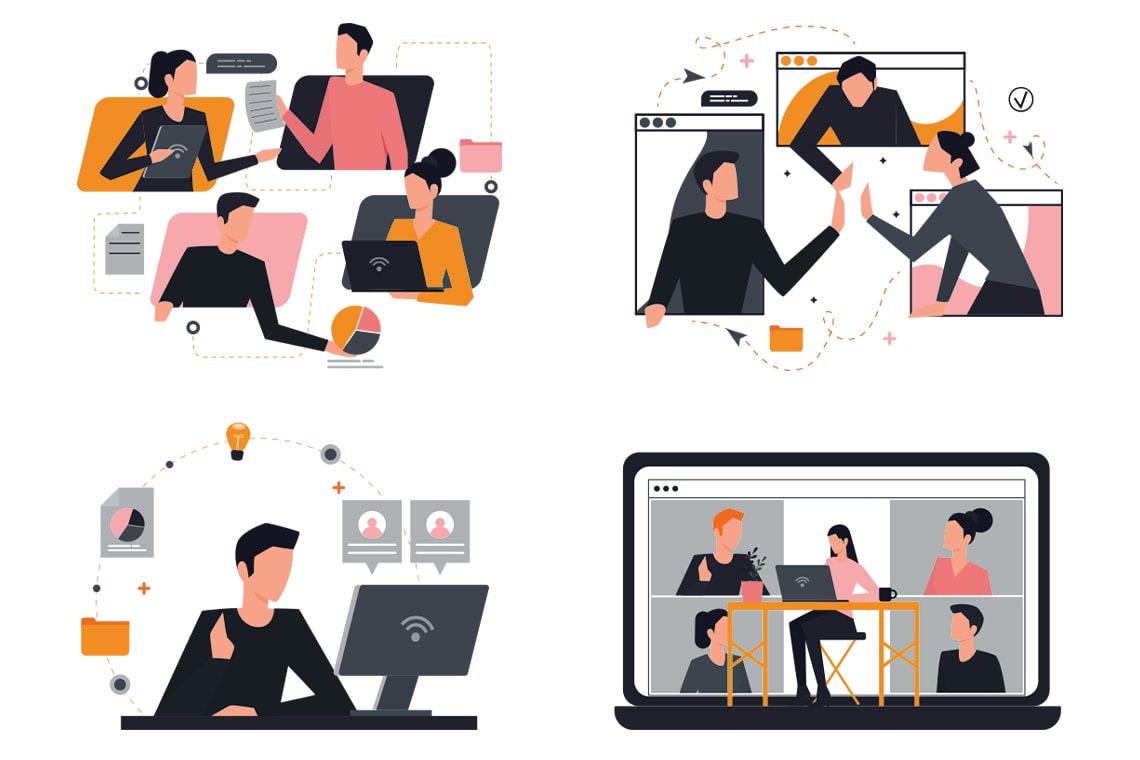
Global disruptions and the shift toward remote work have changed how web application development is approached. Businesses now rely more heavily on web applications to support operations, communication, and customer engagement.
As organizations moved processes online, demand for scalable, secure, and flexible web applications increased. Development teams adapted by embracing remote collaboration, cloud-based workflows, and distributed development models.
This shift also accelerated outsourcing and global collaboration, allowing companies to access skilled developers across regions. As a result, web application development has become more agile, resilient, and aligned with long-term digital transformation goals.
The future of Web Application Development
Because of rapid advancements in technology, the requirements for web application development continue to evolve. As new tools, platforms, and intelligent systems emerge, developers must adapt their skills and approaches to stay relevant. Understanding current trends and preparing for future changes is essential for professionals who want to remain competitive in the field.

The need to know more technologies and programming languages
It is recommended to learn multiple programming languages and development approaches to remain flexible when switching between technologies or projects. Today, Python, JavaScript, WebAssembly, and TypeScript play a major role in modern web application development. In addition, basic knowledge of AI-assisted development tools and APIs has become valuable, as artificial intelligence is increasingly integrated into web applications.
Reduced Demand for Traditional Conversion Services
Services such as PSD to XHTML/CSS conversion are no longer in high demand. Instead, WordPress development, headless CMS solutions, open-source customization, and AI-assisted design workflows are more widely used. These approaches allow faster development, better scalability, and easier maintenance.
Flexibility and Mobile Optimization
A significant portion of web traffic now comes from mobile devices. Because of this, flexibility and responsiveness across different screen sizes and devices are essential. Optimizing web applications for mobile users improves user experience and helps businesses remain competitive in a mobile-first environment.
One-Page Web Applications
One-page web applications continue to grow in popularity due to their improved performance and smoother user experience. By reducing page reloads and interruptions, these applications are well suited for modern web and hybrid solutions. Businesses prefer this approach as it helps lower development costs while maintaining efficiency and usability.
Progressive Web Apps for improving client commitment
Progressive Web Applications (PWAs) are considered an important direction for web application development. They provide features such as offline access, faster loading, and app-like experiences. When combined with AI-driven personalization and analytics, PWAs can deliver more relevant and engaging user experiences.
Modular Design Approach
Modular design remains a strong trend in web application development. Building applications using independent and reusable components results in less coding, faster development time, easier maintenance, and lightweight systems. Modular architecture also supports better integration with AI services and APIs.
Less Client Work and More Personal Projects
Today, an increasing number of developers are choosing to focus more on building their own web applications and personal projects instead of working exclusively on client-based work. Creating personal projects allows developers to experiment with new technologies, AI tools, automation, and intelligent features, while gaining hands-on experience.
Additionally, dealing with your own venture makes you generally learn and find out additional, find new ways and approaches.
Web Application Development Resources
Before ending, let’s just have a piece of knowledge on the collection of the Web Application Development Resources:
CMS based web application development platforms
- WordPress
- Drupal
- Joomla
- Shopify
- Squarespace
- Magento
- Webflow
- Headless CMS platforms (Strapi, Sanity, Contentful)
Programming Languages or Platforms
- JavaScript / TypeScript
- Python
- Java
- PHP
- C#
- Go (Golang)
- Ruby
- SQL
- HTML5
- CSS3
- Node.js
JavaScript Libraries
- React
- D3.js
- Lodash
- Axios
- Three.js
- Chart.js
- Alpine.js
Web Application Frameworks
- Next.js
- Nuxt.js
- NestJS
- Django
- Laravel
- ASP.NET Core
- Spring Boot
- Express.js
- Ruby on Rails
Web front-end development frameworks
- Tailwind CSS
- Bootstrap
- Material UI
- Ant Design
- Chakra UI
- Semantic UI
- UIKit
CSS Preprocessors and Databases
CSS & Styling Tools
- Sass
- PostCSS
Databases
- MySQL
- PostgreSQL
- MongoDB
- Redis
- MariaDB
- Firebase / Firestore
- Supabase
Code Editors & IDEs
- Visual Studio Code
- WebStorm
- PyCharm
- IntelliJ IDEA
- Vim
- Sublime Text
Git Clients & Local Development Tools
- GitHub Desktop
- GitLab
- SourceTree
- Docker
- Docker Compose
- XAMPP
- MAMP
Package Managers & Build Tools
- NPM
- PNPM
- Yarn
- Vite
- Webpack
- TurboRepo
- Bun
Website Testing & Performance Optimization Tools
- Google PageSpeed Insights
- Lighthouse
- WebPageTest
- GTmetrix
- Chrome DevTools
- Google Search Console
- Core Web Vitals (CrUX)
Code Collaboration & Project Management Tools
- GitHub
- GitLab
- Bitbucket
- Jira
- Slack
- Asana
- Trello
- ClickUp
- Linear
Conclusion
Web application development has evolved into a strategic foundation for modern businesses. From choosing the right technology stack to designing scalable, high-performance applications, understanding the full development lifecycle empowers you to make informed decisions and avoid costly mistakes.
With the insights shared in this guide, you’re better equipped to plan, evaluate, and oversee your web application, whether you’re building it in-house or partnering with an experienced web application development company.
A well-built web application doesn’t just function smoothly; it supports growth, enhances user experience, and delivers measurable business value. By applying these best practices and working with the right expertise, you can confidently build web applications that meet today’s demands and scale for tomorrow.
Frequently Asked Questions (FAQs)
What is web application development?
Web application development is the process of building software applications that run in a web browser and can be accessed across devices without installation. These applications are designed to be scalable, secure, and easy to maintain.
How is a web application different from a website?
A website primarily delivers static or informational content, while a web application allows users to interact with data, perform actions, and complete tasks such as logging in, managing accounts, or processing transactions.
What technologies are used in web application development?
Web applications are built using technologies such as HTML, CSS, JavaScript, frontend and backend frameworks, databases, APIs, cloud platforms, and increasingly, AI and automation tools.
Why are web applications important for businesses?
Web applications help businesses streamline operations, improve customer engagement, scale efficiently, and deliver consistent user experiences across devices.
What are the benefits of cloud-native web applications?
Cloud-native web applications offer better scalability, faster deployment, improved reliability, and easier integration with third-party services compared to traditional systems.
How does AI enhance web applications?
AI enhances web applications by enabling personalization, intelligent automation, predictive insights, chatbots, recommendation systems, and data-driven user experiences.
What is a Progressive Web Application (PWA)?
A Progressive Web Application is a web app that delivers app-like features such as offline access, push notifications, and fast load times while remaining accessible through a browser.
How do you choose the right tech stack for a web application?
The right tech stack depends on factors such as project goals, scalability needs, performance requirements, security, budget, and long-term maintenance considerations.
Is web application development still worth learning?
Yes. Web application development remains one of the most in-demand skills because businesses rely on web apps for scalability, accessibility, and faster deployment compared to traditional software.
This page was last edited on 28 August 2026, at 6:20 pm

Start a conversation with our team to solve complex challenges and move forward with confidence.











Lot of things covered by this, Thanks Riseup Labs
Wow, what a nice post. Thanks for sharing the guide. Read two times already and will read again.
Thank you so much for your interest!
Very interesting guide, Wish to see many more like this. Thanks for sharing your post!
Thank you so much!
Yes, this is a good web application development post without any doubts.
Thank you so much!
Great post, thanks for sharing this web app development article. I am truly motivated by you for article.
Thank you so much!
It is such a well written comment on web development.
Thank you so much!
WOW just what I was searching for. Came here by searching for learning web app development!
Thank you so much!
Really impresive guide on web app development!
Thank you so much!
Your Web app development guide got me to learn a lot, thanks for shearing, nice article!
Thank you so much!
Your web app development guide is very nice.
Wish to see much more like this. Thanks for sharing your information
Thank you so much!
Nice article. Thank you so much for sharing . It was really helpfull!
Thank you so much for your feedback!
Wow… fascinating guide on web app development. Thanks for sharing. Loved it.
Loved your comment. Thank you so much!
I had a long list of useless websites that were driving me crazy. I can now declare with confidence that I can rely on these websites. Nice post on web app development!
Many many thanks!
A very good guide on web application development. Thanks for writing and sharing!
Thank you so much. Please read more!
What a remarkable post on web app development. Really loved the guide. Keep going!
Thank you for sharing your nice thoughts!
One of the best informative web app development guide.
Thank for the praise. Please read more from our Articles!
Your your web app development article is very useful.Thank you for this usefull information.
Thanks for reading!
Highly descriptive article, I loved that a lot.
Will there be a part 2?
Glad to know that you loved it. Thank you so much. We will try to publish part 2.
Wow Super article on game development. I Love This!
Thank you!
Nice article on Game development. Keep it up like this in your future.I hope you do best afford and make future bright.
Many many thanks!
Very interesting, Wish to see much more like this on Web app development. Thanks for sharing your information!
Thank you so much for your comment!
Yes, this is a great post on web application development without any doubts. You really doing a great Job. I inspired from you. So keep it up.
Thank you so much for your precious comment!
Amazing post, thanks for sharing this article. I am truly motivated by you for Article!
Thank You
Thank you so much for expressing your thought!
It is such a well written article on Web application development.
Thank you so much for reading with your patience!
Your article on web application development also amazed me. Keep writing more and more article on diverse topics. I will read them all.
Thank you so much. Really appriciate your comments.
WONDERFUL Post.Thanks for share. Waiting for more.
Thank you so much. There will be always more to read.
I think it provides a concrete level of understanding. Really nice guide!
Thank you so much for the feedback!
Some genuinely superb content on this web site, appreciate it for contribution.
Thank you so much for your valuable feedback!
Best guide on web application development. Thanks for sharing!
Thank you so much!
I have got inspired from your blog. So, I’d like to start a
blog so I can easily share my own experience and thoughts online. By the way your post is so amazing to read.
Thank you so much for the feedback. Please stay put.
It helped when you mentioned that a website application project could help with the digital marketing of your business. Thanks to this informative application development article. I’ll tell my brother that he can consult with you about the development process.
Thanks Steve. Keep us updated!
Hello there, just became alert to your blog through Google, and found that it is truly informative. I’ll appreciate if you continue this in future.
Lots of people will be benefited from your writing. Cheers!
Thank you so much Donnell! Please continue reading!
Usually I do not learn post on blogs, however I would
like to say that this write-up very pressured
me to tryy and do it! Your writing style has been amazed me.
Thank you, very great article.
Thank you so much Ryan, for your nice feedback. Please continue reading more from Riseup Labs’ knowledge base!
Wow…just wanted to say wonderful blog!
Thank you so much Minerva!
You’ve made some decent points there. I checked on the internet for
more information about the issue and found most peoploe
will go along with your views on this site.
Hi Garland Swart,
Thank you so much for your valuable opinion!