

You’ve opened dozens of ‘best UX examples’ articles. Most of them list famous apps, tack on a sentence about why they’re good, and call it a day. That format gets you nowhere — as a designer, a builder, or a search ranking.
This article is different. Every example here is broken down by the UX pattern it demonstrates, the psychological principle behind it, and — crucially — what your team can actually steal and apply. We’ve expanded from the original 9 examples to 25, reorganized by pattern type (not product category), and added a comparison matrix, stat callouts, and actionable frameworks.
If you’re here to get inspired and then actually do something with that inspiration, keep reading this article on UX design examples.
| 📊 Stat | 88% of online consumers are less likely to return to a site after a bad user experience. (Source: Sweor). Good UX isn’t a nice-to-have — it’s a growth lever. |
What Makes a UX Design Great?
Great UX design is not about aesthetics. It is about reducing the effort required for users to accomplish what they came to do — while adding just enough delight to make them want to come back.
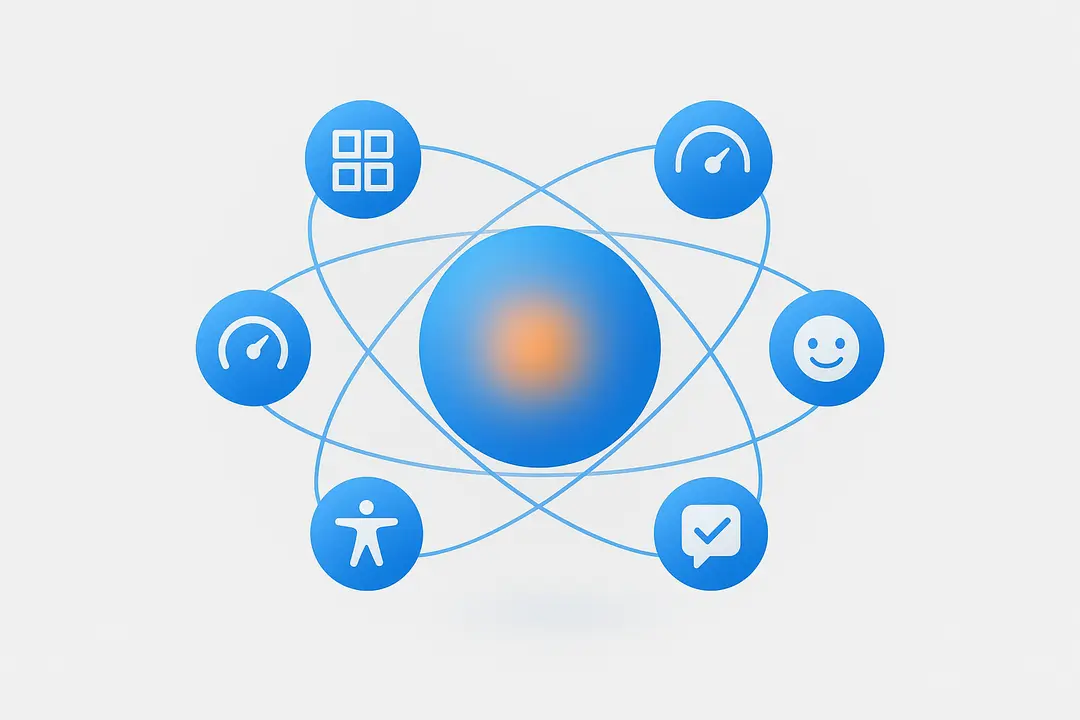
The best UX consistently delivers across six dimensions:
- Usability — Interfaces are intuitive, clear, and minimize cognitive load
- Efficiency — Tasks are streamlined; fewer steps, less friction
- Delight — Micro-moments of joy make the experience memorable
- Feedback — Every user action gets a timely, helpful system response
- Accessibility — The product works for users of all abilities and contexts
- Consistency — Patterns feel familiar and predictable across the product
These principles map directly to the examples below. Each section is anchored to one or more of these dimensions, so you know exactly what you’re learning.
Part 1: Onboarding & First-Time User Experience
Onboarding is the most action-heavy phase of the user journey. Users must invest effort before they see value — which means every unnecessary step is a conversion killer. These examples show how world-class products eliminate that friction.
1. Linear — Pro-Grade Onboarding That Respects User Intelligence
| UX Pattern | Progressive onboarding + keyboard-first navigation |
Linear is a project management tool built for fast-moving software teams, and its UX reflects that philosophy in every interaction. Unlike Jira or Asana, Linear doesn’t force new users through a five-step wizard. Instead, it presents a clean workspace on first login and surfaces help contextually — only when the user hesitates or explores a new area.
Power users can use keyboard shortcuts to navigate the entire app without ever touching a mouse. The command palette (⌘K) lets you create issues, switch projects, and run any action in under two keystrokes.
- Why It Works: Linear trusts users. It doesn’t condescend with forced tutorials. Experienced users feel respected; beginners find progressive hints when they need them.
- Stat: Products with streamlined onboarding see up to 50% higher 30-day retention (Pendo, 2023).
- Steal This: Add a command palette to your app. Let power users escape menus. Surface onboarding tips contextually, not upfront.
2. Duolingo — Persona-Based Experience from the First Screen
| UX Pattern | Persona quiz + immediate value delivery |
Duolingo solves a hard UX problem: their user base spans complete beginners to near-fluent speakers across 40+ languages. Their solution is elegant. Before you see a single lesson, a brief quiz asks about your goals (casual learning vs. fluency), your current level, and how much time you can commit daily.
Within two minutes, the app delivers a customized lesson sequence that starts exactly where the user is — not where Duolingo assumes they are. The result: users experience value on their very first session, dramatically increasing the chance they return.
- Why It Works: Users who see relevant content immediately are far more likely to form a habit. The quiz also creates psychological buy-in — you’ve invested something, so you’re more likely to continue.
- Steal This: Add a short intake quiz to your onboarding. Even 2-3 questions that personalize the first experience reduce early churn significantly.
3. Stripe — Developer Onboarding as a Product
| UX Pattern | Progressive disclosure + trust-building consistency |
Stripe’s payment infrastructure handles billions of dollars, so trust is its most important UX asset. Their developer onboarding achieves something rare: a complex, multi-step integration process that feels straightforward. The secret is progressive disclosure — Stripe doesn’t show you everything at once. It surfaces the next step only after you’ve completed the previous one.
Their documentation is interactive. Code snippets auto-populate with your actual API keys. Error messages explain not just what went wrong, but why, and how to fix it. The UI is visually consistent from the dashboard to the docs to the CLI — no cognitive jarring when switching contexts.
- Why It Works: Consistency builds trust. When every element (icons, button labels, error messages) behaves predictably, users stop second-guessing the system and focus on their task.
- Steal This: Audit your error messages. Most apps show generic errors. Stripe-style errors explain the cause and the fix. This alone reduces support tickets dramatically.
4. Miro — Contextual In-App Guidance
| UX Pattern | Contextual tooltips + moment-specific help |
Miro’s collaborative whiteboard presents a blank canvas on first launch — which could be overwhelming. Their UX solution is contextual pop-up banners that appear at exactly the right moment. Try to add a sticky note for the first time? A tooltip appears showing you the shortcut. Open a new frame? A guide to frame types surfaces automatically.
These banners aren’t intrusive — they appear in-context, once, and disappear. They teach by doing rather than lecturing upfront.
- Why It Works: The ‘moment of need’ is the best time to teach. Help delivered before users need it is noise. Help delivered at the moment of confusion is signal.
- Steal This: Replace your product tour with contextual triggers. Tag new features with a small indicator and show a tooltip on first hover/click. Delete the 10-slide onboarding modal.
Part 2: Micro-Interactions & Feedback Loops
Micro-interactions are the small moments of UI feedback — the button that pulses, the form field that turns green, the animation that plays when a task completes. These tiny details create emotional resonance between users and products. They’re the difference between an app that feels alive and one that feels dead.
5. Figma — Real-Time Collaboration as UX
| UX Pattern | Live presence indicators + undo confidence |
Figma’s multi-player design tool has fundamentally changed how design teams work. The UX of collaboration itself is the product. You can see your teammate’s cursor in real time, leave comments pinned to specific elements, and watch changes propagate instantly. The version history panel lets you roll back any change with a single click — removing the anxiety of experimentation.
The ‘undo’ function is a micro-interaction that carries outsized emotional weight. When users know they can always undo, they explore more freely, which leads to better design outcomes.
- Why It Works: Removing the fear of mistakes increases creative risk-taking. The ‘undo’ safety net is one of the most undervalued UX patterns in software.
- Steal This: Make destructive actions reversible. ‘Delete’ should always offer an undo or a 30-second countdown. This alone reduces user anxiety dramatically.
6. Netflix — Skip Intro and Context-Aware Controls
| UX Pattern | Anticipatory design + shortcut surfacing |
Netflix’s ‘Skip Intro’ button is one of the most celebrated micro-interactions of the last decade. It seems small, but it reflects deep knowledge of user behavior. Netflix knew through data that users were scrubbing through intros repeatedly — so they surfaced a shortcut exactly when users needed it.
The auto-play preview feature works the same way. Netflix learned that browsing without watching anything is a churn signal, so they designed auto-previews to re-engage users mid-browse. The sound defaults off (respecting context), but plays on hover.
- Why It Works: Anticipatory design solves a problem before the user consciously feels it. Skip Intro didn’t respond to complaints — it acted on behavioral data to remove friction preemptively.
- Stat: Even saving 90 seconds per episode compounds to hours of perceived value for binge-watchers — and directly impacts subscription retention.
- Steal This: Identify your users’ most repeated ‘workaround’ behaviors (scrubbing, copy-pasting, re-clicking). Each one is an opportunity for a shortcut micro-interaction.
7. Asana — Gamification and Celebration
| UX Pattern | Emotional reward loops + progress visualization |
Asana’s UX for motivation is famous for one thing: the celebratory animation that plays when you complete all your tasks. A unicorn, a yeti, or a narwhal streaks across the screen. It’s silly. It’s delightful. And it’s strategically designed to make task completion feel rewarding rather than routine.
Beyond the easter egg, Asana uses progress bars, completion percentages, and milestone markers throughout its interface. Users can see how close they are to a goal at all times — activating the psychology of the ‘goal gradient effect,’ where motivation increases as you get closer to completion.
- Why It Works: Variable rewards (you don’t know which creature will appear) are more motivating than predictable ones. This is the same mechanism that makes games addictive.
- Steal This: Add a moment of delight for a key conversion action. Task completion, profile setup, first purchase — pick one and make it feel like a small celebration.
8. Mailchimp — Real-Time Form Validation
| UX Pattern | Inline validation + progressive reassurance |
Mailchimp’s signup form is a masterclass in form UX. As you type your password, a checklist turns green in real time — uppercase letter ✓, number ✓, 8+ characters ✓. Each criterion visually checks off the moment it’s satisfied, giving you continuous positive feedback rather than a single error at submission.
There’s also a built-in password generator for users who don’t want to create their own. And a transparent, low-friction reset flow that gets you back in with minimal steps if you forget your login.
- Why It Works: Inline validation reduces form errors by up to 22% and cuts completion time significantly (Baymard Institute). Real-time feedback transforms a moment of friction into a moment of progress.
- Steal This: Remove all ‘submit and get errors’ form patterns. Replace with real-time inline validation. Every field should confirm success (green) or explain failure (red + why) as the user types.
Part 3: Mobile-First UX Patterns
Mobile UX demands even more ruthless simplicity than desktop — smaller screens, divided attention, touch interfaces, and variable connectivity all raise the bar. These apps show what mobile-first UX excellence looks like in practice.
9. Airbnb — Emotion-Driven Search and Progressive Filtering
| UX Pattern | Emotion-first design + progressive disclosure filters |
Airbnb’s search flow doesn’t start with a list of properties. It starts with an image. A beautiful one. Exploring a potential destination is an emotional act, and Airbnb’s UX reflects that — curated photography, minimal text, and an interface that feels more like browsing a travel magazine than filling out a form.
The filtering system is where the UX engineering shows. Airbnb doesn’t dump 30 filter options on users upfront. Instead, the most common filters (price, dates, guests) are always visible. Advanced filters (pool, workspace, accessibility features) are one tap away behind a ‘Filters’ button. This progressive reveal keeps the interface clean while making powerful search possible.
- Why It Works: Emotion precedes logic in purchase decisions. Airbnb gets you excited about a destination before it asks you to narrow your search. By the time you apply filters, you’re already sold on the trip.
- Steal This: Order your product’s information hierarchy by user emotion, not product logic. Lead with the thing that makes users want it, then let them narrow their options.
10. Spotify — Personalization as UX
| UX Pattern | Behavioral personalization + smart empty states |
Spotify’s ‘Discover Weekly’ playlist is one of the most successful UX features in consumer tech history — not because of what it shows, but because of when and how. Every Monday, users find a fresh 30-song playlist curated entirely to their taste. The regularity creates a ritual. The personalization creates loyalty.
More subtly, Spotify handles the ‘new user empty state’ masterfully. A new user who hasn’t listened to anything yet doesn’t see a blank screen — they’re shown genre cards to select, which immediately seed their recommendations. The app is never empty, never confusing, and never fails to show something useful.
- Why It Works: Empty states are a UX crisis for most apps. Spotify turns the empty state into an engagement mechanism by making the first action fun (picking genres you love).
- Steal This: Design your empty states as if they are landing pages. They should guide, invite, and excite — not show a blank screen with ‘No items yet.’
11. Headspace — Calm UX for Behavior Change
| UX Pattern | Calm design + habit-forming streaks |
Headspace’s UX has a job that is fundamentally different from most apps: it needs to make you feel calmer just by opening it. Every design decision — the soft orange palette, the round illustrated characters, the gentle transition animations — is calibrated to reduce stress on contact.
The streak mechanic is used deliberately. Users see their meditation streak prominently but without pressure — there’s a ‘streak freeze’ feature that lets you miss a day without breaking your streak. This is psychologically sophisticated: it keeps the habit loop alive without adding anxiety.
- Why It Works: The product’s emotional tone must match its purpose. A meditation app with aggressive popups and urgent notifications would be self-defeating. Headspace’s design IS the product benefit.
- Steal This: Map your app’s emotional purpose and audit every design decision against it. If you’re building a finance app, every interaction should feel secure and calm. If you’re building a fitness app, it should feel energizing.
12. Calendly — Zero-Friction Scheduling
| UX Pattern | Single-task focus + decision reduction |
Calendly solves scheduling friction by removing the back-and-forth entirely. The UX is radically focused: the person scheduling sees only available time slots. No account required. No form overload. They pick a time, add their name and email, and they’re done in under 60 seconds.
The brilliance is in what Calendly removes, not what it adds. There are no distractions, no upsells on the scheduling page, no mandatory account creation for the invitee. The product respects the user’s time as much as it saves it.
- Why It Works: Decision fatigue is real. Reducing the number of choices presented increases completion rates. Calendly’s constrained UI (only available times are shown) makes the decision trivially easy.
- Steal This: Identify one user flow where you could remove 50% of the steps. Start with your most important conversion flow — signup, checkout, or first use case.
Part 4: SaaS & Productivity UX Patterns
13. Notion — Flexibility Without Cognitive Overload
| UX Pattern | Progressive complexity + template scaffolding |
Notion is infinitely flexible — you can build a to-do list, a company wiki, a project tracker, or a CRM with it. That flexibility should make it overwhelming for new users. Instead, Notion’s UX manages it through templates. Every new page suggests a template. Templates have just enough structure to get you started without locking you in.
The ‘/’ command is Notion’s killer micro-interaction. Type ‘/’ anywhere and a menu of all possible content types appears. This single pattern makes the infinite canvas feel manageable — you always know how to add anything.
- Why It Works: Templates reduce blank-canvas anxiety. They give users a scaffold to build from rather than asking them to start from zero.
- Steal This: Offer starting templates for every major use case. The best template removes user hesitation AND demonstrates your product’s capabilities at the same time.
14. Slack — Status Signals and Async-First Communication
| UX Pattern | Presence indicators + smart notification design |
Slack’s UX innovation isn’t the chat UI — it’s how it manages attention. The ‘active/away’ status indicator, custom status emojis, and Do Not Disturb scheduling all communicate that Slack understands the cost of interruption. These features signal respect for user time baked into the product itself.
Threads are another UX masterstroke. By letting conversations branch off a main channel message, Slack reduces noise without hiding important discussions. Users can follow threads they care about and ignore those they don’t.
- Why It Works: The meta-UX of communication tools is attention management. Apps that help users control their attention are more trusted and more used.
- Steal This: If your app sends notifications, design a notification control center that lets users specify when, how, and how often they hear from you. Respecting attention builds loyalty.
15. Loom — Reducing Async Friction
| UX Pattern | One-click recording + minimal sharing friction |
Loom’s core UX insight is that async video communication was too hard — too many steps between ‘I want to explain this’ and ‘the other person receives my explanation.’ Loom reduced that to: click record, talk, click stop, share link. Four steps. The link is auto-copied to your clipboard the moment you stop recording.
The viewer experience is equally smooth. No account required to watch a Loom. No download. The video loads instantly with a thumbnail, transcript, and emoji reaction bar. Viewers can comment at specific timestamps.
- Why It Works: Every extra step in a sharing flow is a drop-off point. Loom’s UX is designed around minimizing the gap between intent and action.
- Steal This: Count the steps between your user’s intent and their goal. Every step above 3 is a UX debt you owe to your users.
16. Dropbox — Trust Through Transparency
| UX Pattern | Sync status indicators + clear error recovery |
Dropbox’s UX handles a category of interaction most apps get badly wrong: background processes. When a file is syncing, you know — there’s a small checkmark that turns to a spinner and back to a checkmark. When something goes wrong, Dropbox surfaces it clearly with an explanation and a specific action to take.
This transparency eliminates the anxiety of ‘did my file save?’ — one of the most common sources of frustration for cloud storage users. The UX is built around making invisible processes visible.
- Why It Works: Uncertainty breeds anxiety. When users can see the status of important background operations, they feel in control even when they’re not actively doing anything.
- Steal This: Audit every background process in your app. Add progress indicators, success confirmations, and clear error messages with actionable next steps for all of them.
Part 5: E-Commerce & Conversion UX Patterns
17. Amazon — Relentless Checkout Friction Reduction
| UX Pattern | 1-Click purchase + persistent cart + auto-fill |
Amazon’s checkout UX is the gold standard for friction reduction. The 1-Click purchase patent (expired in 2017) was a landmark UX innovation — eliminating the entire multi-step checkout for repeat customers. For new checkouts, Amazon uses persistent cart summaries visible throughout the process, real-time shipping estimates that update as you change address, and auto-filled payment and address information.
Amazon also employs micro-copy to reduce abandonment anxiety: ‘Ships in 2 hours if ordered within 3 hrs 22 min’ creates urgency. ‘Free returns within 30 days’ removes purchase anxiety. Every line of text in the checkout flow is a deliberate UX decision.
- Why It Works: Checkout abandonment averages 69.8% across e-commerce (Baymard Institute). Every friction-reducing feature in Amazon’s checkout is a direct response to data showing where users dropped off.
- Steal This: Run a checkout audit. Time how long it takes to complete a purchase. Count every click. Then work backwards, removing or combining steps until you’ve cut the time in half.
18. Typeform — Conversational Forms
| UX Pattern | One-question-at-a-time + conversational microcopy |
Typeform’s breakthrough insight was that forms feel like bureaucracy because they look like bureaucracy. A page of 20 questions side by side signals ‘chore.’ Typeform’s solution: show one question at a time, in full screen, with a conversational tone. ‘Nice to meet you! What should we call you?’ instead of ‘First Name:’.
The progress indicator at the top shows completion percentage, activating the goal gradient effect. The keyboard-forward design (press Enter to advance) makes the form feel like a conversation, not a data entry task.
- Why It Works: Typeform-style forms typically see 2-3x higher completion rates than traditional multi-field forms. The conversational frame reduces cognitive resistance to answering personal questions.
- Steal This: Rewrite the microcopy in your most important form using a conversational tone. Change ‘Email address:’ to ‘Where can we reach you?’ and watch completion rates improve.
19. Revolut — Personalized Financial Dashboard
| UX Pattern | User-controlled customization + calm financial design |
Revolut’s approach to financial UX addresses a real problem: most banking apps show you everything, organized for the bank’s logic rather than yours. Revolut lets you customize your home screen to surface the features and accounts you actually use. You can reorder cards, hide unused features, and set spending limits directly from the dashboard.
The design language is deliberately calm — minimal color, clean typography, and no flashing promotional banners. Money is a stressful topic; Revolut’s UX understands that and responds with composure.
- Why It Works: Personalization increases perceived value. When users feel the product is ‘theirs,’ engagement and retention both increase.
- Steal This: Identify the top 3 things each user type actually does in your app. Let users pin those to their home screen or dashboard. Customization is a retention feature.
20. Wealthfront — Friction-Free Financial Onboarding
| UX Pattern | Single-focus screens + progress validation |
Wealthfront manages money — which means their UX has to work extra hard to build trust while reducing complexity. Their onboarding uses single-focus screens: one question, one input, one call to action per screen. Risk tolerance, investment goals, and time horizons are each addressed in isolation, with plain-language explanations for every financial term.
The color palette is soft and professional. Progress bars show exactly how far through onboarding you are. Error states use orange (not red) to feel informative rather than alarming.
- Why It Works: In high-trust moments (like entering financial information), anxiety-reducing design choices directly impact conversion rates. Color psychology, copy clarity, and pacing all contribute.
- Steal This: For any high-stakes flow in your product (sign-up, payment, consent), switch from multi-field to single-focus screens. Test the difference in completion rates.
Part 6: Design Systems, Accessibility & Navigation
21. Canva — Democratizing Design Through Constraint
| UX Pattern | Constrained templates + guardrail-first design |
Canva’s core UX challenge: make professional design accessible to people who have never opened Photoshop. Their solution is templates with smart constraints. You can customize colors, fonts, and images — but Canva’s template system steers you toward combinations that look good. It’s freedom within guardrails.
The drag-and-drop editor highlights smart guides when elements align, snaps objects to grids, and suggests complementary colors. These guardrails make it very hard to accidentally create something ugly — which is the product promise.
- Why It Works: Constraints create confidence. When users know the system won’t let them make a bad design, they explore more freely and engage longer.
- Steal This: Identify where users most often make ‘mistakes’ in your product. Then design guardrails that make the right path the easiest path. Constrain the journey, not the destination.
22. Google Maps — Visual Hierarchy Across Contexts
| UX Pattern | Contextual mode switching + predictive search |
Google Maps has to serve radically different use cases — navigation, business discovery, transit planning, walking directions — within a single interface. The UX handles this through mode switching that changes the entire interface layout based on context. Driving mode? Giant turn-by-turn directions. Transit mode? A timeline view of stops. Walking? A top-down map with clear waypoints.
The search autocomplete learns from your habits — home and work always surface first, recent searches next. The predictive suggestions reduce keystrokes and eliminate the friction of trying to remember exact business names.
- Why It Works: Context-aware UI reduces cognitive load. You shouldn’t have to navigate the same interface the same way for every task. Maps changes itself for you.
- Steal This: If your product has multiple user modes or contexts, consider context-aware UI layouts that adapt to what the user is currently trying to do.
23. Jira — Drag-and-Drop Power
| UX Pattern | Direct manipulation + keyboard acceleration |
Jira’s board view is a case study in making complex project management feel tangible. The drag-and-drop interface lets teams reprioritize work with physical metaphors — moving a card from ‘In Progress’ to ‘Done’ triggers the same satisfaction as checking off a to-do list. The visual organization of work items creates shared understanding across teams without requiring everyone to look at the same spreadsheet.
For power users, Jira’s keyboard shortcuts let you create issues, assign them, change priorities, and navigate boards without using a mouse.
- Why It Works: Direct manipulation (moving things by hand, even digitally) creates stronger spatial memory and sense of control than dropdown menus and form submissions.
- Steal This: If your product involves organizing, prioritizing, or sequencing things — replace dropdowns with drag-and-drop. The tactile feel significantly improves perceived usability.
24. Babbel — Flow State by Design
| UX Pattern | Distraction-free learning + calibrated challenge |
Babbel’s language learning UX is engineered for flow state — the psychological condition where you’re fully immersed and time passes unnoticed. Every lesson is full-screen. No notifications. No social feeds. No ads. The interface combines written, visual, and audio elements in alternating sequences to prevent monotony.
Lesson length is calibrated by research: 15 minutes is long enough to learn something meaningful, short enough to feel achievable before the cognitive load kicks in. The gamification (points, lesson streaks) provides just enough extrinsic motivation to complement the intrinsic reward of learning.
- Why It Works: Flow state requires minimizing interruptions and calibrating challenge to skill level. Babbel’s UX is built around the conditions that produce flow rather than the features of the lesson.
- Steal This: If your product has a core task users need to focus on, strip the interface down to that task when the user enters it. Hide navigation, hide promotions. Full focus.
25. Intercom — Proactive Help at the Right Moment
| UX Pattern | Behavioral triggers + in-app messaging |
Intercom’s own product is a masterclass in the UX pattern it enables for others: proactive, behavioral-trigger-based help. Rather than waiting for users to search for documentation, Intercom shows the right message at the right moment — a guide surfaces when you visit a page for the first time, a prompt appears when you’ve been idle on a form for 30 seconds, a success message fires after your first completed action.
This converts passive UI (waiting for the user to do something) into an active guide (anticipating what the user needs and surfacing it proactively).
- Why It Works: Proactive help reduces support load, increases feature adoption, and makes users feel guided rather than abandoned.
- Steal This: Map your top 3 user drop-off points. Design a proactive message for each one that surfaces exactly when users are most likely to be stuck.
UX Feature Comparison: 20 Top Apps at a Glance

Use this matrix to quickly see which UX patterns each app employs. This is your quick-reference benchmarking tool.
| App | Onboarding | Collab | Micro-anim. | Progress UI | Micro-copy | Accessibility |
| Linear | ✓ | ✓ | — | ✓ | ✓ | ✓ |
| Figma | ✓ | ✓ | ✓ | — | ✓ | ✓ |
| Stripe | ✓ | — | — | ✓ | ✓ | ✓ |
| Airbnb | ✓ | — | ✓ | ✓ | ✓ | ✓ |
| Netflix | ✓ | — | — | — | ✓ | ✓ |
| Duolingo | ✓ | ✓ | — | — | ✓ | ✓ |
| Notion | ✓ | ✓ | — | ✓ | ✓ | ✓ |
| Slack | ✓ | — | ✓ | — | ✓ | ✓ |
| Spotify | ✓ | — | ✓ | — | ✓ | ✓ |
| Wealthfront | ✓ | ✓ | — | ✓ | ✓ | ✓ |
| Typeform | ✓ | — | — | — | ✓ | ✓ |
| Amazon | ✓ | — | — | ✓ | ✓ | ✓ |
| Miro | ✓ | ✓ | ✓ | — | ✓ | — |
| Mailchimp | ✓ | — | — | ✓ | ✓ | ✓ |
| Loom | ✓ | ✓ | — | — | ✓ | ✓ |
| Canva | ✓ | ✓ | — | — | ✓ | ✓ |
| Headspace | ✓ | — | ✓ | — | ✓ | ✓ |
| Calendly | ✓ | — | — | — | ✓ | ✓ |
| Dropbox | ✓ | ✓ | — | ✓ | ✓ | ✓ |
| Revolut | ✓ | — | — | ✓ | ✓ | ✓ |
Legend: ✓ = strong implementation, — = not a primary pattern for this app
How to Apply These UX Patterns to Your Product: A 5-Step Framework
Inspiration without action is just entertainment. Here is the process for turning these examples into real improvements to your product.
— Audit Your Most Critical Flow
Pick one user journey: onboarding, checkout, first use, or key feature. Map every step. Count every click. Measure drop-off at each point with analytics.
— Identify the Pattern You Need
Use the section headers above as a menu. Do you have high onboarding drop-off? See Part 1. High form abandonment? See Part 5. Poor feature adoption? See Part 4.
— Find Your Closest Competitor Example
Don’t copy from a company in a completely different space. Find an example from an app in a similar context (same user type, same level of complexity, same platform). The closer the analogy, the more transferable the lesson.
— Build a Single-Change Hypothesis
‘If we add inline form validation to the signup flow, we will reduce form errors and increase completion rate.’ One change, one hypothesis, one metric. This makes testing clean and learnings clear.
— Test, Measure, Iterate
Run an A/B test or phased rollout. Give it at least 2 weeks and enough traffic volume to reach statistical significance. Track your hypothesis metric AND a secondary metric (e.g., completion rate AND time-to-complete). Then iterate based on results.
Where to Find More UX Inspiration: Top Pattern Libraries
Beyond this article, these resources are the best ongoing sources of real-world UX examples:
- Mobbin (mobbin.com) — The largest library of mobile and web app screenshots, filterable by flow type (onboarding, empty state, error, etc.). Updated daily. Essential bookmarking.
- Pageflows (pageflows.com) — Journey-based UX inspiration showing complete user flows, not just single screens. Great for understanding how patterns chain together.
- Awwwards (awwwards.com) — Award-winning website design and UX. Skews toward portfolio/marketing sites but excellent for visual inspiration and cutting-edge design techniques.
- UX Archive (uxarchive.com) — Organized by UX pattern rather than app, making it easy to see 20 different versions of the same pattern side by side.
- Screenlane (screenlane.com) — Clean, curated mobile UI screenshots organized by component type (buttons, navigation, modals, etc.).
- Really Good UX by Appcues (reallygoodux.io) — UX examples specifically focused on onboarding, activation, and engagement patterns. Annotated with analysis.
FAQ: UX Design Examples — Common Questions Answered
What are the best examples of UX design in real apps?
The best examples include Linear (minimal onboarding), Duolingo (persona-based experience), Figma (real-time collaboration), Airbnb (emotion-driven search), Netflix (anticipatory shortcuts), Typeform (conversational forms), and Asana (gamification). This article covers 25 examples organized by pattern type so you can find what’s most relevant to your product.
How many UX examples should I study before redesigning a feature?
Quality over quantity. Study 3-5 highly relevant examples (same user type, same platform, similar complexity) deeply rather than 20 examples superficially. The goal is to extract the underlying principle, not copy the surface UI.
What makes a user interface user-friendly?
A user-friendly interface minimizes the effort required to complete a task, provides clear feedback at every step, handles errors gracefully and with helpful guidance, and works consistently so users build reliable mental models. Usability testing with real users is the only way to confirm you’ve achieved it.
How do micro-interactions improve UX?
Micro-interactions provide real-time feedback, reduce uncertainty, and create emotional resonance. Examples include progress animations that show system status, inline validation that confirms correct input, button state changes that confirm a tap was registered, and celebratory animations that reward completing important actions. Each one resolves a moment of potential anxiety.
Where can I find UI/UX pattern libraries?
The best resources are Mobbin, Pageflows, UX Archive, Screenlane, Awwwards, and Really Good UX. See the full resource section above. For specific patterns, searching ‘[pattern name] + UX example’ on Mobbin or UX Archive will surface multiple real implementations side by side.
What are the core principles of good UX design?
The six core principles are usability, efficiency, delight, feedback, accessibility, and consistency. Great UX applies all six — but the relative weighting depends on your product’s purpose. A meditation app should prioritize delight and calm. A medical records system should prioritize usability and accessibility above all else.
Which apps have the best mobile UX design in 2026?
Top picks for 2026 include Airbnb (emotion-driven search), Spotify (behavioral personalization), Headspace (calm, purposeful design), Calendly (zero-friction scheduling), and Duolingo (habit-forming engagement). Linear and Notion also have exceptional mobile apps for productivity.
How do I measure if my UX improvement actually worked?
Use a combination of quantitative metrics (task completion rate, time on task, drop-off rate at each step, error frequency) and qualitative signals (user interviews, session recordings, support ticket volume). Run an A/B test where possible. Set your hypothesis and primary metric before you build, not after.
What is the difference between UX and UI design?
UX (User Experience) design covers the overall experience of using a product — the flow, the logic, the information architecture, and how easy it is to accomplish goals. UI (User Interface) design covers the visual and interactive elements — colors, typography, buttons, animations. Good UX can fail with bad UI. Good UI can’t rescue bad UX. They work together, but UX decisions should always come first.
How do companies like Netflix and Airbnb use data to improve UX?
Both companies run continuous A/B tests at massive scale — Netflix tests hundreds of variations simultaneously across different user segments. They track behavioral signals (scrubbing, pausing, returning) not just stated preferences. Airbnb’s ‘Skip Intro’ equivalent was developed because data showed hosts repeatedly pausing and re-watching the same intro sections. The UX feature was built in response to observed behavior, not a user complaint.
Conclusion
The highest compliment a UX design can receive is: ‘I just did it without thinking.’ The 25 examples in this guide share a common thread — they all reduce the effort of getting something done to the point where the interface fades into the background and the user’s goal takes center stage.
What separates the apps in this guide from average products isn’t budget or brand recognition. It’s a consistent, research-driven, user-first approach to solving small problems — the form that’s one field too long, the error message that blames the user instead of explaining the fix, the onboarding flow that teaches too much too early.
Start small. Pick one pattern. Apply it to your most critical user flow. Measure it. Then move to the next one. That’s how the best UX in the world gets built — one intentional decision at a time.
Key Takeaways
- Organize UX inspiration by pattern type, not product category — this makes it directly applicable to your work
- The most impactful UX improvements often come from removing steps, not adding features
- Micro-interactions earn outsized emotional returns for minimal development investment
- Empty states, error states, and onboarding moments are where good UX and bad UX most visibly diverge
- Test one change at a time with a defined hypothesis and metric — inspiration without measurement is just decoration
- Use pattern libraries (Mobbin, Pageflows, UX Archive) to see multiple real implementations of any pattern before you build
This page was last edited on 2 June 2026, at 6:05 pm

Start a conversation with our team to solve complex challenges and move forward with confidence.










