
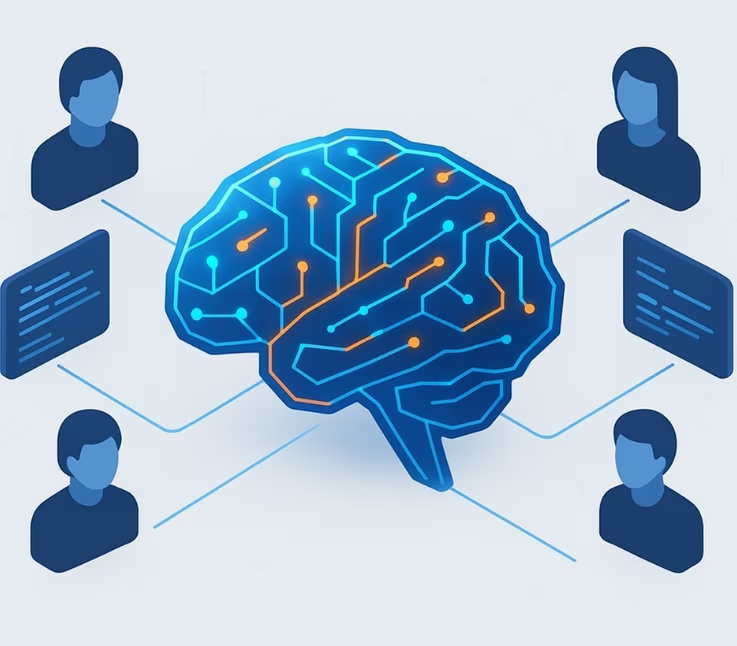
Collaborating with dedicated developers offers modern businesses a flexible, expert-driven approach to scaling software capabilities. Yet, many organizations struggle to unlock the full value of these partnerships due to unclear processes or misalignment. This playbook provides a proven, actionable framework for maximizing the business value of dedicated development teams—covering best practices, pitfalls to avoid, and tools to ensure successful collaboration. By following this guide, decision-makers can achieve greater ROI, faster time-to-market, and sustainable project outcomes.
What Is a Dedicated Development Team and How Does the Model Work?
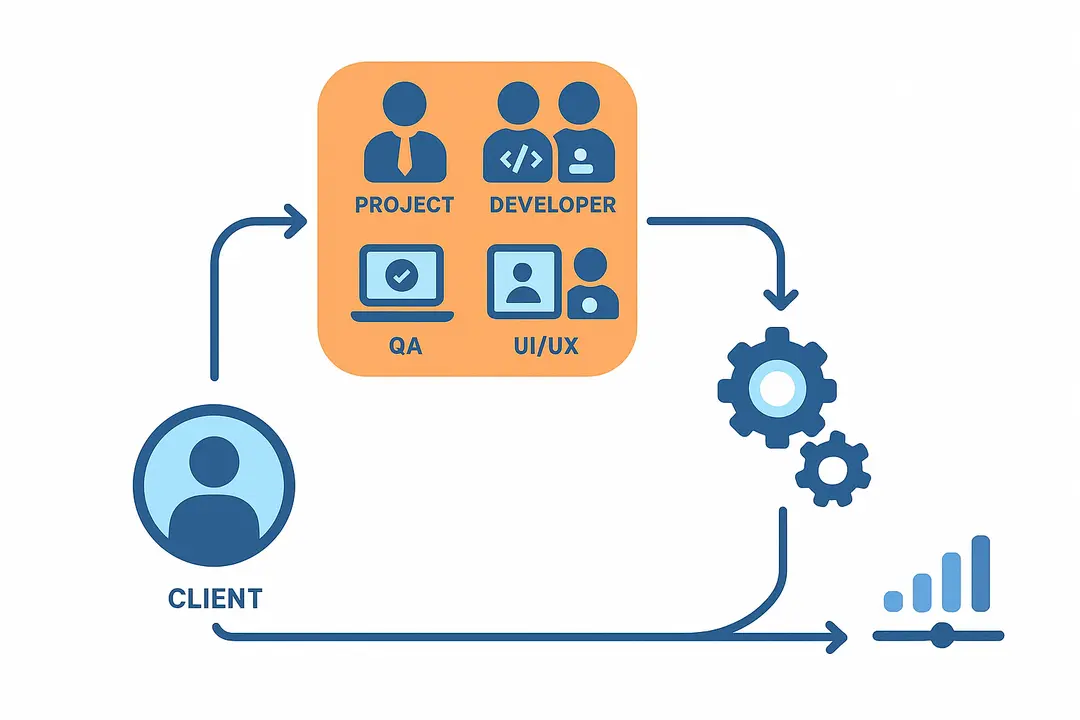
A dedicated development team is an engagement model where a client partners with an external group of specialized software professionals who work exclusively on their projects, functioning as a seamless extension of their in-house team.
Key characteristics of the dedicated team model include:
- Exclusive team allocation for your project needs
- Flexible scaling and resource adjustment over time
- Direct integration with your processes and culture
Core roles commonly found in dedicated development teams:
- Project Manager (PM)
- Software Developers
- Quality Assurance (QA) Engineer
- UI/UX Designer
- Business Analyst (BA)
- DevOps Engineer
Engagement Flow:
- Define requirements and team structure.
- Onboard the external team with knowledge transfer and tool access.
- Collaborate closely through regular communication and agile practices.
- Adjust scope or resources as business needs evolve.
Comparison Anchor:
Unlike fixed-price or transactional outsourcing, dedicated teams provide long-term focus, deeper alignment, and enhanced project continuity.
What Are the Main Benefits of Collaborating with Dedicated Developers?
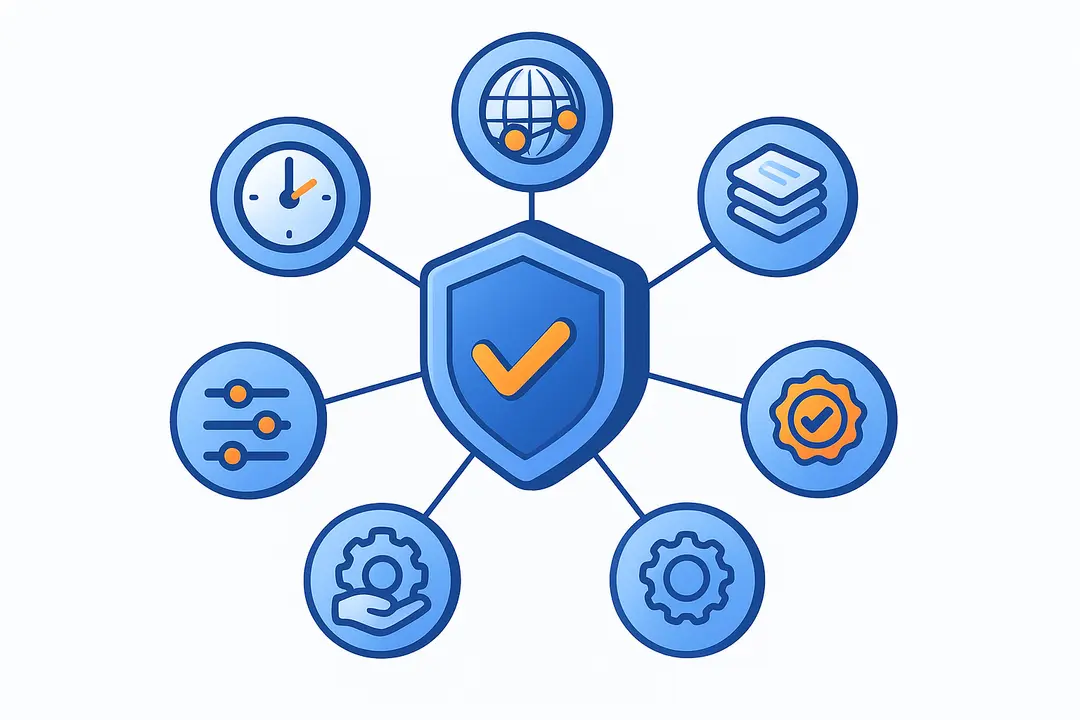
The key benefits of a dedicated development team include:
- Cost and time efficiency
- Access to global, top-tier talent
- Knowledge retention & continuity
- Flexibility and scalability
- Full control and transparency
- Quality assurance best practices
Let’s take a closer look at how these advantages drive business value:
Cost and Time Efficiency
Dedicated teams reduce overhead costs and accelerate delivery by providing predictable pricing models and focused development. Instead of incurring the expenses related to in-house hiring, training, and retention, you pay for only the resources you need—leading to optimized budgets and faster time-to-market.
Access to Global/Top-Tier Talent
By leveraging dedicated outsourcing, companies gain immediate access to a worldwide talent pool, including rare tech skills or domain-focused experts. This model supports remote, nearshore, or offshore engagement, allowing you to match specific project requirements with optimal expertise.
Knowledge Retention & Continuity
Unlike project-based or staff augmentation models, dedicated development teams build deep understanding of your business and technical stack over long-term engagements. This ensures lower turnover risk, smoother project handovers, and continuity throughout the software lifecycle.
Flexibility & Scalability
The dedicated team model makes it easy to scale teams up or down as business needs change. Whether expanding for rapid growth or streamlining for efficiency, you maintain agility without bureaucratic delays or legal complexity.
Direct Control & Transparency
Dedicated teams act as a true extension of your organization, offering transparency through direct oversight, communication dashboards, and regular progress updates. You stay in control of priorities, workflows, and deliverables, reducing miscommunication or hidden costs.
Quality Assurance Best Practices
A well-structured dedicated team includes QA professionals and automated testing processes from the start. This commitment to quality reduces defects, enhances user satisfaction, and ensures higher software reliability.
How Does a Dedicated Development Team Compare to Other Engagement Models?

| Model | Cost Predictability | Control | Scalability | Knowledge Retention | Risk Profile | Best Fit Scenarios |
| Dedicated Team | High (monthly fee) | Direct | Easy to adjust | Strong | Low-to-moderate | Long-term, evolving projects |
| Fixed Price | High (per project) | Limited | Hard (fixed scope) | Weak | Scope/cost overrun | Well-defined, short-term work |
| Time & Materials | Variable | Moderate | Flexible | Moderate | Budget uncertainty | Dynamic or R&D-focused projects |
| Staff Augmentation | Moderate | Varies | Moderate | Weak | HR/turnover risk | Skill gaps, rapid substitutions |
| In-house | Low (hidden costs) | Complete | Slow and costly | Strong | HR/capacity management | Core product, IP-centric projects |
Quick definitions:
- Fixed Price: One-time project fee, locked scope.
- Time & Materials: Pay for actual hours/services, flexible scope.
- Staff Augmentation: Temporary addition of individual resources to boost capacity.
- Dedicated Team: External team working exclusively on your extended projects.
Which model suits you best?
Choose a dedicated team for long-term, dynamic projects where flexibility, IP continuity, and efficiency matter most.
How to Collaborate Effectively with a Dedicated Development Team: Step-by-Step Framework
To maximize success, follow this proven playbook for dedicated developer collaboration:
Step 1: Define Goals, Requirements, and Scope Upfront
- Align business objectives, desired outcomes, and key technical requirements.
- Document priorities, user stories, and high-level architecture.
Step 2: Build the Right Team Structure
- Select roles tailored to your needs (PM, Developers, QA, UI/UX, BA, DevOps).
- Ensure balance between cross-functional expertise and domain knowledge.
Step 3: Onboard the Team for Seamless Integration
- Transfer domain knowledge, share product vision, and set up tools.
- Integrate new members into workflows, communication channels, and culture.
Step 4: Set Up Effective Communication Channels
- Establish shared tools (e.g., Slack, Jira, Confluence) and meeting cadence.
- Use dashboards and real-time status updates for transparency.
Step 5: Implement Performance Metrics & KPIs
- Track velocity, code quality, time-to-market, bug rates, and user feedback.
- Review progress regularly to course-correct and celebrate milestones.
Step 6: Foster Continuous Integration and Feedback Loops
- Adopt agile practices, run retrospectives, and embrace iterative improvement.
- Encourage proactive feedback from all team members.
Pro-tips:
- Visualize the workflow—map each step and responsible role for easy execution.
- Leverage onboarding checklists and communication templates to accelerate ramp-up.
What Roles and Skills Should a Dedicated Development Team Include?
A high-performing dedicated development team blends essential and optional roles based on project requirements.
Core roles to consider:
- Project Manager (PM): Drives delivery, coordinates with stakeholders, manages timelines.
- Software Developers: Build, test, and maintain the product codebase.
- Quality Assurance (QA) Engineer: Designs test strategies, automates testing, ensures reliability.
- UI/UX Designer: Crafts intuitive user experiences and interfaces.
- Business Analyst (BA): Translates business needs into technical specifications.
- DevOps Engineer: Manages infrastructure, CI/CD pipelines, and deployment efficiency.
Additional specialized roles may include:
- Solution Architects, Data Scientists, Mobile Developers, Security Engineers, Content Managers.
Customization tip:
Adjust your team’s composition to fit project size, complexity, and technology stack—opt for cross-functional skills to cover both development and ongoing support needs.
How Do You Onboard and Integrate Dedicated Developers Successfully?
Effective onboarding accelerates productivity and minimizes disruption when integrating dedicated developers.
Best-practice onboarding process:
- Grant necessary system access and permissions (code repos, documentation, tools).
- Conduct knowledge transfer sessions covering business context and technical stack.
- Introduce company culture, values, and workflow standards.
- Assign clear roles and responsibilities within the team.
- Set up initial meetings and communication channels.
Onboarding checklist:
- Welcome packet and team introductions
- Role-specific tool and system access
- Product/architecture overview sessions
- Agile process overview
- Documentation repository links
- Defined communication channels (e.g., Slack)
- Milestone and review schedule
Integration tips:
- Embed dedicated developers into regular team rituals (standups, demos).
- Foster open dialogue and encourage early feedback.
- Provide mentorship or buddy systems for new joiners.
What Tools and Practices Enable Seamless Collaboration?
Seamless collaboration with dedicated teams relies on the right combination of digital tools and process standards.
Recommended communication tools:
- Slack / Microsoft Teams: Real-time messaging and quick check-ins.
- Zoom / Google Meet: Video calls for meetings, demos, and retrospectives.
- Jira / Asana: Task tracking, sprint planning, and workflow management.
- Confluence / Notion: Centralized knowledge base and documentation.
- GitHub / GitLab: Source control and code review.
- Miro / Figma: Collaborative design and brainstorming.
Collaboration best practices:
- Use daily or weekly standups for alignment and issue tracking.
- Maintain comprehensive, up-to-date documentation.
- Set up real-time dashboards to monitor project status.
- Establish clear escalation paths for blockers or change requests.
Transparency tip:
Dashboards and shared repositories foster visibility, helping all stakeholders stay informed and proactive.
How Is Knowledge Retention Ensured During and After Collaboration?
Robust knowledge retention strategies are crucial to reduce project risk and ensure continuity.
Key systems for knowledge retention:
- Documentation: Maintain wikis, process manuals, and technical guides.
- Recorded sessions: Save key meetings, onboarding sessions, and retrospectives.
- Code repositories: Organize with clear commit histories and comments.
- Knowledge base: Centralize FAQs, troubleshooting tips, and process checklists.
Best practices:
- Avoid reliance on any single individual—ensure team redundancy for critical domains.
- Regularly update and audit documentation.
- Enforce contractual knowledge retention through NDAs and IP clauses.
IP & continuity tip:
Ensure both legal agreements and practical documentation practices are in place to protect your business and maintain project momentum, especially as team compositions evolve.
When Should You Consider Hiring a Dedicated Development Team?
Dedicated development teams deliver maximum value in scenarios needing flexibility, speed, and specialized skill sets.
Ideal scenarios for dedicated team engagement:
- Long-term projects with evolving requirements
- Scaling SaaS platforms or digital transformation initiatives
- Rapid product innovation requiring niche tech expertise
- Organizations lacking in-house capacity for development
When NOT to choose dedicated teams:
- Small, one-off projects with limited scope
- When requirements and deliverables are fully fixed up front
- When extreme cost minimization outweighs quality or continuity needs
Red flags & positive indicators:
- Positive: Need for ongoing product roadmaps, rapid scaling, or agile adaptation.
- Red flag: High project uncertainty but unwillingness to experiment or adapt.
What Risks Are Involved and How Can They Be Mitigated?
While collaborating with dedicated developers offers major advantages, it also comes with risks that require active mitigation.
| Risk | Mitigation Strategy |
| IP/Legal Protections | Use NDAs, strict contracts, clear jurisdiction |
| Vendor Reliability | Reference checks, pilot projects, SLAs |
| Security & Compliance | Encrypted communications, regular audits |
| Language & Cultural Gaps | Match language skills, establish norms |
| Time-zone Differences | Align working hours, use async updates |
| Knowledge Loss/Turnover | Strong documentation, cross-training |
Practical steps:
- Establish legal agreements and data security policies before onboarding.
- Vet vendors for experience, financial stability, and technical alignment.
- Invest in team-building and cross-cultural training to foster integration.
Onboarding Checklist & Collaboration Best Practices
A thorough onboarding checklist and practical best practices are key to launching successful collaborations with dedicated development teams.
Onboarding checklist:
- Confirm internal project and stakeholder alignment.
- Share business objectives, vision, and KPIs.
- Grant access to all necessary development tools and documentation.
- Outline communication channels, meeting schedules, and escalation paths.
- Schedule knowledge transfer sessions and cultural introductions.
- Determine review cycles and ongoing feedback loops.
Best practices for collaboration:
- Set clear, measurable milestones and deliverables.
- Facilitate open and regular communication.
- Support continuous improvement through feedback and retrospectives.
- Ensure transparent reporting and status dashboards.
Real-World Success Story: Quantifiable Results from Dedicated Team Collaboration
A leading SaaS provider accelerated its product roadmap and reduced time-to-market by partnering with a dedicated development team.
Business impact highlights:
- Launch speed: Reduced release cycle from 9 to 5 months
- Cost savings: Lowered project spend by 30% over in-house hiring
- Knowledge retention: 95% of key contributors remained throughout the engagement
- User retention: Platform saw a 20% increase in active monthly users post-launch
Challenges addressed:
- Difficulty scaling internal resources rapidly
- Need for niche technical expertise in cloud transformation
- Prior project delays due to high turnover
Solution implemented:
- Deployed a dedicated team model with a balanced mix of PM, developers, QA, and UI/UX
- Held weekly product demos, retrospectives, and transparent status reporting
“Our dedicated team gave us both the speed and depth of expertise we needed—without the usual growing pains of remote collaboration.”
— CTO, SaaS Client (2024)
Conclusion
Maximizing the benefits of collaborating with dedicated developers hinges on clear frameworks, transparent communication, and ongoing knowledge retention. By following the step-by-step playbook outlined above, organizations can unlock new productivity, reduce costs, and scale digital projects with confidence. Ready to explore dedicated team models? Start with an expert consultation or download our onboarding checklist to start building value from day one.
Key Takeaways
- The dedicated development team model delivers unmatched flexibility, control, and cost efficiency for evolving tech projects.
- Success depends on structured onboarding, integrated workflows, and transparent performance metrics.
- Access to global talent, retention of institutional knowledge, and agile scaling are core business advantages.
- Practical tools and best practices—from documentation standards to communication dashboards—ensure seamless collaboration.
- Early risk mitigation and the right vendor partnership help avoid pitfalls and drive sustainable ROI.
Frequently Asked Questions (FAQ)
What are the main benefits of working with a dedicated development team?
Dedicated teams provide cost efficiency, flexibility, deeper project knowledge retention, global talent access, and transparency—making them ideal for long-term, evolving software projects.
How does the collaboration process work with dedicated developers?
A dedicated development team integrates with your tools and workflows, participates in daily standups and agile rituals, and communicates regularly to align priorities and deliverables.
How does a dedicated team differ from staff augmentation or fixed-price outsourcing?
Dedicated teams work exclusively on your projects, offering continuity and direct control, whereas staff augmentation provides temporary individual resources and fixed-price models limit scope and flexibility.
What roles and skills are typically included in a dedicated development team?
Typical roles include a project manager, software developers, QA engineer, UI/UX designer, business analyst, and DevOps engineer—with options to add specialists as needed.
When should I consider hiring a dedicated development team?
Hire dedicated teams for long-term, complex, or rapidly evolving projects that require ongoing expertise, scalability, and close integration with your business.
How is knowledge retention ensured in a long-term collaboration?
Knowledge retention is achieved through comprehensive documentation, continuous knowledge transfer, robust onboarding, and contractual protections for intellectual property.
What are the typical costs associated with dedicated development teams?
Costs vary by region, expertise level, and team size, but dedicated models offer predictable monthly pricing and reduced overhead compared to in-house hiring.
How do I onboard and integrate external dedicated developers with my in-house team?
Successful onboarding involves granting access, sharing context and goals, facilitating team introductions, and embedding new developers into daily workflows and communication channels.
What tools and practices facilitate effective collaboration with remote dedicated teams?
Essential tools include Slack or Teams for communication, Jira or Asana for project tracking, Confluence for documentation, and robust video conferencing platforms for meetings and demos.
How can I protect my intellectual property when working with a dedicated software partner?
Protect your IP by enforcing NDAs, strong contractual clauses, clear code ownership agreements, and using secure, shared repositories for all project artifacts.
This page was last edited on 9 July 2026, at 11:10 am

Start a conversation with our team to solve complex challenges and move forward with confidence.










