The best audio annotation tools for AI in 2026 are CVAT, SuperAnnotate, ELAN, Label Studio, and iMerit. CVAT and Label Studio lead for open source flexibility, SuperAnnotate excels in team workflows, ELAN is ideal for research, and iMerit offers managed compliance.
Machine learning projects depend on labeled audio data, and the right annotation tool can accelerate results. In my experience, choosing the wrong platform blocks projects, increases cost, and creates compliance risks.
The real issue is not every tool fits every need. Teams face tough choices: open source or paid, DIY or managed service, and critical features like audio type support, batch size, or privacy.
This article covers expert reviews, current features, pricing, and decision points for selecting audio annotation tools for AI in 2026. Get practical guidance, real comparisons, and a clear path to pick what works for your team.
What Is Audio Annotation for AI and Why Does It Matter?
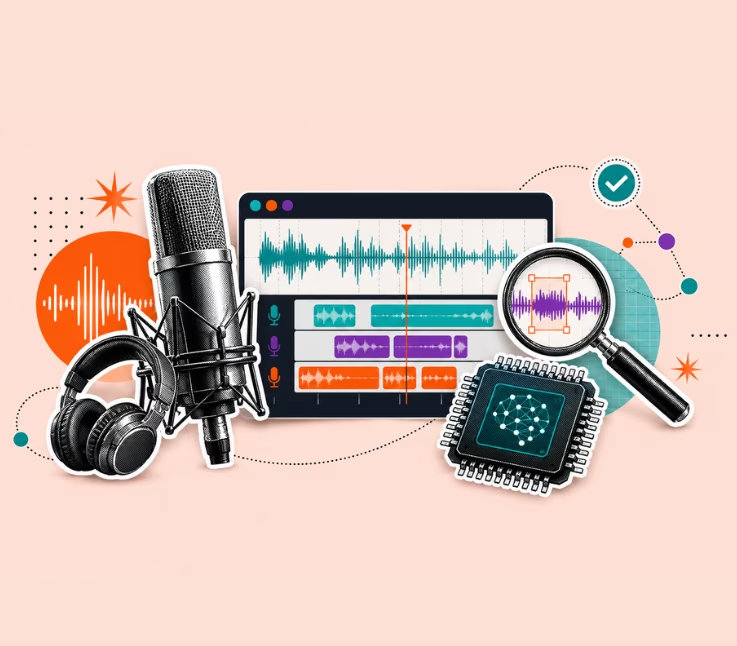
Audio annotation for AI means labeling sound files so that machine learning models can learn from them. This includes adding tags for words, speakers, sound events, or emotions. It is a key step in building reliable models for tasks like speech recognition, voice assistants, or sound monitoring.
In business, the quality and method of audio annotation decide an AI project’s speed, accuracy, and compliance. A better tool allows teams to process more data with fewer errors, reduce manual workload, and ensure outputs meet privacy regulations.
Key Annotation Types and Use Cases
Audio annotation tools offer a range of tasks for different types of projects. Understanding these tasks makes tool selection clearer.
The main annotation types include:
- Transcription: Converting speech to text, common in voice assistants.
- Speaker Diarization: Labeling who speaks when, useful for meeting notes.
- Sound Event Detection: Marking when sounds like alarms or specific noises occur.
- Sentiment Tagging: Labeling emotions or tone in voice recordings.
Example use cases include:
- Healthcare: Annotating doctor-patient conversations for training diagnostic AI.
- Automotive: Detecting road noise or driver voice commands in vehicles.
- Call Centers: Monitoring customer service calls for compliance and training.
Choosing the right annotation type affects time, cost, and AI accuracy.
How Should You Choose the Best Audio Annotation Tool for AI Projects?
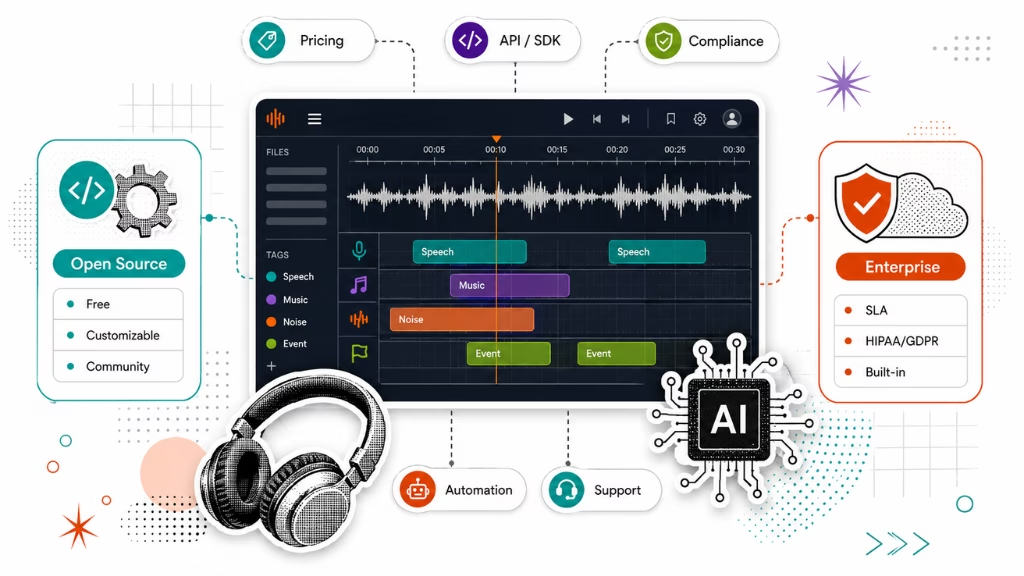
Selecting audio annotation tools for AI requires looking beyond a feature list. In my POV, a smart framework considers features, pricing, workflow fit, security, and support.
Start by matching tool type (open source, enterprise, managed service) to your team’s skill and project scale. Map feature needs like audio format support, automation, and integration with your data pipeline.
Open Source vs. Commercial Audio Annotation Tools
Many teams ask if open source is “good enough” or if paid tools are worth it. Each path has trade-offs.
Open source tools like CVAT and Label Studio offer:
- No license costs
- Strong community support
- High customization
But they demand in-house setup, updates, and often lack direct support. Commercial tools like SuperAnnotate or managed services like iMerit provide:
- Dedicated customer support
- Compliance guarantees
- Ready integrations and more automation
A common mistake I see is picking a tool for price, then facing hidden time or integration costs later. Scale, security, and ongoing support are the real dividing lines.
| Factor | Open Source (CVAT, Label Studio) | Commercial/Enterprise (SuperAnnotate, iMerit) |
| License Cost | Free | Variable, often subscription |
| Support | Community forums | Vendor support/SLA |
| Customization | High | Limited, but user-friendly |
| Compliance | User managed | Vendor managed (HIPAA, GDPR, etc.) |
| Integration | DIY via API/SDKs | Built-in options |
Pricing, Integrations, and Compliance: What Else to Consider?
Teams often underestimate recurring costs, or overestimate integration simplicity. Prices in 2026 range from free to high monthly rates, with options like pay-per-annotated hour or annual seats.
Factors that affect both budgets and project timelines include:
- Pricing models: Free, subscription, or pay-per-use. Hidden fees may include extra storage or premium support.
- Integration: Tools with Python SDKs and APIs sync best with modern ML pipelines and cloud storage.
- Compliance: For sectors like healthcare or finance, strict data handling is a must. Top platforms advertise HIPAA and GDPR support, but your legal team should review contracts.
According to Straits Research (2026), spending on data annotation tools continues to rise, with more demand on both secure integration and cost transparency.
What Are the Best Audio Annotation Tools for AI in 2026? Feature Table & Reviews
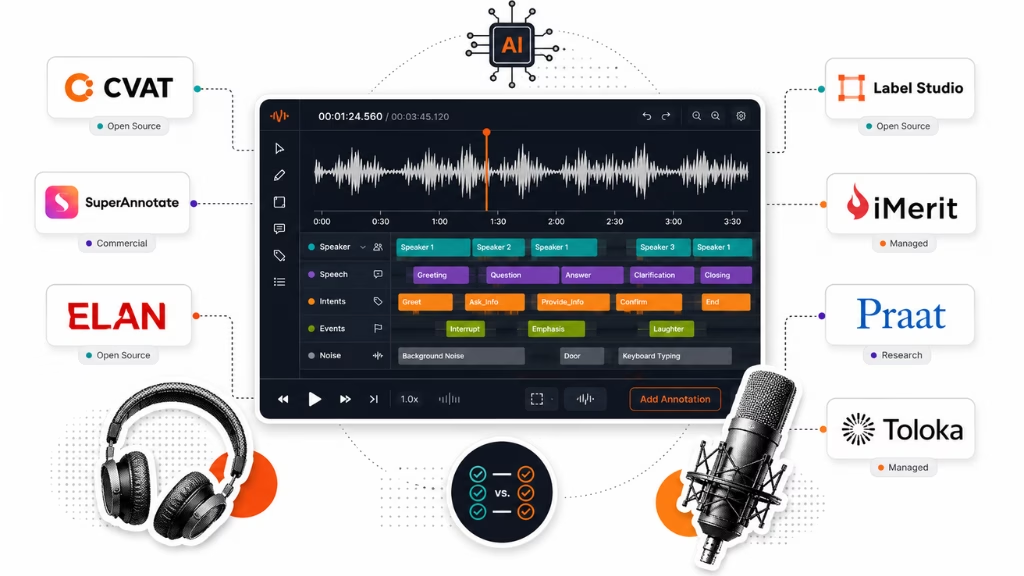
This section compares the current audio annotation tools most used by businesses, researchers, and large AI teams in 2026. Each tool is reviewed for feature depth, team fit, strengths, and weaknesses.
2026 Top Audio Annotation Tools: Comparison Table
| Tool | Type | Key Features | Supported Formats | Automation | Pricing (2026) | Best For |
| CVAT | Open Source | Extensible, format support, API | WAV, MP3, FLAC | Yes | Free | Developers, researchers |
| SuperAnnotate | Commercial | Collaboration, QA, ML Integration | WAV, MP3, FLAC | Yes | Sub./custom | Enterprises, teams |
| ELAN | Open Source | Linguistic tags, multi-tier | WAV, MP3 | No | Free | Research, academia |
| Label Studio | Open Source | Multi-format, plugins, API | >10 audio types | Yes | Free/Paid | Developers, SMEs |
| iMerit | Managed Service | Full service, compliance, scalability | Any (service) | Yes (staff) | Custom quote | Enterprise, healthcare |
| Praat | Open Source | Phonetic, acoustic, scripting | WAV, MP3 | No | Free | Linguists |
| Toloka | Platform | Crowd annotation, ML workflow | WAV, OGG, others | Yes | Pay-per-task | SMB, experimental |
Note: This table reflects the most up-to-date analysis for 2026 based on vendor resources and recent buyer feedback.
CVAT: The Leading Open Source Audio Annotation Platform
CVAT is a top pick for tech teams needing control and flexibility. Since its 2026 update, audio features have improved with batch upload, strong plugin support, and new QA workflows. Teams can customize nearly every workflow element.
CVAT fits best for organizations with a technical staff, especially when format support and extensibility matter. However, it can be time-consuming to set up and manage. Community support is strong, but official SLAs are limited.
Quick Verdict: Choose CVAT for complex workflows, academic research, or scalable in-house projects with technical support.
SuperAnnotate: Collaborative Annotation with Built-in Quality Control
SuperAnnotate stands out for team-oriented features: project managers can assign tasks, track QA, and pull reports. Audio support includes AI-assisted labeling, with APIs for connecting to ML workflows.
Enterprises use SuperAnnotate when annotation speed, collaboration, and quality tracking are main needs. Pricing is subscription or custom, based on user seats and usage. Dedicated support is a major plus. The main drawback: less customization than open source.
Quick Verdict: Pick SuperAnnotate for enterprise-level workflows, strict QA, or large distributed annotation teams.
ELAN: Industry Standard for Linguistic and Phonetic Audio Research
ELAN has long served the linguistic research community. Its 2026 release keeps its focus: micro-level, multi-layer annotations, time-aligned labels, and full phonetic support. Formats like WAV and MP3 are standard.
It is not designed for massive datasets or AI automation but does micro-level linguistic projects better than general-purpose tools. In my experience, nothing beats ELAN for phonetic or transcription studies.
Quick Verdict: Use ELAN for academic, linguistic, or phonetic research. Not recommended for commercial annotation at scale.
Label Studio: Flexible, Multi-Format Audio Annotation for Developers
Label Studio’s strength is its flexibility. It can handle more than ten audio formats, supports customizable plugins, and runs both as open source and managed SaaS. API connectivity allows teams to link it into existing pipelines.
Automation and active learning features have improved in 2026, making it popular for ML developers and startups. A possible drawback: smaller teams may find advanced options overwhelming at first.
Quick Verdict: Select Label Studio for developer-driven or rapidly changing AI projects, especially if multi-format or automation is key.
iMerit & Enterprise Audio Annotation Services
iMerit is for those who want to outsource annotation with enterprise security, scale, and compliance. The team assigns skilled annotators, covers QA, and handles major regulatory requirements like HIPAA.
iMerit suits healthcare, automotive, and large voice dataset projects. Costs are by quote, matched to scale and data sensitivity. You give up some customization, but the compliance benefit is significant.
Quick Verdict: Go with iMerit if your project requires data privacy, managed QA, or large annotation scale.
Other Noteworthy Tools: Praat, Toloka, Labellerr, Shaip, and More
Some niche or rising platforms are worth noting for special use cases.
- Praat: Perfect for deep phonetic or acoustic analysis. Automation is minimal but scripting power is high.
- Toloka: Good for SMBs that want crowd annotation at lower cost, but quality may vary.
- Labellerr: A newer platform focused on automation and integration. Lacks the maturity of legacy tools.
- Shaip: Managed annotation for specialized sectors like healthcare. Offers custom solutions with a focus on compliance.
Each platform targets a different segment. Assess needs for automation, pricing, and support before committing.
How Does the Audio Annotation Workflow Operate? From Raw Audio to Labeled Dataset
The audio data labeling workflow shapes both project outcomes and tool fit. The process links manual and automated steps to output labeled data ready for machine learning.
Here are the typical steps, based on projects I have run:
- Upload: Import audio files; check format support and metadata.
- Annotate: Add labels (text, speakers, events) manually or with AI help.
- Quality Control: Review and validate labels, often using consensus or rework queues.
- Export: Download labeled datasets in formats matching your ML pipeline.
Manual annotation suits complex cases or nuanced audio. AI-assisted tools speed up large datasets but need QA checks. Workflow blockages often happen at the export or QA stage, especially when formats don’t match the model or when tools lack clear batch management.
For smoother operations:
- Use platforms with robust QA options.
- Set up batch processing where available.
- Test output compatibility early in the process.
Common Pitfalls and Key Considerations When Selecting Audio Annotation Tools
Choosing the wrong audio annotation tool creates hidden costs, project delays, or compliance problems. I have seen these mistakes happen too often.
Teams overlook integration barriers, assume all data formats are supported, or pick tools that cannot scale with business growth. Even skilled engineers underestimate the support or compliance overhead.
Watch out for these common errors:
- Ignoring integration with your ML training process.
- Selecting a tool that does not support your required audio formats.
- Skipping privacy and compliance checks, especially for personal data.
- Underestimating costs for support, upgrades, or cloud usage.
- Overrelying on manual annotation when AI assistance is feasible.
A better approach is to map technical and business requirements up front, test with a pilot project, and plan for support needs.
Why Riseup Labs Recommends the Right Audio Annotation Solution
Riseup Labs has helped AI teams, enterprises, and researchers select and deploy annotation tools for many years. My team analyzes workflow, compliance, and cost to recommend options that fit your data, industry, and project goals.
In my experience, there is no single “best” tool for every case. A short consult can clarify which features matter most and which platforms deliver true value for your needs.
Reach out for a tailored demo or advice specific to your project.
Conclusion
To select the right audio annotation platform for AI, match your technical and business needs to a tool’s strengths. Consider workflow, cost, compliance, and support, not just feature checklists.
Shortlist 2–3 tools that meet your main needs. Run a pilot with your real data. Compare export formats, annotation speed, QA workflows, and integration with your ML stack.
If you need support, compliance assurance, or integration advice, bring in experts. A consult with Riseup Labs helps avoid costly mistakes and aligns solution choices with your business goals.
The future of machine learning depends on quality labeled data and efficient, secure annotation workflows. Teams that combine expert tools with human insight will lead in AI development.
Frequently Asked Questions About Audio Annotation Tools for AI (2026)
What is the best audio annotation tool for AI projects in 2026?
CVAT, SuperAnnotate, and Label Studio are top for most AI needs. iMerit is best for managed enterprise projects, and ELAN is best for linguistic research.
Are there any free or open source audio annotation tools suitable for research?
Yes. CVAT, Label Studio, and ELAN are leading open source options. They are widely used by researchers due to their flexibility and active community support.
What features should I look for in an audio annotation platform?
Look for format support, accuracy, automation (AI assistance), integration capability (API/SDK), compliance features, quality control, and project management tools.
How does audio annotation software support machine learning model training?
Annotation tools create labeled datasets. These datasets train, validate, or test models, directly affecting model accuracy and performance on new audio data.
Which audio annotation tool is best for transcription vs. sound event detection?
ELAN and Label Studio excel in transcription, while CVAT and SuperAnnotate support both transcription and sound event detection with robust labeling workflows.
What is the difference between manual and automated annotation?
Manual annotation requires people to label audio. Automated annotation uses AI to pre-label data, speeding large projects, but human review is still needed for quality.
This page was last edited on 29 July 2026, at 6:08 pm

Start a conversation with our team to solve complex challenges and move forward with confidence.