

Product redesigns fail for predictable reasons. Not bad design. Not poor execution. Leadership gaps. Teams rush into Figma before aligning on why they’re redesigning in the first place. Stakeholders get looped in too late. Success metrics get defined after launch — when it’s already too late to course-correct.
This playbook exists because we’ve been in those rooms. We’ve led redesigns that shipped on time and ones that stalled in review hell. We’ve watched beautiful interfaces die in committee and scrappy MVPs become category-defining products. What separated the wins from the losses was never the quality of the mockups — it was the quality of the process behind them.
Here’s what we learned.
What Is a Product Redesign?
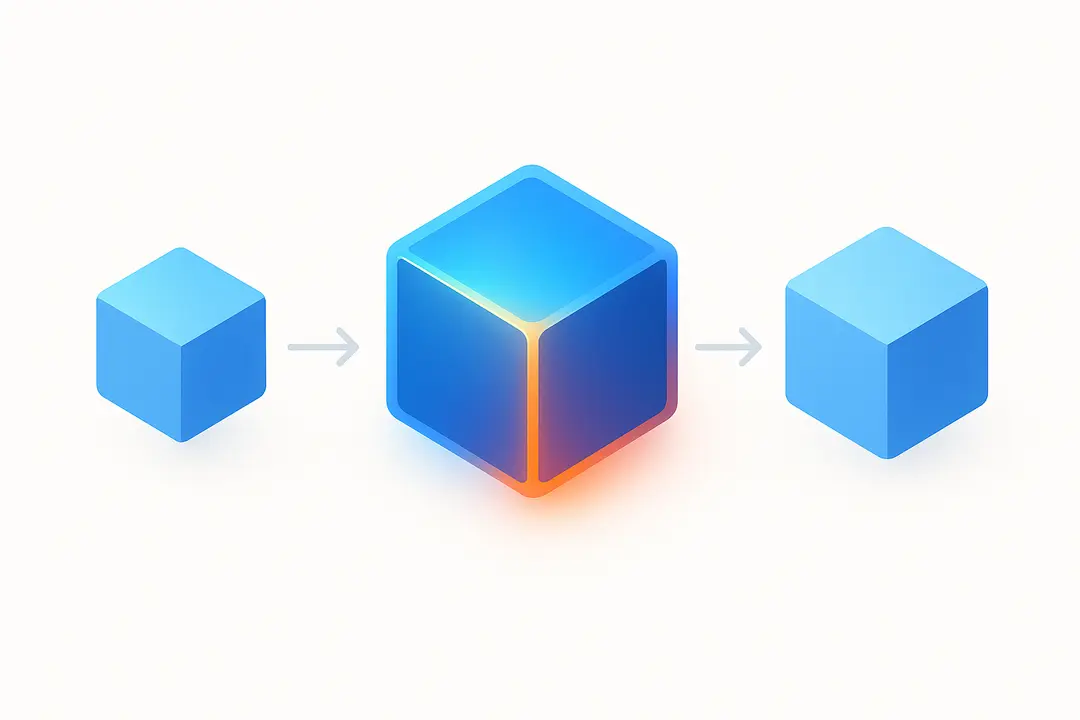
A product redesign is a strategic process of making significant changes to an existing product’s features, functionality, or user interface to enhance performance, usability, and visual appeal. It goes beyond minor updates, often involving a complete overhaul of user experience (UX), architecture, and aesthetics to meet evolving user needs and market demands.
Key Aspects of a Product Redesign
- Deep Structural Changes: Involves changing functional logic, code, and architecture, not just a cosmetic “lick of paint”.
- User-Centered Improvements: Focuses on enhancing user experience, resolving usability issues, and adjusting to changing customer preferences.
- Visual & Functional Overhaul: Updates the look and feel (UI), materials, or technological components to improve aesthetics and performance.
- Strategic Goal: Designed to extend a product’s lifecycle, maintain market competitiveness, and align with new business goals
Why Redesign a Product?
- Outdated Design/Technology: The product looks or feels old compared to competitors.
- Negative User Feedback: User data shows that the current functionality is frustrating or not delivering results.
- Market Shifts: Changing market needs require new features or a new strategic direction.
- Rebranding: Aligning the product’s visual identity with a new brand image.
Redesign vs. Refresh
A redesign is a comprehensive renovation (revising user flows, business logic, and visual design), whereas a refresh involves only minor visual updates, such as changing fonts, icons, or colors.
Why Most Product Redesigns Go Sideways Before They Start
The average SaaS redesign takes 6–18 months. A significant portion of them never reach full launch. Of the ones that do, many fail to move the metrics they were designed to improve.
We see the same failure patterns repeat across companies of every size:
The redesign starts as a solution, not a response to a problem. Someone at the executive level decides the product “looks dated” or a competitor ships a slick new UI and suddenly there’s a redesign mandate with no clear problem statement attached to it.
Discovery gets skipped in favor of speed. Teams are under pressure to show progress, so they move straight to wireframes. By the time they realize they’ve been solving the wrong problem, they’re three sprints deep and politically committed to a direction.
Stakeholders become blockers, not champions. When product, engineering, sales, and customer success aren’t aligned early, every design review becomes a negotiation. The redesign dies by a thousand small compromises.
Success is defined by ship date, not outcomes. “We launched” gets celebrated, but no one owns the question of whether activation improved, churn dropped, or support tickets decreased.
The good news: every one of these failure modes is preventable. Here’s how we prevent them.
What Are the Step-by-Step Phases of a Product Redesign?
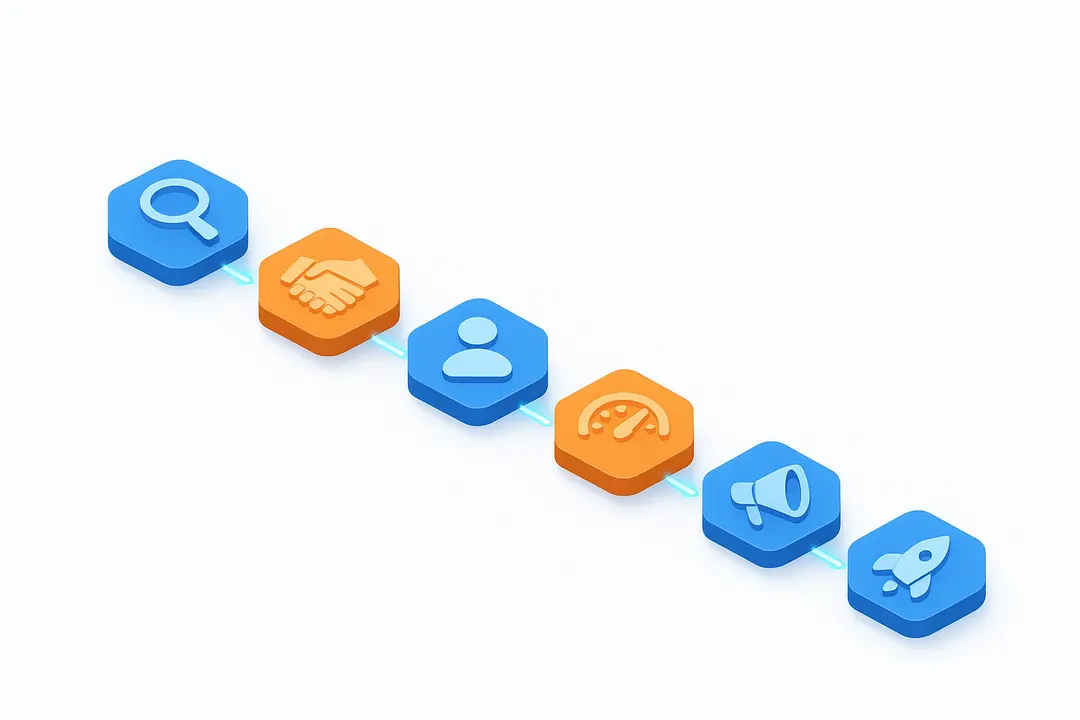
Phase 1: Define the Problem Before You Touch the Product
The most important work in a redesign happens before any designer opens a tool.
Start With a Brutally Honest Diagnostic
Before scoping the redesign, we run a structured diagnostic across four dimensions:
User signals. What are users telling us through behavior, support tickets, NPS comments, churn interviews, and session recordings? We look for patterns, not anecdotes. If ten users complain about onboarding friction, that’s a signal. If one power user wants a dark mode, that’s a preference.
Business signals. Where are we losing deals? What objections does sales hear repeatedly? Which features have the lowest adoption despite high development investment? Where does the funnel leak?
Competitive signals. Not “what does our competitor look like” but “what are they enabling that we aren’t?” Design benchmarking should be functional, not cosmetic.
Technical signals. What are the constraints? What legacy architecture decisions are baked into the current UI? What would a redesign unlock technically and what would it require engineering to rebuild?
This diagnostic produces something we call the Redesign Brief — a single document that answers:
- What specific problem are we solving?
- What does success look like in measurable terms?
- What is explicitly out of scope?
- What are the constraints (timeline, budget, technical, political)?
- Who owns final decisions at each phase?
That last question matters more than most teams realize.
Set the Right Scope
One of the most common and costly mistakes we see is treating a redesign as an all-or-nothing event. Teams try to fix everything simultaneously and end up shipping nothing — or shipping a half-finished product that confuses existing users.
We categorize redesigns into three scope levels:
Targeted redesign. One flow, one feature area, one user segment. Fast, low-risk, measurable. Good for validating a hypothesis before committing to a broader effort.
Modular redesign. A new design system and component library rolled out progressively across the product. Maintains continuity for existing users while systematically modernizing the experience.
Full-product redesign. End-to-end rearchitecture of the user experience. High risk, high reward. Justifiable when the product has fundamentally outgrown its original design or when a market repositioning demands a new identity.
Most teams that think they need a full-product redesign actually need a modular one. We push back on scope inflation early and hard, because every week of scope is a week of organizational alignment you’ll have to maintain.
Phase 2: Build Stakeholder Buy-In (Before You Need It)
Here’s a counterintuitive truth about redesigns: the design work is rarely what kills them. Politics kills them. A VP who feels blindsided at the wrong demo. A sales team that wasn’t consulted and now actively undermines the rollout. An engineering lead who was handed a spec instead of being brought into the problem.
We build stakeholder alignment deliberately, not reactively.
Map Your Stakeholder Landscape
Before the first kickoff meeting, we map every person who can influence the outcome of the redesign — and categorize them:
Champions are the people who want this to succeed and have organizational power. We keep them informed, involve them in key decisions, and leverage their advocacy internally.
Neutral stakeholders are the people who don’t have a strong opinion yet. These are actually our highest-value targets — neutral stakeholders who become informed advocates are more credible than existing champions.
Skeptics are the people who are skeptical — sometimes for good reasons. We talk to skeptics early and often. Their objections are frequently the most useful input we receive. A skeptical sales leader who says “users won’t understand this new navigation” is telling us something real. We take it seriously.
Blockers are the people who will slow the process regardless of what we show them. We don’t try to convert blockers through debate — we reduce their influence by building consensus everywhere else first.
Run Alignment Workshops, Not Presentations
The biggest mistake teams make is presenting a redesign direction to stakeholders and asking for approval. That’s a performance. What we want is a conversation.
We run structured alignment workshops at the beginning of each major phase. These aren’t show-and-tell sessions — they’re working sessions where stakeholders actually participate in the process:
- Problem framing workshops, where we validate the diagnosis together and agree on the problem before any design direction is established
- Principles workshops where we define what good looks like — what values should the redesigned product embody? What tradeoffs are we willing to make?
- Critique sessions where stakeholders review early-stage concepts in a structured format with explicit criteria, not open-ended opinions
When stakeholders have helped shape the direction, they defend it. When they’ve only been shown the direction, they interrogate it.
Create a Shared Success Dashboard
One of the most powerful alignment tools we’ve found is a shared dashboard that everyone — product, design, engineering, marketing, sales, leadership — can see in real time.
Not a slide deck updated quarterly. A live document that tracks:
- Current baseline metrics (activation rate, time-to-value, feature adoption, NPS, support volume)
- Target metrics with timelines
- Leading indicators we’re watching during rollout
- Risks and open questions
When everyone is looking at the same numbers with the same definitions, the conversations shift. Instead of debating opinions, we’re debating data.
Phase 3: Run Discovery That Actually Informs Design
We’ve seen too many redesigns where user research was treated as a checkbox — five user interviews conducted after the wireframes were already done, used to validate decisions that had already been made. That’s not research. That’s theater.
Real discovery happens before direction is set, and it shapes everything that follows.
Mix Your Methods Deliberately
We use a combination of generative and evaluative research methods, and we’re deliberate about which questions each method can and can’t answer:
Jobs-to-be-done interviews help us understand what users are actually trying to accomplish — not what features they want, but what outcomes they need. A user who says “I need better filters” is telling us about a symptom. A jobs-to-be-done interview reveals the underlying job: “When I’m preparing for a client review, I need to quickly isolate the data that matters so I can tell a coherent story without drowning in noise.”
Session recordings and heatmaps show us the gap between what users say they do and what they actually do. We use tools like Hotjar, FullStory, or Heap to identify friction points, rage clicks, and abandoned flows at scale before we ever talk to a single user.
Cohort analysis helps us understand behavioral differences between user segments. Power users and new users experience the same interface completely differently. Designing for one without understanding the other is how you improve activation while wrecking retention.
Competitive UX audits go beyond screenshots. We actually use competing products, map their information architecture, and document where they’ve made tradeoffs. We’re not looking for things to copy — we’re looking for conventions users have already learned and opportunities they’ve left on the table.
Synthesize Into Insights, Not Observations
Raw research is not insight. An observation is: “Users frequently return to the dashboard after completing a task.” An insight is: “Users use the dashboard as a home base for orientation — they need constant context about where they are and what needs attention, which means navigation design should prioritize wayfinding over efficiency.”
Insights drive design decisions. Observations just describe behavior.
We synthesize research using structured frameworks — affinity mapping, opportunity solution trees, experience maps — and we make the synthesis visible to the entire team, not just the researchers. When designers, engineers, and PMs have internalized the same insights, the product reflects coherent thinking instead of fragmented opinions.
Phase 4: Design With Iteration Baked In
Most teams treat iteration as a sign that the first attempt failed. We treat it as evidence that the process is working.
Design for Learning, Not Approval
The goal of early design work is not to create something beautiful. It’s to create something testable. We move through three fidelity levels deliberately:
Concept sketches and flows answer the question: are we solving the right problem in roughly the right way? These don’t need to be pretty. They need to be fast to create and fast to throw away.
Mid-fidelity wireframes answer the question: does this structure make sense to users? We test these with real users before any visual design is applied, because high-fidelity mockups anchor people to aesthetics instead of structure. A user looking at a polished screen says “I like the blue.” A user looking at a wireframe says “I don’t understand why this button is here.”
High-fidelity prototypes answer the question: does this feel right in the context of the full product? By this stage, we’ve validated the structure. Now we’re validating execution.
Build a Testing Rhythm
We establish a consistent testing cadence — typically bi-weekly usability sessions with 3–5 users per round. The goal isn’t statistical significance. It’s directional confidence. After five users, you’ve seen enough patterns to know what to fix. After ten, you’re mostly confirming what you already know.
We document every session and maintain a running insights log that the entire team can access. Decisions made three months into a redesign should be traceable back to specific research moments.
Get Engineering in the Room Early
One of the biggest sources of rework in redesigns is a design that gets to engineering review and discovers constraints that should have been known six weeks earlier. We involve engineering leads in design critiques from the wireframe stage — not to approve or reject designs, but to flag technical considerations before they become costly to address.
The best redesigns we’ve run felt like design-engineering collaboration, not design handing off to engineering. When engineers understand the intent behind a design decision, they make better implementation choices. When they’re just executing a spec, they make decisions that technically fulfill the spec but miss the point.
Phase 5: Manage Change Without Losing Your Existing Users
This is where redesigns get dangerous. You’ve built something better. You know it’s better. Your team knows it’s better. And then you ship it to 50,000 existing users who have years of muscle memory built around the thing you just replaced — and the support tickets flood in.
User resistance to redesigns is not irrational. It’s predictable and it’s manageable.
Segment Your Rollout Strategy
We never treat a redesign launch as a single event. We treat it as a rollout with distinct phases designed for different user segments:
Internal users and advocates first. Customer success teams, sales engineers, and highly engaged users who have opted into beta programs. These users are motivated to give useful feedback and are generally more forgiving of rough edges.
New users second. Users who onboard after the redesign launches have no legacy expectations. They experience the new design without comparison. Their onboarding metrics are your cleanest signal on whether the redesign improves first-time experience.
Existing users last, with a transition period. Forcing existing users into a new interface without warning is how you generate churn and angry tweets. We provide a transition period — typically 30–60 days — where users can toggle between old and new, with clear communication about when the old experience will be retired.
Communicate the “Why” Proactively
Users don’t resist change. They resist unexplained change. When we communicate a redesign to existing users, we lead with the problem we were solving for them, not the features we built.
“We rebuilt our navigation because users told us they couldn’t find what they needed” lands differently than “We’re excited to introduce our new navigation system.” One is about them. The other is about us.
We use a multi-channel communication sequence that starts weeks before launch — in-app banners, email sequences, documentation updates, and video walkthroughs — so that no user encounters a changed interface cold.
Train Your Customer-Facing Teams First
Customer success, support, and sales need to know the new product better than anyone. They’re the ones fielding the first wave of user questions and objections. We run dedicated enablement sessions for these teams before launch — not “here’s what changed” overviews, but hands-on working sessions where they use the new product under realistic scenarios.
A customer success rep who can confidently guide a frustrated user through the new interface is worth more than any in-app tooltip we could build.
Phase 6: Measure What Actually Matters
The redesign shipped. Everyone celebrated. Three months later, no one can tell you whether it worked. This is more common than it should be.
Define Your Metric Stack Before Launch
We define three tiers of metrics before a single line of code ships:
Primary outcome metrics are the business metrics the redesign was designed to move. Activation rate, time-to-value, feature adoption, NPS, support ticket volume, churn rate. These are the metrics that matter to leadership and investors. They move slowly and are influenced by many factors beyond design.
Secondary behavior metrics are the in-product behaviors that should change if the redesign is working. Task completion rates, navigation path changes, error rates, session depth. These are more directly attributable to design decisions and move faster.
Leading indicators are the early signals we watch in the first two weeks post-launch to understand directional momentum before we have statistically significant outcome data. Are users who encounter the new onboarding flow completing it at higher rates? Are support tickets about navigation decreasing?
Build a 90-Day Post-Launch Review Cadence
We run structured post-launch reviews at 2 weeks, 30 days, and 90 days. Each review answers the same questions:
- What’s moving in the right direction and why?
- What’s not moving or moving the wrong way?
- What did we learn that changes our next design priority?
The 90-day review is where we make the call on whether the redesign achieved its goals — and we make that call honestly, against the success criteria we defined before we started.
Expert Tools for Product Redesign
Here’s a breakdown of expert tools commonly used across the product redesign process:
| Phase | Tool | Purpose | Best For |
|---|---|---|---|
| Research & Discovery | Maze | Usability testing & user research | Validating assumptions early |
| Hotjar | Heatmaps, session recordings | Understanding current UX pain points | |
| Dovetail | Qualitative research synthesis | Organizing user interview insights | |
| Typeform | User surveys & feedback collection | Gathering quantitative signals | |
| Strategy & Planning | Miro | Collaborative whiteboarding | Journey mapping, affinity diagrams |
| FigJam | Ideation & brainstorming | Team workshops, design sprints | |
| Notion | Documentation & roadmapping | Aligning stakeholders on scope | |
| Wireframing & Prototyping | Figma | UI design & interactive prototypes | End-to-end design workflow |
| Balsamiq | Low-fidelity wireframing | Early-stage concept exploration | |
| Framer | High-fidelity interactive prototypes | Complex animations & micro-interactions | |
| Design Systems | Figma Tokens | Design token management | Consistent system-wide theming |
| Storybook | Component library documentation | Dev-design handoff for UI components | |
| zeroheight | Living design system docs | Bridging design and engineering | |
| User Testing & Validation | UserTesting | Moderated & unmoderated sessions | Real user feedback on redesigns |
| Lookback | Live interview & observation tool | In-depth qualitative sessions | |
| Optimal Workshop | Information architecture testing | Navigation & content structure | |
| Handoff & Dev Collaboration | Zeplin | Design-to-dev handoff | Spec documentation for engineers |
| Figma Dev Mode | Inspect & export assets | Direct code-ready handoff | |
| Supernova | Design system to code | Automating design token delivery | |
| Analytics & Post-Launch | Mixpanel | Product analytics & funnels | Measuring redesign impact on behavior |
| FullStory | Digital experience analytics | Rage clicks, drop-offs, friction points | |
| Amplitude | Retention & engagement tracking | Long-term redesign performance |
Quick picks by team size:
- Solo / Startup → Figma + Maze + Hotjar + Notion
- Mid-size team → Figma + FigJam + Dovetail + Mixpanel + Storybook
- Enterprise → Full stack across all phases above + Supernova + zeroheight
UI Refresh, UX Overhaul, or Full Rebuild — Which One Do You Actually Need?
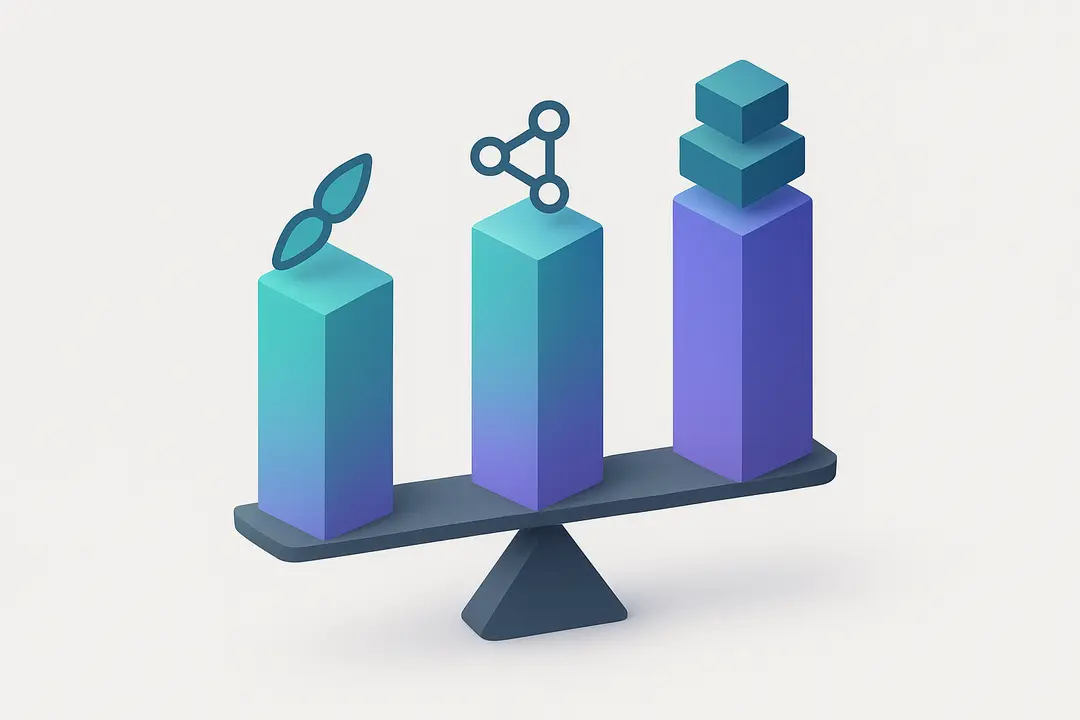
Every product hits a point where something feels off. Maybe users complain, conversions dip, or the codebase starts fighting your team. The fix isn’t always obvious — and choosing the wrong path wastes months.
Here’s how to think about it.
A UI Refresh is surface-level. You’re updating visuals — colors, typography, spacing, component styles — without touching how the product works. It’s fast, low-risk, and appropriate when your product functions well but looks dated or off-brand. It won’t fix broken flows, confusing navigation, or structural debt.
A UX Overhaul goes deeper. You’re rethinking how users move through the product — restructuring flows, reworking information architecture, and solving friction points — while keeping the underlying system mostly intact. It’s the right move when users understand what your product does but struggle to actually use it.
A Full Rebuild is a ground-up restart — new tech stack, new structure, new everything. It’s warranted when the existing system actively blocks progress: unmaintainable code, fundamental architecture mismatches, or a product-market pivot that makes the old design irrelevant. It’s also the highest-cost, highest-risk option.
| UI Refresh | UX Overhaul | Full Rebuild | |
|---|---|---|---|
| What changes | Visuals only | Flows, structure, interactions | Everything |
| What stays | Everything functional | Core tech, most features | Nothing |
| Timeline | Days–weeks | Weeks–months | Months–years |
| Cost | Low | Medium | High |
| Risk | Minimal | Moderate | High |
| When to use | Looks outdated, brand shift | Users confused, high drop-off | Tech debt is terminal, major pivot |
| When NOT to use | Core flows are broken | Product is fundamentally unviable | A smaller fix would actually work |
| Team needed | Designer only | Designer + researcher | Full cross-functional team |
| User impact | Low disruption | Medium adjustment | High learning curve |
The most common mistake? Treating a UX problem with a UI fix, or greenlighting a full rebuild when an overhaul would have done the job. Match the intervention to the actual diagnosis — not the budget you wish you had or the ambition of the moment.
Real-World Product Redesign Case Studies
Theory is useful. Proof is better. Here are two real product redesigns with documented outcomes — what drove the decision, how the team executed, and what actually moved.
1. Asana: Incremental Structural Redesign Over a Full-Swap
The situation: Asana’s product team recognized two distinct layers of problems in their UI — structural issues like broken navigation and missing hierarchy, and visual issues like outdated button styles and a flat color palette. The temptation was to fix everything at once. They didn’t.
What they did: The team separated structural improvements from visual changes, launching structural fixes in the old visual style before doing a visual refresh in one fell swoop — so users wouldn’t have to change their workflows overnight. They A/B tested every major change independently, including the top bar navigation, before rolling it out. When a sidebar navigation test came back with poor results — it didn’t scale well for larger organizations with many shared projects — they were able to roll it back cleanly without contaminating the results of other changes.
What made it work: The first win was a redesigned top bar navigation that moved core metrics in the right direction. Once the team could point to that data, organizational skepticism dropped and internal buy-in followed.
Key lesson: Separating structural and visual changes is underused as a strategy. It lets you isolate what’s actually working, reduces rollback risk, and builds internal momentum before you attempt the bigger lift.
📎 Source: First Round Review — Here’s How Asana Won With Its Product Redesign
2. Airbnb: Trust-Driven UX Redesign That Moved Bookings
The situation: Airbnb’s core conversion problem wasn’t search speed or inventory — it was user anxiety. People hesitated to book because they couldn’t verify what they were paying for or who they were booking with. The mobile experience was especially weak: mobile conversion rates were 27% lower than desktop, despite mobile accounting for the majority of traffic. Heat mapping identified overwhelming cognitive load on search results pages, and user abandonment during final selection reached 42%.
What they did: Rather than rebuilding the interface wholesale, Airbnb made three targeted trust interventions. Professional photography was offered to hosts, and listings with professional photos saw up to a 40% increase in views — with those views converting into bookings at higher rates. They then redesigned the review system to externalize trust through community validation, and restructured checkout pricing to surface total cost earlier in the flow to reduce drop-off at the moment of decision.
Results: Together, these changes contributed to an estimated 25% increase in bookings through combined conversion improvements and reduced drop-offs. A later mobile-specific redesign targeting cognitive load and trust communication produced a 35% increase in bookings, 28% faster decision-making, and a 44% improvement in user satisfaction scores.
Key lesson: Airbnb’s redesign worked because it was rooted in psychology, not aesthetics. The team understood that in high-stakes transactions — money, strangers, unfamiliar spaces — perceived safety drives conversion more than visual polish.
📎 Source: Raw Studio — How Airbnb Increased Bookings by 25% With 3 Trust-Building UX Changes
Frequently Asked Questions on Product Redesign
How do I know when it’s actually time to redesign our product — and not just patch it?
This is the most common question teams get stuck on, and the answer isn’t a timeline — it’s a pattern. You’re looking at a redesign when multiple signals converge at once: users are struggling to complete core workflows, support tickets keep circling the same friction points, new-user activation is stalling despite good traffic, and your team has started building workarounds around the interface rather than within it. One complaint is noise. Five of the same complaints from five different user segments is a signal. The clearest trigger of all is when engineering tells you they can’t build the next wave of features without rebuilding the foundation the UI sits on. That’s not a patch situation — that’s a redesign.
How do we handle users who push back or churn when we ship a redesign?
Resistance to redesigns is not a design problem — it’s a communication and sequencing problem. Users don’t resist change; they resist unexplained change they weren’t prepared for. The teams that avoid post-launch backlash do three things early: they involve power users in the process as collaborators (not just test subjects), they give existing users a parallel-run transition window so no one hits a new interface cold, and they lead all communication with the problem being solved for users — not the features being shipped. When a user understands that a change was made because of something they complained about, they advocate for it. When they feel it was done to them without warning, they churn.
How do we actually measure whether the redesign worked?
Most teams make the mistake of defining success after the redesign launches, which makes it impossible to know if anything moved. The answer is to lock in three metric tiers before a single screen ships. First, your primary outcome metrics: the business numbers the redesign was meant to move — activation rate, time-to-value, churn, NPS, support volume. These move slowly and are influenced by many factors, so they’re your 90-day story. Second, behavioral metrics: in-product signals like task completion rates, navigation paths, and error rates. These are more directly attributable to the design itself and move faster. Third, leading indicators: the early two-week signals that tell you directionally whether you’re on track before you have statistically meaningful data. If you don’t define all three before launch, you’ll end up with a shipped redesign and no honest answer to whether it worked.
Conclusion
A well-executed product redesign is a blend of research, collaboration, disciplined process, and ongoing measurement. When you follow a proven step-by-step playbook, you minimize risks, win stakeholder and user trust, and drive measurable business growth.
Key Takeaways
- Use a step-by-step redesign framework from audit to iteration to avoid missed goals and user backlash.
- Align cross-functional stakeholders early and communicate throughout the process.
- Build user research and journey mapping into your foundation.
- Choose the right scope (UI refresh vs. UX overhaul vs. full rebuild) based on current pain points.
- Prioritize phased rollouts, clear messaging, and metrics-driven iteration for long-term adoption.
This page was last edited on 9 July 2026, at 11:10 am

Start a conversation with our team to solve complex challenges and move forward with confidence.










