

Quick Answer: Mobile banking app development is the process of building a secure mobile app that lets users manage accounts, transfer funds, pay bills, track transactions, manage cards, and access digital banking services. A basic app may cost $50,000 to $150,000, while complex banking apps can cost $300,000 to $1,000,000+ depending on features, compliance, integrations, and security.
Mobile banking is no longer just an extra service for banks, fintech startups, or financial institutions. For many customers, it is now the main way they check balances, transfer money, pay bills, manage cards, and interact with financial services.
The shift is clear. The FDIC reported that in 2023, 48.3% of banked U.S. households used mobile banking as their primary method of account access, showing how important mobile-first banking has become.
That is why mobile banking app development needs more than a clean interface. A banking app must be secure, compliant, fast, easy to use, and deeply connected with core banking systems, payment providers, KYC tools, fraud detection systems, and customer support workflows.
A basic banking app may include account access, transactions, bill payments, and alerts. A more advanced app may include biometric login, card controls, AI-powered financial insights, open banking integrations, budgeting tools, and real-time fraud monitoring.
This guide explains the full banking app development process, key features, security requirements, compliance needs, tech stack options, timeline, and mobile banking app development cost so you can plan a secure and scalable product.
What Is Mobile Banking App Development?
Mobile banking app development is the process of designing, building, securing, testing, and launching a mobile application that allows users to access banking services from a smartphone.
A mobile banking app can support:
- Account balance checks
- Fund transfers
- Bill payments
- Card management
- Mobile deposits
- Transaction history
- Loan payments
- Digital onboarding
- Customer support
- Fraud alerts
- Budgeting tools
- Open banking integrations
Unlike a standard mobile app, a banking app deals with sensitive financial data. That means the product must be built with strong authentication, encryption, secure APIs, compliance workflows, audit logs, fraud monitoring, and reliable backend systems.
In simple terms, mobile banking app development is not only about building an app. It is about building a secure digital banking channel.
Why Mobile Banking App Development Matters
Customers expect banking to be instant, simple, and available at any time. They do not want to visit a branch for basic tasks such as checking transactions, transferring money, freezing a card, or paying bills.
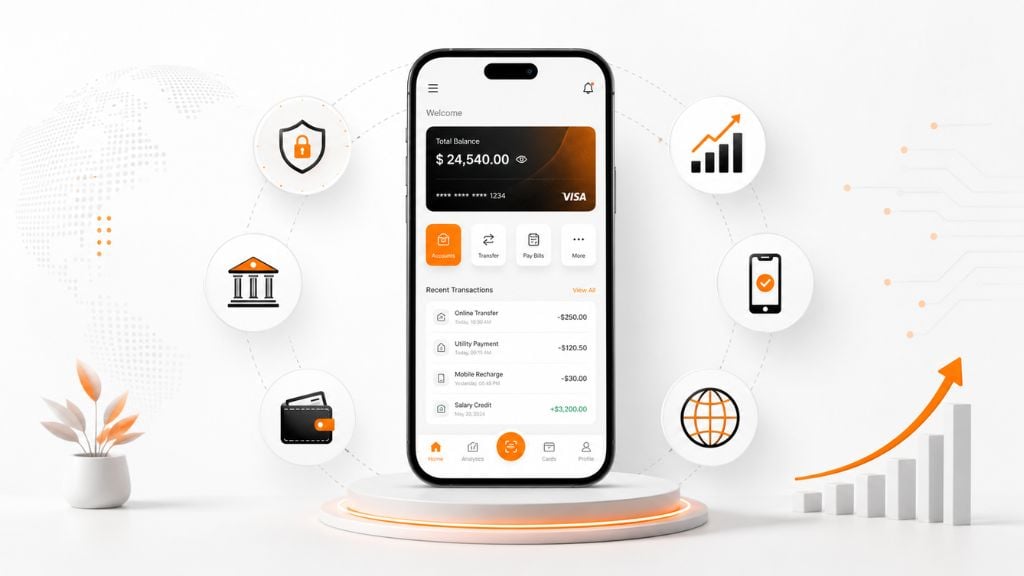
For banks and fintech companies, a strong mobile app can improve customer retention, reduce branch workload, increase digital transactions, and support new financial products.
A well-built mobile banking app can help businesses:
| Benefit | Why It Matters |
|---|---|
| Better Customer Access | Users can manage money anytime from their phone |
| Lower Operational Cost | Fewer routine tasks depend on branch or call center support |
| Higher Engagement | Push alerts, spending insights, and card controls keep users active |
| Faster Onboarding | Digital KYC and account opening reduce manual paperwork |
| Stronger Security | Biometrics, MFA, encryption, and fraud alerts protect users |
| More Revenue Opportunities | Banks can offer loans, insurance, investments, and partner services |
The main goal is not only to digitize banking. The goal is to create a secure, useful, and trusted financial experience.
Types Of Mobile Banking Apps
Before starting the banking app development process, choose what type of app you need. The scope affects features, timeline, security, and mobile banking app development cost.
| App Type | Best For | Common Features |
|---|---|---|
| Basic Banking App | MVPs, small banks, credit unions | Balance check, transfers, bill pay, alerts |
| Advanced Banking App | Digital banks, fintechs, growing institutions | Card controls, KYC, wallets, chat, budgeting |
| Enterprise Banking App | Large banks and financial groups | Multi-account support, complex integrations, advanced security |
| White-Label Banking App | Faster launch with prebuilt modules | Configurable features, ready backend, faster deployment |
| Neobank App | Digital-first banking business | Onboarding, accounts, cards, payments, insights, support |
A basic app is faster to launch, but it may not support advanced growth. A custom enterprise or neobank app takes longer, but it gives more control over user experience, security, integrations, and product roadmap.
Must-Have Mobile Banking App Features
The right feature set depends on your users, region, business model, and compliance needs. However, most successful banking apps need a strong core feature set before adding advanced tools.
1. Secure User Registration And Login
The first experience should be simple but secure. Users should be able to register, verify their identity, and log in without friction.
Key features include:
- Email or phone registration
- Password setup
- Biometric login
- Multi-factor authentication
- Device verification
- Secure session management
- Password recovery
For banking apps, login security should not rely on passwords alone. Biometric authentication and MFA help reduce account takeover risks.
2. Account Dashboard
The dashboard is the main screen users see after login. It should show the most important financial information clearly.
A good dashboard can include:
- Account balances
- Recent transactions
- Linked accounts
- Spending summary
- Quick transfer button
- Payment reminders
- Card status
- Alerts
The dashboard should not feel crowded. Users should be able to understand their financial position in a few seconds.
3. Fund Transfers
Money transfer is one of the core mobile banking app features.
Common transfer options include:
- Internal transfers
- Bank-to-bank transfers
- Peer-to-peer payments
- Scheduled transfers
- International transfers
- Beneficiary management
- Transfer limits
The transfer flow should include confirmation screens, fraud checks, transaction status, and instant notifications.
4. Bill Payments
Bill payment features help users pay utilities, credit cards, loans, subscriptions, and other recurring bills from the app.
Useful bill payment features include:
- Saved billers
- One-time payments
- Scheduled payments
- Payment history
- Due date reminders
- Failed payment alerts
This feature improves retention because users come back to the app for regular financial tasks.
5. Card Management
Modern users expect more control over their debit and credit cards.
Card management features may include:
- Freeze or unfreeze card
- View card details securely
- Set spending limits
- Change PIN
- Report lost card
- Request replacement card
- Enable or disable online transactions
- Manage virtual cards
Card controls improve both security and user confidence.
6. Transaction History
Users need a clear way to review their financial activity.
Transaction history should include:
- Date
- Amount
- Merchant name
- Category
- Account type
- Transaction status
- Search and filters
- Downloadable statements
For better UX, transactions should be searchable and easy to categorize.
7. Push Notifications And Alerts
Real-time notifications help users stay informed and detect suspicious activity quickly.
Useful alerts include:
- Login alerts
- Transfer confirmation
- Card transaction alerts
- Low balance alerts
- Bill due reminders
- Failed payment alerts
- Suspicious activity warnings
Alerts should be customizable so users can choose what they want to receive.
8. Customer Support
Support should be easy to access inside the app.
Common support options include:
- FAQ
- Live chat
- AI chatbot
- Ticket system
- Call support
- Video support
- Secure messaging
For banking apps, support should be connected to user context. If a user has a failed transaction, support should be able to see the issue quickly without asking the user to repeat everything.
9. Personal Finance Tools
Personal finance tools make the app more useful beyond basic transactions.
These features may include:
- Spending categories
- Monthly budgets
- Savings goals
- Cash flow insights
- Subscription tracking
- Expense alerts
- Financial health score
AI can also help create personalized insights, but it should be used carefully with privacy and transparency in mind.
10. Admin Panel
A mobile banking app also needs a secure admin system for internal teams.
The admin panel may include:
- User management
- Account status
- Transaction monitoring
- KYC review
- Support ticket management
- Fraud alerts
- Audit logs
- Reports
- Role-based access
The admin panel is often underestimated, but it is critical for operations, compliance, and support.
Advanced Features For Modern Banking Apps
After building the core features, you can add advanced features based on business goals.
| Advanced Feature | Why It Helps |
|---|---|
| AI Fraud Detection | Finds unusual transaction behavior |
| AI Chatbot | Handles common support questions |
| Open Banking APIs | Connects third-party financial services |
| Digital Wallet | Supports faster payments and cardless use |
| Investment Tools | Adds wealth management features |
| Loan Application | Lets users apply and track loans |
| Credit Score Monitoring | Improves financial engagement |
| Multi-Currency Support | Useful for global users |
| Voice Assistant | Improves accessibility and convenience |
| Behavioral Biometrics | Adds invisible fraud protection |
Do not add advanced features just because competitors have them. Add them when they solve a real user problem or support your business model.
Mobile Banking App Development Process
A strong banking app development process reduces risk and prevents costly rework. Banking apps require more planning than standard apps because every feature can affect security, compliance, user trust, and backend operations.
Step 1: Market Research And Product Planning
Start by defining the target audience, business model, and main use cases.
At this stage, identify:
- Target users
- User pain points
- Competitor gaps
- Required features
- Revenue model
- Supported regions
- Compliance needs
- Launch goals
For example, a neobank app for young users may focus on instant onboarding, debit cards, budgeting, and savings goals. A banking app for an established financial institution may focus on account management, branch replacement, secure transfers, and support.
Step 2: Compliance And Risk Assessment
Compliance should be planned before design and development begin.
Depending on your market, you may need to consider:
- KYC
- AML
- PCI DSS
- GDPR
- PSD2
- Local banking regulations
- Data residency
- Audit requirements
- Consumer protection rules
PCI DSS applies to organizations that store, process, or transmit payment card data, and PCI SSC has published PCI DSS v4.0.1 as the current revision.
For apps that process EU user data, GDPR requirements should also be considered because EU data protection rules apply to personal data protection inside and outside the EU.
This step should involve legal, compliance, security, product, and engineering teams.
Step 3: Define The Feature Scope
Next, decide what belongs in the MVP and what can wait.
A mobile banking MVP may include:
| MVP Feature | Later Feature |
|---|---|
| Login and MFA | Voice assistant |
| Account dashboard | Advanced AI insights |
| Transfers | Investment marketplace |
| Bill payments | Loyalty ecosystem |
| Transaction history | Multi-currency wallet |
| Card freeze | Behavioral biometrics |
| Push alerts | Embedded finance partners |
| Basic support | Video banking |
A focused MVP helps control timeline and mobile banking app development cost. It also lets you validate the product with real users before investing in advanced features.
Step 4: UX And UI Design
Banking UX must be simple, clear, and trustworthy.
Important design principles include:
- Clear navigation
- Fast onboarding
- Simple payment flows
- Readable transaction history
- Accessible design
- Consistent visual hierarchy
- Clear error messages
- Visible security confirmations
A banking app should not make users think too hard. If users are moving money, changing security settings, or managing cards, every step should feel clear and safe.
Step 5: Choose The Right Tech Stack
The technology stack depends on performance, platforms, budget, security, and long-term maintenance.
| Option | Best For | Notes |
|---|---|---|
| Native iOS And Android | High-security, high-performance apps | More control, higher cost |
| Cross-Platform | MVPs and many business banking apps | Faster delivery with one codebase |
| Low-Code Or White-Label | Faster launch | Less customization |
| Custom Backend | Enterprise-grade control | Higher cost and longer timeline |
| BaaS Or API Platform | Faster banking infrastructure | Depends on vendor and compliance fit |
For mobile development, teams often use Swift for iOS, Kotlin for Android, and Flutter or React Native for cross-platform apps.
For backend systems, common choices include Node.js, Java, .NET, Python, PostgreSQL, Redis, Kubernetes, and cloud services such as AWS, Azure, or Google Cloud.
Step 6: Build Secure Architecture
Security must be part of the architecture, not added at the end.
A secure architecture should include:
- Encrypted data storage
- Secure API gateways
- MFA
- Biometric authentication
- Role-based access
- Fraud monitoring
- Secure session handling
- Certificate pinning
- Audit logs
- Secure key management
- Rate limiting
- Device risk checks
OWASP MASVS is widely used as a mobile application security standard for architects, developers, and testers working on secure mobile apps.
For mobile banking app development, using OWASP MASVS as a security baseline helps teams create more consistent security requirements and testing coverage.
Step 7: Core Banking And API Integration
A banking app must connect with backend systems that manage accounts, balances, transactions, cards, KYC, payments, and reporting.
Common integrations include:
- Core banking system
- Payment gateway
- Card processor
- KYC provider
- AML monitoring system
- Credit bureau
- Notification service
- CRM
- Analytics tools
- Customer support platform
- Open banking APIs
This is one of the most important parts of the banking app development process. If integrations are weak, the app may show incorrect balances, delayed transactions, or failed payments.
Step 8: Development
Development should happen in controlled sprints, with security and QA involved from the beginning.
Development work includes:
- Mobile frontend
- Backend APIs
- Admin panel
- Database setup
- Authentication
- Payments
- Notifications
- Transaction logic
- Card management
- Support tools
- Security controls
- Integration logic
For banking apps, DevSecOps is important. This means security checks, dependency scanning, code review, and automated testing should be part of the development workflow.
Step 9: Testing And Quality Assurance
Banking apps need deeper testing than ordinary apps because errors can affect money, identity, privacy, and trust.
Testing should include:
- Functional testing
- Security testing
- Penetration testing
- API testing
- Compliance testing
- Device testing
- Performance testing
- Load testing
- Usability testing
- Accessibility testing
- Fraud scenario testing
A banking app should be tested for both normal behavior and risky behavior. For example, teams should test failed transfers, duplicate payments, session timeout, suspicious login, poor network conditions, and API errors.
Step 10: Launch And Post-Launch Maintenance
Launch is not the end of mobile banking app development. Banking apps need continuous monitoring and updates.
Post-launch work includes:
- Crash monitoring
- Transaction monitoring
- Fraud alerts
- Security patches
- Compliance updates
- App store updates
- User feedback review
- Performance optimization
- New feature releases
- Ongoing penetration testing
Mobile banking apps should be treated as living products. Regulations change, security risks evolve, and user expectations keep rising.
Mobile Banking App Development Cost
Mobile banking app development cost depends on app complexity, feature set, platform choice, backend architecture, compliance needs, team location, and integrations.
Here is a practical cost range:
| App Type | Estimated Cost | Typical Timeline |
|---|---|---|
| Basic Banking MVP | $50,000 to $150,000 | 3 to 6 months |
| Mid-Level Banking App | $150,000 to $400,000 | 6 to 10 months |
| Advanced Banking App | $400,000 to $1,000,000+ | 10 to 18 months |
| Enterprise Banking Platform | $1,000,000+ | 12 to 24+ months |
| White-Label Or Modular App | $75,000 to $400,000 | 3 to 10 months |
These ranges are planning estimates, not fixed prices. A basic app may be cheaper if you use prebuilt systems, while a fully custom banking app with complex compliance and integrations can cost much more.
What Affects Mobile Banking App Development Cost?
Several factors can increase or reduce the budget.
| Cost Factor | Impact |
|---|---|
| Number Of Platforms | iOS and Android cost more than one platform |
| Feature Complexity | Transfers, cards, KYC, and fraud detection add cost |
| Backend Architecture | Custom backend increases cost |
| Core Banking Integration | Complex legacy systems take more time |
| Compliance Requirements | Legal, security, and audit work add cost |
| Security Testing | Pen testing and code audits add budget |
| Team Location | Rates vary by region |
| Maintenance | Ongoing updates require annual budget |
A safe budgeting approach is to plan the initial build and also set aside ongoing maintenance budget for updates, support, security patches, and compliance changes.
Mobile Banking App Development Timeline
The timeline depends on complexity and build approach.
| Project Type | Estimated Timeline |
|---|---|
| Prototype | 4 to 8 weeks |
| Basic MVP | 3 to 6 months |
| Mid-Level Banking App | 6 to 10 months |
| Advanced Banking App | 10 to 18 months |
| Enterprise Banking App | 12 to 24+ months |
The timeline becomes longer when the app needs custom backend development, core banking integration, strict compliance, advanced fraud detection, multi-role admin systems, or multiple third-party providers.
Security Requirements For Mobile Banking App Development
Security is the most important part of mobile banking app development. A good app must protect user identity, account data, transactions, and backend systems.
Essential security controls include:
| Security Area | What To Include |
|---|---|
| Authentication | MFA, biometrics, device verification |
| Data Protection | Encryption at rest and in transit |
| API Security | API gateway, token validation, rate limits |
| Session Security | Timeout, refresh tokens, suspicious session alerts |
| App Protection | Certificate pinning, jailbreak/root detection |
| Fraud Monitoring | Transaction monitoring and risk scoring |
| Access Control | Role-based permissions and admin audit logs |
| Testing | Penetration testing and vulnerability scanning |
Security should be reviewed throughout the banking app development process, not only before launch.
Compliance Requirements For Banking Apps
Compliance depends on region and business model, but most banking apps need to consider financial, privacy, identity, and payment rules.
Common compliance areas include:
- KYC
- AML
- PCI DSS
- GDPR
- PSD2
- CCPA
- Data residency
- Open banking rules
- Audit logging
- Consent management
- Privacy policy requirements
Compliance should be translated into product requirements. For example, GDPR may affect user consent, data access, data deletion, privacy notices, and data processing workflows. PCI DSS may affect how card data is stored, transmitted, tested, and monitored.
Best Tech Stack For Mobile Banking App Development
There is no single best tech stack for every banking app. The right stack depends on security, scale, team skills, budget, and platform goals.
| Layer | Common Options |
|---|---|
| iOS App | Swift |
| Android App | Kotlin |
| Cross-Platform | Flutter, React Native |
| Backend | Java, Node.js, .NET, Python |
| Database | PostgreSQL, MySQL, MongoDB |
| Cache | Redis |
| Cloud | AWS, Azure, Google Cloud |
| DevOps | Docker, Kubernetes, Jenkins, GitHub Actions |
| Security | OAuth 2.0, OpenID Connect, TLS, HSM, SIEM |
| Analytics | Firebase, Mixpanel, custom dashboards |
For highly regulated banking apps, choose technologies that support secure development, strong monitoring, audit trails, and long-term maintenance.
Common Challenges In Mobile Banking App Development
Mobile banking app development has more risk than many other software projects.
| Challenge | Why It Matters |
|---|---|
| Legacy Core Banking Systems | Older systems may be hard to integrate |
| Compliance Complexity | Requirements vary by region and product |
| Security Threats | Banking apps are high-value targets |
| Poor UX | Confusing flows reduce adoption |
| Slow Performance | Users expect instant access |
| API Failures | Payment and account errors damage trust |
| Scope Creep | Extra features increase cost and timeline |
| Maintenance Burden | Security and compliance updates never stop |
The best way to reduce these risks is to involve compliance, security, product, and engineering teams from the beginning.
Best Practices For A Successful Banking App
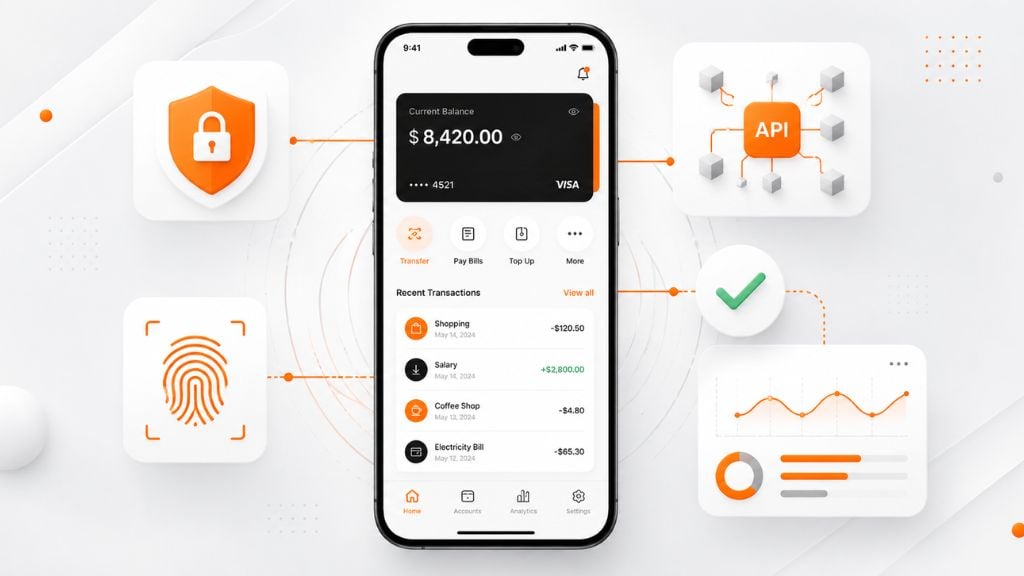
Use these best practices to make the app secure, useful, and scalable:
- Plan Compliance Early: Include KYC, AML, privacy rules, card data protection, consent flows, and audit logs from the start.
- Keep The MVP Focused: Launch with core features first, such as secure login, account dashboard, transfers, bill payments, alerts, card controls, and support.
- Design For Trust: Use clear confirmations, simple language, visible security actions, easy support access, and helpful error messages.
- Build API-First: Use secure APIs to connect core banking systems, payment providers, KYC tools, fintech partners, and open banking services.
- Use DevSecOps: Run security scans, dependency checks, code reviews, automated tests, and penetration testing during development.
- Test Real Banking Scenarios: Check failed payments, duplicate transfers, suspicious logins, blocked cards, slow networks, and support escalations.
- Monitor After Launch: Track crashes, transaction failures, fraud alerts, API delays, user complaints, app store reviews, and security updates.
Future Trends In Mobile Banking App Development
Mobile banking app development is moving toward smarter, faster, and more connected financial experiences.
AI will play a bigger role in fraud detection, budgeting support, spending insights, customer service, and personalized product recommendations. Open banking will also become more important as users expect one app to connect with payments, lending, insurance, investments, and third-party account data.
Embedded finance is another growing trend. Banks and fintech companies can use APIs to offer financial services inside non-bank platforms, creating new partnership and revenue opportunities.
Security will also keep evolving. Biometric authentication, device risk checks, behavioral monitoring, and real-time fraud alerts will become more common as banking apps handle more sensitive activity.
The best approach is to choose trends based on user value. Add AI, open banking, digital wallets, or embedded finance only when they improve trust, reduce risk, or support a clear business goal.
How To Choose A Mobile Banking App Development Company
The right partner should understand both software development and financial compliance.
Look for a team with experience in:
- Banking or fintech products
- Secure mobile app development
- Core banking integrations
- API architecture
- KYC and AML workflows
- PCI DSS and GDPR considerations
- QA and penetration testing
- Scalable backend systems
- Post-launch maintenance
Ask these questions before hiring:
| Question | Why It Matters |
|---|---|
| Have you built fintech or banking apps before? | Shows domain experience |
| How do you handle compliance requirements? | Reduces legal and security risk |
| What security standards do you follow? | Shows technical maturity |
| Can you integrate with core banking systems? | Prevents backend issues |
| How do you estimate mobile banking app development cost? | Helps avoid budget surprises |
| What happens after launch? | Ensures ongoing support |
A low-cost team without fintech experience may create bigger costs later. For banking apps, security, compliance, and reliability matter more than the cheapest quote.
Conclusion
Mobile banking app development requires more than mobile design and coding. It requires secure architecture, compliance planning, core banking integration, strong UX, reliable backend systems, and ongoing maintenance.
The safest way to build a successful product is to start with a focused MVP, define compliance requirements early, choose the right tech stack, build secure APIs, test deeply, and plan for continuous updates after launch.
The mobile banking app development cost can vary widely, but the real priority is not only reducing cost. The priority is building a secure, scalable, and trusted banking experience that customers can rely on every day.
FAQs About Mobile Banking App Development
What is mobile banking app development?
Mobile banking app development is the process of building secure mobile apps that let users access accounts, transfer money, pay bills, manage cards, view transactions, and use digital banking services from a smartphone.
How much does mobile banking app development cost?
Mobile banking app development cost usually ranges from $50,000 to $150,000 for a basic MVP, $150,000 to $400,000 for a mid-level app, and $400,000 to $1,000,000+ for advanced or enterprise banking apps.
How long does it take to build a mobile banking app?
A basic mobile banking MVP may take 3 to 6 months. A mid-level app may take 6 to 10 months. A complex banking app with advanced security, compliance, and integrations can take 10 to 18 months or longer.
What are the must-have features of a mobile banking app?
Must-have mobile banking app features include secure login, biometric authentication, account dashboard, transaction history, fund transfers, bill payments, card management, push notifications, customer support, and admin controls.
What is the banking app development process?
The banking app development process includes research, compliance planning, feature scoping, UX/UI design, tech stack selection, secure architecture, core banking integration, development, testing, launch, and maintenance.
Is security important in mobile banking app development?
Yes. Security is critical because banking apps handle sensitive personal and financial data. Key controls include MFA, encryption, secure APIs, biometric login, device verification, fraud monitoring, and penetration testing.
What compliance standards apply to banking apps?
Common compliance requirements include KYC, AML, PCI DSS, GDPR, PSD2, CCPA, data residency, audit logging, privacy policies, and local banking regulations. The exact requirements depend on region and product type.
Should I build native or cross-platform banking apps?
Native apps are best for high-security, high-performance banking products that need deep platform control. Cross-platform development can work well for MVPs and many banking apps that need faster iOS and Android delivery.
Can AI be added to a mobile banking app?
Yes. AI can support fraud detection, spending insights, budgeting, customer support, risk scoring, and personalized recommendations. However, AI features must be designed with privacy, transparency, and compliance in mind.
What affects mobile banking app development cost the most?
The biggest cost factors are feature complexity, number of platforms, backend architecture, core banking integration, compliance requirements, security testing, team location, and post-launch maintenance.
This page was last edited on 24 July 2026, at 6:33 pm

Start a conversation with our team to solve complex challenges and move forward with confidence.










