

Building an ecommerce website in 2024 is both an enormous opportunity and a complex challenge. As ecommerce growth accelerates, more businesses and solo founders want a slice of the online sales market but are overwhelmed by platform choices, hidden costs, and evolving feature demands.
This guide will walk you through how to develop an ecommerce website—offering a neutral, expert-backed, step-by-step process. Whether you’re a small business owner, a developer, or a marketing lead, you’ll get actionable frameworks to select the right platform, understand core features, ensure security and compliance, manage costs, and optimize for growth.
By the end, you’ll know exactly how to go from idea to launch and beyond, with clarity on critical decisions, compliance essentials, and the latest AI-driven trends shaping success in ecommerce website development.
What Is an Ecommerce Website, and Why Build One?
An ecommerce website is an online platform that lets you list products, accept payments, process orders, and manage customer relationships. It’s designed to enable businesses to sell products or services digitally, providing customers with a seamless shopping experience.
Key Characteristics of Ecommerce Websites
- Product Listing & Catalog: The core function is to display products or services, organized into categories for easy navigation.
- Shopping Cart & Checkout: Customers can add items to their cart and proceed through a secure, streamlined checkout process.
- Payment Processing: Integration with providers like Stripe, PayPal, or Square enables real-time payment collection.
- Order & Inventory Management: Back-end systems keep track of stock and automate fulfillment workflows.
- Customer Accounts & Reviews: Returning customers can register, track orders, and leave reviews for social proof.
Types of Ecommerce Sites
- B2C (Business-to-Consumer): Online retailers selling goods directly to shoppers (e.g., clothing shops).
- B2B (Business-to-Business): Wholesalers or suppliers serving other businesses.
- Single-Product Stores: Focused brands selling just one or a handful of products.
- Marketplaces: Platforms hosting multiple vendors, like Etsy or Amazon.
Ecommerce websites offer scalability, automation, and new market reach compared to brick-and-mortar retail—making them essential for business growth in today’s digital-first world.
How Do You Plan a Successful Ecommerce Website Project?
Successful ecommerce website development starts with careful planning, specification, and auditing your needs before you write a single line of code or choose a platform. A strong plan prevents costly missteps and ensures your store will support both current and future business goals.
Ecommerce Website Planning Checklist
- Define Your Business & Audience: Clarify what products you’ll sell, who your buyers are, and your competitive positioning.
- Determine Product Catalog Size & Complexity: How many SKUs? Do you offer variants (size, color), digital or physical goods?
- Feature Requirements: List must-haves, such as:
- Product search/filtering
- Wishlists or saved carts
- Ratings/reviews
- Discount, coupon, or loyalty functionality
- DIY vs. Professional Development: Assess in-house skills versus the need to hire a developer or an agency.
- Compliance & Accessibility: Plan for ADA accessibility, GDPR or CCPA privacy, and PCI DSS security standards.
- Inventory & Fulfillment: Decide if you’ll hold stock, use dropshipping, or leverage third-party logistics.
- Cost Planning: Budget for:
- Platform or software fees (startup/ongoing)
- Design/assets
- Domain/hosting/SSL
- Marketing spend
Take the time at this stage to map workflows and prioritize features—it pays dividends in later development.
Should You Use a Website Builder or Build Custom? (Decision Guide)
Choosing between a website builder (SaaS) or building a custom ecommerce site is one of the biggest decisions in your ecommerce journey. Your choice impacts speed, flexibility, cost, and scalability.
Builder vs. Custom Ecommerce Development: Pros and Cons
| Website Builder (Shopify, Wix, Square) | Custom Development | |
| Speed | Fast deployment, templates, minimal coding | Longer build time, full control |
| Cost | Predictable monthly fees, lower upfront costs | Higher startup costs, variable maintenance |
| Flexibility | Limited by platform’s features and ecosystem | Tailored to exact specs; fully extensible |
| Maintenance | Automatic updates, support included | Manual updates/security handled by owner |
| Scalability | Scales well for most SMBs; limits at extreme scale | Unlimited, but needs robust dev resources |
Which Should You Choose?
- Best for Small to Medium Businesses: Website builders are ideal for quick launches, modest budgets, and teams with limited technical skills.
- Best for Brands with Specific Needs or Large Scale: Custom builds are suited for distinctive requirements, advanced integrations, or businesses expecting rapid expansion.
- Hybrid Option: Some platforms (like Shopify Plus or WooCommerce) allow coding on top of a hosted core—a balanced approach for growth.
Tip: If you’re testing a new concept, start with a builder. For long-term, unique brands with complex needs or heavy traffic, invest in custom development or an experienced agency.
What Steps Are Involved in Ecommerce Website Development?
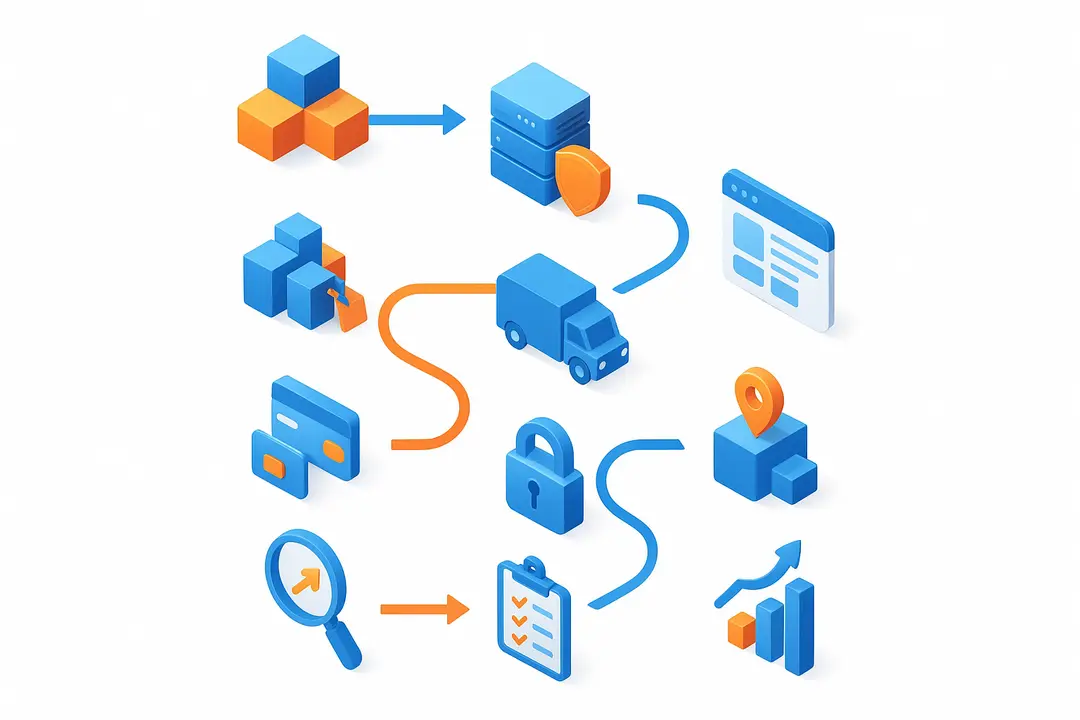
Creating an ecommerce website follows a proven, repeatable pathway. Whether you use a builder or custom approach, these are the essential steps for a successful launch.
Step-by-Step Ecommerce Website Development Process
- Choose Your Ecommerce Platform or Tech Stack: Compare providers like Shopify, Wix, Squarespace, WooCommerce, or custom frameworks (React, Laravel) based on your business needs.
- Register a Custom Domain & Secure Hosting: Select a memorable domain and ensure reliable, secure hosting—either with your platform or a trusted third-party provider.
- Design Your Storefront:
- Use templates/themes or custom design to match your brand.
- Prioritize mobile-first, responsive layouts for all shoppers.
- Employ UX best practices (clear calls to action, easy navigation).
- Add & Manage Products:
- Create detailed listings with images, variants, SKUs, and compelling descriptions.
- Set inventory management rules (stock alerts, backorders).
- Integrate Payment Gateways:
- Set up options like Stripe, PayPal, Apple Pay, or regional providers.
- Ensure payment methods fit your customers’ preferences.
- Configure Shipping, Taxes, & Logistics:
- Set shipping zones, rates (flat, real-time), and tax rules based on regions served.
- Integrate with couriers or dropshipping partners as needed.
- Implement Site Security & Compliance:
- Activate SSL/TLS certificates for safe transactions.
- Meet PCI DSS standards for all payment processing.
- Publish privacy policies and enable security features.
- Optimize for SEO:
- Use descriptive URLs, unique metadata, and fast-loading images.
- Ensure mobile performance and accessibility standards are met.
- Add structured data for rich snippets.
- Test Your Site Thoroughly:
- Validate the entire purchase flow, site speed, mobile views, and third-party integrations.
- Solicit real-user feedback pre-launch.
- Launch Your Ecommerce Website:
- Go live when all systems pass QA.
- Monitor closely for early issues and rapid responses.
- Handle Post-Launch Essentials:
- Set up analytics (Google Analytics 4, Hotjar).
- Start basic marketing campaigns (email, social, paid).
Ecommerce Website Development Checklist
- Platform selected
- Domain registered, hosting secured
- Storefront designed (mobile responsive)
- Products & inventory added
- Payments, shipping, taxes configured
- SSL, PCI compliance, privacy set up
- SEO optimized
- User-tested and fully QA’d
- Analytics and marketing ready
- Store launched
How Do You Secure and Legally Comply With Your Ecommerce Website?
Ensuring security and legal compliance is non-negotiable in ecommerce. Protecting customer data builds trust and shields your business from significant risk.
Ecommerce Security & Compliance Checklist
- SSL/TLS Certificates: Secure your entire site with SSL to encrypt data and increase customer confidence.
- PCI DSS Compliance: If you handle credit card payments, comply with Payment Card Industry Data Security Standards to prevent breaches.
- Privacy Policies: Be transparent with customer data usage.
- If selling to the EU, comply with GDPR.
- For California consumers, follow CCPA.
- ADA/WCAG Accessibility: Design your site for people with disabilities—use alt text, readable fonts, and logical navigation.
- Secure Payment Providers: Choose vetted processors (Shopify Payments, Stripe, PayPal) that meet high industry standards.
- Customer Data Handling: Store sensitive data securely, restrict access, and establish processes for deletion or requests.
Missing any of these requirements can result in penalties, lost revenue, or reputational damage.
What Features Should Every Ecommerce Website Include?
Every competitive ecommerce website needs a robust set of features to attract shoppers and convert them into loyal customers. Prioritize essential functionality before adding advanced enhancements.
Must-Have Ecommerce Website Features in 2026
| Feature | Description/Benefit |
| Product Search & Filters | Fast lookup, filter by size, color, price, rating |
| Shopping Cart & Checkout | Add items, modify, then purchase with guest or registered flow |
| Secure Payments | Stripe, PayPal, credit cards, digital wallets |
| User Accounts & Wishlists | Save orders, track shipments, manage repeat purchases |
| Reviews & Ratings | Build trust and social proof |
| Inventory & Order Management | Automated stock updates, order tracking |
| Responsive Mobile Design | Seamless UX across devices |
| SEO & Site Speed Optimization | Improved ranking and conversion via fast, easily discovered site |
| Email Automation | Order confirmations, abandoned cart recovert |
| AI Personalization Tools | Product recommendations, chatbots for support |
| Post-Purchase Flows | Thank-you pages, up/cross-sell automation |
Focus on these essentials first, then layer on advanced ecommerce features to expand functionality and drive long-term loyalty.
How Much Does It Cost to Develop and Run an Ecommerce Website?
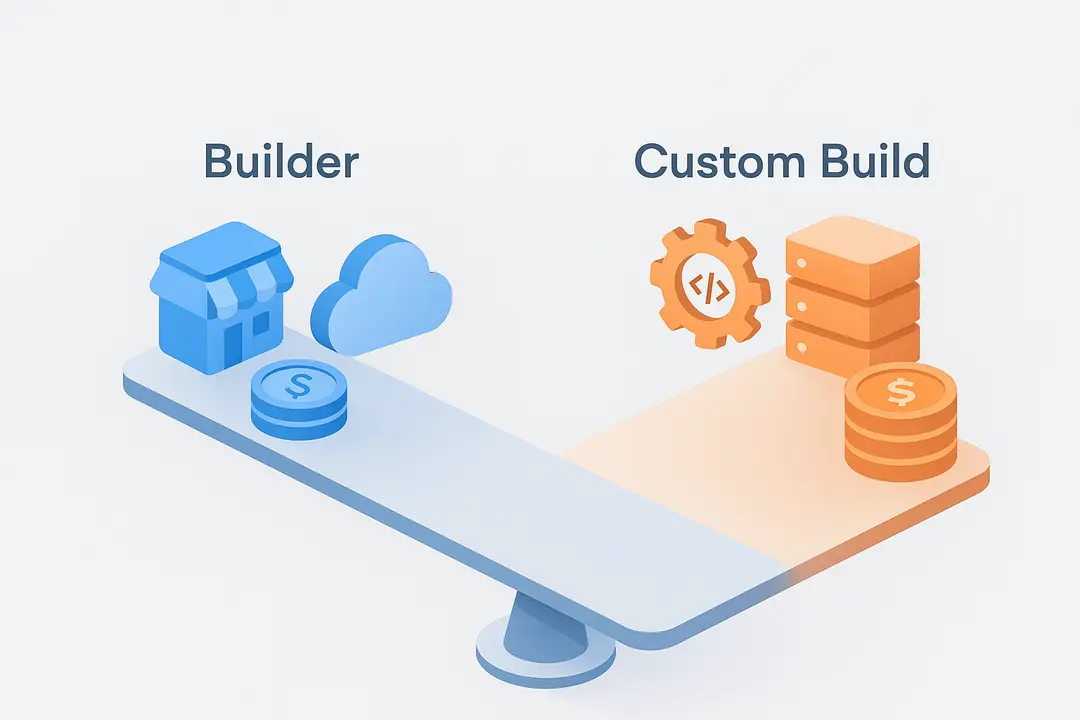
Understanding ecommerce website costs is critical for proper planning. Expenses depend on your platform choice, custom needs, and future growth—but most budgets fall into predictable ranges.
Typical Ecommerce Website Cost Breakdown
| Cost Area | Builder (e.g., Shopify, Wix) | Custom Build (Agency/Developer) |
| Platform/Software | $20–$350/month | $5,000–$100,000+ one-time |
| Design | $0–$2,000 (theme/premium) | $2,000–$20,000+ |
| Domain/Hosting | $10–$40/year; hosting often included | $100–$500/year |
| SSL Certificate | Free–$100/year; often included | $50–$200/year |
| Apps/Plugins | $0–$150/month | $500–$5,000+ |
| Payment Fees | 2%–3% of sales (plus gateway fees) | 2%–3%+gateway |
| Maintenance | $0–$100/month | $100–$1,000+/month |
| Marketing/SEO | Variable, $500+/month | Variable, $500+/month |
Example Scenarios
- Small Store (builder, DIY design): $30–$100/month plus ~2.5% payment fees, <$2,000 startup
- Medium Store (customized, mix of apps & freelance help): $5,000–$20,000 startup, $100–$400/month ongoing
- Large/Enterprise (custom, full agency): $30,000–$100,000+ startup, $1,000+/month
Platform fees and transaction costs are ongoing. Plan for periodic investments in SEO, marketing, and feature upgrades as you grow.
How Do You Optimize and Market Your Ecommerce Store After Launch?
Launching your ecommerce website is only the beginning. Ongoing optimization and marketing drive sales, visibility, and customer loyalty.
Post-Launch Ecommerce Optimization Checklist
- SEO for Ecommerce Websites:
- Optimize product pages with unique metadata, fast load times, and structured data.
- Build high-quality backlinks and create authoritative content.
- Content Marketing:
- Launch a blog with buying guides, “how-to” posts, and product highlights.
- Use guides or video to answer common customer questions.
- Email Capture & Automation:
- Offer incentives for newsletter signups.
- Automate welcome sequences, abandoned cart reminders, and post-purchase nurturing.
- Social Media Integration: Connect with shoppers via Instagram/Facebook Shops, Pinterest, and TikTok for direct selling and discovery.
- Analytics Setup:
- Track key metrics with Google Analytics 4, Hotjar, or Mixpanel.
- Monitor revenue, conversion rate, traffic sources, and user behavior.
- Conversion Rate Optimization (CRO):
- Test different layouts, calls to action, and messaging.
- Use heatmaps and session recordings to find friction points.
- Utilize Emerging AI Tools:
- AI-driven personalization (product recommends, chatbot support)
- Automated copywriting for SEO and product descriptions
Frequent improvements—backed by data and customer feedback—keep your store competitive and drive sustainable growth.
What Are the Latest Trends in Ecommerce Website Development? (2026+)
Staying ahead of ecommerce trends ensures your online store remains relevant and competitive. In 2024, rapid tech shifts and evolving shopper expectations are shaping the future of ecommerce website development.
2026+ Ecommerce Trends to Watch
- AI-Driven Personalization: Leveraging AI for custom product recommendations, automated chat support, and dynamic content displays.
- Voice Commerce: Growing adoption of voice-activated shopping (e.g., buying via Alexa, Google Assistant).
- Mobile-First & Progressive Web Apps (PWA): Enhanced mobile experiences with PWA offering app-like performance on any device.
- Headless & API-First Ecommerce: Decoupled architectures allow full design flexibility and fast feature integration.
- Multichannel Selling: Integrating your store with Amazon, eBay, POS systems, and social media for streamlined multichannel commerce.
- Sustainability & Ethical Commerce: Shoppers prioritize brands with eco-conscious or locally sourced products.
- Compliance-conscious Development: Accessibility (ADA/WCAG), privacy (GDPR/CCPA), and secure payment compliance are now baseline priorities.
Adopting flexible, API-driven ecommerce solutions lets businesses pivot faster and deliver best-in-class customer experiences.” — CTO, leading ecommerce platform
Frequently Asked Questions (FAQ)
What is an ecommerce website?
An ecommerce website is an online storefront that allows businesses to showcase products or services, accept payments, handle orders, and interact with customers digitally.
How do I develop an ecommerce website step by step?
Follow key steps: plan your business and features, choose a platform or custom option, secure a domain and hosting, design your storefront, add products, set up payments and shipping, ensure security and compliance, complete SEO, test thoroughly, and then launch.
What features should every ecommerce website have?
Essentials include product catalogs, advanced search/filters, shopping cart and checkout, secure payment integration, order management, customer accounts, product reviews, mobile-responsive design, and SEO tools.
How much does it cost to create an ecommerce website?
Costs range from as low as $30/month for builder solutions with basic features to $20,000+ for custom ecommerce sites, plus ongoing costs for hosting, plugins, and marketing.
Should I build my ecommerce site from scratch or use a website builder?
Use a website builder if you need speed, templates, and an all-in-one solution with less technical overhead. Opt for a custom build if you need unique functionality or expect rapid scaling.
What skills are needed for ecommerce website development?
Key skills include website design, product/content management, payment integration, marketing (SEO/email), and basic compliance/security know-how. Custom sites require development expertise.
How can I secure my ecommerce website?
Secure your site with SSL certificates, use PCI-compliant payment gateways, set strong passwords, keep software updated, and display privacy policies.
What is the difference between hosted and custom ecommerce platforms?
Hosted (SaaS) platforms like Shopify and Wix manage infrastructure and software for you. Custom ecommerce sites provide full control but require greater technical resources and self-managed hosting.
How do I optimize my ecommerce website for SEO?
Focus on unique, keyword-rich product pages, fast loading speed, mobile usability, high-quality images, descriptive meta tags, and structured data to improve search visibility.
Which payment gateways can I integrate with an ecommerce site?
Popular options include Stripe, PayPal, Square, Authorize.net, Apple Pay, and region-specific providers, depending on your platform and customer preferences.
Conclusion
AI Automation for Executive Dashboards is no longer a luxury—it’s a strategic necessity for modern, data-driven organizations. As businesses generate increasing volumes of data, relying on manual reporting and static dashboards only slows down decision-making and introduces costly errors. By integrating AI-powered automation, companies can transform complex data streams into real-time, actionable insights that executives can trust and act on instantly.
From improving reporting speed and accuracy to enabling predictive analytics and smarter business strategies, AI automation fundamentally changes how leadership teams interact with data. The key is to approach implementation with a clear roadmap—define your goals, choose the right tools, ensure data integration, and continuously optimize performance.
Organizations that adopt AI-driven dashboards early gain a significant competitive advantage: faster insights, better decisions, and scalable growth. Those that delay risk falling behind in an increasingly data-centric landscape.
If you’re ready to move beyond outdated reporting systems and unlock the full potential of your data, now is the time to invest in AI automation for your executive dashboards.
Key Takeaways
- Define your goals, audience, and must-have features before selecting a platform.
- Compare builder and custom approaches to align with your skills, budget, and scalability needs.
- Follow a structured development process—from domain selection to secure payments and SEO.
- Prioritize compliance and security at every step to protect your business and customers.
- Invest in ongoing optimization, AI tools, and multichannel strategies to drive ecommerce growth.
This page was last edited on 31 August 2026, at 4:28 pm

Start a conversation with our team to solve complex challenges and move forward with confidence.










