
Custom web applications empower organizations to overcome the limits of generic software by delivering precisely tailored digital solutions. As business demands escalate and off-the-shelf tools struggle to keep pace, decision-makers increasingly turn to custom development for scalability, security, and differentiation.
Many companies face challenges with rigid SaaS tools, lack of integration, or scalability limitations. In a digital landscape marked by rapid innovation—AI-driven automation, rising cybersecurity threats, and the need for sustainable IT—choosing and building a custom web app requires a clear, actionable roadmap.
This guide provides a comprehensive, step-by-step playbook for CTOs, product leaders, and digital strategists. You’ll gain clarity on the process, frameworks, budgeting, security, emerging trends, and ROI. Follow along to make informed decisions and confidently lead your next web application project.
What Is a Custom Web Application?
A custom web application is a bespoke software solution designed to meet specific business needs—unlike generic websites or off-the-shelf software. Custom web apps can automate workflows, deliver unique customer experiences, and scale with your company’s growth.
A custom web application is a software product developed from scratch or tailored to exact requirements, typically accessed via a web browser, and distinct from standard websites (informational) or SaaS (prepackaged, one-size-fits-all).
Key Differences:
| Solution | Custom Web App | Website | Off-the-Shelf/SaaS |
| Primary Use | Process automation, transactions, portals | Content, info, marketing | Broad business needs, generic features |
| Flexibility | High – built to spec | Low | Moderate; limited adaptation |
| Ownership/Control | Full (code, data, IP) | Full | Low – vendor-managed |
| Scalability/Security | Tailored to needs | Basic | Vendor-controlled |
Examples of Custom Web Apps:
- Secure client portals for banks or law firms
- Internal workflow tools (e.g., HR, logistics)
- B2B marketplace platforms
- Data analytics dashboards for operations teams
- Custom CRMs integrating with unique business processes
Benefits:
- Complete fit to business needs: No unnecessary features or workarounds.
- Future scalability: Easily adapt to growth or new models.
- Integration ready: Connect seamlessly with your systems.
- Competitive differentiation: Unique UX, features, or performance advantages.
Custom vs. Off-the-Shelf Web Apps: Which Decision Is Right for You?
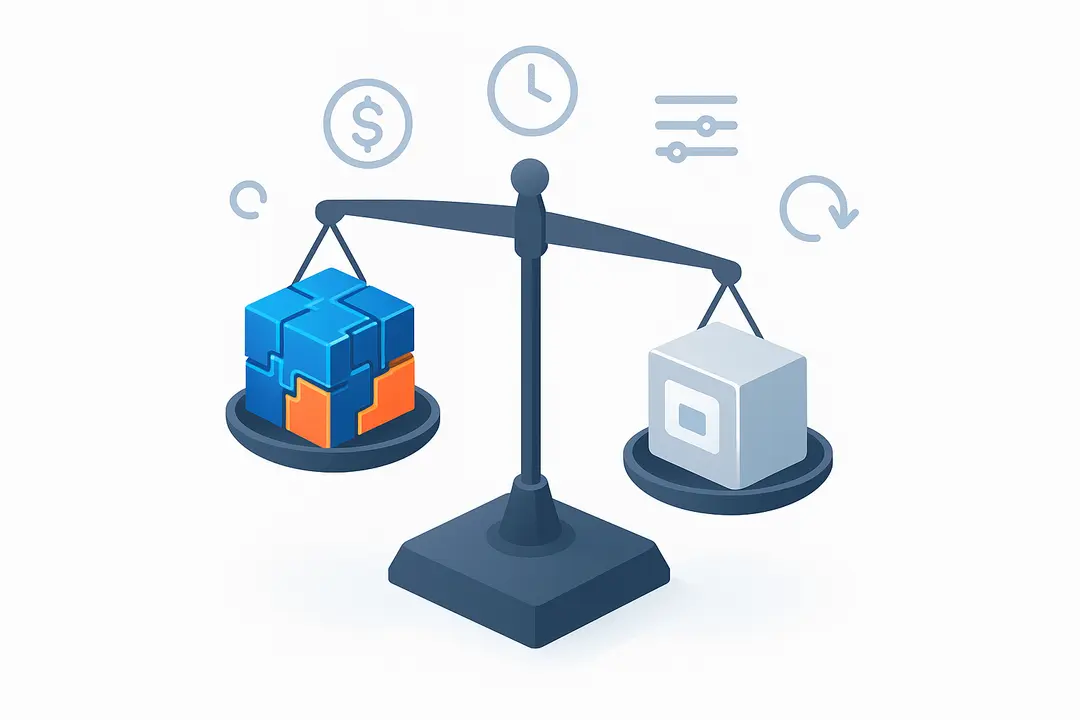
Choosing between a custom web application and an off-the-shelf solution shapes your project’s ROI, timeline, and level of control. Understanding the core differences helps you determine the right investment.
Summary Table:
| Factor | Custom Web Application | Off-the-Shelf Software |
| Initial Cost | Higher (development needed) | Lower (subscription/license) |
| Time to Launch | Longer (3–12+ months) | Immediate to a few days |
| Customization | Full – feature set built to spec | Limited/none |
| Ownership/IP | You own all assets | Vendor owns core assets |
| Integration | Direct with your systems | May require workarounds |
| Long-term ROI | Potentially higher | Can decline as needs outgrow |
| Maintenance | You manage or contract | Vendor-managed |
Custom is essential when:
- Your processes are unique and cannot be mapped to generic tools.
- Integration with internal legacy systems is critical.
- Security or compliance demands are strict.
- You require a unique user experience or plan to scale significantly.
Off-the-shelf works when:
- Your needs are standard and match what popular SaaS tools offer.
- Speed and short-term cost are top priorities.
- Budget limitations override customization needs.
Hybrid/No-Code Options:
Modern no-code platforms bridge the gap but often trade deep customization for speed. No-code builders are best for simple internal tools or MVPs, while complex scenarios typically demand custom development.
Types and Use Cases of Custom Web Applications
Custom web applications serve diverse business goals—from powering internal operations to delivering customer-facing innovation.
Key use cases include:
- Internal Business Apps:
Employee portals, document management, workflow automation (e.g., HR onboarding platforms, project trackers for engineering teams). - Client Portals & B2B Marketplaces:
Secure spaces for clients to access reports, collaborate, or transact (legal case portals, supplier dashboards). - E-Commerce & Transactional Platforms:
Custom online storefronts, booking systems, or product configurators with unique purchase flows. - Data Analytics & Dashboards:
Real-time metrics and visualization tools for operations, sales, or compliance monitoring. - Industry-Specific Solutions:
Healthcare: Patient intake, telehealth, claims systems.
Finance: Risk assessment tools, trading platforms, regulatory workflow management.
SaaS Product Development: Niche or enterprise-grade SaaS platforms targeting vertical markets. - Progressive Web Applications (PWAs):
Apps providing offline support, push notifications, and cross-device functionality with near-native experience. - Headless & Modular Architectures:
API-first platforms that separate backend and frontend, supporting future flexibility and composability.
Industries leveraging custom web apps:
Healthcare, fintech, logistics, education, manufacturing, and government frequently rely on tailored applications for mission-critical operations.
How to Build a Custom Web Application: Step-by-Step Development Process
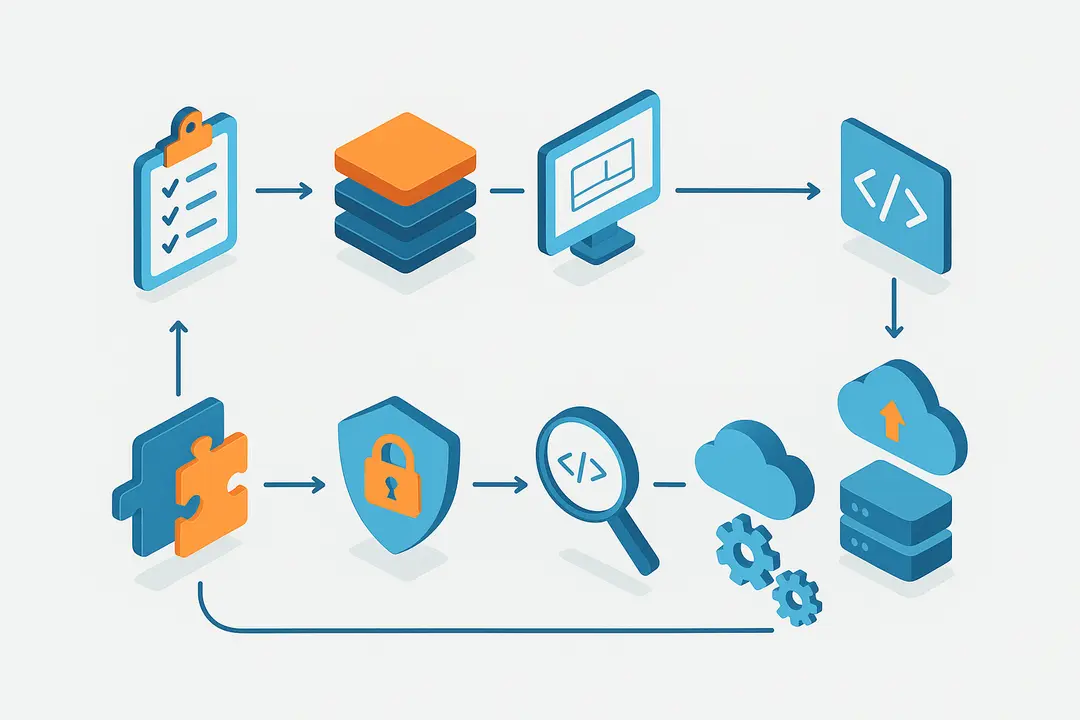
Building a custom web app requires a structured process—planning, design, development, integration, testing, launch, and ongoing support. Successful projects break the journey into predictable, manageable steps.
1. Planning & Requirements Gathering
Defining clear goals and requirements is the foundation of effective development. Start by understanding your stakeholders and prioritizing a minimum viable product (MVP).
- Identify all stakeholders and conduct interviews/workshops.
- Document core objectives, pain points, and success metrics.
- Create detailed user personas and user stories.
- Develop a prioritized feature list.
- Establish MVP criteria for early launch and validation.
2. Technology Stack Selection
Choosing the right frameworks and dev tools aligns your project with long-term goals, talent availability, and integration requirements.
- Evaluate options for frontend (React, Angular, Vue.js), backend (Node.js, Django, Laravel, .NET), and databases (PostgreSQL, MongoDB).
- Consider delivery models: monolith, microservices, serverless/cloud-native.
- Factor in DevOps tools for CI/CD (Jenkins, GitHub Actions) and cloud hosting (AWS, Azure, Google Cloud).
- Align stack choices with your team’s expertise and project needs.
3. UI/UX Design for Web Apps
A thoughtful design phase ensures usability, accessibility, and brand cohesion.
- Wireframing and user flow mapping for key pages.
- Prototyping interactive elements.
- Designing for responsiveness (desktop, mobile, tablet).
- Ensuring accessibility (WCAG compliance).
- Employing design systems or component libraries to standardize UI elements.
4. Frontend & Backend Development
Development translates requirements into working code, often using agile/iterative methods.
- Divide work into sprints with clear deliverables.
- Maintain modular, maintainable code (micro-frontends for large teams, single repo for small MVPs).
- Leverage frameworks and libraries to accelerate build time.
- Apply code version control (Git) and maintain automated build/test pipelines.
5. API & Third-Party Integration
Most web apps rely on external services for payments, messaging, analytics, or ERP/CRM sync.
- Design robust RESTful or GraphQL APIs for your app’s data needs.
- Integrate external APIs (e.g., Stripe, Salesforce) for critical functions.
- Document API endpoints and error handling strategies.
6. Security and Compliance Integration
Security and compliance must be addressed from day one—not as an afterthought.
- Implement OWASP Top 10 security best practices (input validation, secure authentication, data encryption).
- Plan for GDPR/CCPA/region-specific privacy rules.
- Encrypt sensitive data in transit and at rest.
- Role-based access and audit logging.
7. Testing & Quality Assurance
Testing ensures reliability, usability, and stability before launch.
- Manual testing for exploratory use cases.
- Automated unit and integration testing (Jest, Mocha, Cypress).
- Performance and load testing to verify scalability.
- Security and penetration testing (using OWASP tools).
- Usability testing with real end-users.
8. Deployment & Launch
Deployment is where code becomes a functional product for users.
- Implement CI/CD pipelines for automated build, test, and deploy.
- Choose scalable, secure cloud hosting (AWS, Azure, GCP).
- Complete pre-launch QA, smoke tests, and rollback procedures.
- Monitor application health and security from day one post-launch.
9. Post-Launch Maintenance & Support
High-performing web apps require active maintenance and iterative improvement.
- Monitor for bugs, performance bottlenecks, and security incidents.
- Use version control and bug tracking systems.
- Plan regular updates, feature enhancements, and technical debt reduction.
- Partner with in-house teams or external agencies for ongoing support and improvements.
Which Frameworks & Tech Stacks Are Best for Custom Web Apps?
Selecting a technology stack directly impacts scalability, maintainability, and hiring. The best frameworks depend on your app’s type, team skills, and business requirements.
Popular Frontend Frameworks:
- React: Hugely popular, large ecosystem, ideal for interactive UIs.
- Angular: Robust, enterprise-scale projects, built-in tooling.
- Vue.js: Lightweight, approachable, flexible.
Popular Backend Frameworks:
- Node.js: Fast, scalable, suitable for real-time/web APIs.
- Django: Python-based, great for rapid development and security.
- Laravel: PHP-based, developer-friendly, strong community.
- .NET Core: Enterprise-ready, high-performance Microsoft stack.
Framework Comparison Table:
| Framework | Use Case | Pros | Considerations |
| React | Rich UI, SPAs | Large talent pool, high performance | Needs routing/tools |
| Angular | Enterprise apps | Full-featured, scalable | Steep learning curve |
| Vue.js | Startups, MVPs | Lightweight, easy to learn | Smaller ecosystem |
| Node.js | APIs, real-time | Non-blocking, fast, JS everywhere | Async complexity |
| Django | Data-driven apps | Security, rapid prototyping | Monolithic by default |
| Laravel | Business apps | Elegant, quick scaffolding | PHP-specific |
| .NET Core | Enterprise | Cross-platform, high-performance | Tied to Microsoft stack |
When to choose which:
- React/Node.js: Modern, event-driven apps requiring real-time features.
- Django: Secure, rapidly changing or data-centric platforms (healthcare, fintech).
- Angular/.NET Core: Enterprise-grade needs, strict types, end-to-end solutions.
- Vue.js/Laravel: Startups, MVPs, quick launches.
Headless/Serverless/Composable Options:
- Headless architectures (API-first): Separate frontend/backend for flexibility (e.g., Next.js with a Django API).
- Serverless frameworks: AWS Lambda, Google Cloud Functions for scalable, managed backend logic.
- No-code/Low-code: Power internal tools or rapid prototypes (Bubble, OutSystems), but be aware of trade-offs in flexibility.
What Does Custom Web Application Development Cost?
Custom web application development costs are influenced by complexity, features, integrations, and expertise level. A realistic budget allows for proper planning and long-term ROI evaluation.
Typical Cost & Timeline Ranges:
| Stage/Scope | Cost Estimate (USD) | Timeline |
| MVP (simple app) | $30,000 – $70,000 | 3–4 months |
| Medium complexity | $70,000 – $150,000 | 4–8 months |
| Enterprise/complex | $150,000+ | 8–18+ months |
Key cost drivers:
- Feature set complexity and unique requirements
- Number of user types/roles and integrations
- Security & compliance specifications
- Custom UI/UX demands and accessibility needs
Cost by approach:
- In-house: Higher long-term costs (salaries, training), but direct control.
- Agency/Partner: Predictable project pricing, expertise, faster kick-off.
- No-code/Low-code: Lower upfront for basic tools/MVPs, scalability may be limited.
Total Cost of Ownership (TCO):
Consider development, licensing, hosting, support, and upgrade expenses over 3+ years. For many organizations, custom web apps deliver optimal ROI when measured over lifecycle versus ongoing SaaS subscriptions.
How to Ensure Security, Compliance & GDPR in Custom Web Apps
Security and compliance are non-negotiable for modern businesses—especially those handling sensitive data or operating under privacy regulations.
Key Security Practices:
- Address the OWASP Top 10 risks, such as injection flaws, broken authentication, and cross-site scripting.
- Use modern authentication (OAuth, JWT), encryption at rest/in transit (TLS, AES).
- Develop with the principle of least privilege (role-based access).
- Log user activity and security events for audits.
Compliance Essentials:
- GDPR/CCPA/DSGVO: Understand and implement requirements: consent, data minimization, breach notification, right to erasure.
- Use privacy-by-design principles from early architecture and design stages.
- Employ certified/compliant frameworks and libraries.
How to integrate security & compliance:
- Conduct security reviews at every phase.
- Use automated static/dynamic code analysis tools.
- Train your development team in secure coding practices.
- Document all compliance steps and obtain necessary certifications.
- Partner with legal/compliance experts—especially for multi-region deployments.
Tip:
Refer to authoritative resources like OWASP and consult with certified security specialists to address evolving threats and compliance changes.
What Are the Latest Trends in Custom Web Application Development?
Staying ahead of emerging trends ensures your custom web app remains relevant, scalable, and cost-effective in the years ahead.
Major trends for 2026 include:
- Rise of No-Code/Low-Code Development:
Rapid prototyping and internal tool creation with platforms like Bubble and OutSystems are empowering non-developers and reducing time-to-market—best for simple apps or MVP validation. - Serverless and Microservices Architectures:
Serverless deployment (AWS Lambda, Azure Functions) reduces infrastructure overhead and supports horizontal scaling. Microservices enable independent feature deployment, speeding innovation. - AI-Assisted Development:
AI tools now automate code generation, testing, and analytics, lowering manual effort and improving quality. Expect integration with coding assistants, smart testing, and data-driven optimization. - Composable/Headless Architectures:
Future-ready apps are being built with API-first approaches, separating backend and frontend to support flexibility and multi-channel delivery. - Sustainability & Green IT:
Eco-conscious development—cloud optimization, carbon-efficient coding, responsible hosting—matters for IT procurement and compliance in 2024 and beyond. - Progressive Web Apps (PWAs) & Micro-Frontends:
PWAs bridge the gap between web and native mobile apps, while micro-frontends enable large teams to build modular, scalable UIs.
Real-World Impact:
More than 60% of enterprise organizations are exploring serverless and composable architectures, according to IBM and Gartner reports. Sustainability and AI-Automation are not just buzzwords—they are fast becoming project requirements.
Key Takeaways Table: Custom Web App Development at a Glance
| Section | Core Insight |
| What is a Custom Web App | Bespoke, browser-based app tailored for unique business needs |
| Custom vs. Off-the-Shelf | Custom = full control and flexibility; Off-the-shelf = speed, low effort |
| Types & Use Cases | Internal portals, marketplaces, analytics, industry-specific platforms |
| Development Process | 9 steps from planning through post-launch support |
| Frameworks & Tech Stacks | React, Angular, Django, Node.js, etc.—choose based on skills and goals |
| Cost & Timeline | $30k–$150k+, spanning 3–18 months; influenced by complexity |
| Security & Compliance | Address OWASP Top 10, GDPR/CCPA, privacy by design from day one |
| Latest Trends | AI, serverless, no-code/low-code, composable architecture, green IT |
Frequently Asked Questions (FAQ)
What is the difference between a custom web application and off-the-shelf software?
A custom web application is built specifically for unique requirements, offering full flexibility and ownership. Off-the-shelf software provides prebuilt features for general needs and is faster to deploy but less adaptable.
What are the main stages of custom web application development?
The core stages include planning and requirements, technology selection, UI/UX design, frontend/backend development, API integration, security, testing, deployment, and post-launch maintenance.
How do I choose the right framework for my web application?
Select frameworks based on project type, scalability requirements, your team’s experience, and integration needs. Popular choices include React (UI), Node.js (backend), Django (secure rapid builds), and Angular (.NET enterprise apps).
What factors influence the cost of custom web app development?
Key cost drivers are feature complexity, required integrations, custom design/UI needs, data security requirements, and level of compliance needed (e.g., GDPR).
How long does the development process take?
Timelines range from 3 months for a simple MVP to 12+ months for complex enterprise platforms, depending on requirements and resources.
Can a custom web app be built without coding knowledge?
No-code/low-code platforms enable simple apps or prototypes without coding, but complex, scalable solutions typically require professional developers.
What are the key security considerations in web app development?
Implement best practices based on the OWASP Top 10, including secure authentication, encryption, input validation, and regular security testing.
What is involved in post-launch maintenance for custom web apps?
Ongoing tasks include bug tracking, security monitoring, regular updates, feature enhancements, and maintaining compliance with evolving regulations.
How does GDPR/DSGVO compliance impact web application design?
Compliance affects how user data is handled—requiring consent management, data minimization, user rights implementation, audit trails, and privacy by design.
What new trends are shaping custom web app development in 2025 and beyond?
Key trends include increased use of serverless and microservices architectures, AI-driven development tools, rise of no-code/low-code, and a growing focus on sustainability and composable (headless) architectures.
Conclusion
Custom web application development unlocks tailored solutions, robust integration, and real scalability for forward-thinking businesses. By following a structured, expert-led playbook, you can navigate each step—from planning and technology selection to security, deployment, and ongoing growth—with confidence.
Key Takeaways
- Custom web apps offer unmatched flexibility, scalability, and alignment with unique business needs.
- The process includes nine critical stages, from planning to post-launch support.
- Framework and stack selection should match project goals, team expertise, and future plans.
- Security and compliance must be integrated from the beginning, not bolted on later.
- New trends—AI, serverless, green IT, no/low-code—are reshaping the future of web app development.
This page was last edited on 15 April 2026, at 2:30 pm

Start a conversation with our team to solve complex challenges and move forward with confidence.










