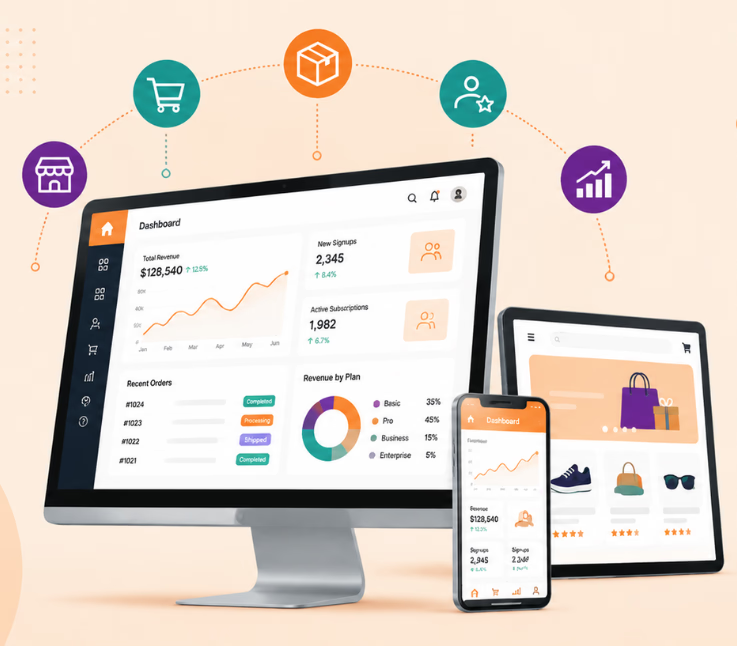
To build a SaaS app: validate your idea, define your MVP, select tech or no-code/AI tools, build secure multi-tenant architecture, integrate APIs, test for compliance, launch, scale, and iterate with feedback.
Most SaaS ideas do not fail because the code was impossible to build. They fail because teams build too much, launch too late, price poorly, or discover after months of work that users never really needed the product.
That is why learning how to build a SaaS app is not just about choosing a tech stack. It is about turning a real customer problem into a focused, secure, scalable product that people are actually willing to pay for.
In 2026, founders also have more options than ever—from AI-assisted development and no-code tools to cloud platforms and ready-made APIs. The challenge is knowing what to use, what to skip, and what must be built properly from day one.
This guide walks you through the entire process, from validating your SaaS idea and defining an MVP to choosing the right technology, setting pricing, securing user data, launching successfully, and scaling with confidence.
What Is a SaaS App?
A SaaS, or Software as a Service, application is software hosted online and accessed through the internet rather than installed and maintained individually on each user’s device.
Most SaaS products operate through subscriptions, usage-based billing, or recurring service plans.
Examples can include project management platforms, CRM systems, accounting software, collaboration tools, analytics products, AI applications, and industry-specific business software.
Unlike a basic web application, a SaaS product usually needs to support:
- Multiple customers or organizations
- Secure account and tenant separation
- Recurring billing
- User roles and permissions
- Continuous updates
- Cloud infrastructure
- Usage monitoring
- Customer onboarding
- Data protection
- Scalable infrastructure
That makes SaaS development as much an architecture and business-model challenge as a programming project.
How to Build a SaaS App in 2026
A successful SaaS development process can be divided into nine major stages.
Step 1: Validate Your SaaS Idea
Do not start with development.
Start with the problem.
Many SaaS products fail because teams build features before confirming whether customers actually need them.
Your initial research should answer three questions:
Who has the problem?
Define the customer as specifically as possible. “Small businesses” is usually too broad. A better target might be independent accounting firms, e-commerce operators, healthcare administrators, or remote development teams.
How painful is the problem?
A minor inconvenience may not be enough to support a recurring subscription.
Look for problems that cost customers time, money, productivity, revenue, or opportunities.
Will customers pay to solve it?
Interest and willingness to pay are not the same thing.
Talk to potential users, study competitors, review existing alternatives, and determine how customers currently solve the problem.
A useful validation process includes:
- Identify the target customer.
- Define one clear problem.
- Study competing solutions.
- Interview potential users.
- Test your proposed solution.
- Evaluate willingness to pay.
The goal is not to prove your original idea is correct. It is to understand what customers actually need before investing heavily in development.
Step 2: Define Your SaaS MVP
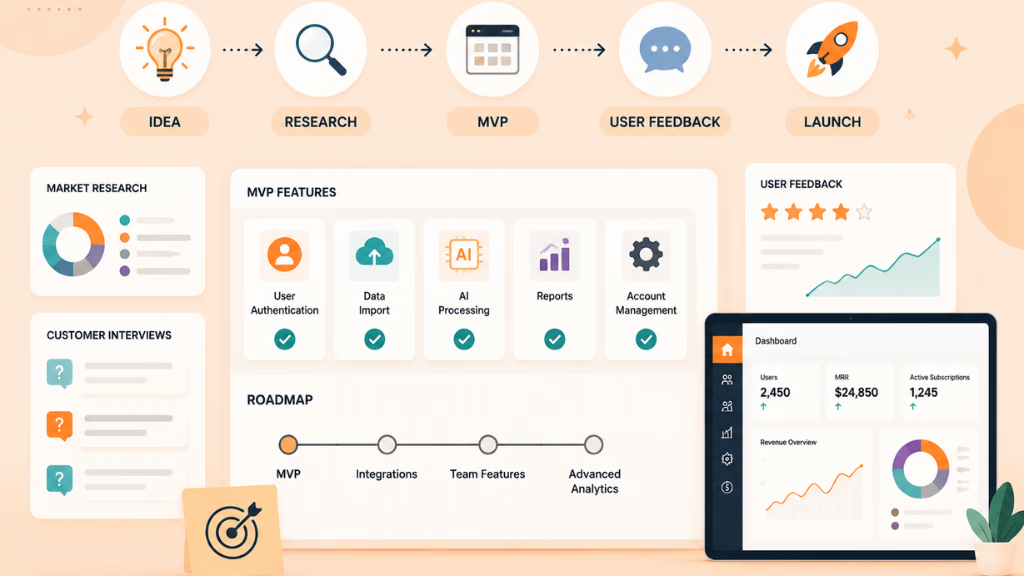
Once the idea has been validated, define your Minimum Viable Product.
An MVP should contain the smallest set of features required for users to experience the product’s core value.
For example, imagine you are building an AI-powered customer feedback platform.
Your first version may need:
- User registration
- Feedback import
- AI-based categorization
- Basic reporting
- Account management
It probably does not need ten dashboard themes, advanced team collaboration, dozens of integrations, or highly customized reports on day one.
A simple question can help prioritize features:
Would the product still solve its main problem without this feature?
If the answer is yes, that feature may belong in a later release.
Choose an Initial Pricing Model
Your MVP planning should also include monetization.
Common SaaS pricing models include:
| Pricing Model | Best Suited For |
|---|---|
| Flat Subscription | Simple products with similar customer needs |
| Tiered Pricing | Products serving different customer sizes |
| Usage-Based | APIs, infrastructure and consumption-driven tools |
| Freemium | Products that benefit from broad adoption |
| Custom Pricing | Complex enterprise SaaS solutions |
You do not need perfect pricing before launch. You do need a model that can be tested with real users.
Step 3: Choose the Right Development Approach
There is no single best SaaS technology stack.
The right approach depends on your product complexity, budget, timeline, technical expertise, security requirements, and long-term plans.
Custom Development
Custom development offers the most control.
Common technologies may include:
| Layer | Common Options |
|---|---|
| Frontend | React, Vue, Svelte |
| Backend | Node.js, Python, Go |
| Database | PostgreSQL, MongoDB |
| Hosting | AWS, Azure, Google Cloud, Vercel |
| Authentication | OAuth, SSO, third-party identity providers |
Custom development is often appropriate when the product requires complex workflows, proprietary functionality, advanced integrations, or significant scalability.
No-Code and Low-Code
Platforms such as Bubble and other low-code tools can speed up prototypes and simpler SaaS applications.
They can work well when:
- Time to market is important
- The workflow is relatively straightforward
- Custom infrastructure is not essential
- The first priority is validating demand
However, teams should consider platform limitations, pricing, scalability, customization, and vendor dependency before committing long term.
AI-Assisted Development
AI coding tools can now accelerate:
- Prototyping
- UI generation
- Boilerplate code
- API development
- Database schema creation
- Documentation
- Test generation
- Debugging
They are valuable productivity tools, but generated code still needs technical review.
Authentication, permissions, payment logic, sensitive-data handling, and other security-critical components should receive especially careful validation.
Step 4: Design Your SaaS Architecture
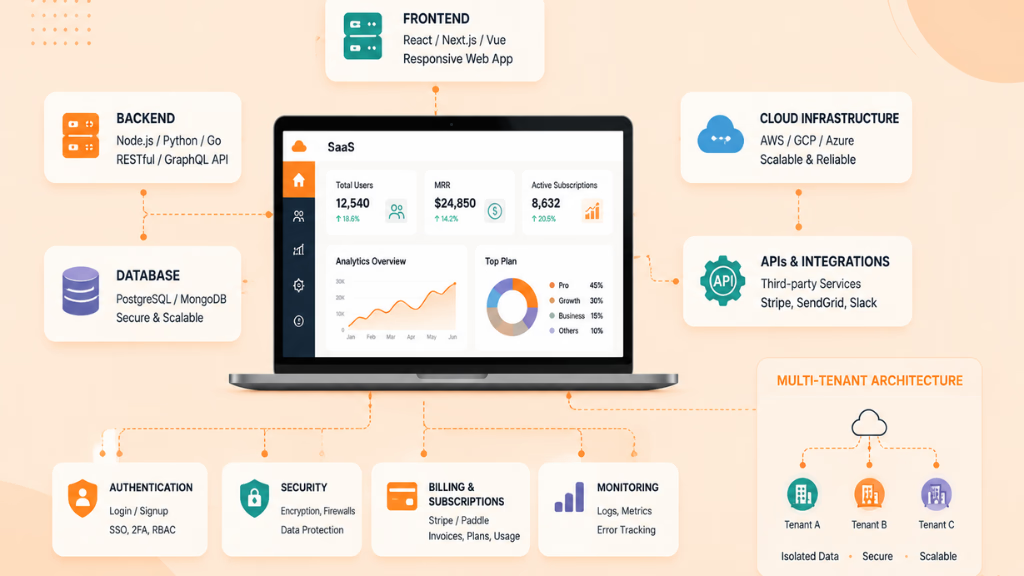
Architecture decisions made early can affect security and scalability later.
One of the most important concepts is multi-tenancy.
Multi-tenancy allows one SaaS platform to serve multiple customers while keeping each customer’s information properly separated.
Common approaches include:
Shared Database
Multiple customers use the same database, with tenant identifiers separating records.
This can be efficient and cost-effective but requires strict access controls.
Separate Databases
Each customer receives a separate database.
This can provide stronger isolation but increases infrastructure and maintenance complexity.
Hybrid Architecture
Some systems combine shared infrastructure with dedicated resources for larger or higher-risk customers.
Your architecture should also account for:
- Authentication
- Role-based access control
- API security
- Encryption
- Logging
- Backups
- Monitoring
- Error handling
- Data recovery
- Infrastructure scaling
Do not treat these as features to add after launch.
Step 5: Build Authentication and Core Product Features
With the architecture defined, development can begin.
Start with foundational functionality rather than visual polish.
A typical sequence might include:
- Authentication and account creation
- Organization or workspace setup
- User roles and permissions
- Core product workflow
- Database operations
- Billing
- Notifications
- Analytics
- Admin tools
Authentication should be implemented early because almost every SaaS workflow depends on knowing who the user is and what information they are permitted to access.
For B2B SaaS applications, you may eventually need capabilities such as SSO, multi-factor authentication, team permissions, or enterprise identity management.
Step 6: Integrate Essential Third-Party Services
Most modern SaaS applications depend on external services.
Building everything internally is rarely necessary.
Common integrations include:
| Requirement | Common Options |
|---|---|
| Payments | Stripe, PayPal |
| Transactional Email | SendGrid, Mailgun |
| Analytics | Mixpanel, Amplitude |
| Customer Support | Intercom, Zendesk |
| File Storage | AWS S3 or similar cloud storage |
| Messaging | Twilio |
| Monitoring | Datadog, Prometheus or cloud-native tools |
Evaluate integrations based on more than price.
Consider documentation quality, reliability, security, scalability, API limitations, support, and how difficult migration would be if you change providers later.
Step 7: Test Security, Performance, and Reliability
Testing should happen throughout development, not only immediately before launch.
A SaaS testing strategy should include several layers.
Functional Testing
Confirm that features behave as expected.
Integration Testing
Verify that payments, emails, APIs, authentication services, databases, and other components work together correctly.
Security Testing
Review areas such as:
- Authentication
- Authorization
- Session handling
- Tenant separation
- API access
- Sensitive-data exposure
- Secrets management
- Administrative permissions
Performance Testing
Determine how the application responds as user activity increases.
Watch database queries, API response times, background jobs, infrastructure consumption, and other potential bottlenecks.
Regression Testing
Automated regression tests help detect problems when new features or updates are released.
Step 8: Prepare for Privacy and Compliance Requirements
Compliance requirements depend on the data you collect, where customers are located, and the industries you serve.
A SaaS provider may need to consider areas such as:
- Privacy notices
- Cookie management
- User-data requests
- Data retention
- Encryption
- Access controls
- Audit logging
- Incident response
- Data deletion
- Third-party processors
Products operating in healthcare, finance, government, or other regulated industries may face additional requirements.
Compliance should therefore be evaluated against the specific product and market rather than treated as a universal checklist.
Enterprise customers may also ask detailed questions about security practices before purchasing your product.
Building good controls early can make those conversations much easier.
Step 9: Plan Pricing and Go-to-Market
A technically strong SaaS product can still fail if customers do not understand why they should buy it.
Before launching, define:
- Who the product is for
- What problem it solves
- Why it is different
- How customers discover it
- How users experience value
- What triggers an upgrade
Possible acquisition channels include SEO, content marketing, partnerships, founder communities, direct outreach, product directories, paid advertising, and industry-specific channels.
Your strategy should match the buying behavior of your audience.
An enterprise SaaS product may require sales conversations.
A self-service productivity tool may perform better with product-led onboarding.
There is no universal go-to-market model for every SaaS business.
Step 10: Launch Your SaaS App
You do not need thousands of users on launch day.
A controlled launch can often provide better information.
Start with a smaller group of users and observe how they interact with the product.
Before launch, confirm that:
- Core workflows are working
- Authentication is secure
- Billing has been tested
- Error monitoring is active
- Backups are configured
- Analytics are collecting data
- Support channels are available
- Important documentation is ready
Pay close attention to what users actually do instead of relying only on what they say.
Usage data can reveal where onboarding fails, which features create value, and where customers abandon the product.
Step 11: Measure, Improve, and Scale
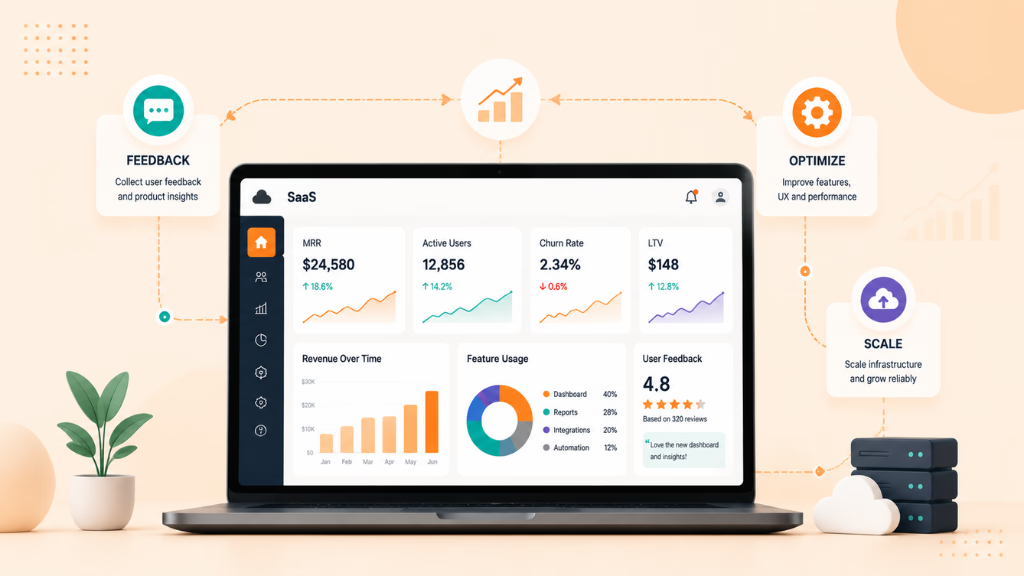
Launching is the beginning of the SaaS lifecycle.
After release, monitor the metrics that help you understand product and business health.
Depending on your business model, these may include:
- Monthly Recurring Revenue (MRR)
- Annual Recurring Revenue (ARR)
- Churn
- Trial-to-paid conversion
- Customer acquisition
- Feature adoption
- Active users
- Support volume
- Infrastructure costs
Do not scale infrastructure simply because you expect growth.
Measure actual usage, identify bottlenecks, and scale where necessary.
The same principle applies to features.
Build based on evidence from customers and product data instead of continuously adding functionality because competitors have it.
Common Mistakes When Building a SaaS App
Several mistakes repeatedly make SaaS development more expensive than necessary.
Building Before Validating
A technically impressive product has little value without real demand.
Adding Too Many MVP Features
Every additional feature increases development, testing, maintenance, and support requirements.
Overengineering the Architecture
An early SaaS product rarely needs the architecture of a global enterprise platform.
Build for your realistic growth stage while leaving room to evolve.
Treating Security as a Later Task
Retrofitting permissions, tenant isolation, logging, and authentication can be significantly harder than designing them correctly from the beginning.
Ignoring Onboarding
Users may leave before discovering the value of a good product if setup is confusing.
Launching Without Monitoring
If you cannot see errors, failed payments, slow APIs, or infrastructure problems, resolving production issues becomes much harder.
Choosing Pricing Without Testing It
Pricing is a product decision, not simply a number placed on your website.
Test how different customer segments respond to your offer.
How Much Does It Cost to Build a SaaS App?
There is no fixed price for SaaS development. The cost can range from a few thousand dollars for a basic MVP to hundreds of thousands for a complex enterprise platform.
A SaaS app’s development cost mainly depends on:
- Product complexity and feature scope
- Design and user experience requirements
- Custom development versus existing solutions
- Integrations, AI features, security, and compliance needs
- Development team, infrastructure, and ongoing maintenance
Here is a general estimate:
| SaaS Type | Estimated Development Cost | Typical Timeline |
|---|---|---|
| Simple SaaS MVP | $15,000 – $50,000 | 2–4 months |
| Mid-level SaaS Product | $50,000 – $150,000 | 4–9 months |
| Advanced SaaS Platform | $150,000 – $500,000+ | 9–18+ months |
| Enterprise SaaS Solution | $500,000+ | 18+ months |
A simple SaaS MVP with features like user authentication, dashboards, subscription management, and basic workflows usually falls within the $15,000–$50,000 range.
A more advanced platform with custom architecture, complex integrations, AI capabilities, advanced analytics, or enterprise security requirements can quickly move into the $100,000+ range.
Instead of asking only, “How much will the app cost?”, a better question is:
“What is the smallest version we can build that proves customers want the product?”
Starting with a focused MVP helps businesses validate demand, avoid unnecessary development costs, and create a stronger foundation for future growth.
Why Work With Riseup Labs for SaaS Development?
Building a SaaS product requires coordination across product strategy, UI/UX, application development, cloud infrastructure, testing, security, and ongoing maintenance.
Riseup Labs can support businesses that need additional development capacity or an end-to-end team for SaaS application development.
Depending on the project, that can include planning, product design, custom development, integration, testing, deployment, and post-launch improvements.
Working with an experienced development partner can be particularly useful when your internal team lacks the resources to move from product concept to a stable production application efficiently.
Conclusion
Building a SaaS app in 2026 starts with a validated problem—not a technology stack.
Define a focused MVP, choose development tools that match your actual requirements, build security and tenant isolation into the architecture, test every critical workflow, and launch to real users as early as reasonably possible.
AI and no-code tools can accelerate development, but speed alone does not create a successful SaaS business. Long-term success depends on delivering clear customer value while maintaining reliable software, sustainable pricing, strong security, and a continuous feedback loop.
Build the smallest product that solves the problem well. Measure how customers use it. Then improve and scale based on evidence.
Frequently Asked Questions
What Are the Main Steps to Build a SaaS App?
Start by validating the problem, defining an MVP, choosing a technology stack, designing the architecture, developing core features, integrating third-party services, testing the application, preparing security and compliance controls, launching, and improving the product based on user data.
What Technology Stack Is Best for SaaS Development?
There is no universal best stack. React, Vue, Node.js, Python, Go, PostgreSQL, and major cloud platforms are common options. The best choice depends on your team’s expertise, product requirements, scalability needs, and budget.
Should I Use No-Code or Custom Development?
No-code can be useful for prototypes and relatively simple MVPs. Custom development generally provides more flexibility for products involving complex logic, proprietary features, advanced integrations, or significant scalability requirements.
How Long Does It Take to Build a SaaS App?
Development time depends on scope. A focused MVP can be built much faster than a complex enterprise platform. Architecture, integrations, security requirements, design complexity, testing, and team size all affect the timeline.
How Much Does SaaS App Development Cost?
Costs vary widely depending on features, team structure, technology, infrastructure, integrations, security, and compliance needs. Defining a focused MVP is one of the best ways to control initial development costs.
How Do You Secure a SaaS Application?
Important measures include strong authentication, role-based permissions, tenant isolation, encryption, secure API design, monitoring, audit logging, backups, and regular security testing.
What Is the Biggest Mistake When Building SaaS?
One of the biggest mistakes is investing heavily in development before proving that customers have a meaningful problem and are willing to adopt or pay for a solution.
Can AI Be Used to Build SaaS Apps?
Yes. AI development tools can help generate prototypes, code, tests, documentation, database structures, and interfaces. However, AI-generated output should still be reviewed, particularly for security-critical and business-critical functionality.
This page was last edited on 3 September 2026, at 6:07 pm

Start a conversation with our team to solve complex challenges and move forward with confidence.