
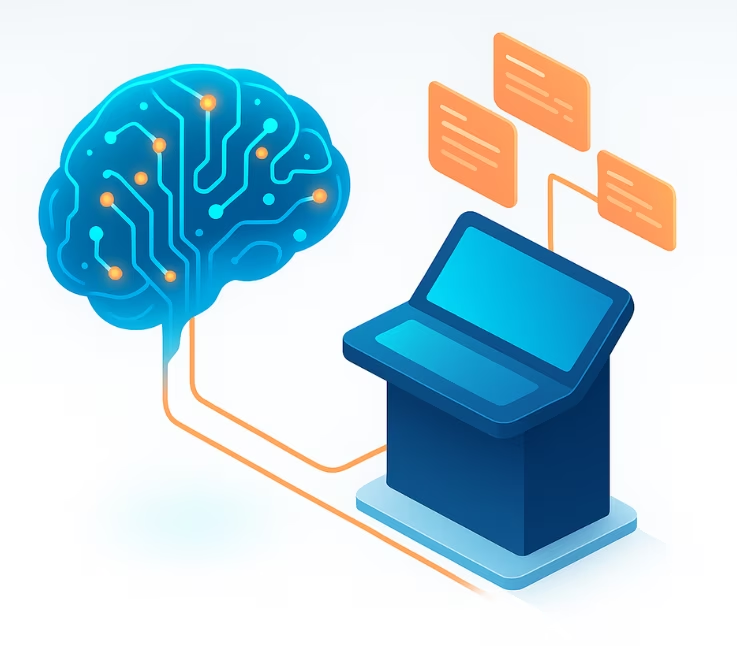
AI-powered service desk automation is rapidly transforming IT support, delivering faster ticket resolution and measurable cost savings. Traditional manual workflows—like ticket triage and repetitive L1 queries—cause agent burnout, slow response times, and mounting backlogs. According to ITIL and industry insights, integrating intelligent automation and AI can simplify operations, boost agent satisfaction, and ensure service desks keep pace with business demands. In this playbook, you’ll discover how AI-driven automation works, proven ROI metrics, practical steps for implementation, and how to avoid pitfalls others face. By the end, you’ll know how to evaluate, launch, and optimize your own AI service desk initiative—all grounded in experience, not hype.
What is AI-Powered Service Desk Automation?
AI-powered service desk automation uses artificial intelligence—including machine learning (ML), natural language processing (NLP), and workflow automation—to streamline, enhance, and partially or fully automate key support operations.
Unlike legacy rule-based automation, AI adapts dynamically to new data and uncovers patterns in tickets or requests. In an IT service management (ITSM) context, it means more accurate ticket classification, faster routing, and data-driven decision-making—with less manual effort. Core AI technologies present in modern service desks include:
- Machine Learning (ML): Learns from ticket history, categorizes requests, and predicts the best routing or resolution.
- Natural Language Processing (NLP): Interprets and understands user queries or tickets written in plain language.
- Robotic Process Automation (RPA): Automates repetitive, deterministic tasks (e.g., password resets, provisioning).
At a glance, AI-powered service desk automation:
- Automatically classifies, routes, and resolves support tickets using ML/NLP.
- Powers chatbots and virtual agents to handle common queries.
- Integrates with ITSM workflows for seamless, data-driven support.

What Are the Core Features and Components?
- NLP-Based Ticket Triage and Routing: Understands natural language in tickets and determines best department, agent, or workflow.
- Virtual Agents and Chatbots: Provide 24/7 self-service, answering routine questions and deflecting repetitive tickets from live agents.
- Automated Incident Handling: Automates resolution of common incidents (e.g., account unlocks, software provisioning) through RPA.
- Integration with ITSM Tools: Connects with existing ticketing, asset management, and monitoring tools via APIs/webhooks for end-to-end automation.
Typical system components include:
| Feature | Description | Benefit |
|---|---|---|
| Intelligent Ticket Routing | Auto-assigns tickets to right agent/team | Reduces backlog, improves SLA |
| Virtual Agents/Chatbots | First-line, conversational AI for user requests | Increases resolution rate, 24/7 |
| KB-Grounded Response | AI leverages company knowledge base for answers | Quality responses, fewer errors |
| Automated Incident Management | Handles standard fixes without agent intervention | Saves time, lowers costs |
| Analytics & Reporting | Dashboards, SLA tracking, trend insights | Data-driven optimization |
How Does AI Service Desk Automation Work in Practice?
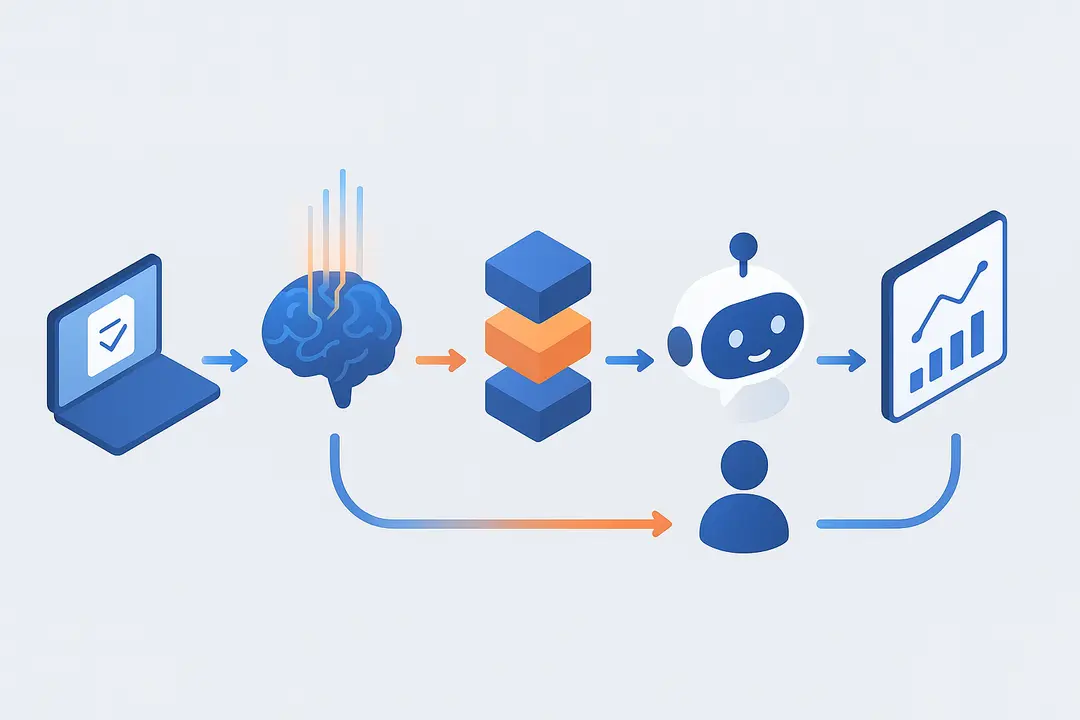
AI service desk automation transforms traditional IT support by automating the full lifecycle of a support ticket—from user request to resolution—using intelligent technologies.
In a typical workflow:
- Ticket Submission: Users raise tickets via portal, email, chat, or phone.
- NLP Analysis: AI uses natural language processing to interpret request intent, urgency, and context.
- Intelligent Triage & Routing: Machine learning algorithms classify the ticket, prioritize it (based on SLAs or impact), and assign to the most appropriate team or virtual agent.
- Resolution & Self-Service: If eligible, a virtual assistant or chatbot attempts resolution using the knowledge base or triggers automated remediation steps.
- Agent Handoff/Intervention: Complex or high-priority tickets escalate to human agents with all relevant context.
- Reporting & Learning: AI learns from outcomes, agent actions, and feedback, continually refining processes.
Unlike simple macros, AI adapts—improving ticket classification, flagging new issues, and learning organizational nuances with time. The quality and structure of the existing knowledge base (KB) directly affect answer accuracy and successful automations.
Inside Intelligent Ticket Routing and Triage
Intelligent ticket triage is the cornerstone of effective AI-powered service desk automation. It uses advanced algorithms to classify incoming requests, set priorities, and assign tickets according to urgency, agent expertise, or SLA requirements.
How it works:
- Classification: NLP analyzes ticket language to detect topic and intent.
- Prioritization: ML models assess urgency, customer profile, and SLA window.
- Assignment: Tickets route automatically to agents with matching skills or to a virtual agent for common issues.
Benefits:
- Reduces manual sorting, shrinking resolution bottlenecks.
- Improves SLA compliance and first response time.
- Prevents ticket backlog, even during peak periods.
Example Routing Map:
| Ticket Type | Recommended Route |
|---|---|
| Password Reset | Virtual agent/RPA |
| Network Outage | Level 2 support specialist |
| How-To Question | KB/Chatbot |
| VIP User | Senior agent (expedited) |
Role of Virtual Assistants and Chatbots
Virtual assistants and AI chatbots act as the first line of support, capable of resolving a high volume of repetitive or straightforward queries without human involvement.
Key Functions:
- Self-Service Resolution: Handles routine requests (e.g., how-to guides, password resets) using knowledge base content.
- 24/7 Availability: Users get instant support anytime, reducing wait times.
- Contextual Handoffs: When unable to resolve, the chatbot gathers relevant context and escalates to human agents smoothly.
Limitations:
- Chatbots rely on accurate, up-to-date knowledge bases.
- More complex or ambiguous tickets still require human judgment.
With AI-powered ticket deflection, organizations can resolve a significant percentage of Level 1 tickets automatically, freeing agents for higher-impact work.

Integrating Automation with Existing ITSM Workflows
AI service desk automation integrates with your current ITSM tools and workflows through APIs, webhooks, and reporting dashboards.
Integration Essentials:
- APIs & Webhooks: Enable seamless data exchange with ticketing tools, monitoring platforms, and user directories.
- Scripting/Custom Workflows: Tailor process automation without rearchitecting core systems.
- Data Flow & Auditability: Ensure every ticket and automation is logged for compliance and reporting.
- KPI Tracking: Dashboards provide real-time insights into SLA compliance, backlog trends, and automation success rates.
This flexible integration allows stepwise adoption, enabling teams to pilot AI on scoped workflows before scaling organization-wide.
What Measurable Benefits and KPIs Prove Value?
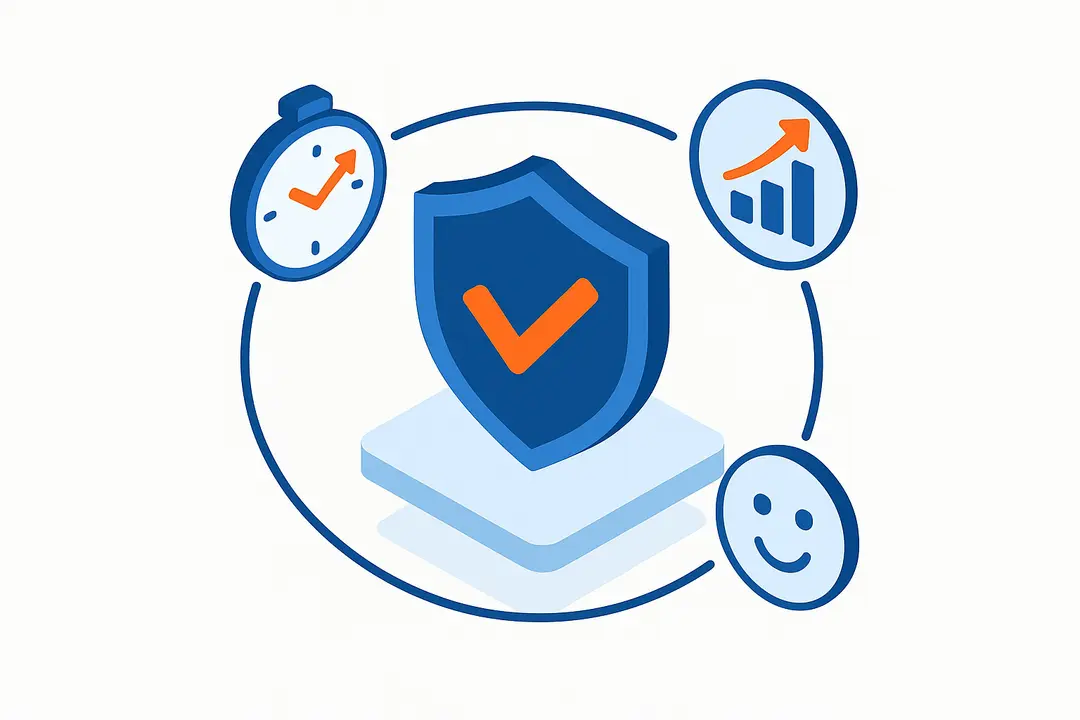
Automating your service desk with AI yields clear, quantifiable improvements across speed, cost, and service quality metrics. The most convincing ROI cases focus on before-and-after comparisons of key performance indicators (KPIs).
Common value drivers include:
- Mean Time to Resolution (MTTR): AI slashes resolution time by prioritizing and handling common requests instantly.
- SLA Compliance: Automated routing reduces missed response/resolution windows.
- Ticket Backlog: Self-service and faster triage clear queues rapidly.
- Agent Workload: Fewer repetitive tickets mean less burnout and better retention.
- Cost Savings: Supports more tickets per agent and automates high-volume tasks.
Sample KPIs (before/after automation):
| KPI | Before AI Automation | After AI Automation |
|---|---|---|
| Avg. Resolution Time | 10 hours | 2 hours |
| SLA Compliance (%) | 75% | 95% |
| Agent Tickets/Day | 20 | 35 |
| Customer Satisfaction (CSAT) | 3.8/5 | 4.5/5 |
| Ticket Backlog | 200 | 80 |
(Source: Industry benchmarks, vendor case studies)
How Does AI Impact Resolution Time and SLA?
AI accelerates ticket resolution by automating triage, routing, and self-service for common issues, resulting in faster support and higher SLA attainment.
Industry reports and case studies frequently cite:
- Resolution Time: Up to 50–80% reduction in average handling or resolution time (e.g., from 10 hours to under 2 hours).
- SLA Breach Rate: Significant drop in overdue tickets, pushing SLA compliance rates above 90% for many organizations.
- First Call Resolution (FCR): AI chatbots increase FCR rates by resolving more L1/L2 tickets on first contact.
“After deploying AI triage, our SLA compliance improved from 78% to 96%—and our customers noticed.” — IT Service Desk Manager, Financial Services (peer forum)
How is Agent Experience and Burnout Addressed?
AI-powered automation improves agent experience by removing tedious, repetitive tasks, allowing staff to focus on more complex and rewarding work.
- Lower Workload Stress: Agents handle fewer routine tickets, reducing burnout and cognitive fatigue.
- Upskilling: Agents focus on higher-value or specialized support, increasing job satisfaction.
- Retention Boost: Happier, more engaged agents stay longer, decreasing turnover costs.
“Automation didn’t replace us—it gave us time to grow in our roles and focus on user-impacting problems.” — Level 2 Support Analyst (Reddit thread)
Can AI Automation Scale and Save Costs?
AI service desk automation is inherently scalable, capable of handling surges in ticket volume with no loss in speed or service quality.
- Tickets per Agent: Automation lets each agent manage more tickets per day.
- Peak Support: No need for ramping staff just to handle temporary spikes; virtual agents scale instantly.
- Cost Efficiency: Reduces both operational expenditures (OPEX) and capital expenditures (CAPEX) by decreasing manual labor, overtime, and infrastructure investments.
Industry data: “Organizations have reported up to 30–50% reduction in service desk operational costs after full AI rollout” (see Gartner, ITSM study).
How Do You Successfully Implement AI Service Desk Automation?
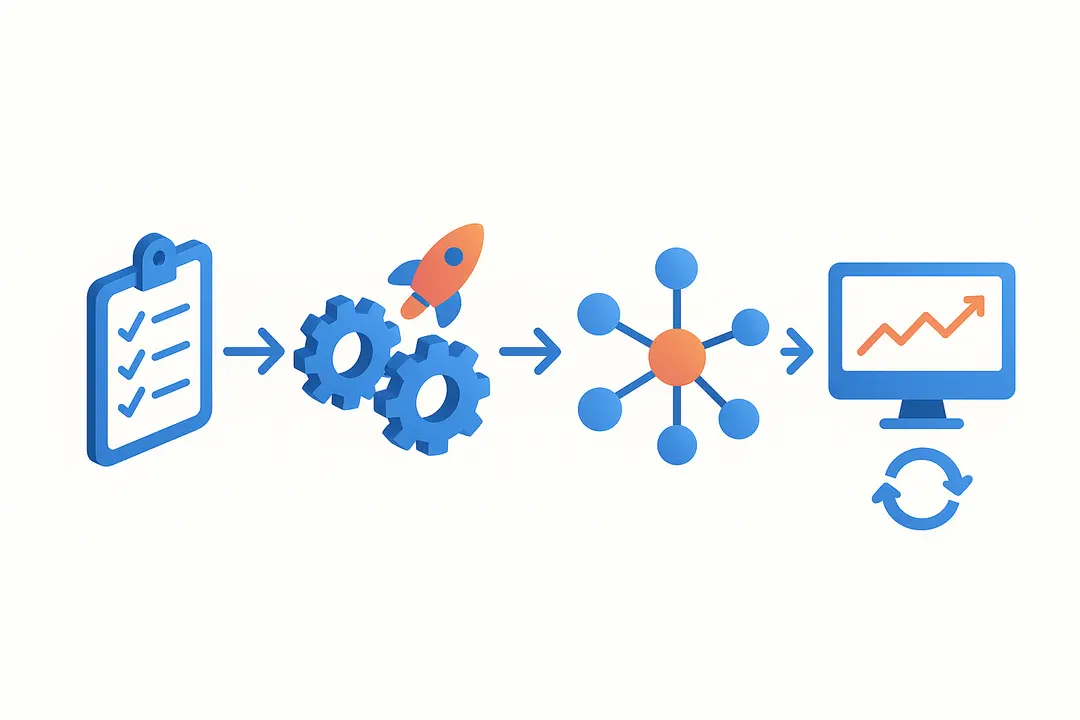
Launching AI service desk automation is most successful with a structured, readiness-focused approach. Proper planning and continuous feedback help minimize risk, maximize ROI, and ensure agent and user buy-in.
Key steps include:
- Readiness Assessment: Evaluate data quality, existing workflows, and buy-in.
- Pilot Program: Select low-risk, high-impact processes to automate first, measure outcomes, and gather feedback.
- Phased Rollout: Expand automation scope based on pilot success, iteratively optimizing workflows.
- Continuous Improvement: Use analytics, agent feedback, and ongoing KB maintenance to sustain improvements.
Implementation Readiness Checklist
Before deploying AI automation, use this checklist to assess organizational readiness:
- Knowledge Base Health: Is the KB current, well-structured, and trusted by agents?
- Agent & Leadership Buy-In: Do key stakeholders understand and support automation?
- Integration Points: Are APIs and data connections mapped and secure?
- Process Clarity: Are standard operating procedures documented and consistent?
- Security & Compliance Review: Are data privacy and audit requirements addressed?
A well-prepared environment accelerates pilot success and avoids costly setbacks.
How to Design an Effective Pilot Program
A practical, risk-managed pilot is vital. Use a phased approach:
- Select Target Workflows: Start with repetitive, high-volume tasks (e.g., password resets, simple queries).
- Set Success Metrics: Define KPIs—resolution time, FCR, customer satisfaction, automation accuracy.
- Establish Timeline: Map out stages (setup, go-live, monitoring) and feedback intervals.
- Monitor, Measure, Adapt: Use real-time analytics, agent/user feedback, and adjust automations as needed.
Sample Pilot Program Timeline:
| Phase | Milestone | Duration |
|---|---|---|
| Planning | Workflow selection, buy-in | 1–2 weeks |
| Implementation | Integration, KB prep | 2–4 weeks |
| Testing | Soft launch, agent review | 1 week |
| Go-Live | Launch pilot, live metrics | 2–4 weeks |
| Review | KPI analysis, next steps | 1 week |
KPIs to Track After Implementation
Ongoing measurement ensures your automation delivers—and continues to deliver—expected results.
Track:
- Resolution Time (MTTR, AHT)
- SLA Compliance Rate
- First Contact/Call Resolution (FCR)
- Ticket Backlog/Deflection Rate
- Agent Productivity (tickets per FTE)
- Customer Satisfaction (CSAT/NPS)
Tools like Power BI, Zendesk Explore, or platform-native dashboards provide at-a-glance KPI tracking and reporting.
Maintaining Knowledge Base Quality for AI Success
A high-quality, well-maintained knowledge base (KB) is critical for accurate AI responses and reliable automation.
- Regular KB Audits: Review and update content based on agent and user feedback.
- Governance & Versioning: Assign KB owners, track changes, and roll back errors if needed.
- Feedback Loops: Encourage agents to flag KB gaps or errors discovered during support.
Robust KB processes directly reduce AI hallucinations (incorrect/invented answers) and increase ticket deflection rates.
What Challenges and Risks Should You Anticipate?
Despite clear benefits, AI-powered service desk automation presents implementation challenges and risks that must be managed proactively.
Common risks include:
- Outdated or Incomplete Knowledge Base: Lowers AI accuracy and user trust.
- Over-automation: Fails to escalate nuanced or complex issues to humans in time.
- Compliance & Auditability: Lapses can lead to data privacy/regulatory issues.
- Resistance to Change: Agents or business units may push back without clear communication and upskilling.
Transparent planning and stakeholder engagement help organizations avoid these pitfalls.
How Do Knowledge Base Gaps or “Hallucination” Impact Automation?
Gaps, errors, or insufficient coverage in your KB can cause AI models to produce inaccurate or misleading answers—a phenomenon known as “hallucination.”
Impact:
- Support Errors: Users receive incorrect instructions, increasing frustration.
- Loss of Trust: Agents and users become reluctant to rely on automation.
- Escalation Backlog: Poor responses drive more tickets back to human agents.
Checklist to Prevent Issues:
- Monthly KB reviews scheduled.
- Agent-submitted corrections integrated.
- Disable chatbot for KB areas below a quality threshold.
What Are the Human, Compliance & Change Management Issues?
Humans remain essential in AI-augmented service desks. The right balance is crucial:
- Escalation Protocols: Complex or sensitive tickets must hand off to qualified agents promptly.
- Upskilling & Reskilling: Train staff for new responsibilities—overseeing automations, handling exceptions, and supporting tooling.
- Governance: Maintain clear documentation and audit trails for automation decisions.
- Compliance: Address data privacy, role-based access, and regulatory standards.
Change management efforts—communications, training, involvement in pilot—are key to adoption success.
Which Are the Top AI Service Desk Automation Tools? (Comparison Table)
Choosing the right AI help desk platform requires assessing features, integration options, and proven performance.
Comparison Table:
| Platform | Core AI Features | Integrations | Pricing Model | Best For |
|---|---|---|---|---|
| SysAid | NLP triage, chatbot, RPA | Major ITSM, API | Per agent/month | Mid-large enterprise |
| Freshservice | Intelligent routing, bot | 300+ apps, API | Tiered, SaaS | Scalability, SaaS |
| ServiceNow | ML analytics, virtual agent | Extensive, ESM | Custom/enterprise | Large org, high volume |
| Zendesk AI | Ticket classification, bot | CRM, ITSM, API | Per agent/month | SMB/enterprise mix |
| Aisera | Conversational AI, automation | Multi-vendor | License/SaaS | Advanced NLP, scaling |
Note: Compare not just AI claims, but actual automation depth, reporting, and KB handling. Distinguish genuine AI from upgraded macro/rule-based tools.
What Real-World Results Are Possible? (Case Studies & Metrics Table)
Leading organizations have documented substantial gains from AI-powered service desk automation. Here are two real-world examples and a summary table of typical improvements.
Case 1: Enterprise ITSM Rollout
- Automated ticket routing and self-service chatbot deployed.
- KPIs: SLA compliance improved from 68% to 94%, average resolution time dropped from 8 hours to 1.5 hours.
- Feedback: Agents report greater job satisfaction and less overtime.
Case 2: SMB Help Desk Transformation
- Focused AI pilot on routine incidents (e.g., password resets).
- KPIs: Agent workload reduced by 35%, backlog cut by 60%, annual cost savings projected at $150K.
- Feedback: “AI pilot proved value fast—leadership greenlit full rollout.”
Summary KPI Table:
| KPI | Pre-AI | Post-AI | % Improvement |
|---|---|---|---|
| SLA Compliance | 68–75% | 92–95% | +25–30% |
| Avg. Resolution Time | 8–10 hrs | 1–2 hrs | -75–80% |
| Ticket Backlog | 200 | 80 | -60% |
| Agent Satisfaction | 3/5 | 4.5/5 | +50% |
Frequently Asked Questions (FAQ)
What is AI-powered service desk automation?
AI-powered service desk automation integrates artificial intelligence—like machine learning and natural language processing—into IT support operations to automatically triage, route, and resolve support tickets, reducing manual workload.
How does AI automate ticket triage and routing?
AI uses NLP to analyze ticket language, classifies issues, determines urgency, and routes tickets to the right agent or automated workflow, providing faster and more accurate responses than manual sorting.
What are the main benefits of automating a service desk with AI?
Key benefits include faster ticket resolution, improved SLA compliance, reduced agent burnout, higher user satisfaction, operational cost savings, and the ability to scale support without adding staff.
What challenges are common when implementing AI-powered service desk automation?
Organizations often face knowledge base quality issues, insufficient stakeholder buy-in, over-automation without proper escalation paths, integration complexity, and change management hurdles.
How do you measure ROI for AI service desk automation?
Measure KPIs like mean time to resolution (MTTR), SLA compliance, agent productivity, ticket backlog, customer satisfaction, and operational cost changes before and after implementation.
What’s the difference between rule-based and AI-powered automation?
Rule-based automation relies on static logic (if/then scripts), while AI-powered automation learns from data, adapts to new scenarios, and performs more complex ticket classification and routing.
How can poor knowledge base quality impact AI service desk tools?
A weak or outdated knowledge base leads to inaccurate AI answers (“hallucinations”), more escalations, lost user trust, and limits the benefits of automation.
How to convince leadership to adopt AI automation?
Build a business case using before/after KPI benchmarks, highlight clear cost savings and scalability, and provide real-world case studies to demonstrate value and risk mitigation.
Which KPIs are most important after implementing AI service desk automation?
Monitor resolution time (MTTR), SLA achievement, ticket deflection rate, agent workload, customer satisfaction (CSAT/NPS), and automation accuracy metrics.
When should human agents intervene in the ticket lifecycle?
Human agents should handle tickets that are complex, ambiguous, sensitive, or when escalation is required due to business rules, compliance, or user context.
Conclusion
AI-powered service desk automation bridges the gap between escalating ticket volumes and the modern demands for efficiency, speed, and agent satisfaction. By adopting a best-practice, phased approach—from readiness assessment to continuous improvement—organizations unlock faster resolutions, happier teams, and substantial cost savings.
Key Takeaways
- AI-powered service desk automation delivers real, measurable gains in speed, cost, and user satisfaction.
- Implementation success depends on phased pilots, KPI tracking, and strong knowledge base governance.
- Integrating with existing ITSM tools and workflows ensures rapid, incremental adoption.
- Challenges like knowledge base health and change management are critical but manageable with a practical framework.
- Careful vendor/tool selection and ongoing optimization maximize long-term ROI.
This page was last edited on 22 April 2026, at 4:41 pm

Start a conversation with our team to solve complex challenges and move forward with confidence.










