

Enterprise UX—the user experience design for business-critical software—directly impacts the productivity, efficiency, and adoption of tools used by organizations worldwide. For companies relying on enterprise software, poor UX leads to costly errors, lost productivity, and frustrated users, while excellent UX drives real business growth and competitive advantage.
Many organizations struggle with legacy systems, fragmented workflows, and low employee engagement stemming from complex B2B SaaS tools. The stakes are high: Suboptimal enterprise UX can stall digital transformation, slow down new user onboarding, and inflate support costs.
This guide goes beyond basic definitions to give you both a proven expert framework and a practical playbook for enterprise UX success. You’ll learn foundational principles, action-ready processes, metrics to track, and see real-world examples and tools—all tailored for the demands of modern B2B software teams.
What you’ll take away from this guide:
- Clear definition of enterprise UX and what makes it unique
- Visual contrasts to consumer UX for clearer decision-making
- Core principles and actionable best practices
- Concrete workflows, role-mapping diagrams, and KPI insights
- Solutions to common enterprise UX challenges
- Top resources, tools, and communities for ongoing learning
What Is Enterprise UX?
Enterprise UX is the design of software experiences for business environments, focusing on complex workflows, multiple user roles, and alignment with organizational objectives—distinct from consumer UX in depth and integration needs.
Key features that define enterprise UX:
- Supports multi-step, workflow-centric tasks
- Accommodates role-based access and permissions
- Integrates across diverse business systems and data sources
- Prioritizes scalability, security, and compliance
- Designed for B2B users with varied expertise
- Evolves with organizational structure and needs
Well-executed enterprise UX ensures that business software is usable, efficient, and flexible enough to adapt to evolving demands—enabling organizations to meet business goals faster and easier.
How Does Enterprise UX Differ from Consumer UX?
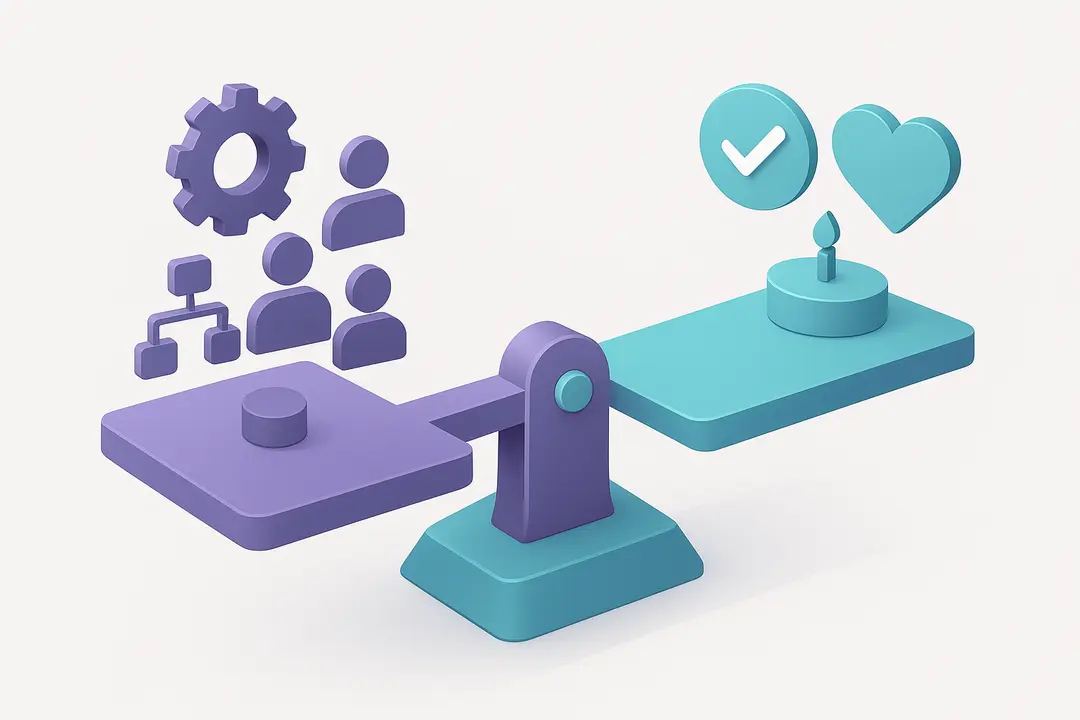
Enterprise UX and consumer UX share usability as a goal, but address fundamentally different contexts. The business environment creates unique challenges: increased workflow complexity, diverse stakeholder needs, stricter compliance requirements, and a sharper focus on productivity over emotional appeal.
Below is a high-level comparison to clarify these differences:
| Aspect | Enterprise UX | Consumer UX |
|---|---|---|
| Primary Users | Employees, business roles | General public, end consumers |
| Core Focus | Efficiency, productivity, workflow accuracy | Engagement, delight, retention |
| Task Complexity | Multi-step, data-rich, integrated | Single-purpose, intuitive tasks |
| User Goals | Business outcomes, compliance, collaboration | Personal enjoyment, convenience |
| Access & Permissions | Role-based, hierarchical | Usually open or account-based |
| KPIs | Task success rates, time-to-completion, adoption | Churn rates, NPS, conversion |
| Update Cycle | Slower, governed by IT/process | Rapid, user-driven |
| Emotional Design | Secondary to reliability/functionality | Often primary focus |
Why a different approach?
- Enterprise software must fit into existing (often legacy) systems and business processes, not disrupt or replace them overnight.
- User errors can have higher financial or operational impacts.
- Adoption and productivity—not delight—are business-critical outcomes.
What Are the Core Principles and Best Practices of Enterprise UX?
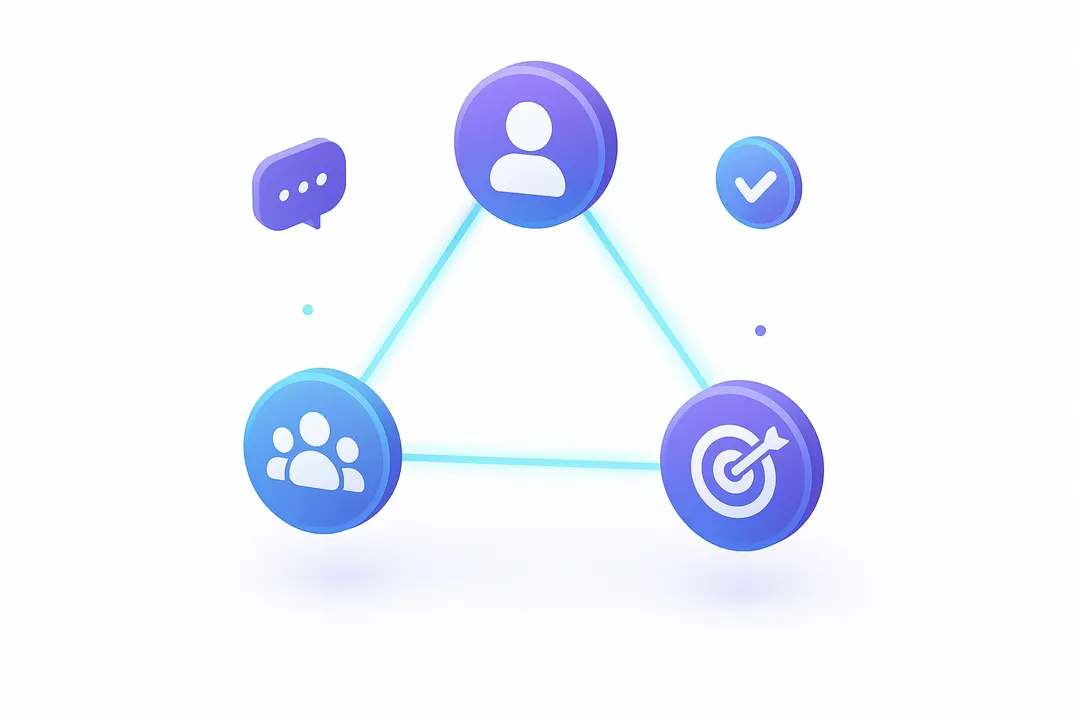
Successful enterprise UX is grounded in a set of proven principles that prioritize business value, user empowerment, and workflow clarity. These principles ensure every design decision strengthens organizational efficiency and stakeholder alignment.
Top Enterprise UX Principles and Best Practices:
- User–Stakeholder–Business Goal Alignment
Employ a “triangle” model, aligning user needs, stakeholder priorities, and overarching business objectives at every design stage. - Workflow-Centric Design
Map and optimize complex workflows—focus on end-to-end journeys, not just discrete screens. - Role-Based Personalization
Design differentiated experiences based on user roles, access levels, and contexts. - Stakeholder Collaboration
Involve product managers, subject matter experts, buyers, and end users early and often. - Consistency via Design Systems
Use robust UI pattern libraries (e.g., Atlassian or IBM Design Systems) to ensure consistency, scalability, and reduced rework. - Accessibility and Compliance
Bake in WCAG/ADA accessibility, data-security (e.g., HIPAA, SOX), and global standards from the start. - Iterative Testing and Feedback
Champion regular prototyping, A/B testing, and usability benchmarking within real user contexts. - Business-Driven Metrics
Track KPIs that matter (e.g., time-to-task, self-service rate, reduction in support tickets), and embed measurement into design sprints.
What Do Typical Enterprise UX Workflows and Role Mappings Look Like?
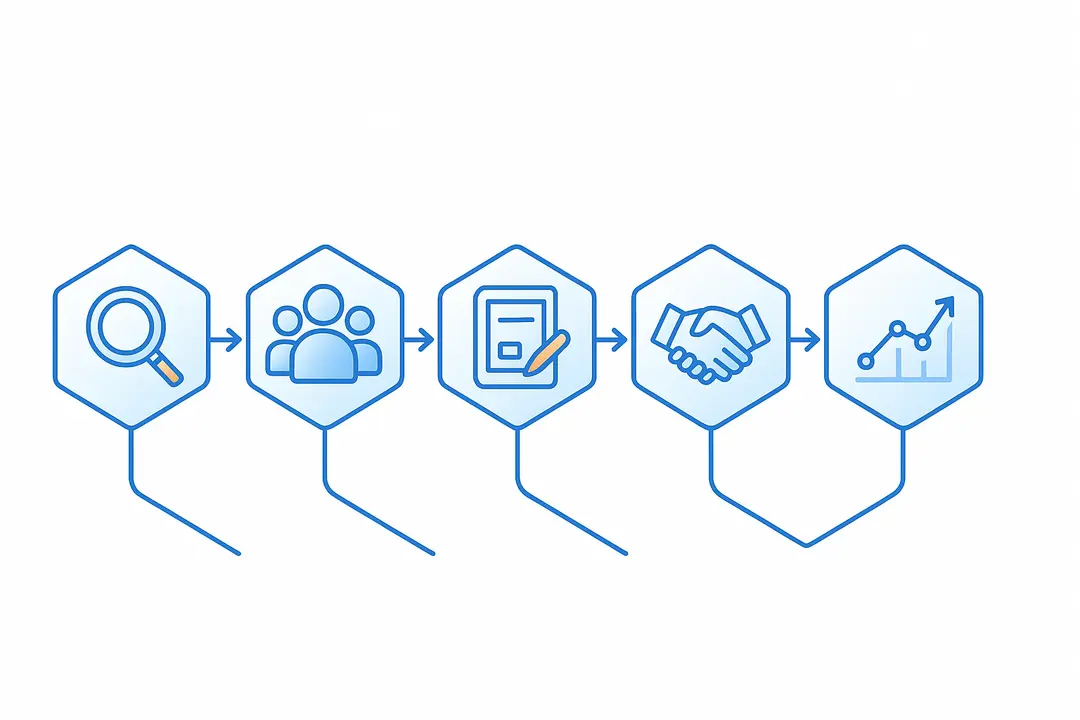
Enterprise UX processes are uniquely shaped by scale, organizational complexity, and the need for repeatable, secure workflows. Mapping these processes helps clarify responsibilities and streamline collaboration.
A typical enterprise UX workflow:
- Requirements Gathering
Partner with business analysts and stakeholders to capture user/organizational needs. - User & Role-Based Research
Interview diverse users (by department/role), conduct workflow mapping, and synthesize journey maps covering all touchpoints. - Prototyping & Validation
Develop interactive prototypes, run role-based user testing, and iterate designs rapidly. - Stakeholder Review & Compliance Checks
Collaborate tightly with IT, SMEs, legal, and accessibility teams to ensure standards are met. - Implementation and Rollout
Work alongside developers for agile delivery, with robust onboarding workflows for end users. - Continuous Improvement
Monitor adoption metrics, gather feedback, and release ongoing usability enhancements.
Sample role-mapping diagram for enterprise UX projects:
| Role | Key Responsibilities |
|---|---|
| Product Manager | Strategic goals, prioritization |
| UX Designer | User research, prototyping, validation |
| Subject Matter Expert | Context, compliance, technical nuance |
| Buyer/Decision Maker | Approvals, procurement |
| End User | Day-to-day feedback, workflow use |
| Developer/Engineer | Implementation, systems integration |
Example: Enterprise Onboarding Workflow
- Bulk user provisioning (from HR directory)
- Automated role assignment (RBAC)
- Interactive setup tutorial customized by role
- Just-in-time training integrated into workflow
- Ongoing user feedback loop via contextual surveys
How Does Enterprise UX Align with Business Goals and KPIs?
Enterprise UX is only effective when it directly supports measurable business outcomes. Linking design activities to KPIs ensures business value is visible and investments are justified.
Why is business alignment critical?
- Design choices affect productivity, error rates, onboarding speed, and even employee satisfaction.
- Clear alignment unlocks resources and buy-in during digital transformation.
Top enterprise UX KPIs:
- Time-to-task completion (minimize to boost efficiency)
- User adoption rate (measure onboarding success)
- Reduction in support tickets (reflects easy, intuitive interfaces)
- Productivity uplift (compared to baseline benchmarks)
- Error/rework rates (lower means safer, more reliable systems)
Mapping UX actions to business results:
| UX Initiative | Business Goal/Metric |
|---|---|
| Streamlined onboarding | Faster ramp-up, time saved |
| Improved workflow mapping | Fewer errors, higher output |
| Enhanced data visualization | Better decision-making |
| Accessibility upgrades | Compliance + inclusivity |
How to measure and report impact:
- Embed analytics tracking in key workflows.
- Run periodic usability surveys (e.g., SUS, CSAT).
- Present findings in business terms (ROI on UX enhancements).
- Use regular executive dashboards to track progress and surface wins.
What Are the Biggest Challenges in Enterprise UX—And How Can You Solve Them?
Designing great enterprise UX means overcoming unique, high-stakes challenges—including legacy constraints, competing stakeholder priorities, complex data, and resistance to change.
Common enterprise UX challenges—and proven solutions:
| Challenge | Solution/Approach |
|---|---|
| Legacy system integration | Incremental redesign, implement UX “wrappers” |
| Stakeholder misalignment | Early, structured workshops and prioritization |
| Data complexity & compliance | Design modular components, leverage compliance-friendly frameworks |
| Accessibility & regulatory standards | Build-in checks from the outset, use toolkits |
| Change resistance from users | Phased rollout, in-app guidance, UX evangelism |
Example in practice:
When a global enterprise attempted to modernize their finance platform, they began with a dedicated stakeholder alignment phase, mapped legacy workflows, and introduced prototyped “safe zones” where users could test changes in parallel—dramatically reducing pushback and speeding adoption.
What Tools, Design Systems, and Methodologies Power Enterprise UX?
The right mix of tools and systems enables enterprise UX teams to handle scale, complexity, and collaboration required for B2B success.
Core design systems:
- Atlassian Design System: Best for modular UI, pattern consistency
- IBM Design Language: Emphasizes accessibility and global standards
- Microsoft Fluent UI: Useful for integration-rich environments
Essential UX tools:
- Figma: Collaborative design and prototyping at scale
- Jira: Agile project management and backlog tracking
- Miro: Visual workflow mapping and team ideation
Supporting methodologies:
- Role-based user research: Focus interviews/tests on unique permissions and contexts
- Workflow documentation: Process mapping to capture multi-step business journeys
- Usability benchmarking: Regular testing against enterprise-specific metrics
Compliance and accessibility tools:
- axe DevTools: Automated accessibility testing
- Color contrast analyzers: Ensure visual accessibility across roles/screens
How to get started with a new tool or design system:
- Audit current workflows for pain points and gaps.
- Pilot a design system on a small project for quick wins.
- Offer training and documentation tailored to your user and stakeholder roles.
- Standardize processes—use templates and pattern libraries for rapid scaling.
Summary Table: Enterprise UX At-a-Glance
| Category | Enterprise UX |
|---|---|
| Definition | Design of business software for workflow, roles, KPIs |
| Unique Features | Role-based access, data integration, compliance |
| Top Principles | Alignment, workflow-centric, collaboration, accessibility, consistency |
| Major Challenges | Legacy systems, stakeholder alignment, compliance |
| Key Metrics (KPIs) | Task completion time, adoption, support reduction |
| Typical Tools | Figma, Jira, Miro, Atlassian/IBM/MS design systems |
| Essential Skills | Workflow mapping, compliance, stakeholder facilitation |
| Industries Impacted | SaaS, finance, healthcare, government, manufacturing |
Conclusion
Enterprise UX is no longer optional—it’s a critical driver of productivity, digital transformation, and business success in every modern organisation. By applying proven frameworks, mapping stakeholder needs, grounding your work in best practices, and tracking meaningful KPIs, you ensure your software delivers both user delight and real business outcomes.
Ready to transform your organisation’s software experience? Start by auditing current workflows, aligning design decisions to business goals, and championing the user at every stage. For tailored frameworks or hands-on guidance, reach out for a UX audit, subscribe for actionable resources, or contact our team for a personalised consultation.
Key Takeaways
- Enterprise UX is purpose-built for complex, workflow-driven B2B environments.
- Best practices blend organizational alignment, role-based design, and robust design systems.
- Measurement with the right KPIs links UX to business impact and ROI.
- Overcoming legacy and stakeholder challenges is critical for successful adoption.
- Modern enterprise UX leverages specialized tools, frameworks, and collaborative methodologies.
Frequently Asked Questions (FAQ)
What is enterprise UX?
Enterprise UX is the process of designing user experiences tailored to business software, emphasizing workflow complexity, user roles, and alignment with organizational goals.
How is enterprise UX different from consumer UX?
Enterprise UX serves multiple user types and prioritizes efficiency, integration, and compliance, while consumer UX often focuses on simplicity and emotional engagement.
What are best practices for designing enterprise UX?
Key practices include workflow-centric design, role-based personalization, stakeholder collaboration, robust design systems, accessibility compliance, and business metrics alignment.
Which industries benefit most from enterprise UX?
Industries with complex processes—such as finance, healthcare, manufacturing, SaaS, and government—see the greatest advantage from strong enterprise UX.
Why is enterprise UX important for business success?
Effective enterprise UX boosts productivity, accelerates onboarding, improves adoption, and reduces operational risks, directly supporting business growth and strategy.
What tools or methodologies are used in enterprise UX?
Popular tools include Figma, Jira, and Miro; methodologies involve workflow mapping, role-based research, and usability testing within business contexts.
How do you measure the impact of enterprise UX?
Impact is measured using KPIs like task completion time, user adoption, reduced errors, and support tickets—always aligned to business objectives.
Who are the stakeholders in enterprise UX projects?
Stakeholders include product managers, end users, buyers, IT, subject matter experts, legal/compliance, and business owners.
What skills are essential for an enterprise UX designer?
Skills include workflow analysis, stakeholder facilitation, prototyping, design system expertise, accessibility, and familiarity with enterprise compliance requirements.
This page was last edited on 10 April 2026, at 11:10 am

Start a conversation with our team to solve complex challenges and move forward with confidence.










