
Enterprise application development is the backbone of digital transformation in large organizations—delivering scalable, secure, and integrated systems that run business-critical operations. Yet, most IT leaders face challenges with complexity, legacy modernization, integration, and realizing ROI. This step-by-step guide provides a practical enterprise application development framework, from planning and architecture to security, integration, and future trends—specifically designed for CIOs, IT leaders, and architects.
By reading, you’ll gain:
- A sequential, actionable roadmap for enterprise software development
- Checklists and toolkits to streamline planning and evaluation
- Clear tables, diagrams, and expert insights to inform strategic decisions
- A preview of future enterprise application trends (2026)
What Is Enterprise Application Development?
Enterprise application development is the structured process of designing, building, and maintaining large-scale software systems that automate complex business processes for organizations.
Key fundamentals:
- Enterprise applications are robust platforms like ERP, CRM, SCM, and HRMS used by many users across multiple departments.
- Unlike standard consumer apps, they prioritize scalability, security, integration, and compliance for mission-critical workflows.
- Core use cases include automating resource planning, managing customer data, optimizing supply chains, and supporting HR/payroll operations.
What makes an application “enterprise-grade”:
- Supports extensive user bases and high transaction volumes
- Integrates with diverse internal and external systems
- Delivers high availability, disaster recovery, and rigorous security
Typical example systems:
- ERP (Enterprise Resource Planning): Integrates finance, HR, supply chain, and operations
- CRM (Customer Relationship Management): Manages customer data and interactions
- SCM (Supply Chain Management): Optimizes logistics and procurement processes
- HRMS (Human Resource Management System): Automates payroll, recruitment, and employee data
Why Do Enterprise Applications Matter for Modern Business?
Enterprise applications are central to digital transformation—powering the efficiency, agility, and scalability needed by today’s large organizations.
Business value and advantages:
- Boosts agility and productivity: Streamlines business process automation across functions
- Enables digital transformation: Forms the core of modern operating models (see Gartner, 2024)
- Drives competitive edge: Rapid decision-making, better customer experiences, and operational flexibility
Adoption and impact:
- According to recent industry studies, over 75% of enterprises are actively modernizing core applications as part of their ongoing digital strategy.
- The risk of failing at enterprise app projects includes technology debt, security vulnerabilities, and loss of market share.
The cost of getting it wrong:
- Delayed rollouts and poor integration hamper business growth
- Security and compliance missteps can result in heavy fines
- User adoption issues lead to wasted investment
Why executives should care:
Enterprise software decisions affect revenue, cost control, regulatory compliance, and the pace of innovation—making a structured, strategic approach essential.
What Are the Key Characteristics of Enterprise Applications?
Enterprise applications share core characteristics that differentiate them from smaller-scale solutions or consumer apps.
| Characteristic | Description |
| Scalability | Handles growth in users, data, and transactions without performance loss |
| Security & Compliance | Built-in authentication, authorization, encryption, and audit features; meets standards like GDPR, HIPAA, and SOC2 |
| Integration | Connects seamlessly via APIs, middleware, or connectors to internal and external systems |
| Modularity & Flexibility | Supports customization, modular components, and easy upgrades |
| User Adoption & Workflow Alignment | Designed for complex workflows, role-based interfaces, and training support |
Checklist for evaluation:
- Can it handle projected user volume and data scale?
- Is security aligned with regulatory obligations?
- Are open APIs and connectors available?
- How flexible is it for custom workflows?
- Does the interface fit user needs and adoption patterns?
How Is Enterprise Application Development Different from Standard App Development?
Enterprise app development is defined by its complexity, long-term risk, and broader organizational impact, contrasting sharply with consumer or single-function app projects.
Key differences:
| Criteria | Enterprise Application | Standard Application |
| Scale | Thousands+ users, high volume | Dozens-hundreds of users |
| Governance | Complex, cross-departmental | Single owner/team |
| Lifecycle | Multi-year, with phased updates and long-term support | Shorter, iterative cycles |
| Compliance & Security | Must meet strict regulations | Basic or moderate requirements |
| Integration | Must connect to multiple legacy/external systems | Often stand-alone or with few integrations |
| Typical Example | ERP for global operations | Consumer SaaS or mobile utility |
Illustration:
A SaaS team might deliver a consumer-facing app in weeks. In contrast, building or modernizing an ERP for a global manufacturer may span months or years, involving legacy modernization, complex integrations, and strict compliance requirements.
What Are the Stages of the Enterprise Application Development Lifecycle?
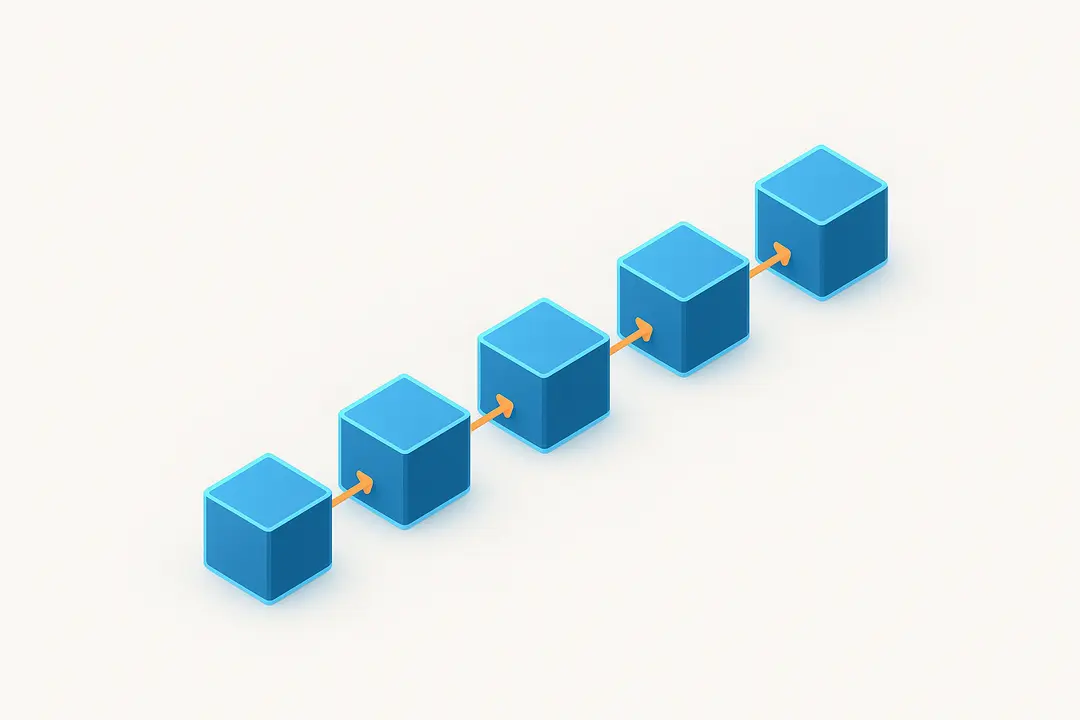
The enterprise software development lifecycle consists of distinct phases—each with critical decision points and best practices.
Lifecycle Stages:
- Planning & Discovery
- Design & Architecture
- Development & Implementation
- Testing & Quality Assurance
- Deployment & Rollout
- Post-launch Maintenance & Support
1. Planning & Discovery
Summary: Aligns stakeholders, defines business goals, and evaluates current systems.
Action Steps:
- Conduct workshops with business and IT leaders
- Use needs assessment tools and surveys
- Map business processes and identify automation opportunities
2. Design & Architecture
Summary: Translates business needs into technical blueprints and risk controls.
Action Steps:
- Design UI/UX prototypes for role-based workflows
- Define system, data, and application architecture (choose monolithic, modular, or microservices)
- Integrate security and compliance checkpoints (GDPR, HIPAA)
3. Development & Implementation
Summary: Converts designs into code following modern methodologies.
Action Steps:
- Use Agile or DevOps models for iterative builds and rapid feedback
- Choose between traditional, low-code, or no-code tooling for different modules
- Build integration points and automation connectors
4. Testing & Quality Assurance
Summary: Ensures functionality, reliability, and security before launch.
Action Steps:
- Implement automated unit, integration, and regression tests
- Conduct User Acceptance Testing (UAT) with actual users
- Run security audits and vulnerability scans
5. Deployment & Rollout
Summary: Moves software from staging to production in a managed, risk-mitigated process.
Action Steps:
- Use blue-green or canary deployments (for cloud-native)
- Coordinate cutover plans for cloud/on-premises
- Provide user training and documentation
6. Post-launch Maintenance & Support
Summary: Delivers ongoing monitoring, continuous improvement, and user support.
Action Steps:
- Monitor uptime, performance, and user feedback
- Enforce Service Level Agreements (SLAs)
- Use AI/ML-driven analytics for predictive support and anomaly detection
Visual Reference:
The following diagram (see downloadable toolkit) illustrates the end-to-end enterprise application lifecycle with key decision gates and feedback loops.
What Are the Best Architecture Choices for Enterprise Applications? (Modular Monolith vs. Microservices vs. Cloud-Native)
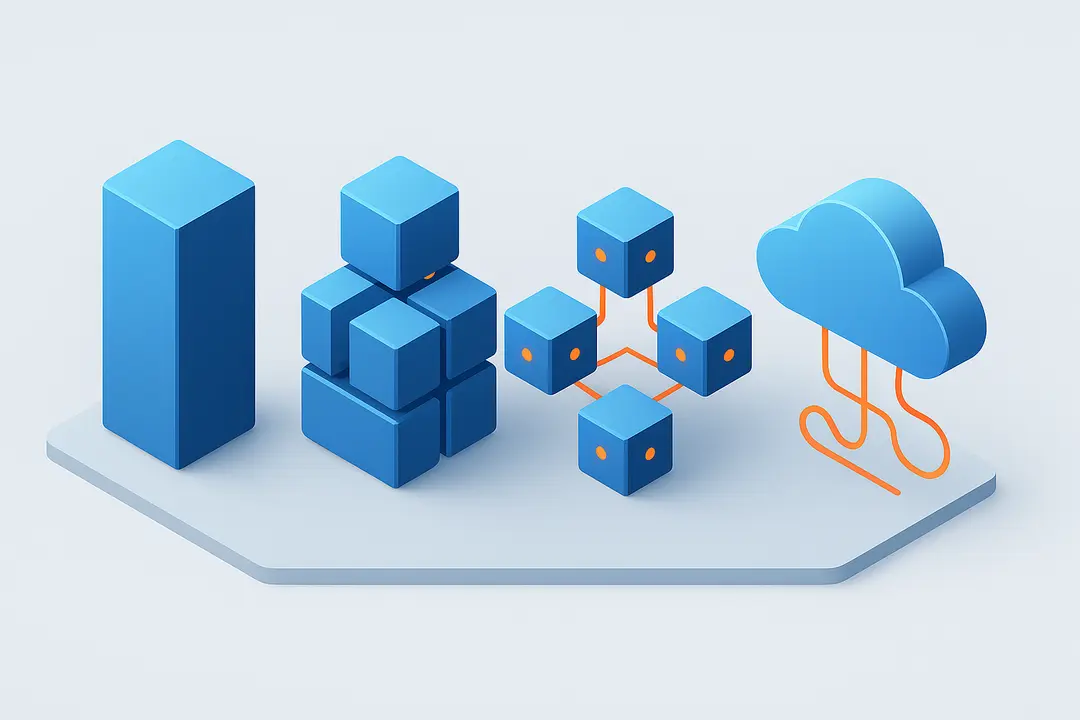
Enterprise application architecture profoundly impacts scalability, agility, maintenance, and future innovation. The choice depends on business scale, existing systems, and organizational maturity.
Comparison Table:
| Model | Strengths | Weaknesses | Best Use Cases |
| Monolithic | Simplicity, easy to start, fewer deployment units | Hard to scale/modify, difficult for large teams | Small to midsize systems, legacy |
| Modular Monolith | Clear boundaries, easier refactoring, better maintainability | Limited independent scaling | Growing orgs needing future flexibility |
| Microservices | Independent modules, agile scaling, fault isolation | High complexity, ops overhead | Large-scale or rapidly evolving apps |
| Cloud-Native | Elastic scaling, high availability, built-in resilience | Platform/vendor lock-in risks, cost | Dynamic, global, or multi-cloud needs |
Decision factors:
- Growth expectations: Microservices/cloud-native for scale; modular monolith for gradual evolution
- Integration demands: API-first architectures boost interoperability
- Legacy migration: Modular refactoring often bridges old monoliths to cloud/native forms
- Case insight: Many enterprises are migrating incrementally—modularizing legacy ERPs before transitioning to microservices or cloud-native stacks (see Salesforce, Microsoft studies).
How Do You Integrate Enterprise Applications for Seamless Operations?
Integration powers enterprise application value—connecting new builds with legacy, SaaS, and third-party systems for end-to-end automation.
Integration best practices:
- Integration types:
- Data-level: Synchronize databases directly or via ETL pipelines
- Process-level: Orchestrate workflows using integration platforms (iPaaS)
- UI-level: Embed or surface applications within unified dashboards
- API management: Use API gateways for centralized governance, security, and monitoring
- Middleware: Employ ESB or modern cloud-based middleware for message routing and transformation
- Handling legacy systems: Develop APIs around legacy software or use adapters/connectors
- Data consistency and security: Enforce strong data validation, access controls, and audit trails
- Modern trends: Event-driven and real-time architectures (e.g., Kafka, serverless functions) increasingly support operational agility
Infographic:
Sample integration flow diagrams and platform options are included in the downloadable toolkit.
How Do You Ensure Security & Compliance in Enterprise Application Development?
Security and compliance are non-negotiable for enterprise-grade software—directly impacting trust, regulatory standing, and business continuity.
Enterprise application security checklist:
- Security by Design: Embed DevSecOps practices—integrate security controls from analysis through deployment.
- Authentication & Authorization: Rely on SSO, strong password policies, and multi-factor authentication; use role-based access control (RBAC).
- Encryption: Apply encryption for data “in transit” and “at rest” using industry standards (TLS, AES).
- Compliance Mapping: Systematically align features and data flows with frameworks like GDPR, HIPAA, and SOC2. Maintain clear audit trails and privacy-by-design.
- Regular Audits & Monitoring: Schedule penetration testing, vulnerability scanning, and code reviews—before and after launch.
- Policy Templates: Use or adapt best-practice security policy templates (see toolkit section).
FAQ: How can enterprises stay ahead?
- Adopt a DevSecOps mindset—security as a shared, automated responsibility
- Regularly update dependencies and monitor emerging threats
- Educate users and developers on security best practices
What Are the Biggest Challenges in Enterprise Application Development—And How to Overcome Them?
Developing enterprise applications involves unique hurdles, from legacy system complexity to user resistance and integration risks.
| Challenge | Solution/Best Practice |
| Legacy system modernization | Phased refactoring, decoupling, incremental migration |
| User adoption & resistance | Early involvement of end-users, targeted training, feedback loops |
| Scope creep & overruns | Rigorous change management, clear MVP definitions |
| Technical debt accumulation | Continuous refactoring, code quality governance |
| Difficult integrations | Investment in API management, leveraging iPaaS, testing rigor |
Expert insight:
“Successful enterprise app projects are won by investing upfront in change management—not just technology.” — CISO, Fortune 500 Manufacturing
How Do You Measure ROI and KPIs in Enterprise Application Projects?
Measuring and optimizing ROI is essential for demonstrating business value and securing ongoing investment in enterprise applications.
ROI measurement framework:
- Set measurable objectives: Define desired business outcomes before development starts.
- Monitor key performance indicators (KPIs):
- User adoption rates
- Uptime and reliability
- Support and maintenance costs
- Business process cycle time improvements
- Revenue impact or cost savings
- Sample ROI calculator:
ROI (%) = ((Net Benefit – Total Cost) / Total Cost) x 100
Variables include development costs, licensing/hosting, user training, and realized benefits over time - Establish feedback loops: Post-launch, use analytics dashboards and user surveys to guide continuous improvements.
Visual template:
A sample KPI dashboard and ROI calculator is available in the downloadable toolkit.
How Do You Select the Right Enterprise Application Development Platform or Partner?
Choosing the right development platform or partner dramatically affects implementation speed, long-term scalability, and risk profile.
Evaluation matrix:
| Factor | What to Look For | Red Flag |
| Experience | Industry-specific projects, references | No enterprise track record |
| Technology stack | Modern, secure, supported technologies | Outdated or unsupported tech |
| Security history | Compliance certifications, security audits | No visible security processes |
| Customization | Flexible configurations, modularity | One-size-fits-all mentality |
| Support & SLAs | 24/7 support, clear SLAs | Vague support promises |
Build vs. buy:
- Custom development: Best for unique business processes or competitive advantage
- Off-the-shelf/Low-code: Faster deployment, lower initial costs for common workflows
Sample RFP checklist:
- What is your experience with projects of similar scale and industry?
- Which compliance standards do you support (GDPR, HIPAA, SOC2)?
- Can you provide case studies and client references?
- What is your process for post-launch support and ongoing improvement?
Common platforms:
Popular choices include Salesforce, Microsoft Power Platform, and specialized low-code enterprise platforms. Each offers distinct trade-offs in cost, flexibility, and ecosystem.
What Are the Future Trends in Enterprise Application Development? (2026)
Enterprise application development is entering a new era powered by AI, automation, and advanced cloud architectures.
Top trends to watch:
- AI & Machine Learning: Embedding automation, analytics, and predictive insights in core workflows
- RPA (Robotic Process Automation): Automating repetitive, rule-based operations for greater efficiency
- Multi-cloud & Hybrid strategies: Distributing workloads for resilience, flexibility, and global reach
- Edge computing & IoT: Processing data closer to users/devices for real-time response
- Sustainability & Green IT: Designing architectures to minimize carbon impact and meet ESG mandates
- Blockchain & Trusted Records: Securing transactions and audit trails
Expert prediction:
“By 2026, a majority of enterprise applications will feature built-in AI-driven automation and multi-cloud deployment models, reshaping both business agility and security approaches.” — Gartner Insights, 2024
Expert Toolkit: Templates, Checklists, and Visual Reference
Maximize success by using ready-to-go tools curated by enterprise software experts.
Toolkit includes:
- Enterprise Application Lifecycle Checklist (editable PDF): Step-by-step planning and validation guide
- Architecture Decision Matrix: Compare monolithic, modular, microservices, and cloud-native models
- Sample KPI Dashboard Template: Measure adoption, uptime, and business impact post-launch
- Integration Flow Infographics: Visualize data, process, and UI integrations
- Security & Compliance Policy Templates: Embed security practices from the start
Key Takeaways & Executive Summary Table
| Lifecycle Stage | Key Actions | Best Practices | Common Pitfalls |
| Planning | Stakeholder workshops, needs assessment | Involve all business units, map processes | Siloed planning, unclear goals |
| Design | UI/UX, architecture, compliance checks | Use blueprints & early prototyping | Overengineering, missing security |
| Development | Agile/DevOps cycles, build integrations | Incremental releases, code reviews | Poor documentation, tech sprawl |
| Testing | Automated & UAT, security audits | Cover regression, involve real users | Missing security, skipped UAT |
| Deployment | Controlled rollout, cloud/on-prem coordination | Staged or blue-green deployment | “Big bang” releases |
| Maintenance | Monitoring, SLAs, user training | Proactive analytics, continuous feedback | Reactive-only support, slow fixes |
– For details, see the respective sections above or download the toolkit.
Frequently Asked Questions (FAQ)
What is enterprise application development?
Enterprise application development is the end-to-end process of planning, building, integrating, and managing scalable software platforms that automate key business operations for large organizations.
What are the main stages of the enterprise application development lifecycle?
The core stages are: Planning & Discovery, Design & Architecture, Development & Implementation, Testing & Quality Assurance, Deployment & Rollout, and Post-launch Maintenance & Support.
How do enterprise applications differ from standard apps?
Enterprise apps are designed for scalability, robust integration, security, and long-term support, serving many users and complex workflows, unlike standard apps, which are often simpler and less regulated.
What architectures are typical for enterprise software?
Common architectures include monolithic, modular monolith, microservices, and cloud-native—each offering unique trade-offs in complexity, scalability, and speed of change.
How can security and compliance be ensured in enterprise apps?
By embedding security by design (DevSecOps), using strong authentication, encryption, regular security audits, and aligning with regulatory frameworks like GDPR or HIPAA from the earliest stages.
What is the role of DevOps in enterprise application development?
DevOps enables faster, more reliable software delivery, continuous integration/deployment, and better collaboration between development and IT operations, all crucial for enterprise-grade results.
What are the biggest challenges in developing enterprise applications?
Top challenges include legacy system modernization, managing technical debt, ensuring user adoption, preventing scope creep, and integrating with diverse systems.
When should an organization modernize its legacy systems?
Modernization is needed when existing systems hinder scalability, security, integration, or are no longer aligned with business needs or regulatory requirements.
How do you measure ROI for enterprise application projects?
By defining measurable objectives, tracking KPIs like adoption, uptime, and process efficiency, and comparing realized benefits to development and operational costs.
What factors should be considered when choosing an enterprise application development partner?
Key factors include proven enterprise experience, technology stack relevance, security/compliance record, support capabilities, and the flexibility to meet specific business needs.
Conclusion
Enterprise application development is both a strategic mandate and a complex journey for modern organizations. By following a structured, phased framework—from initial planning through to security, integration, and measurement—you significantly improve business outcomes, reduce risk, and position your organization for ongoing innovation. Download the expert toolkit to accelerate your next project, or schedule a consultation for tailored enterprise application strategy and execution support.
Key Takeaways
- Enterprise application development is a multi-phase process tailored for complex, scalable, and secure business operations.
- Success requires careful planning, robust architecture choices, seamless integrations, and ongoing measurement.
- Prioritize security, user adoption, and change management at every phase.
- Accurate ROI and KPI tracking ensures ongoing alignment with business goals.
- Leverage expert frameworks and toolkits for faster, lower-risk implementation.
This page was last edited on 9 July 2026, at 11:09 am

Start a conversation with our team to solve complex challenges and move forward with confidence.










