
Creating a standout digital product means meeting the ever-rising expectations of users, who judge apps and services within seconds. The challenge? Distilling inspiration from best-in-class UX design examples into improvements you can actually implement. This guide bridges that gap—curating proven, real-world UX examples, analyzing them through expert teardowns, and translating what works into actionable frameworks for your next project.
Inside, you’ll get annotated screenshots, concrete takeaways, and lessons from the world’s best SaaS, mobile, and e-commerce apps. Whether you’re a product manager, UX/UI designer, founder, or marketer, this resource is your playbook for elevating both user satisfaction and business results—through practical, visual learning.
What Makes a Great UX Design?

Great UX design goes beyond aesthetics: it seamlessly guides users, reduces friction, stimulates delight, and ensures accessibility for all. The most effective user experience combines usability, emotional engagement, and feedback—backed by best practices from organizations like the Nielsen Norman Group.
Core Principles of Great UX Design
- Usability: Interfaces are intuitive, clear, and minimize cognitive load.
- Efficiency: Tasks are streamlined for speed and minimal steps.
- Delight: Small touches—motions, emotion-driven visuals—make using the product enjoyable.
- Feedback: Every user action results in timely, helpful system responses.
- Accessibility: Products work well for users of all abilities.
- Consistency: UI patterns and workflows feel familiar and predictable.
Core UX Principles in Practice
| Principle | Real-World Example |
| Usability | Linear’s keyboard navigation optimizes speed for power users. |
| Efficiency | Wealthfront’s streamlined onboarding takes users from signup to first goal in minutes. |
| Delight | Netflix’s “Skip Intro” button adds a minor, yet joyful, interaction for viewers. |
| Feedback | Figma’s live comments and rollback features provide real-time confirmation and recovery. |
| Accessibility | Stripe’s forms use high-contrast labels and clear error states for all users. |
| Consistency | Airbnb’s booking flow uses standardized buttons and layouts across platforms. |
Great UX emerges when teams consistently apply these principles—not only at launch but through every update and new feature.
What Are the Best UX Design Examples in Real Apps?
The most inspiring UX design examples come from digital products that solve real user problems with clarity, delight, and efficiency. Below, we break down top-performing apps across SaaS, productivity, mobile, e-commerce, and more—highlighting what makes their UX stand out.
How These Examples Were Chosen
- Recognized for innovative or award-winning user experience
- Demonstrates clear, learnable patterns or flows
- Shows measurable impact on user onboarding, retention, or conversion
- Provides visual features or micro-interactions other teams can adopt
Featured App Examples by Category
| Category | Standout App Examples |
| SaaS & Productivity | Linear, Figma, Stripe |
| Mobile | Airbnb, Netflix, Wealthfront |
| E-Commerce & Forms | Typeform, Amazon, Shopify |
| Micro-Interactions | Netflix, Figma, Airbnb |
Jump to the section most relevant to your project, or explore them all for cross-industry inspiration.
SaaS & Productivity Apps: UX Design Highlights
Linear: Pro Workflows and Minimal Onboarding
- What Stands Out: Linear streamlines project management for fast-moving teams with rapid keyboard shortcuts, a minimal interface, and nearly frictionless onboarding. Users can move from signup to managing issues in just a few clicks.
- UX Takeaway:
- Use focused onboarding that lets experienced users skip ahead, but supports newcomers.
- Keyboard navigation and command palettes reduce friction for daily power users.
Figma: Live Feedback and Community Integration
- What Stands Out: Figma’s collaborative design tool is celebrated for real-time feedback (live comments, presence indicators), easy rollback via version history, and seamless design sharing with the community.
- UX Takeaway:
- Build feedback loops directly into core workflow screens.
- Offer “undo” and version rollback to minimize user anxiety and boost confidence.
Stripe: Trust, Consistency, and Developer Onboarding
- What Stands Out: Stripe’s payment platform combines a consistent, high-contrast UI, frictionless forms, and one of the most developer-friendly onboarding experiences on the web.
- UX Takeaway:
- Prioritize interface uniformity (icons, button styles, messages) to build trust.
- Use progressive disclosure for complex setup flows, reducing overwhelm.
Mobile Apps: Minimal, Clean, and Intuitive UX
Airbnb: Emotion-Driven Search and Micro-Interaction Filtering
- What Stands Out: Airbnb’s search flow not only looks visually inviting but simplifies complex filtering with icons, progressive reveal, and delightful animations. The app evokes emotional trust with curated imagery and personalization.
- UX Takeaway:
- Use emotion-driven visuals to support trust and exploration.
- Break up complex filter flows with micro-interactions (e.g., bubbly buttons, smart sorting).
Netflix: Skip Intro & Reduce Viewer Fatigue
- What Stands Out: Netflix’s “Skip Intro” and automatic trailer previews minimize user fatigue and cater to binge-watching behaviors. The app’s recommendations update in real-time, adapting to user actions.
- UX Takeaway:
- Identify repetitive user tasks and offer shortcuts to save time.
- Use context-aware controls to keep users immersed, not annoyed.
Wealthfront: Calm, Frictionless Financial Flows
- What Stands Out: Wealthfront’s “calm” design—soft colors, clean layouts, and a hyper-streamlined onboarding process—removes complexity from personal finance management, making financial tools more approachable.
- UX Takeaway:
- Leverage minimal design and microfeedback (progress bars, input validation) for high-trust moments.
- Guide users with single-focus screens during onboarding to reduce abandonment.
E-Commerce & Conversational UI: Improving User Engagement
Typeform: Conversational UI and One-Question-at-a-Time
- What Stands Out: Typeform’s conversational, one-question-at-a-time form interface has been widely adopted, leading to higher completion rates and lower user drop-off.
- UX Takeaway:
- Opt for single-focus steps in complex flows (e.g., checkout, signups).
- Incorporate conversational microcopy and dynamic feedback to facilitate progress.
Amazon: Reducing Checkout Friction
- What Stands Out: Amazon employs persistent cart summaries, real-time validation, and “1-click” buy to decrease cognitive overload at the point of purchase.
- UX Takeaway:
- Give users continuous feedback and reassurance in multi-step purchases.
- Use automation and auto-fill where possible to streamline the path to conversion.
Micro-Interactions: Tiny Details, Massive Impact
- Netflix “Skip Intro”: Saves users time and increases satisfaction.
- Figma’s “Undo” & Subtle Animations: Instantly reverses accidental actions, boosting confidence and experimentation.
- Button Feedback: Visual or tactile cues confirm every tap (color change, haptic feedback).
- Progress Visualization: Animated loaders/steps keep users informed during wait times or multi-step flows.
What You Can Learn:
Micro-interactions create emotional resonance between users and products. They offer reassurance, highlight system status, and add moments of delight—often making the difference between a good and a memorable user experience.
UX Design Patterns & Resource Library—Where to Find More Inspiration
Designers and product teams accelerate their process by consulting pattern libraries and curated inspiration hubs. These resources showcase real-world UI/UX examples and ready-to-use patterns for rapid prototyping or audits.
Top Online Pattern Libraries
- Mobbin (mobbin.com): Massive and regularly updated repository of mobile and web app screenshots, filtered by flow or category.
- Pageflows (pageflows.com): Journey-based UX inspiration, tracing user flows for onboarding, checkouts, and product tours.
- Awwwards (awwwards.com): Award-winning UX and UI inspiration, focused on cutting-edge website design.
- Uplabs, Dribbble: Community-contributed UI/UX patterns and design portfolios.
How Can You Apply These UX Patterns to Your Project?
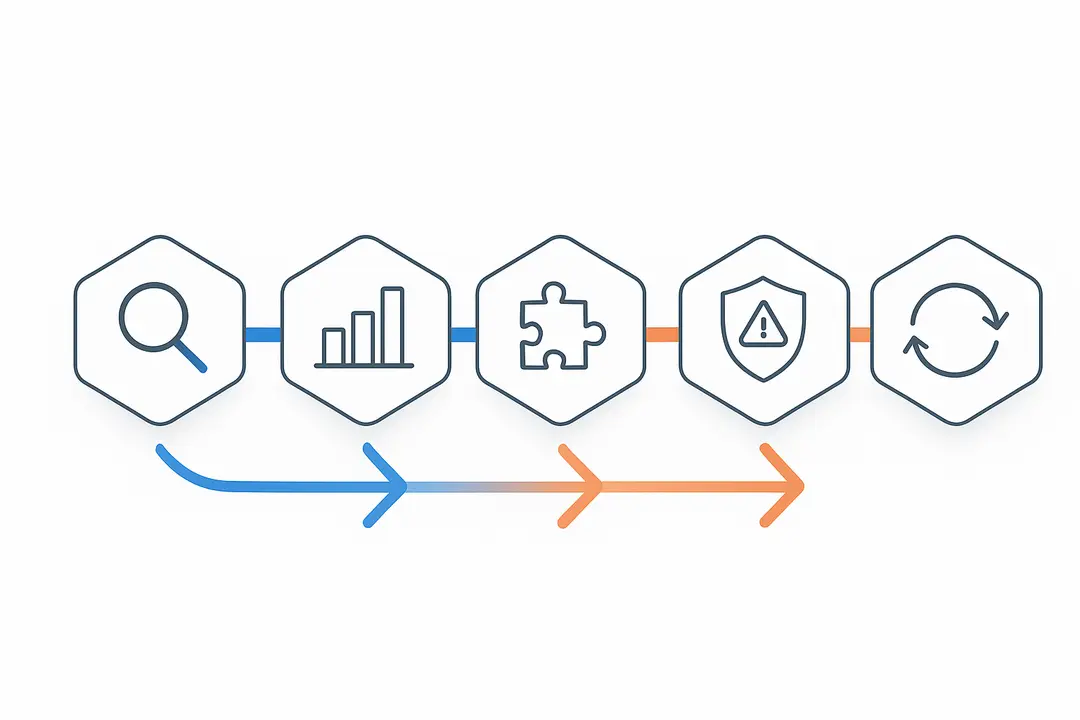
Applying winning UX patterns isn’t just about copying the best; it’s about adapting proven elements to your users and business goals.
To implement these patterns:
- Identify High-Impact UX Opportunities:
Start by auditing your product’s most crucial workflows (onboarding, checkout, content navigation). - Benchmark Against Leaders:
Compare your flows with annotated examples highlighted above—note any gaps in clarity, speed, or delight. - Adapt Patterns for Audience and Context:
Customize onboarding or checkout steps to your users’ needs—what works for a finance app may differ from e-commerce. - Avoid Common UX Mistakes:
Watch for inconsistent feedback, information overload, or inaccessible designs. Great UX always puts user needs first. - Gather User Feedback and Iterate:
Use surveys, usability tests, and analytics to guide incremental improvements; validate each change against your product goals.
Visual Tables: Quick Comparison of UX Features Across Top Apps

| App/Product | Onboarding | Feedback Mechanisms | Delight Features | Accessibility |
| Linear | Minimal, optional | Keyboard feedback, task state changes | Command palette, fast navigation | High-contrast, WCAG-friendly |
| Figma | Guided, collaborative | Live comments, version history | Smooth animations, community plugins | Screen reader labels, scale options |
| Stripe | Contextual, progressive | Form validation, real-time setup | Animated loaders, clear trust signals | Error cues, ARIA support |
| Airbnb | Emotionally driven | Booking confirmations | Personalized imagery, smart filters | Image alt text, adaptable font sizes |
| Netflix | Seamless, auto-login | Real-time playback feedback | Skip intro, auto-trailers | Subtitles, contrast controls |
| Typeform | Conversational steps | Progress bar, input validation | Animated transitions | Keyboard navigation, clear focus colors |
This matrix helps teams quickly reference patterns that deliver on usability, efficiency, and user happiness.
FAQ: UX Design Examples—Common Questions Answered
1. What are the best examples of UX design in real apps?
Top examples include Linear’s minimal onboarding, Figma’s real-time feedback tools, Airbnb’s intuitive filtering, Netflix’s delight features, and Typeform’s conversational forms. These apps stand out for their clarity, efficiency, and user-centric micro-interactions.
2. What makes a user interface user-friendly?
A user-friendly interface is intuitive, reduces cognitive load, provides clear feedback to every action, and supports accessibility for all users. Consistency and minimalism help users feel in control from the start.
3. How do micro-interactions improve UX?
Micro-interactions provide instant visual or tactile responses to user actions, reducing uncertainty and adding delight. Examples include progress animations, contextual tooltips, “undo” buttons, and fun transitions.
4. Where can I find UI/UX pattern libraries?
Mobbin, Pageflows, and Awwwards are top resources. They offer curated examples of onboarding flows, checkout processes, and award-winning interfaces across mobile and web.
5. What are the core principles of good UX design?
Key principles include usability, efficiency, delight, feedback, accessibility, and consistency—each ensuring users feel supported and respected.
6. How can I apply these UX patterns to my project?
Start by auditing your current flows, benchmarking against proven examples, adapting relevant patterns, and gathering user feedback for iterative improvement.
7. Which apps have the best mobile UX design?
Airbnb, Netflix, and Wealthfront are top picks for minimal, intuitive, and emotionally engaging mobile experiences.
8. What is an example of emotion-driven UX?
Airbnb’s search flow uses emotive images, friendly copy, and interactive filters to build emotional trust and engagement.
9. Are there checklists for evaluating UX design?
Yes—download our actionable UX Patterns Checklist to score your product’s onboarding, feedback, accessibility, and delight features.
10. How do companies use user feedback to improve UX?
Leading teams use analytics, usability testing, and in-app surveys to guide design decisions, iterating on feedback to continuously enhance user experience.
Conclusion
The fastest-growing digital products don’t just look good—they create effortless, delightful, and accessible user journeys at every step. By studying and applying the real-world UX design examples in this guide, your team can identify what works, avoid common pitfalls, and continuously improve your app’s performance and user satisfaction.
Key Takeaways
- Real-world UX design examples provide actionable inspiration for any digital product team.
- Core UX principles—usability, efficiency, delight, feedback, and accessibility—drive high-performing experiences.
- Annotated teardowns from top products like Figma, Stripe, Airbnb, and Netflix reveal patterns you can adapt.
- Pattern libraries (Mobbin, Awwwards) offer endless UI/UX examples to fuel your next project.
This page was last edited on 6 March 2026, at 12:41 pm
Contact Us Now

Contact Us Now
Start a conversation with our team to solve complex challenges and move forward with confidence.


