

User interviews play a vital role in UX research, helping businesses understand real user needs while also creating opportunities for individuals to share feedback and earn from their insights. This guide to user interviews is designed to support both researchers and participants with clear, practical direction.
For researchers, the challenge often lies in conducting interviews that uncover meaningful, actionable insights. For participants, it can be difficult to find legitimate opportunities and understand how to get involved effectively. Without proper guidance, both sides may face confusion or miss valuable opportunities.
This guide provides a straightforward, step by step approach to user interviews, covering best practices, real world tips, and platform insights. Whether you are looking to run effective research sessions or participate in studies, you will gain the knowledge needed to navigate the process with confidence and achieve better outcomes.
What Are User Interviews?
User interviews are one-on-one conversations between a researcher and a participant, focused on collecting in-depth, qualitative insights about user experiences, needs, and behaviors. They can be conducted in person or remotely, and help teams understand real-world user challenges.
- Explore user motivations, pain points, or product reactions
- Supplement data from surveys or analytics with personal narratives
- Reveal unique perspectives not easily captured through quantitative methods
There are also platforms known as “User Interviews,” such as UserInterviews.com, that connect researchers and paid participants. In this guide, we’ll cover both the methodology and the branded platforms involved in user research interviews.
Key entities: researcher (who asks questions, captures data), participant (who provides feedback and experiences).
What Are the Main Types of User Interviews?
User interviews come in three main types: structured, semi-structured, and unstructured. Each offers unique advantages depending on project goals and the depth of insight required.
Summary Table: User Interview Types
| Type | Definition | Example Use Case | Pros | Cons |
| Structured | Predefined questions; consistent for each user | Regulatory usability testing | Easy analysis; faster | Less flexible; can miss context |
| Semi-Structured | Mix of set and open-ended questions | Early product exploration | Balance of depth/focus | Some bias risk; varied data |
| Unstructured | Conversational; few/no planned questions | Ideation, exploratory work | Rich, unexpected insights | Harder to compare answers |
When to Use Each Type:
- Structured: When strict comparability and reliability are required (e.g., compliance studies).
- Semi-Structured: When you want to cover certain themes but allow for natural conversation (most common in UX).
- Unstructured: When you’re exploring unknown issues or seeking creative ideas.
Comparison to Other Methods:
- Unlike usability testing (focused on observing task completion), interviews capture motivations behind actions.
- Focus groups involve multiple participants at once, but user interviews allow more depth and privacy.
How Do User Interviews Work? (For Researchers and Participants)
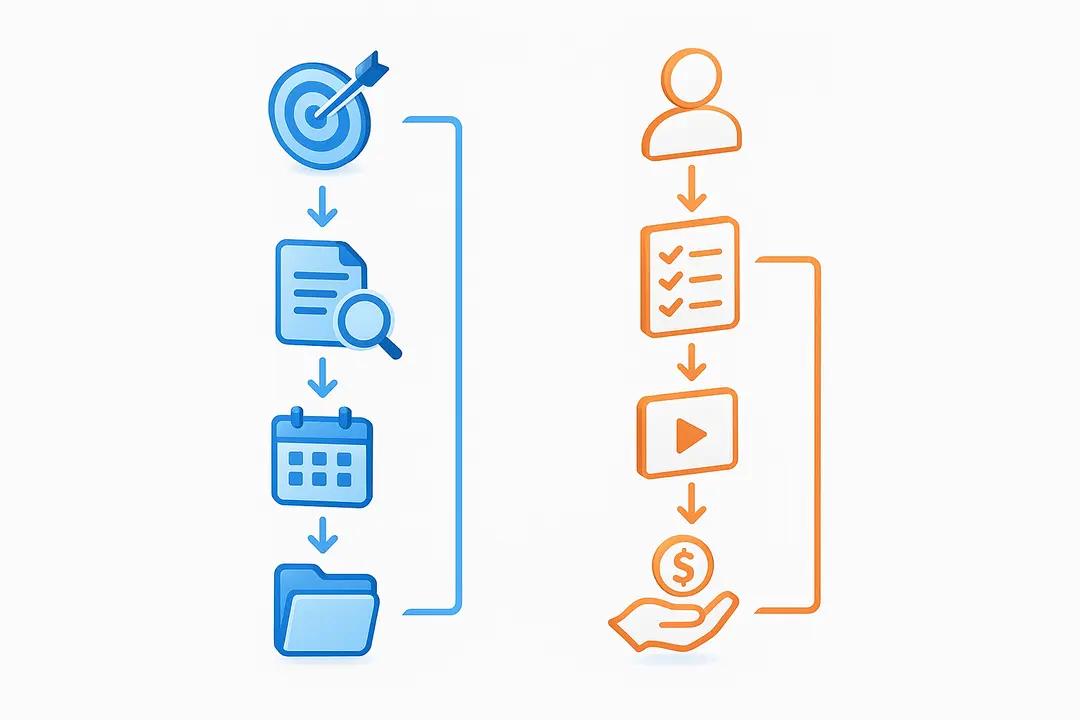
The user interview process includes design, recruitment, facilitation, and analysis for researchers—and discovery, application, participation, and payment for participants. Each role has distinct steps and expectations.
Process Flow Overview:
| Researcher Steps | Participant Steps |
| Define goals/questions | Sign up on platform |
| Write script and consent forms | Complete screeners/profiles |
| Recruit and screen participants | Apply to relevant studies |
| Schedule and run sessions | Attend interview session |
| Collect data and debrief | Wait for payment |
| Analyze findings | Rate experience (optional) |
What’s Involved for Researchers?
Defining a clear research objective is the first step for any successful user interview. Researchers then:
- Set goals & write research questions: What do you need to learn?
- Prepare scripts & consent: Develop clear, unbiased questions; provide privacy statements.
- Recruit & screen participants: Use platforms like UserInterviews.com, or lists tailored to your audience; vet using screener surveys.
- Conduct sessions: Create a welcoming environment, follow the script, yet allow conversational flexibility.
- Record data: Use notes, recordings (with consent), or transcription tools.
- Debrief: Capture immediate reactions post-session for more accurate insights.
What’s Involved for Participants?
- Eligibility & onboarding: Meet study requirements, sign up on research platforms, fill in user profiles honestly.
- Applying for studies: Respond to invitations or search opportunities; complete screener surveys accurately and truthfully.
- Session experience: Join on-time, follow instructions, and answer questions fully; be professional and courteous.
- Compensation: Receive payment—often within days to weeks—by PayPal, gift card, or other methods.
How to Conduct User Interviews (Step-by-Step for Researchers)
Conducting effective user interviews involves careful planning, unbiased question design, smart recruitment, and rigorous analysis. Follow this playbook to maximize valuable user insights.
Step-by-Step Guide:
- Define Objectives and Research Questions
- Align questions with business or project goals.
- Example: “Why do users abandon our checkout process?”
- Create Interview Script and Consent Materials
- Mix open and closed questions.
- Use neutral language; avoid leading or double-barrelled questions.
- Download a sample interview script here.
- Recruit Relevant Participants
- Use participant recruitment platforms, panels, or in-house lists.
- Write clear, targeted screener surveys to filter for your target demographic.
- Watch for red flags: inconsistent screener answers, unrealistic profiles.
- Schedule Sessions and Select Tools
- Decide between remote (Zoom, Teams) or in-person.
- Test tech in advance; build in time for troubleshooting.
- Send session reminders and manage time zones.
- Moderate the Interview
- Establish rapport (brief intro, ice-breaker).
- Maintain neutrality; listen actively, probe for depth.
- Avoid yes/no and compound questions.
- Record and Take Notes
- Obtain verbal or written consent for recording.
- Use live note-taking and/or automatic transcription tools.
- Debrief and Analyze Data
- Hold a quick team debrief after sessions—capture immediate insights.
- Code transcripts for recurring themes.
- Synthesize findings and translate them into product recommendations.
Troubleshooting:
- For late, unresponsive, or potentially dishonest participants, have backup candidates and clear no-show policies.
- If you suspect a scam or fake participant, verify details or consult the platform’s fraud team.
Planning & Scripting Effective Interviews
Effective interviews start with clear alignment between research questions and business needs. Before writing questions:
- Review project goals and clarify core hypotheses.
- Draft 5–10 open-ended core questions with optional probes.
- Pilot your script with a colleague or small sample for feedback.
Example question bank and downloadable script available here.
Recruiting & Screening the Right Participants
Finding and vetting suitable participants is critical for reliable results.
- Use trusted platforms (UserInterviews.com, Respondent.io).
- Write “screener surveys” that target experience, demographics, or behaviors relevant to your study.
- Avoid yes/no screeners that are easy to game—ask for short explanations instead.
- Red flags: contradicting answers, multiple accounts from the same IP, or participants who apply to every available study.
Running the Interview (Remote vs In-Person)
Each approach has pros and cons:
- Remote interviews (Zoom, Teams, Lookback): offer flexibility, reach broader locations, and are cost effective. Test equipment and have fallback plans.
- In-person interviews: yield richer context/body language but require scheduling and logistics.
- Record all consent agreements, test links ahead of time, and provide clear instructions to participants before each session.
Analyzing & Interpreting Interview Data
After data collection, analysis transforms raw notes and recordings into actionable insights:
- Use transcription tools (e.g., Otter.ai, Rev) for accuracy.
- Apply thematic coding: Identify patterns, tag recurring ideas, and group them by themes.
- Use grids or affinity diagrams to cluster insights.
- Draw actionable recommendations, and be careful not to overgeneralize from a small qualitative sample.
Ethical considerations: Always handle participant data confidentially and in compliance with legal/privacy standards.
How to Join User Interviews and Get Paid (Step-by-Step for Participants)
Joining paid user interviews is a legitimate way to earn extra income by sharing honest feedback on products and services. Success requires strong profiles, thoughtful screener responses, and a focus on reliability.
Step-by-Step Guide:
- Find Reputable Platforms
- Leading sites: UserInterviews.com, Respondent.io, Dscout, UserTesting.
- Beware of sites with poor reviews or hidden requirements.
- Set Up Your Participant Profile
- Be detailed and honest about demographics, experience, and interests.
- Add a professional photo and verify email/payment details.
- Higher-quality profiles increase study invitations.
- Complete Screener Surveys
- Answer carefully and truthfully; show real experience where possible.
- Well-explained answers often improve your selection odds.
- Apply and Wait for Selection
- Not all applications result in interviews; don’t get discouraged.
- Read study requirements thoroughly to avoid automatic disqualification.
- Participate professionally
- Arrive prepared and on-time.
- Follow all guidelines.
- Treat sessions as real research—your feedback has impact.
- Receive Payment
- Payments come via PayPal, Amazon gift card, or other methods.
- Track payout timelines (anywhere from same day to 2–3 weeks).
- If payment is missing, contact platform support with session and participant details.
Who Is Eligible and How to Sign Up?
Typical requirements include:
- Age 18+ (sometimes 13–17+ with parental consent)
- Fluent in the language of the study
- Reliable internet connection for remote sessions
To maximize your chances:
- Complete all profile fields, including occupation and hobbies.
- Keep information updated.
- Many platforms accept participants from the US, Canada, and other countries—check each site’s eligibility rules for details.
Navigating Screeners & Selection
A screener survey is a short quiz researchers use to identify suitable candidates. To improve your chances:
- Read questions fully before answering.
- Provide honest, detailed responses.
- Avoid rushing—platforms detect careless answers.
- Sometimes, answering honestly means you’re not selected, but matching studies will come.
Common reasons for rejection:
- Incomplete or inconsistent answers
- Failing to meet demographic criteria
- Attempting to “game” the system (dishonesty)
Understanding Payment Methods & Common Issues
Platforms typically use:
- PayPal, Amazon gift cards, prepaid Visas, or direct deposit (varies by platform and country).
- Payments usually processed 3–14 days post-session.
Issues to watch for:
- Double-check email and payment details before participating.
- If payment is late or missing, contact platform support promptly.
- Track your total annual earnings—payments are typically taxable income if you cross certain thresholds (consult local tax laws).
Platform Comparison: UserInterviews.com vs Other Paid Research Sites
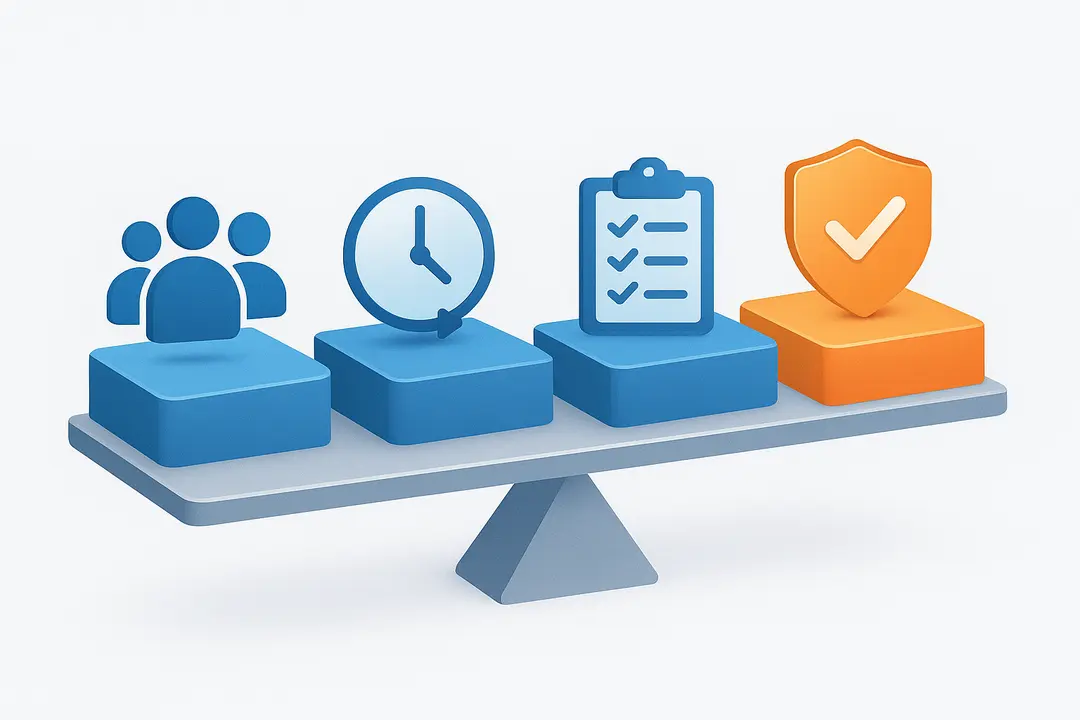
Choosing the right platform maximizes your experience as a researcher or participant. Below is a side-by-side comparison of the leading research participant platforms based on volume, trust, payment, and features.
Research Platform Comparison Table
| Platform | Participant Pool Size | Study Volume/Types | Payment Speed | Notable Features | Trust Signals |
| UserInterviews.com | 2M+ | B2B/B2C, global | 3–7 days | Fast matching, fraud AI | Trusted by Fortune 500 (Adobe, Amazon), strong reviews |
| Respondent.io | 2M+ | B2B focus | 3–10 days | High incentive range | Trusted by IBM, Microsoft; active support |
| Dscout | 100K+ | Mobile “diaries” | 1–2 weeks | App-based participation | Dedicated screening, high E-E-A-T |
| UserTesting | Large | Homepage/prototype | Weekly payout | Usability tasks, video | Public company, high volume, robust help |
Key differences:
- Participant pool: UserInterviews.com and Respondent.io are largest and broadest; Dscout specializes in mobile video studies.
- Research types: UserInterviews.com and Respondent.io offer both interviews and broader study formats; UserTesting leans toward usability tests.
- Payment: All provide prompt payments with support for most major countries. Dscout specializes in more extended “diary” studies.
Fraud/Privacy: UserInterviews.com and Dscout both employ advanced fraud detection, privacy policies, and strong participant consent systems.
User Insights: UserInterviews.com is widely rated as reliable—Reddit, SideHustleNation, and TrustPilot all host testimonials on payment speed and study quality. Always evaluate platforms for up-to-date features and user support.
What Are the Pros and Cons of User Interviews? (For Researchers & Participants)

User interviews have significant benefits but also some drawbacks, both for researchers conducting studies and participants earning income.
Pros & Cons for Researchers
| Pros | Cons |
| Deep qualitative insights | Time-intensive (planning, analysis) |
| Flexibility in question style | Interviewer bias can skew findings |
| Useful for testing early ideas/prototypes | Hard to scale large or rapid projects |
| Direct verbatim quotes support decisions | Recruiting hard-to-find users can be a challenge |
Pros & Cons for Participants
| Pros | Cons |
| Flexible gig—earn on your own schedule | Not always selected, no guaranteed income |
| Easy to get started, no special skills | May require personal disclosures |
| Payments can be quick and reliable | Some studies limited to certain countries |
| Influence real products and services | Earnings generally taxable in most regions |
Summary: User interviews are a valuable qualitative research method and a viable side income for participants, but both groups should be aware of potential limitations around scale, selection, and bias.
How to Avoid Scams, Bad Studies, and Common Pitfalls in User Interviews
Protect yourself and your data by understanding the hallmarks of legitimate user interviews and the warning signs of scams or poor-quality studies.
Common Red Flags:
- Requests for upfront payment or bank details (legit platforms pay YOU, not the other way around)
- Pressure to share sensitive personal info outside the session or platform
- Unusually high incentives for minimal work—with no screening
- Vague study descriptions, generic contact emails, or broken English
Platform Safety Features:
- Top sites use fraud-detection AI and human moderation
- Secure payment processing via trusted channels (e.g., PayPal)
- Verified researcher identities and clear privacy policies
Staying Safe:
- Always use established research participant platforms.
- Never click suspicious links or share more personal information than required.
- If an offer sounds too good to be true, verify direct with the platform’s help/support centers.
- Trust sites with clear contact info, reviews, and transparent policies.
If you suspect a scam:
- Report within the platform immediately.
- Document all communications.
- Do not engage further or provide sensitive information.
Optional: Summary Table – User Interviews at a Glance
| Feature | Researchers | Participants |
| Main Goal | Gather qualitative user insights | Earn money for feedback |
| Types | Structured, semi-structured, unstructured | 1:1 interviews, diaries, panels |
| Key Platforms | UserInterviews.com, Respondent.io, Dscout | UserInterviews.com, UserTesting |
| Payment Methods | Incentives via PayPal/gift card | PayPal, Amazon, prepaid cards |
| Pros | Deep feedback, rapid learning | Flexible, paid, no special skills |
| Cons | Time/labor intensive, bias | Not always selected, taxable income |
User interviews help researchers build better products and give participants a chance to earn by sharing real experiences.
Conclusion: Unlocking Insight & Opportunity Through User Interviews
User interviews offer a valuable way to gather meaningful insights and improve products while also giving participants a chance to share their perspectives. Understanding how the process works from both the researcher and participant sides helps create more effective, reliable, and rewarding experiences.
By focusing on clear communication, thoughtful preparation, and ethical practices, both researchers and participants can get the most value from user interviews. With the right approach, this process becomes a powerful tool for better decision making and continuous improvement.
Key Takeaways
- User interviews are foundational to UX research and accessible paid gigs.
- Researchers benefit from clear objectives, well-designed scripts, and ethical recruiting.
- Participants succeed by creating detailed profiles and responding honestly to screeners.
- Platform choice matters—use trusted sites and stay alert for scams.
Frequently Asked Questions
What is a user interview and how does it work?
A user interview is a guided conversation between a researcher and a user to understand needs, behaviors, and experiences. Researchers prepare scripts, recruit participants, conduct sessions (online or offline), and analyze conversations for patterns and actionable insights.
Is UserInterviews.com a legitimate platform?
Yes, UserInterviews.com is a reputable platform trusted by major brands and researchers for connecting with qualified participants, offering secure payments and robust fraud prevention.
How do I sign up for paid user interviews?
Visit a trusted research platform, create a detailed participant profile, verify your information, and begin applying to studies that fit your background and interests.
What types of user interviews are most common?
The most common formats are structured (set questions), semi-structured (guided but flexible), and unstructured (conversation-based), depending on research goals.
How are user interviews different from usability testing?
User interviews explore motivations and stories, while usability tests observe users performing specific tasks to identify usability issues.
How much can participants earn from user interviews?
Payments range from $20 to $200 per session, varying by length, topic, and expertise required. Frequency of selection isn’t guaranteed.
Can non-US participants join user interviews?
Many platforms now welcome global participants, but eligibility varies. Always check platform policies and study requirements first.
What’s the best way to avoid scam user interview offers?
Stick to established platforms, never share sensitive info upfront, and be wary of offers that promise high pay for little effort or require payments to participate.
What do researchers look for in ideal participants?
Researchers value honesty, reliability, and demographic or behavioral match to the study’s goals. Completing profile fields and providing thoughtful screener answers increase selection chances.
Are my earnings from user interview studies taxable?
Yes, in most regions paid research earnings are considered taxable income. Keep records and consult local laws or an accountant for guidance.
This page was last edited on 15 April 2026, at 9:55 am

Start a conversation with our team to solve complex challenges and move forward with confidence.










