Software application development is at the core of business innovation and everyday life, powering everything from mobile apps to enterprise solutions. Building robust, secure, and future-ready applications is both more vital—and more complex—than ever before. As organizations face rising demands for speed, security, and adaptability, understanding the software development lifecycle is critical.
This guide offers a clear, actionable framework to help you navigate modern software application development, from first idea to ongoing improvement. Whether you’re new to app development or managing technical teams, you’ll gain step-by-step advice, best practices, and forward-looking trends to build lasting value.
What Is Software Application Development?
Software application development is the systematic process of designing, creating, testing, and maintaining programs that solve specific business or user needs.
At its core, this process involves transforming real-world requirements into digital solutions using a structured approach called the software development lifecycle (SDLC). Typical stages include requirements gathering, planning, design, coding, testing, deployment, and ongoing maintenance.
Key Entities:
- Design: Creating functional and visual concepts for the application.
- Coding: Translating designs into actual software using programming languages.
- Testing: Verifying the software works as intended and is secure.
- Deployment: Releasing the software for real-world use.
Applications come in many forms:
- Mobile Apps (e.g., iOS, Android)
- Web Applications (browser-based)
- Enterprise Systems (business-critical software such as ERPs)
- Cloud-native Solutions (scale on-demand via the cloud)
Both technical teams and business stakeholders play essential roles—making software application development a multidisciplinary, outcome-driven process.
Why Is Software Application Development Critical for Modern Organizations?
Developing tailored software empowers organizations to innovate, adapt, and compete in a digital-first world.
A well-executed application development process drives efficiency, agility, and scalability, allowing businesses to:
- Deliver unique value through custom features and experiences.
- Automate manual processes, reducing costs and errors.
- Respond quickly to market or regulatory changes.
- Connect with users on their preferred devices and platforms.
Examples:
- Digital transformation in banking enabling mobile-first customer experiences.
- Automated inventory management in retail streamlining stock replenishment.
Organizations that invest in modern application development enjoy higher ROI, streamlined operations, and staying power in changing markets.
What Are the Key Stages of the Software Development Lifecycle (SDLC)?
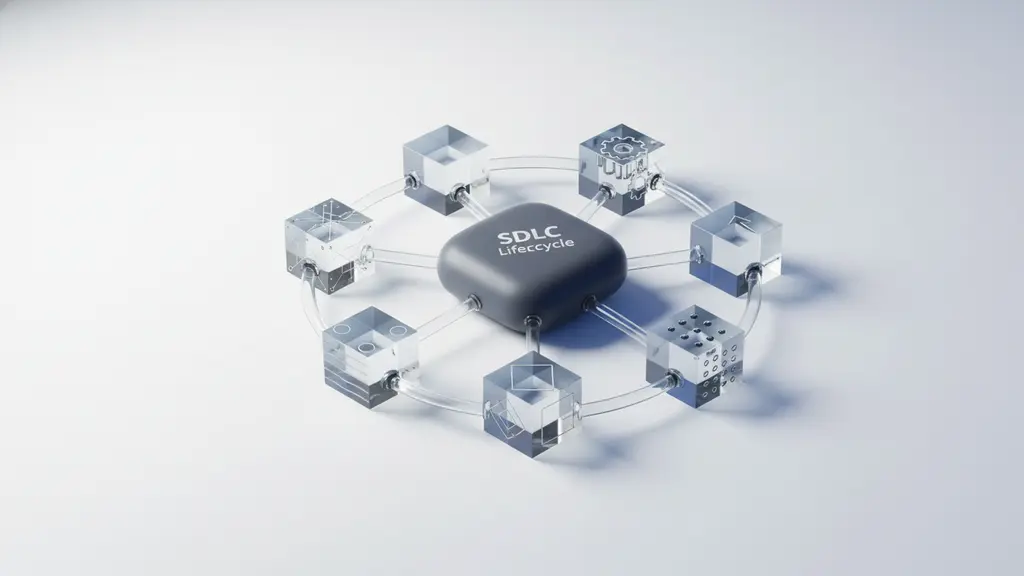
The software development lifecycle (SDLC) is a repeatable, structured approach to building and maintaining applications.
It helps ensure that software meets business goals, is delivered efficiently, and stays secure over time.
Main SDLC Stages:
- Requirements Gathering
- Planning & Feasibility
- Design & Architecture
- Development & Coding
- Testing & Quality Assurance
- Deployment
- Maintenance & Updates
Each stage connects to the next, moving projects from an initial idea to an adaptable, live solution. This stepwise approach reduces project risks and ensures continuous improvement.
| SDLC Stage | Key Activities |
| Requirements Gathering | Identify business needs, stakeholders, and success criteria |
| Planning & Feasibility | Define scope, budget, schedule, resource and risk assessments |
| Design & Architecture | Create UI/UX designs, system architecture, technical specifications |
| Development & Coding | Write code, build integrations, manage versions, implement DevOps practices |
| Testing & QA | Perform unit, integration, system, and security testing; track bugs and fix issues |
| Deployment | Release software using cloud/on-premises, monitor performance, manage releases |
| Maintenance & Updates | Ongoing support, bug fixes, feature enhancements, security patches |
Requirements Gathering: Laying a Strong Foundation
The first SDLC phase focuses on translating business needs into clear, actionable technical requirements.
Rigorous requirements analysis ensures that development efforts align with user and stakeholder expectations.
Effective Techniques:
- Stakeholder interviews and workshops to uncover true needs.
- Creation of user stories that describe real-world workflows.
- Documenting acceptance criteria for each feature.
Common Pitfalls:
- Incomplete requirements cause project delays and expensive rework.
- Overlooking key stakeholders often leads to missing functionality.
Tip: Use checklists and structure your requirements documentation. Involve end users early to validate needs and avoid late-stage surprises.
Planning & Feasibility: Defining Scope, Timeline, and Cost
Solid planning sets the direction, expectations, and realistic boundaries for your software project.
Successful projects use established estimation and planning tools to allocate resources efficiently.
Best Practices:
- Break tasks down with Gantt charts or Kanban boards.
- Use estimation frameworks (e.g., planning poker, PERT analysis) to assess effort.
- Analyze technical and financial feasibility, identifying possible risks early.
| Planning Checklist |
| Define project scope |
| Estimate timelines and costs |
| Allocate resources and responsibilities |
| Identify technical and operational risks |
| Set milestones and deliverables |
Effective planning minimizes surprises, controls costs, and keeps your project on track.
Design & Architecture: Structuring for Success
App design isn’t just about aesthetics—it directly impacts usability, performance, and scalability.
This phase covers two critical components:
- UI/UX Design: Crafting intuitive app screens and workflows for strong user engagement.
- System Architecture: Structuring code, databases, integrations, and infrastructure for flexibility and growth.
Tools & Documentation:
- Figma or Sketch for wireframes and visual mockups.
- UML diagrams for technical architecture.
- Design specifications to guide developers.
Example Workflow:
- Wireframe main screen layouts.
- Map user journeys and key interactions.
- Define system components, data flow, and security measures.
Time spent on design and architecture pays dividends throughout the project lifecycle.
Development & Coding: Building the Application
Development is where ideas turn into working software, guided by coding standards, collaboration, and automation.
Teams select the optimal programming languages, frameworks, and tools for the application type (web, mobile, enterprise).
Smart Development Practices:
- Choose the “stack” (e.g., Python/Django, Java/Spring, JavaScript/React) based on project goals.
- Adopt DevOps tools for Continuous Integration/Continuous Deployment (CI/CD), enabling fast, safe releases.
- Use version control (e.g., Git) and integrated development environments (IDEs) like VS Code or IntelliJ IDEA.
Collaboration and code quality are ensured via code reviews, linters, and strong documentation routines.
Testing & Quality Assurance: Ensuring Reliability
Quality assurance (QA) safeguards application reliability and security by systematically finding and fixing issues before deployment.
A robust test strategy includes both manual and automated testing.
Types of Testing:
- Unit Testing: Verifies individual functions/modules.
- Integration Testing: Checks interactions between components.
- Security Testing: Identifies vulnerabilities (e.g., using static analysis tools).
QA Tools:
- Selenium: Automates web tests.
- JUnit: Common for Java unit tests.
- Jira, Bugzilla: Bug reporting and tracking.
| Testing Checklist | QA Tools |
| Unit, integration, UI testing | Selenium, JUnit |
| Automated regression tests | Jenkins, Travis |
| Security penetration testing | OWASP ZAP |
| Bug reporting and tracking | Jira, Bugzilla |
Investing in QA reduces support costs, protects your brand, and ensures smooth user experiences.
Deployment: Releasing Software into the Real World
Deployment moves completed applications from development to users—requiring meticulous planning for stability and scalability.
Modern deployment emphasizes speed, safety, and the ability to roll back if needed.
Deployment Tactics:
- Use CI/CD pipelines for automated, repeatable deployments.
- Choose between cloud-native (e.g., AWS, Azure) or on-premises release depending on business needs.
- Use techniques like blue-green and canary deployments to limit risk.
Deployment Checklist:
- Final code review and approvals
- Build and verify deployment packages
- Monitor launch for errors or performance issues
- Plan for rollback in case of critical defects
Effective deployment strategies ensure software is delivered quickly, safely, and with minimal downtime.
Maintenance & Updates: Keeping Software Effective and Secure
Software success isn’t a one-time event—it’s a cycle of continuous improvement and adaptation.
Maintenance includes bug fixes, performance enhancements, security patches, and user-driven upgrades.
Key Maintenance Tasks:
- Rapidly address reported bugs or outages.
- Release regular updates for features and security.
- Gather and incorporate user feedback using analytics and survey tools.
Lifecycle Visual:
| Maintenance Activity | Purpose |
| Bug Fixes | Address defects, improve stability |
| Security Patching | Protect against vulnerabilities |
| Feature Enhancements | Add capabilities, retain users |
| Performance Monitoring | Ensure speed and reliability |
Ongoing support keeps software secure, valuable, and aligned with changing business goals.
How Do Software Development Methodologies Compare? (Agile vs. Waterfall vs. DevOps & More)

Software development methodologies define how teams organize, execute, and deliver projects.
Choosing the right approach shapes timelines, flexibility, and collaboration.
Side-by-Side Methodology Comparison
| Methodology | Approach | Pros | Cons | Best For |
| Waterfall | Sequential, phase-driven | Predictable, clear documentation | Inflexible, late change costly | Regulated/linear projects |
| Agile | Iterative, incremental | Adaptive, continuous feedback | Needs strong team engagement | Startups, evolving requirements |
| DevOps | Integrated dev + ops, automated | Fast delivery, automation, reliability | Requires culture/process shift | Rapid deployments, cloud-native |
| Lean | Minimize waste, maximize value | Efficiency, focus on MVPs | May under-spec complex needs | Projects with tight timelines |
| RAD | Rapid prototyping, quick changes | User-centered, accelerated cycles | Less control, technical debt risk | Concept validation, prototypes |
| Spiral | Cylical, risk-driven | Strong risk management | Complexity, documentation-heavy | Large, risky software efforts |
Summary:
- Waterfall: Best for projects with clear, fixed requirements.
- Agile: Optimal for dynamic needs and fast-changing environments.
- DevOps: Enables continuous delivery using automation.
- Lean, RAD, Spiral: Serve specialized needs depending on project constraints.
Align your methodology to project size, timeline, stakeholder involvement, and risk tolerance.
What Tools, Languages, and Platforms Power Modern Application Development?
Choosing the right technology stack is foundational to project success.
Tool and language selection depends on app type, team skills, and business priorities.
Popular Programming Languages by Application Type
| App Type | Common Languages |
| Mobile (Android/iOS) | Kotlin, Swift, Flutter |
| Web | JavaScript, TypeScript, Python |
| Enterprise | Java, C#, .NET |
| Cross-Platform | Dart (Flutter), JavaScript (React Native) |
Leading IDEs and Frameworks
- IDEs: Visual Studio Code, IntelliJ IDEA, Eclipse, Xcode
- Frameworks: React, Angular, Vue.js (web); Django, Spring Boot (.NET/Java backend)
- Code Repositories: GitHub, Bitbucket, GitLab
Low-Code/No-Code Solutions
Low-code and no-code platforms enable rapid application building with minimal manual coding.
They democratize development for business users while accelerating delivery.
Strengths:
- Fast prototyping and deployment
- Reduced reliance on deep coding expertise
- Ideal for automating internal processes and simple apps
Tradeoffs:
- Limited customization for complex workflows
- Potential vendor lock-in
Leading Platforms:
- Microsoft Power Apps
- OutSystems
- Mendix
- Appgyver
Evaluate your needs: for heavily regulated or highly customized applications, traditional coding may remain optimal; for quick wins, low-code tools shine.
How Can You Ensure Security and Compliance in Application Development?
Security and compliance must be woven into every stage of software application development, not treated as afterthoughts.
Rising cyber threats and evolving regulations (GDPR, HIPAA, PCI DSS) demand rigorous safeguards.
Top 10 Security Best Practices:
- Adopt secure coding standards (e.g., input validation, output encoding)
- Use automated tools to scan code for vulnerabilities (e.g., SonarQube, OWASP ZAP)
- Regularly update dependencies and libraries
- Enforce strong authentication and authorization mechanisms
- Encrypt sensitive data at rest and in transit
- Perform regular penetration testing
- Maintain detailed audit logs and monitor for anomalies
- Provide ongoing security training for developers
- Document and rehearse incident response plans
- Align with key compliance frameworks (e.g., GDPR, HIPAA)
| Compliance Frameworks | Purpose |
| GDPR | European data privacy and protection |
| HIPAA | US healthcare data security |
| PCI DSS | Secure handling of credit card information |
Proactively managing security and compliance reduces risk, builds trust, and keeps your apps eligible for regulated markets.
What Are the Biggest Trends Shaping Software Application Development in 2026?
Software application development in 2026 is shaped by rapid advances in AI, automation, and regulatory demands.
Key Trends:
- Generative AI: Assists developers via code generation, test automation, and smarter documentation. Adoption is growing, though human oversight remains vital for accuracy and compliance.
- Automation: CI/CD, infrastructure as code, and automated testing accelerate releases and lower error rates.
- Low-Code/No-Code: Expanding from basic apps to enterprise-grade solutions, empowering more non-developers to contribute.
- Cross-Platform Development: Tools like Flutter and React Native enable single-codebase delivery for multiple platforms.
- Cloud-Native & DevSecOps: Integrating security early and designing for scalable, cloud-first deployments.
- Evolving Compliance: New data privacy regulations and industry standards demanding stricter controls.
Keeping ahead of these trends—especially AI and automation—positions teams to deliver smarter, more resilient applications.
What Roles and Skills Are Essential for Software Application Development Teams?
Effective app development calls for collaboration among diverse roles, mixing technical and leadership expertise.
Core Roles
| Role | Primary Responsibilities |
| Developer | Writes and tests code, implements features |
| Software Engineer | Designs, builds, and maintains scalable solutions |
| Architect | Defines system structure and major technical decisions |
| Project Manager | Coordinates teams, timeline, resources, and budget |
| QA/Test Engineer | Ensures quality through rigorous testing |
| DevOps Engineer | Manages infrastructure, CI/CD, monitoring |
| UI/UX Designer | Designs user flows and interfaces |
Developer vs. Engineer:
Both write code, but engineers generally handle bigger-picture design and integration tasks.
Top Skills (2026)
- Technical: Coding, debugging, API design, security best practices
- Soft: Communication, teamwork, critical thinking, adaptability
- Upskilling: Bootcamps, certification programs (e.g., AWS, Scrum), online learning platforms
Continuous learning and teamwork are essential for building high-performing app development teams.
What Are the Common Challenges—and How Can You Overcome Them?
| Challenge | Typical Cause | Solutions/Best Practices |
| Budget overruns | Poor estimation, scope creep | Use structured planning, progressive elaboration, regular cost tracking |
| Technical debt | Rushed coding, skipped QA | Adopt code reviews, refactoring routines, and manageable iterations |
| Scope creep | Unmanaged change requests | Prioritize requirements, use Agile frameworks for flexible planning |
| Talent gaps | Hiring shortages, skill mismatch | Upskill teams, outsource selectively, use low-code for less complex needs |
| Integration complexity | Diverse systems, lack of standards | Invest in API-first design, leverage integration platforms |
Mini-Case Study:
An e-commerce firm overcame repeat budget overruns by shifting from Waterfall to Agile, involving users in each sprint. This sped up delivery by 30% and improved satisfaction.
Awareness and proactive risk management are crucial to project success.
Visual Summary Table: SDLC Stages & Key Methods
| SDLC Stage | Waterfall | Agile | DevOps | Lean | Recommended Tools/Platforms |
| Requirements | Heavy upfront | Ongoing | Ongoing | Lean docs | Jira, Confluence, Miro |
| Planning | Detailed plan | Iterative | Automated | Just-in-time | Trello, MS Project |
| Design | Sequential | Iterative | Continuous | Minimal | Figma, Lucidchart, UML tools |
| Development | Linear | Incremental | Automated | Value-focused | VS Code, GitHub, Bitbucket |
| Testing | End of cycle | Continuous | Automated | Frequent | Selenium, JUnit, Cypress |
| Deployment | At end | At sprint end | Continuous | Streamlined | AWS, Azure, Jenkins |
| Maintenance | Post-production | Continuous | Continuous | Continuous | Datadog, New Relic, BugSnag |
This table offers a quick reference for matching SDLC stages, methodologies, and supporting tools.
Frequently Asked Questions (FAQs) About Software Application Development
What is software application development?
Software application development is the process of designing, coding, testing, deploying, and maintaining software programs tailored to specific user or business needs.
What are the main steps involved in the application development process?
The process follows a lifecycle: requirements gathering, planning, design, development, testing, deployment, and maintenance.
How does Agile differ from Waterfall methodology in app development?
Agile uses short, iterative cycles and adapts to change, while Waterfall follows a sequential, fixed set of phases; Agile typically delivers value faster and handles changing requirements better.
What is the role of a developer vs. an engineer?
A developer focuses on writing and maintaining code, while a software engineer takes a broader approach that includes design, architecture, and integration of complex systems.
How much does it cost to develop a custom application?
Costs vary widely based on project scope, complexity, and region, but industry benchmarks suggest ranges from tens of thousands to several million dollars for large enterprise systems.
What is low-code/no-code application development?
Low-code/no-code uses visual platforms and drag-and-drop tools to build applications quickly, reducing the need for deep manual coding.
How do you ensure security and compliance in app development?
By embedding security measures into every SDLC stage, conducting regular audits, and aligning with compliance standards such as GDPR and HIPAA.
What skills are needed for a career in software application development?
Essential skills include programming, critical thinking, problem-solving, communication, and ongoing learning in new tools and methodologies.
Which programming languages are commonly used?
Popular choices include JavaScript, Python, Java, C#, and platform-specific languages like Swift (iOS) and Kotlin (Android).
How is artificial intelligence influencing development in 2026?
AI streamlines coding, automates testing, enhances user experiences, and accelerates issue detection, but requires responsible use and oversight to ensure accuracy.
Conclusion
Modern software application development is dynamic, collaborative, and essential for organizational growth. By mastering the SDLC, choosing the right methodologies and tools, and staying alert to emerging trends like AI and low-code, you can deliver valuable, resilient solutions.
Whether you’re building your first app or optimizing a complex enterprise system, start with strong planning, invest in team skills, and keep security front and center. Explore additional resources, download our checklist, or consult with expert architects to take the next step on your development journey.
Key Takeaways
- The SDLC provides a structured, repeatable roadmap to successful software application development.
- Methodology choice (Agile, Waterfall, DevOps, etc.) should fit your project’s unique needs.
- Security, compliance, and ongoing maintenance are integral at every stage.
- 2026 trends: AI, automation, and low-code platforms are transforming application development.
- Assembling the right team and upskilling are crucial for delivering modern software effectively.
This page was last edited on 1 February 2026, at 2:01 pm
Contact Us Now

Contact Us Now
Start a conversation with our team to solve complex challenges and move forward with confidence.


