

React Native app development is at the center of today’s mobile innovation, powering cross-platform solutions for startups and Fortune 500 companies alike. As mobile app users demand faster feature delivery and better performance, choosing the right framework is now a high-stakes, strategic decision.
But with swiftly evolving technology and a crowded field of options, how do you know if React Native fits your project? This expert guide delivers up-to-date comparisons, clear decision tools, and the latest trends for 2026—equipping you to make or validate your mobile app framework choice with confidence.
In this guide you’ll discover:
- What React Native is and how it works
- Its real benefits—and where it falls short
- Live comparison vs. Flutter, Ionic, and native code
- When to choose React Native (and when not to)
- Future-proof trends, best practices, and real-world examples from global companies
What Is React Native and Why Is It Used for Mobile App Development?
React Native is an open-source framework developed by Meta for building mobile apps for iOS and Android using a single JavaScript codebase, allowing for fast development and near-native performance.
React Native enables developers to build mobile applications that run on both iOS and Android, streamlining development and maintenance by leveraging JavaScript and the React paradigm. Instead of writing separate code for each platform, teams can reuse up to 90% of their codebase across mobile operating systems.
- Developer: Meta (formerly Facebook)
- Core languages: JavaScript, with support for TypeScript
- How it works: React Native converts JavaScript and React components into native user interface elements using a JavaScript bridge. This gives apps a native look and feel while dramatically reducing duplication.
React Native is now trusted by startups and global brands alike for everything from MVPs to enterprise-scale platforms.
How Does React Native Work for Cross-Platform Mobile Apps?
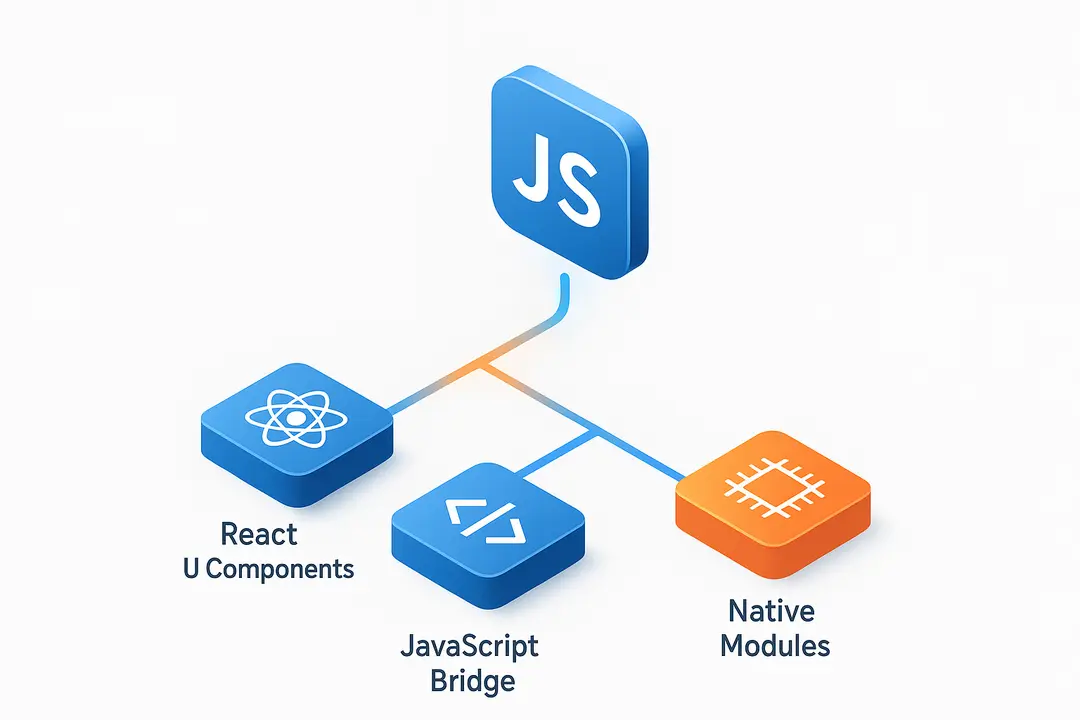
React Native works by translating a shared JavaScript/React codebase into native UI components on iOS and Android, leveraging a JavaScript bridge and native modules for performance and device features.
- React UI paradigm: Developers build app screens using familiar React components.
- JavaScript Bridge: React Native uses a bridge to communicate between JavaScript code and native APIs, rendering native components on each platform.
- Native Modules: For complex or performance-critical tasks (like camera, file access, or geolocation), developers can access device APIs through native modules written in platform-specific code (Swift, Kotlin, Objective-C, or Java).
Expo vs. Bare Workflow:
- Expo is a managed toolchain for React Native, ideal for rapid prototyping, smaller teams, and access to pre-built features.
- Bare Workflow involves direct control over native code—essential for custom features or integrating advanced native modules.
Core Developer Features:
- Hot Reloading: See code changes instantly without rebuilding the entire app.
- Code Reusability: Share UI layouts, business logic, and many features across platforms.
- Live Updates: Roll out bug fixes and feature tweaks over the air, bypassing app store delays.
According to React Native documentation, this architecture allows fast development while still offering access to platform-specific capabilities when needed.
What Are the Key Benefits of Using React Native for App Development?
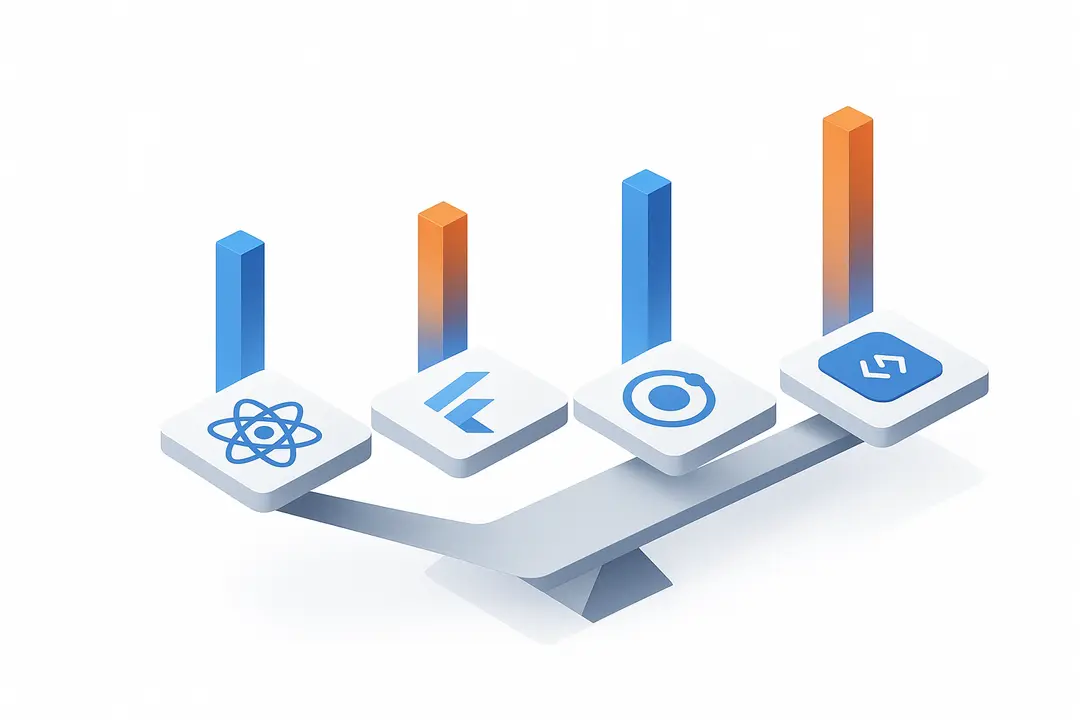
React Native offers cost savings, faster time-to-market, and the ability to build cross-platform apps with a single codebase—making it a compelling choice for many businesses.
Top 5 Benefits of React Native
| Benefit | Description |
| Single Codebase | Write once, deploy to iOS and Android |
| Near-native Performance | Native UI components yield excellent user experience |
| Fast Iteration & Hot Reloading | Immediate feedback speeds development |
| Large Plugin & Community Ecosystem | Thousands of open-source libraries and active support |
| Cost and Time Savings | Fewer developers needed; faster launch cycles |
Deeper insights:
- Development Efficiency: React Native can save teams up to 30–50% in development time and costs by avoiding duplicate effort (according to industry case studies).
- Community Support: Tens of thousands of contributors and libraries ensure solutions for most common app needs—a key for rapid prototyping and scaling.
- Performance: Apps like Facebook, Instagram, and Tesla have proven React Native’s ability to handle millions of users with near-native speed.
“React Native enabled us to streamline mobile releases across platforms while keeping a unified team and codebase—cutting our time-to-market in half,” notes Laura Chen, CTO of a leading e-commerce platform.
What Are the Challenges and Limitations of React Native? (2026 Update)
While React Native accelerates cross-platform development, it also comes with performance, maintenance, and compatibility trade-offs—especially for complex, device-intensive apps.
Key Drawbacks and Limitations
- Performance Gaps: Heavy animations, graphics-intensive features, or compute-heavy apps (such as games) may not match fully native performance.
- Device API Lag: Latest device features (e.g., Face ID, ProMotion display) may require waiting for React Native support or creating custom native modules.
- Native Module Overhead: For advanced functionality, teams still need native expertise, which can add cost/complexity.
- App Size: React Native apps can be larger than native equivalents due to added dependencies.
- Ecosystem Risk: React Native is maintained by Meta and the open community—if community engagement wanes, maintenance burdens can rise.
Pros & Cons Table
| Pros | Cons |
| Single codebase | Potential performance bottlenecks |
| Faster development | Native module development required for some APIs |
| Active community and plugin support | Larger app sizes |
| Cost-effective | Delays with newest platform updates |
| Near-native performance | Risk if open-source support stalls |
React Native vs. Native & Other Frameworks: Which Should You Use?
React Native excels in cross-platform speed and code reuse but faces stiff competition from native approaches and alternatives like Flutter and Ionic—each with their own trade-offs.
Comparison Table: Frameworks for Mobile App Development (2026)
| Feature | React Native | Flutter | Ionic | Native (Swift/Kotlin) |
| Language | JavaScript (+TypeScript) | Dart | JavaScript | Swift (iOS), Kotlin (Android) |
| UI Performance | Near-native | Near-native | Hybrid/webview | Full native |
| Code Reusability | High (iOS/Android) | High | High (plus web) | Low (per platform) |
| Learning Curve | Moderate (React needed) | Moderate (Dart) | Low | High |
| Plugin Ecosystem | Large | Growing | Mature | Platform-dependent |
| Community/Docs | Very large, active | Strong, expanding | Mature | Mature |
| Access to New Device APIs | Sometimes delayed | Sometimes delayed | Lagging | Immediate |
| Best Use Cases | General apps, MVPs, e-commerce, social | Custom UI, startups, new apps | Simple apps, enterprise, quick MVPs | Performance/feature-critical apps |
Expert viewpoint:
“React Native’s sweet spot is building high-quality apps quickly for both iOS and Android—without doubling your engineering headcount. For bleeding-edge use cases or maximum device performance, native is still king.” — Alexei Petrov, Senior Mobile Architect
Decision Guide: When to Use React Native (and When Not To)

React Native is ideal for projects needing fast, cost-effective delivery across platforms—but may not suit apps demanding cutting-edge animations or device-specific features.
When to Choose React Native
- Startups/MVPs: Fast validation, iterate on user feedback, future-proof for both platforms.
- Cost-Driven Projects: Want to minimize development and maintenance expense.
- Multi-Platform Needs: Targeting both Android and iOS users from day one.
- Existing React/JS Experience: Teams already skilled in JavaScript/React ecosystem.
When to Avoid React Native
- Performance-Critical Apps: Graphics-heavy games, AR/VR, or advanced device integrations.
- Immediate Use of New APIs: If you require instant access to the latest iOS/Android updates.
- Strict App Size Requirements: Where every MB counts (e.g. wearable devices).
Real-World Success Stories: Which Companies and Apps Use React Native?
Industry leaders and high-growth startups use React Native to deliver quality user experiences at scale—proving its real-world viability.
Showcase: Companies & Apps Built With React Native
| Company | App Type | Use Case & Scale | Outcome / Result |
| Social | Core features, 2B+ users | Rapid feature rollout, code reuse | |
| Social/Photo | Integrated stories interface | Cross-platform release | |
| Shopify | E-commerce | Merchant admin app, global scale | Faster builds, improved retention |
| Tesla | Connected vehicle | Remote car control, dashboards | Rich UI, rapid updates |
| Discord | Communication | Mobile chat and voice | Unified app, quick iteration |
Leading travel portals and wellness startups (names under NDA) have migrated to React Native to halve their mobile maintenance budget and simplify hiring.
“We migrated to React Native for our admin dashboard. Overnight, our release cycles sped up and onboarding new developers became simpler.” — Priya Singh, Mobile Engineering Lead
Best Practices & Tips for Successful React Native Projects
Successful React Native projects depend on efficient setup, modular code, performance optimization, and proactive maintenance to avoid common pitfalls.
- Choose the Right Starting Point:
– Use Expo for rapid prototyping or smaller teams.
– Opt for Bare Workflow for custom integrations or scaling needs. - Code Structure & Modularity:
– Organize code into reusable components and clear folders from the start.
– Keep business logic separated from UI for maintainability. - Performance Optimization:
– Implement lazy loading for screens and large components.
– Compress images/assets and use vector graphics where possible.
– Monitor performance using built-in tools and adjust for bottlenecks. - Testing and CI/CD:
– Include unit, integration, and end-to-end tests (e.g., Jest, Detox).
– Set up automated CI/CD pipelines to catch issues before releasing. - Staying Up-to-Date:
– Regularly update dependencies and follow the official React Native release notes.
– Join the community on forums, Github, and Discord.
Pro Tip:
“Treat React Native like a first-class citizen in your engineering org—invest in learning native basics, even if your main stack is JavaScript.” — Lena Martin, CTO and open source contributor
React Native in 2026 and Beyond: Future Trends & Ecosystem Changes
The React Native ecosystem continues to evolve, with new architecture, improved performance, and broader platform support shaping its future.
What to Expect by 2026
- New Architecture:
– Official roadmap includes enhanced UI threading and a revamped JavaScript engine for even closer-to-native performance. - AI/ML Integration:
– Accelerated support for AI-driven features as new plugins and cloud integrations emerge. - Expanded Platform Reach:
– React Native for Web, desktop, and even smart TVs is gaining adoption via community-led projects. - Community Growth & Hiring:
– The talent pool continues expanding, with React Native among the top five mobile job skills globally (Statista). - Sustained Meta Investment:
– Active stewardship from Meta and partners signals platform longevity and ongoing innovation.
Hiring and education trends:
React Native remains a sought-after skill, making hiring easier and future support more predictable than many smaller frameworks.
Summary Table: Key Takeaways for React Native App Development
| Project Type | Recommended Approach | Single Codebase | Cost Savings | Performance | Limitations |
| Startup MVP or Rapid Launch | React Native (Expo or bare) | Yes | High | Near-native | Not for 3D games or advanced device APIs |
| E-commerce or General Business | React Native | Yes | High | Near-native | Requires good plugin practice |
| Complex/Game or High-Perf. App | Native (Swift/Kotlin, or Flutter) | No | Low | Full native | Highest dev cost; separate teams |
| Simple/Hybrid/Enterprise Utility | React Native or Ionic | Yes | High | Adequate | Custom advanced UI limited in Ionic |
Summary:
For most new cross-platform mobile apps in 2026, React Native offers the sweet spot of speed, cost efficiency, and broad community support. Native remains unbeatable for apps where every millisecond or MB counts.
Frequently Asked Questions (FAQs) About React Native for Mobile Apps
What is React Native and how is it used for mobile app development?
React Native is an open-source framework by Meta that lets developers build iOS and Android apps using one JavaScript codebase. It achieves near-native performance by converting React components into native UI elements.
What are the main advantages of using React Native for mobile apps?
React Native allows cross-platform development with a single codebase, significantly reduces time-to-market and cost, and boasts a vast ecosystem of plugins and active community support.
Are there any disadvantages or limitations to React Native?
Yes. React Native may lag behind native in performance for graphics-heavy features, may require native modules for some device APIs, and larger app sizes are possible compared to pure native apps.
When should I choose native development over React Native?
Choose native development when your app requires high-end graphics/animation, immediate use of new device APIs, or extremely tight control over app size and system resources.
Which big companies use React Native in their mobile apps?
Major companies such as Facebook, Instagram, Shopify, Tesla, and Discord use React Native for their mobile apps, especially when prioritizing scalability and speed.
How does React Native performance compare to native apps?
React Native delivers near-native performance for most use cases. However, apps with intensive animations, games, or complex real-time features may see better results with native development.
Can I reuse code between my iOS and Android apps with React Native?
Yes. React Native enables up to 90% code reuse across iOS and Android platforms, especially for UI and business logic.
What is Expo, and should I use it with React Native?
Expo is a managed toolkit for React Native that simplifies app development, provides prebuilt modules, and is ideal for rapid prototyping. For advanced native needs, the bare workflow might be preferred.
Does React Native support third-party plugins and native device features?
Yes. The large plugin ecosystem covers most needs, and custom native modules can be created or integrated for advanced or device-specific features.
What are best practices for optimizing React Native apps?
Best practices include using modular code structures, optimizing images and assets, leveraging lazy loading, implementing thorough testing, and keeping libraries up-to-date with the React Native release cycle.
Conclusion
React Native stands out as a modern, proven solution for cross-platform mobile app development—fuelling ambitious startups, scale-ups, and enterprises seeking fast delivery and cost savings. While it’s not always the right fit for every scenario, its maturity, ecosystem, and performance make it a leading choice in 2026 for most mobile app projects.
Key Takeaways
- React Native enables high-quality, cross-platform app delivery with a single JavaScript codebase.
- Key benefits include faster development, lower costs, and strong community support.
- Limitations exist for advanced graphics, device APIs, or performance-critical use cases.
- Native, Flutter, and Ionic offer valid alternatives depending on project needs.
- Staying current with best practices and community trends future-proofs React Native investments.
This page was last edited on 5 May 2026, at 12:12 pm

Start a conversation with our team to solve complex challenges and move forward with confidence.










