- The Evolution of Low-Code Development
- How Low-Code Development Works
- Low-Code vs. No-Code vs. High-Code: What’s the Difference
- What Are the Core Features of Low-Code Platforms?
- How Can Low-Code Development Benefit Business?
- Low-Code Challenges: What to Watch Out for Before You Dive In
- How to Choose the Right Low-Code Platform
- What Types of Apps Can You Build with Low-Code Development?
- Why Low-Code Development Works Across These Applications
- How Low-Code Development Changing the Future?
- Frequently Asked Questions (FAQs)
- Conclusion
Low-code development helps businesses build apps faster with visual tools, reusable components, and less manual coding. It works well for workflows, dashboards, internal tools, and business apps, but complex projects may still need custom development for better control, security, and performance.
Businesses need software to move faster, automate work, and serve customers better. But building every application from scratch can take a lot of time, money, and developer effort.
That is where low-code development comes in.
Low-code development uses visual tools, reusable components, and pre-built integrations to reduce the amount of manual coding needed to build an application. It can help teams create internal tools, automate workflows, build dashboards, launch customer portals, and develop business apps faster.
But low-code is not the right choice for every project. Customization needs, security, integrations, scalability, and vendor limits can all affect whether it makes sense.
In this guide, we explain how low-code development works, its benefits and limitations, the types of apps you can build, popular platforms, and how to decide if it is the right approach for your business.
What Is Low-Code Development?
Low-code development is an approach to software development that uses visual interfaces, reusable components, prebuilt integrations, and automated tools to reduce the amount of code developers need to write manually.
Most low-code platforms allow teams to design interfaces, configure workflows, connect data sources, define business logic, and deploy applications from a visual development environment. Developers can still add custom code when a project requires functionality beyond the platform’s built-in capabilities.
How Low-Code Development Works
So, how does low-code development actually work? Let’s break it down!
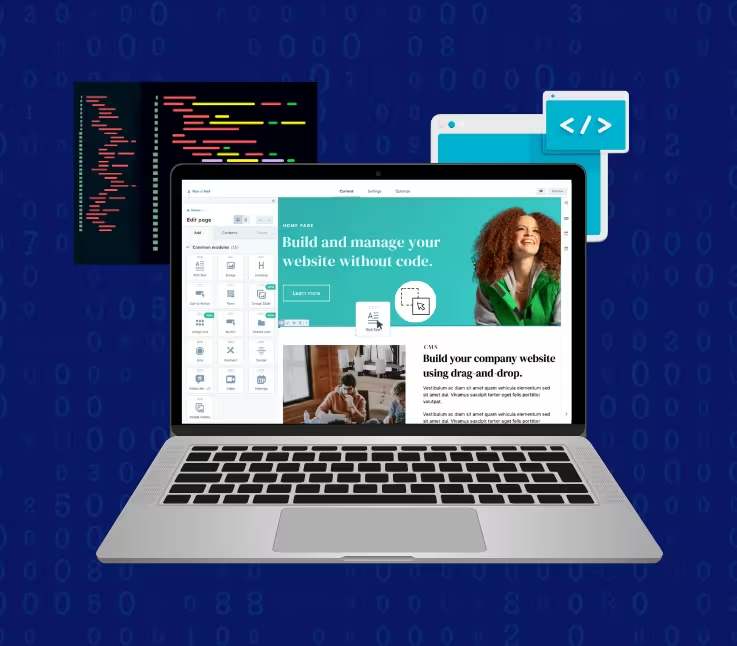
At its core, low-code development simplifies traditional software creation by replacing long lines of complex code with visual building blocks. Instead of writing everything from scratch, you drag, drop, and configure components, making app development faster, easier, and far more accessible.
Here’s how it typically works:
1. Visual Interface
Low-code platforms provide an intuitive, drag-and-drop interface that lets you visually design your app’s structure, from user interfaces to workflows. No need to dive deep into syntax; you can literally see your app come to life.
2. Pre-Built Components
You get access to ready-made templates, logic modules, and integrations (like databases, APIs, and authentication systems). This saves tons of time and ensures reliability since these components are already tested and optimized.
3. Customization with Code (When Needed)
Even though it’s “low code,” you can still add custom code for advanced functionality. This gives you the best of both worlds, speed and flexibility.
4. Testing and Deployment
Many low-code platforms include built-in tools for testing, deployment, version management, and application monitoring. These features can simplify releases, although enterprise applications may still require security reviews, integration testing, performance testing, and deployment governance.
Low-Code vs. No-Code vs. High-Code: What’s the Difference?
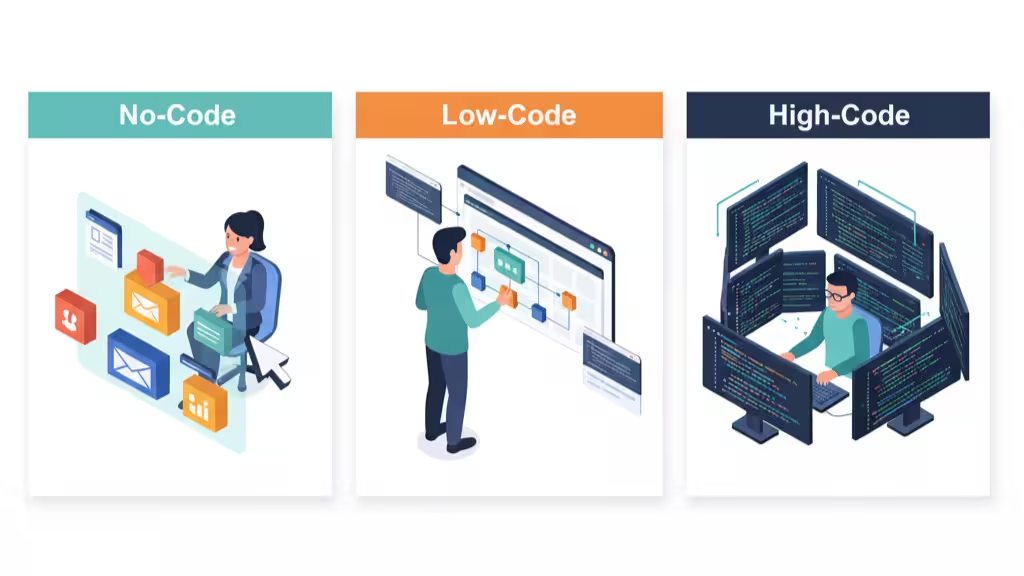
When exploring low-code development, it’s important to understand how it compares to no-code and high-code (traditional development). Each approach has its strengths, and choosing the right one depends on your business needs, team skills, and project goals.
| Aspect | Low Code Development | No-Code Development | High-Code Development |
|---|---|---|---|
| Definition | Combines visual tools with minimal coding to build apps quickly and efficiently. | Enables non-developers to create apps using drag-and-drop interfaces without writing code. | Involves writing every line of code manually for full control and customization. |
| Who Can Use It | Developers and tech-savvy business users. | Non-technical users or citizen developers. | Experienced software engineers or developers. |
| Speed of Development | Apps can be built in days or weeks. | Perfect for quick MVPs or prototypes. | Projects can take months or longer. |
| Flexibility & Customization | Highly flexible with some coding. | Limited flexibility due to platform restrictions. | Fully customizable. No platform limitations. |
| Maintenance | Easier to maintain with platform support. | Very easy, the platform handles most maintenance. | Requires continuous technical support and updates. |
| Best For | Businesses need agility and scalability. | Simple apps, automation tools, and internal forms. | Complex, enterprise-grade applications. |
| Example Use Cases | Internal dashboards, workflow automation, and enterprise tools. | Small business apps, surveys, or lead capture tools. | Custom CRMs, eCommerce systems, and SaaS platforms. |
Core Features of Low-Code Platforms
Features vary between vendors, but most modern low-code platforms provide several core capabilities:
- Visual development tools: Drag-and-drop interfaces for designing screens, workflows, and application logic.
- Reusable components: Prebuilt UI elements, templates, modules, and business logic that can be reused across applications.
- Data integration: Connections to databases, APIs, SaaS platforms, and enterprise systems.
- Workflow automation: Tools for designing approvals, notifications, business processes, and automated tasks.
- Custom code support: Options for developers to extend applications using languages such as JavaScript, SQL, Java, or platform-specific technologies.
- Security and access controls: Authentication, role-based permissions, encryption, and governance features.
- Testing and deployment: Tools for application testing, version management, deployment, monitoring, and updates.
- Collaboration: Shared development environments that allow technical and business teams to work together.
- AI-assisted development: Some platforms now use generative AI to create workflows, generate application components, assist with code, and speed up development.
These capabilities ensure that applications built on low-code platforms are not only fast to create but also enterprise-grade in reliability, performance, and security.
Benefits of Low-Code Development
The main advantage of low-code development is that teams can reduce the amount of repetitive development work required to launch and maintain certain applications. This can improve development speed, but its value depends on the project, platform, integrations, and governance model.
1. Accelerated Time to Market
Low-code platforms dramatically shorten development cycles, transforming project timelines from months to weeks. Teams can prototype, test, and iterate in real-time, ensuring faster value delivery.
2. Reduced Costs and Higher ROI
By reducing repetitive development work and providing reusable components, low-code platforms can lower development effort for suitable projects. Organizations may also reduce maintenance overhead when updates, integrations, and application management are centralized within the platform.
3. Empowered Citizen Development
Low-code empowers non-technical business users, or “citizen developers”, to create and iterate on apps within guardrails set by IT. This democratization of development fosters agility and responsiveness across departments.
4. Enhanced Collaboration Between IT and Business
Visual tools make app logic transparent, improving communication between technical and non-technical stakeholders. The result is a shared understanding of business needs and faster alignment on solutions.
5. Scalability and Future-Readiness
Many enterprise low-code platforms are designed to support growing user bases and application workloads. However, scalability still depends on the platform architecture, application design, integrations, data volume, and infrastructure configuration.
6. Increased Agility and Innovation
By reducing technical barriers, low-code allows teams to experiment and innovate faster, driving continuous improvement and rapid adaptation to market shifts.
7. Improved Customer and Employee Experience
With faster iteration cycles and real-time feedback, organizations can deliver user-friendly applications that improve engagement, satisfaction, and productivity.
Challenges and Disadvantages of Low-Code
While low-code development is transforming how businesses create software, offering speed, cost-efficiency, and accessibility, it’s not a silver bullet. Like any technology, it comes with its own set of challenges that you’ll want to consider carefully. Let’s break them down in a clear, conversational way:
- Complex Maintenance: Dynamic business logic and integrations can increase complexity over time.
- Governance Gaps: Without proper oversight, uncontrolled citizen development can create shadow IT risks.
- Integration Limitations: Connecting to legacy systems or proprietary APIs may require technical intervention.
- Limited Customization: Some niche features may exceed the visual editor’s capabilities.
- Vendor Lock-In: Proprietary frameworks may restrict portability across platforms.
- Platform Costs: Licensing can become expensive as the number of applications, developers, users, environments, or automation workloads increases. Businesses should evaluate total cost of ownership rather than only initial development costs.
- Performance Constraints: Applications with demanding real-time processing, large transaction volumes, or specialized performance requirements may exceed what some low-code platforms are designed to handle.
- Technical Expertise Is Still Necessary: Low-code reduces manual coding but does not eliminate software architecture, security, data modeling, testing, API development, or DevOps requirements.
When Should You Not Use Low-Code Development?
Low-code is useful for many business applications, but traditional software development may be a better choice when a project requires:
- Highly specialized or proprietary business logic
- Full control over application architecture
- Extremely high performance or low-latency processing
- Complex real-time systems
- Highly customized user experiences
- Deep operating system or hardware integration
- Technologies unsupported by the low-code platform
- Strong portability requirements with minimal vendor dependency
A hybrid approach is also possible. Businesses can use low-code for workflows, dashboards, administrative tools, and integrations while keeping performance-critical or highly specialized components in custom code.
When Is Low-Code Development a Good Choice?
Low-code tends to work particularly well when an organization needs to:
- Replace spreadsheet-based business processes
- Automate manual approvals and workflows
- Build internal dashboards or operational tools
- Connect several existing business systems
- Launch a proof of concept or MVP quickly
- Create employee or customer self-service portals
- Modernize selected legacy workflows
- Reduce a backlog of smaller internal applications
The stronger the requirement for highly specialized architecture or unrestricted customization, the more important it becomes to compare low-code with traditional development.
How to Choose the Right Low-Code Platform
Choosing a low-code platform should start with the application requirements rather than the platform’s visual editor or marketing claims. Evaluate how well each option fits your technical environment, security requirements, integrations, expected usage, and long-term development strategy.
1. Understand Your Business Goals
Before diving in, get clear on why you’re adopting low-code development.
- Are you looking to build apps faster?
- Do you want to automate workflows?
- Or maybe you need to empower non-technical teams to create tools independently?
Knowing your goals will help you match the platform’s strengths with your actual needs.
2. Check Ease of Use and Flexibility
The main advantage of low-code development is simplicity, so your chosen platform should offer:
- A drag-and-drop interface
- Pre-built templates and components
- Easy integration with existing tools (like CRMs, ERPs, or cloud services)
If your team can quickly learn and build with it, you’ve found a winner.
3. Prioritize Security and Scalability
As your applications grow, so will your data and user base. Look for platforms that:
- Offer robust data protection and user access controls
- Support scalability to handle future growth
- Comply with industry standards like GDPR or ISO
Security and scalability aren’t optional, they’re essential for sustainable development.
4. Evaluate Integration Capabilities
Your low-code platform should play nicely with other systems. Ensure it can:
- Connect with popular APIs
- Sync data across multiple platforms
- Work with both cloud-based and on-premises environments
Smooth integration helps you get more value from your existing tech stack.
5. Compare Pricing and Support
Finally, compare costs and support options. Some platforms charge per user, while others use subscription models. Also, check if the provider offers:
- Customer support and training resources
- A strong community for troubleshooting and inspiration
6. Consider Portability and Vendor Lock-In
Understand what happens if you eventually move away from the platform. Check whether application code, business logic, workflows, and data can be exported or migrated. Also review proprietary dependencies, licensing changes, and the availability of developers experienced with the platform.
Remember, the cheapest option isn’t always the best, focus on long-term value.
Popular Low-Code Development Platforms
The low-code market includes platforms designed for different types of development, automation, and enterprise environments. Some widely used options include:
Microsoft Power Apps
Microsoft Power Apps is closely integrated with Microsoft 365, Azure, Dataverse, and the wider Power Platform ecosystem. It is commonly used for internal applications, workflow-driven tools, and business process automation.
OutSystems
OutSystems focuses on enterprise application development and supports web and mobile applications, integrations, application lifecycle management, and scalable deployments.
Mendix
Mendix provides visual development tools for building enterprise applications while allowing professional developers to extend functionality when required.
Appian
Appian combines low-code application development with workflow automation and business process management capabilities.
Salesforce Platform
Organizations already using Salesforce can build custom business applications and automate workflows using tools within the Salesforce ecosystem.
Oracle APEX
Oracle APEX is a low-code environment focused heavily on data-driven web applications and integrates closely with Oracle Database.
The best platform depends on your existing technology stack, application requirements, security needs, integrations, budget, and development expertise.
What Types of Apps Can You Build with Low-Code Development?
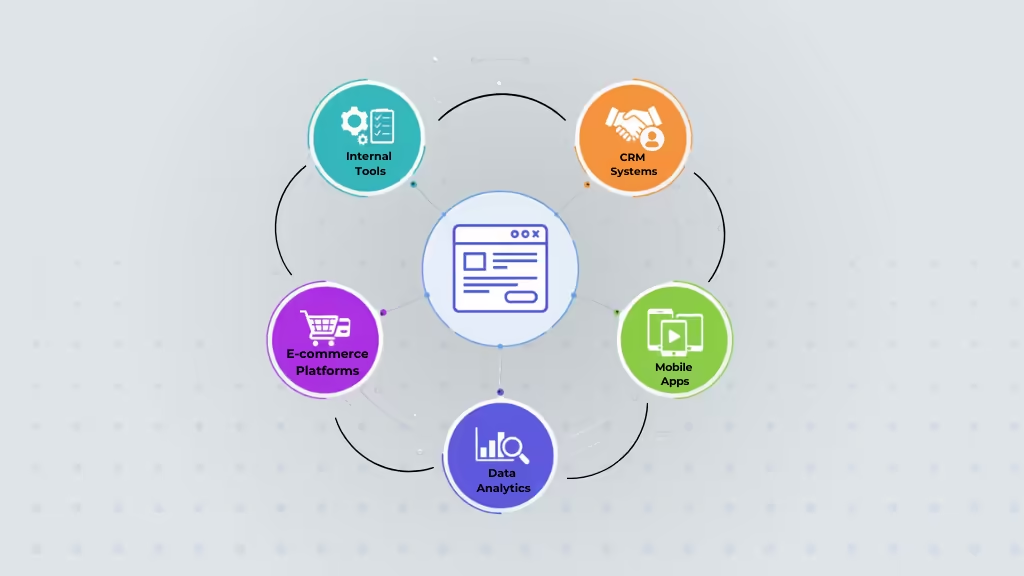
One of the most exciting aspects of low-code development is its versatility. With the right tools, you can create a wide range of applications, even if you don’t have extensive coding skills. Whether you’re building simple apps for internal use or more complex customer-facing platforms, low-code platforms make it easier than ever to bring your ideas to life. Here are some types of apps you can build with low-code development:
1. Internal Workflow and Process Automation Tools
Low-code platforms are perfect for automating internal workflows and improving business processes. You can quickly design apps to streamline repetitive tasks, manage data flows, or automate approval processes without needing a team of developers. Some common examples include:
- Task management apps
- Employee onboarding systems
- Inventory tracking tools
2. Customer Relationship Management (CRM) Apps
Low-code platforms can be used to build customized CRM interfaces, lead-management tools, sales dashboards, customer databases, and workflow-driven sales applications.
3. Data Collection and Reporting Apps
If you need apps to gather and analyze data, low-code development makes it super easy. You can build tools to collect feedback, survey responses, or project data, and generate reports in real time. It’s ideal for:
- Survey platforms
- Custom reporting dashboards
- Analytics apps
4. Customer-Facing Web and Mobile Apps
Low-code isn’t just for internal tools. You can also design stunning, customer-facing web and mobile apps. Whether you’re launching an e-commerce site, booking system, or service platform, low-code platforms provide the flexibility to create apps that are user-friendly and scalable. Think of:
- Online booking systems
- E-commerce stores
- Event registration apps
5. Mobile Applications
In today’s mobile-first world, building mobile apps with low-code development is a game-changer. These platforms allow you to quickly design and deploy mobile apps for both Android and iOS, without the need for deep native development expertise. You can create:
- Customer service apps
- On-the-go project management tools
- Employee communication apps
6. Enterprise Applications
For large businesses looking to integrate complex systems, low-code platforms can help bridge the gap between different departments or software tools. You can connect your various systems and create custom solutions that help departments work more efficiently. Some ideas include:
- Inventory and supply chain management
- HR and payroll systems
- Financial management tools
How Is Low-Code Development Evolving?
The next phase of low-code development will be defined by convergence with emerging technologies and deeper enterprise integration.
1. AI-Assisted Development
Generative AI is becoming increasingly integrated into development platforms. Depending on the platform, developers may be able to describe an application or workflow in natural language and use AI to generate interfaces, logic, queries, documentation, tests, or code suggestions.
AI can accelerate development, but generated components still require review, testing, security validation, and human oversight.
2. Low-Code and Intelligent Automation
Low-code platforms are increasingly being combined with workflow automation, robotic process automation, APIs, AI models, and process orchestration. This allows organizations to automate processes that span multiple systems rather than building isolated applications.
3. Citizen Development at Scale
Organizations are formalizing citizen developer programs, training business users, and establishing governance frameworks to safely scale innovation across teams.
4. Cross-Platform and Context-Aware Apps
Expect broader support for offline access, multi-device responsiveness, and context-aware experiences that adapt dynamically to user behavior.
5. Platform Maturity and Ecosystem Growth
The low-code market will continue to mature, with platforms offering richer developer ecosystems, industry templates, and cross-cloud portability.
How We Approach Low-Code Development at Riseup Labs
At Riseup Labs, we do not choose low-code just because it can speed up development. We first look at the needs of the project. This includes business logic, integrations, expected traffic, data security, customization needs, and future growth.
Low-code can reduce development time for the right project. But it is not always the best option. Some projects need custom development for better control, flexibility, or performance.
In some cases, a hybrid approach works best. Low-code can handle workflows, dashboards, or internal tools, while custom development supports more complex features.
Our goal is not simply to use less code. We focus on choosing the right approach for the project so the final solution is fast, secure, easy to maintain, and ready to scale.
Conclusion
Low-code development helps businesses build apps, automate tasks, and improve old systems with less manual coding. Its main benefits are faster development, reusable tools, easier integrations, and better teamwork between business and technical teams.
However, low-code cannot replace traditional software development in every case. Projects with complex features, strict security needs, high performance demands, or advanced integrations may still require custom development.
The best choice depends on the project. Start by reviewing your business needs, budget, technical requirements, and long-term goals. Then compare low-code and traditional development to see which option gives you the right balance of speed, flexibility, cost, and control.
Frequently Asked Questions About Low-Code Development
What is an example of low-code development?
A company might use a low-code platform to create an employee onboarding application that collects information, routes approvals, connects with HR systems, sends notifications, and provides managers with a dashboard without developing every component from scratch.
What is the difference between low-code and no-code?
Low-code platforms reduce the amount of manual coding required but usually allow developers to add custom code. No-code platforms are designed primarily for users who want to build applications through visual tools without programming.
What are the disadvantages of low-code development?
Common disadvantages include vendor lock-in, platform licensing costs, customization limits, integration challenges, governance issues, and possible performance constraints for highly complex applications.
Is low-code suitable for enterprise applications?
It can be. Enterprise low-code platforms can support large applications, workflows, integrations, access controls, and governance. However, suitability depends on application architecture, performance requirements, security, scalability, and customization needs.
This page was last edited on 1 September 2026, at 12:55 pm

Start a conversation with our team to solve complex challenges and move forward with confidence.