
A strong ecommerce platform can be the difference between digital growth and costly stagnation. In today’s fast-moving market, users expect seamless, secure, and highly personalized online buying experiences—yet many projects stall due to missed requirements, outdated tech, or unclear cost projections.
This comprehensive ecommerce software development guide delivers an actionable, end-to-end framework for building, optimizing, and future-proofing your online store. Whether you’re a CTO, owner, or product manager, you’ll learn how to choose the right platform, define critical features, master the development process, avoid hidden pitfalls, and strategically invest for lasting competitive advantage.
What is Ecommerce Software Development?
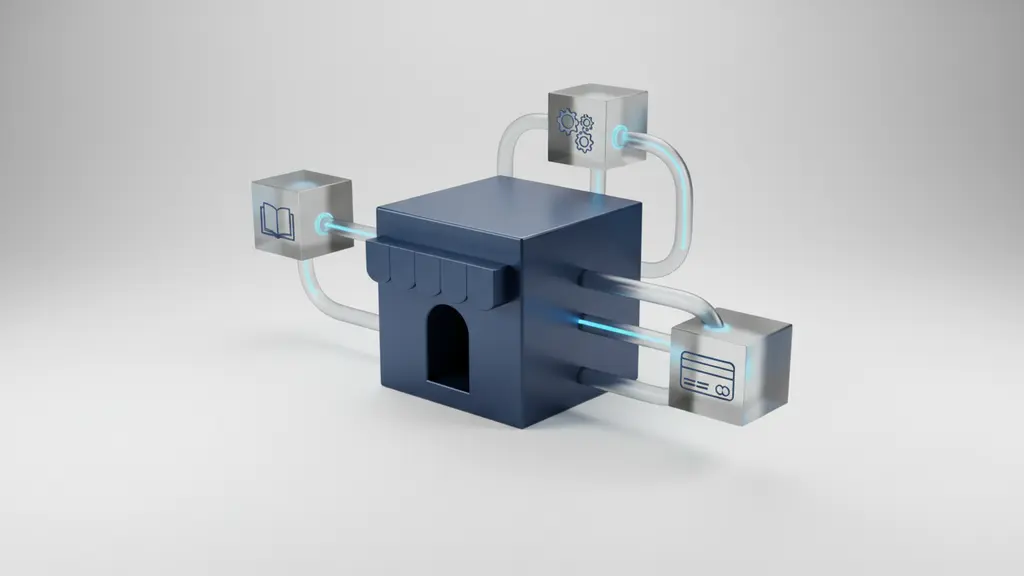
Ecommerce software development refers to the process of designing, building, testing, deploying, and maintaining technology solutions that enable online selling, ranging from SaaS platforms to custom-built systems.
For businesses, ecommerce development typically includes creating or selecting a platform, implementing features like product catalogs and secure checkout, running integrations, and maintaining compliance.
Steps to Develop Ecommerce Software:
- Define business requirements
- Select an ecommerce platform (SaaS, open source, or custom)
- Design user experience (UX/UI)
- Develop frontend and backend systems
- Integrate third-party APIs (payment, shipping, CRM)
- Test for quality, security, and compliance
- Deploy, launch, and optimize
Ecommerce software fits both startups launching their first online store and established brands modernizing legacy systems. According to Gartner, global ecommerce sales continue at double-digit rates, making robust software development a key revenue driver for organizations worldwide.
Key Benefits for Businesses
- Increased Revenue: Advanced ecommerce platforms improve conversion rates and average order value by supporting superior shopping experiences.
- Brand Differentiation: Custom features and seamless performance set brands apart in crowded markets.
- Customer Data & Personalization: Real-time analytics power targeted campaigns and tailored product recommendations, driving engagement and loyalty.
- Scalability: Well-designed solutions accommodate business growth, new channels, or expanded product lines without re-platforming.
Types of Ecommerce Software Solutions
Selecting the right foundational tech shapes project costs, agility, and future upgrades. Key categories include:
- SaaS Platforms (e.g., Shopify, BigCommerce):
Pros: Fast setup, predictable pricing, regular updates, low IT overhead.
Cons: Limited customization, potential feature gaps, platform lock-in. - Open Source Solutions (e.g., Magento/OpenMage, WooCommerce):
Pros: Extensive flexibility, large support communities, no licensing costs.
Cons: Requires in-house or partner expertise; maintenance and security are user responsibilities. - Custom Builds:
Pros: Maximum control, tailored workflows, advanced integrations.
Cons: Higher upfront investment, longer timelines, and ongoing support required. - Composable/MACH Architectures:
Definition: Modular (“Microservices-based, API-first, Cloud-native, Headless”) systems allowing brands to assemble best-in-class services.
Pros: Futureproof flexibility, quick adoption of new tech, global multi-channel support.
Cons: Greater architectural complexity, requires mature IT teams or expert partners.
Custom vs Ready-Made: Comparative Insights
| Criteria | SaaS Platform | Open Source | Custom Build | MACH/Composable |
|---|---|---|---|---|
| Upfront Cost | Low–Med | Med | High | Varies |
| Speed to Launch | Fast | Moderate | Slowest | Moderate |
| Flexibility | Limited | High | Maximum | Maximum |
| Maintenance | Included | User-managed | User/partner managed | Modular, shared |
| Scalability | Good | Moderate–High | Customizable | Best-in-class |
| Best for | SMEs, startups | SMEs–large | Enterprises, unique | Enterprise/Global |
When to choose each:
- SaaS: Ideal for quick launches and businesses without extensive IT resources.
- Open Source: Suitable for mid-large orgs needing flexibility without full custom investment.
- Custom/MACH: Best for brands with unique processes, multi-site/multi-region needs, or innovative roadmaps.
What Features Are Essential in Leading Ecommerce Platforms?
Every successful ecommerce software build is driven by a robust feature set—balancing seamless customer experiences with powerful backend controls and airtight security.
Must-Have Customer Features
- Product Catalog & Search: Easy browsing, rich filters, and fast, precise search.
- Conversion-Oriented UX: Simple navigation, clear CTAs, streamlined checkout and guest options.
- Personalization: Product recommendations, saved carts, dynamic content tailored by user data.
- Mobile Optimization: Responsive or dedicated mobile sites/app support; PWA for speed and offline access.
- Secure Payment Integration: Multiple gateways, PCI DSS compliance, digital wallets.
Backend & Admin Capabilities
- Inventory Management Software: Real-time updates, low-stock alerts, multi-location controls.
- Order Management: Centralized tracking, refund/return workflows, multiple fulfillment options.
- Reporting & Analytics: Sales data, conversion funnels, cohort tracking, customizable dashboards.
- Admin Roles & Permissions: Robust access controls, audit trails for compliance, user hierarchies for growing teams.
Security & Compliance Checkpoints
- PCI DSS Compliance: Industry-mandated for payment processing. Safeguards against card data breaches.
- SSL Encryption: Secure data transit for all user and transactional information.
- Data Privacy Laws: Adherence to GDPR (EU), CCPA (California), and territory-specific privacy mandates.
- Fraud Prevention: Suspicious behavior flagging, multi-factor authentication, transaction monitoring.
Pro tip: Use the following feature checklist to evaluate platforms or development roadmaps:
- Product catalog and rich search
- Fast, streamlined checkout
- Multi-gateway, secure payments
- Mobile and PWA support
- Real-time inventory and order management
- Analytics dashboards
- Role-based admin access
- PCI DSS compliance and SSL
- GDPR/CCPA ready
- Support for integrations (CRM, ERP, shipping, etc.)
What Is the Ecommerce Software Development Process? (Step-by-Step)

Ecommerce software development follows a proven, multi-stage process to reduce risk and deliver scalable solutions. Whether Agile or Waterfall, the following roadmap provides a reliable path from concept to ongoing optimization.
Phases of Ecommerce Development:
- Discovery & Requirements Planning
- UX/UI Design
- Frontend and Backend Implementation
- Third-Party Integration
- Testing & QA
- Deployment & Launch
- Ongoing Maintenance & Optimization
Discovery & Requirements Planning
- Stakeholder Interviews: Gather input from leadership, marketing, operations, IT, and frontline sales to align business, user, and technical goals.
- Defining MVP vs. Long-Term Vision: Distill must-haves versus future wishlist to minimize scope creep and manage costs.
- Requirements Documentation: Create detailed functional and technical specifications, workflows, and integration lists.
UX/UI Design Principles for Ecommerce
- Wireframes & Mockups: Develop visual blueprints that map journeys from homepage to checkout.
- Usability & Accessibility: Build interfaces for all users, including those with disabilities (considering ADA/WCAG guidelines).
- Mobile-First Best Practices: Design for mobile before desktop, ensuring fast load times and thumb-friendly controls.
Frontend and Backend Implementation
- Tech Stack Choices: Select fit-for-purpose tools (React or Vue for frontend interactivity, Node.js, .NET, PHP, or Python for backend logic).
- Cloud Hosting for Ecommerce: Use AWS, Google Cloud, Azure, or managed SaaS hosting for scalability and performance.
- Modular vs Monolithic: Modular (“composable”) builds enable rapid upgrades; monolithic may suit smaller, tightly coupled sites.
Integrating Third-Party APIs and Tools
- Payment Gateways: Integrate Stripe, PayPal, or Adyen for versatile, secure payments.
- Shipping Providers: Direct connections to FedEx, UPS, and DHL for real-time rates and tracking.
- ERP/CRM/OMS: Sync with systems like SAP, Salesforce, or NetSuite to centralize orders and customer data.
Testing & Quality Assurance
- Functional Testing: Validate end-to-end purchase flow, edge cases, and user permissions.
- Performance Testing: Simulate high-traffic scenarios for page speed and server reliability.
- Security Testing: Run penetration tests, vulnerability scans, and compliance checks.
- Automated vs Manual QA: Automation speeds regression; manual checks catch usability issues.
Deployment & Launch
- Go-Live Checklist: Validate content, integrations, DNS, SSL, and payment settings.
- Rollback Plans: Establish rapid revert paths in case of critical failures.
- User Training: Onboard admin and support teams pre-launch; create quick-start guides.
Ongoing Maintenance & Optimization
- Continuous Updates: Push regular security patches, feature upgrades, and UI tweaks based on analytics.
- Performance Monitoring: Use APM tools and analytics to spot slowdowns or checkout friction.
- Support Models: In-house, agency retainer, or on-call partners for incident response.
How Much Does Ecommerce Software Development Cost (and Take)?

Understanding ecommerce software development cost and timelines is critical for realistic planning and ROI calculations. The total investment depends on solution type, business size, feature scope, and integration complexity.
According to recent market data, ecommerce projects range from a few thousand dollars/month for SaaS to six figures for sophisticated custom builds. Timelines span from weeks to over a year, scaled by requirements.
What Factors Influence Cost and Timeline?
- Platform Choice: SaaS is typically cheaper/faster; custom and composable solutions require greater investment.
- Feature Set Complexity: Personalization, multi-channel, complex integrations, or global storefronts increase costs.
- Labor Model: In-house teams incur salary overhead; agencies or freelancers offer flexible billing.
- Third-Party Services: Integrations with ERP, CRM, or marketing automation tools may add licensing and development fees.
Cost & Timeline by Project Type (Comparison Table)
| Project Type | Typical Cost Range | Avg. Timeline |
|---|---|---|
| SaaS (Shopify, etc) | $3,000–$10,000+ setup, $100–$500/mo | 2–6 weeks |
| Open Source | $10,000–$50,000+ | 2–4 months |
| Custom Build | $50,000–$250,000+ | 4–12+ months |
| Composable/MACH | Varies, $80,000+ | 4–12+ months |
Balancing Budget and Customization
- Prioritize Must-Have Features: Launch with a minimum viable product (MVP); phase in advanced components.
- Opt for Modular Rollouts: Implement features and integrations in sprints to manage cash flow.
- Watch for Hidden and Recurring Costs: These include licensing, payment processing, upgrades, cloud hosting, and ongoing maintenance or support.
How to Choose the Right Ecommerce Software Development Partner
Selecting the right partner determines your project’s speed, quality, and ultimate ROI. Decision-makers must weigh in-house, freelance, and agency options—balancing expertise, cost, and long-term flexibility.
In-House vs Freelance vs Agency: Pros & Cons
| Model | Speed | Cost | Control | Expertise | Best For |
|---|---|---|---|---|---|
| In-House | Variable | High | Maximum | Domain-specific | Large orgs, ongoing ops |
| Freelance | Fast–medium | Moderate | Project | Niche | Small projects, MVPs |
| Agency/Dev Shop | Fast–medium | Moderate–high | High | Full-spectrum | End-to-end, complex builds |
- In-House: High control, deep company knowledge; higher fixed costs.
- Freelancer: Agile, cost-effective for small projects; skill gaps possible.
- Agency: Complete teams, scalable resources, diverse skillsets; may cost more but handle complexity well.
E-E-A-T Evaluation Checklist
- Relevant certifications (Magento, Shopify, PCI DSS)
- Portfolio of recent, similar ecommerce projects
- Case studies with data-driven outcomes
- Strong client references, testimonials
- Security and compliance credentials
Process for Shortlisting and Evaluating Partners
- Create an RFP Template: Outline business goals, feature needs, and integration scope.
- Conduct Structured Interviews: Use technical and strategic questions to gauge alignment.
- Assess Service Agreements: Scrutinize for clear SLAs (service-level agreements), post-launch support, and IP protection.
- Scorecard Evaluation: Rank candidates by expertise, value-add, communication, and cultural fit.
Pro tip: Download our vendor evaluation checklist to ensure you cover all critical bases during selection.
What Are the Top Trends & Future Technologies in Ecommerce Software?
Staying ahead demands that your ecommerce strategy anticipates new technologies and emerging customer expectations.
Harnessing AI, ML, and Automation
- Personalization Engines: AI-powered product recommendations and content adapt to real-time buyer behavior, increasing conversion rates.
- Fraud Detection: Machine learning models spot transaction anomalies, reducing chargebacks.
- Chatbots & Automation: AI chatbots handle common customer queries, freeing staff for higher-value work.
Headless & Composable Commerce: What It Means
- Headless Commerce: Separates front-end experiences from back-end systems using APIs, allowing rapid UX experimentation.
- Composable/MACH Architecture: Assembles multiple best-in-class services (“microservices, API-first, cloud-native, headless”) for maximum agility.
- Benefits: Faster launches, endless scalability, easy integration of emerging tech.
- Drawbacks: Needs advanced IT skills, careful orchestration.
Why Mobile-First and PWAs Matter
- mCommerce Growth: Mobile’s share of ecommerce sales is projected to surpass 60% globally by 2025 (Statista).
- Progressive Web Apps (PWAs): Offer near-native speed, push notifications, and offline browsing across devices.
- Implementation: Choose “mobile-first” design, use frameworks like React PWA, test across devices.
Security, Privacy, and Compliance: 2025+ Updates
- New Regulations: Expect stricter PCI DSS standards, possible AI ethics and data handling mandates (watch for GDPR-like laws in more regions).
- Futureproofing Compliance: Design with privacy by default; maintain robust audit trails and encryption.
- Security Toolkits: Leverage automated monitoring, vulnerability scanning, and regularly updated compliance protocols.
Ecommerce Software Development Frequently Asked Questions (FAQs)
1. What is ecommerce software development?
Ecommerce software development is the process of creating technology platforms that enable online buying and selling, including web and mobile stores, integrations, and payment systems.
2. What are the essential features of ecommerce software?
Key features include product catalog, advanced search, secure checkout, payment gateways, inventory/order management, analytics, and strong security/compliance controls.
3. How much does ecommerce software development cost?
Costs range from $3,000–$10,000 for SaaS setups to $50,000+ for custom builds. Pricing depends on features, integrations, and platform type.
4. How long does the ecommerce software development process take?
Simple SaaS projects may launch in weeks, while custom enterprise solutions can take 4–12+ months, depending on complexity and integrations.
5. What technology stack is best for ecommerce platforms?
Popular stacks include React or Vue (frontend), Node.js, .NET, or PHP (backend), and cloud hosting (AWS/Azure). Selection depends on project needs and team expertise.
6. What’s the difference between SaaS and custom ecommerce solutions?
SaaS offers fast, affordable setup with less customization. Custom solutions provide complete control, advanced features, and scalability but require more time and investment.
7. How can I ensure my ecommerce platform is secure?
Implement PCI DSS compliance, SSL encryption, robust access controls, frequent security testing, and data privacy features aligned to regional laws.
8. Should I build my ecommerce software in-house or outsource?
In-house development suits large organizations with the required talent. Outsourcing or agencies deliver speed, deep expertise, and flexibility for most businesses.
9. How do I choose the right ecommerce development partner?
Evaluate certifications, portfolios, client testimonials, security credentials, and cultural fit. Use structured RFPs and interviews to compare candidates objectively.
10. What are the latest trends in ecommerce software development?
Current trends include AI-driven personalization, headless and composable architectures (MACH), PWAs for mobile, and evolving security/compliance mandates.
Conclusion
Success in ecommerce requires more than just launching an online store—it demands a structured, future-ready software approach that balances cutting-edge features, ironclad security, and continuous optimization. By following the frameworks and best practices laid out in this guide, you’ll increase your odds of launching a store that’s scalable, secure, and aligned with the latest ecommerce trends.
Ready to plan your project’s next steps? Download our ecommerce readiness checklist or schedule a consultation to audit your growth roadmap.
Key Takeaways
- Choose the right ecommerce platform by weighing SaaS, open source, custom, and MACH options against your business model and growth plans.
- Prioritize essential features such as mobile optimization, secure payments, and advanced analytics for both shopper and admin needs.
- Follow a step-by-step development process to minimize risks, improve quality, and reduce costly omissions.
- Invest in ongoing security and compliance to protect customer data and maintain trust as regulations evolve.
- Evaluate development partners thoroughly, balancing expertise, portfolios, and security credentials for best-fit collaboration.
This page was last edited on 4 February 2026, at 3:23 pm
Contact Us Now

Contact Us Now
Start a conversation with our team to solve complex challenges and move forward with confidence.


