
Fragmented knowledge processes put today’s organizations at risk—lost opportunities, wasted effort, and even compliance gaps loom when workflows aren’t unified or automated. With rising complexity and an explosion of business data, manually managing knowledge workflows simply won’t scale.
AI workflow automation is changing the game. By leveraging AI systems and intelligent process automation, businesses can streamline everything from document triage and data entry to sophisticated approval chains—making knowledge work faster, more reliable, and more compliant.
This guide delivers a full playbook: clear definitions, an overview of top platforms, stepwise frameworks for selection and rollout, real-world use cases, and sector-specific advice. By the end, you’ll have the practical confidence to move from theory to implementation, accelerating your organization’s productivity and decision-making.
What Are AI Systems for Knowledge Workflow Automation?
AI systems for knowledge workflow automation are platforms or integrated toolsets that use AI—including machine learning and large language models (LLMs)—to automate end-to-end workflows focused on capturing, processing, managing, and disseminating organizational knowledge.
Unlike basic process automation, these platforms combine data integration, smart document processing, intelligent routing, and AI agent capabilities to handle tasks that traditionally required human attention.
Key Components and Entities:
- AI Agents: Autonomous or semi-autonomous software programs (often powered by LLMs) that understand language, extract entities from data, and make routine decisions.
- Workflow Orchestration: Visual or programmatic builders to design, monitor, and update step-by-step flows.
- Low/No-code Platforms: Drag-and-drop builders that empower non-technical teams to automate knowledge tasks without deep coding.
- Integration Platforms (iPaaS): Prebuilt connectors and API layers to unify data from email, CRM, knowledge bases, or other systems.
- RPA vs. AI Workflow: RPA (Robotic Process Automation) automates strictly-defined, rule-based tasks, while AI-driven agentic automation can interpret unstructured data and adapt to changing scenarios.

Evolution:
The field has rapidly advanced from rules-based macros and scripts to agentic (LLM-powered) solutions capable of understanding context, extracting meaning, and collaborating with human colleagues via human-in-the-loop workflows.
Problems Solved:
AI workflow automation addresses bottlenecks in document routing, knowledge capture, regulatory compliance, onboarding, case management, and information retrieval—freeing up teams for more strategic work.
How Do AI Systems Automate Knowledge Workflows? (Architecture & Process)
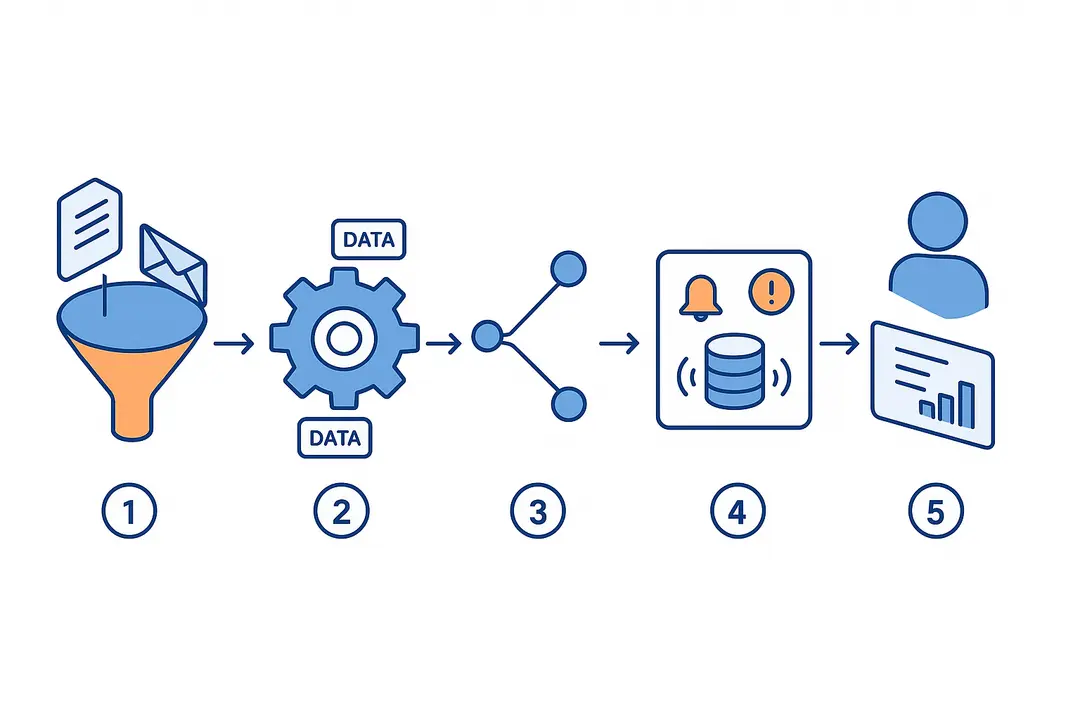
AI knowledge workflow automation platforms follow a repeatable architecture to handle routine and complex business knowledge tasks.
Summary:
They intake data, classify and extract information, route tasks, make AI-powered decisions, trigger actions, and enable oversight—either autonomously or with human review.
Typical AI Workflow Anatomy
- Intake:
Collect inputs like emails, forms, scanned documents, or database events. - Parse and Classify:
Use AI or ML models to extract key information—names, IDs, sentiment, or intent. - Routing and Decision:
Assess extracted data and apply business rules or agentic logic to assign next steps. - Action:
Generate responses, update databases, trigger notifications, or start sub-flows. - Feedback/Human-in-the-Loop:
Send challenging cases to human reviewers or capture user corrections for model improvement.
AI Knowledge Workflow Example:
- Intake: Receive legal intake email
- Parse: AI extracts client info, case type, urgency
- Classify: System assigns priority and routes to appropriate paralegal
- Decide & Act: Generates response draft, updates case system
- Human Review: Paralegal reviews and finalizes response
Types of AI Workflow Automation
- Rule-based Automation:
Follows if-then logic; ideal for highly structured, repeatable tasks. - Agentic (LLM-Powered) Automation:
Uses AI agents (LLMs) for tasks like entity extraction, semantic search, or contextual triage; excels with unstructured or ambiguous input. - Hybrid Approaches:
Combine traditional RPA with AI agents for both precision and adaptability.
Agentic AI vs. Traditional RPA
| Feature | Traditional RPA | Agentic AI Automation |
| Data Type | Structured only | Structured & unstructured |
| Adaptability | Rigid, rules-based | Context-aware, flexible |
| Human-in-the-Loop | Possible, often manual | Native, iterative learning |
| Example Use Case | Invoice field copying | Legal document triage |
Takeaway:
AI workflow automation enables dynamic routing, error reduction, and more natural handling of real-world, variable business knowledge processes.
What Are the Key Benefits and Limitations of AI Knowledge Workflow Automation?
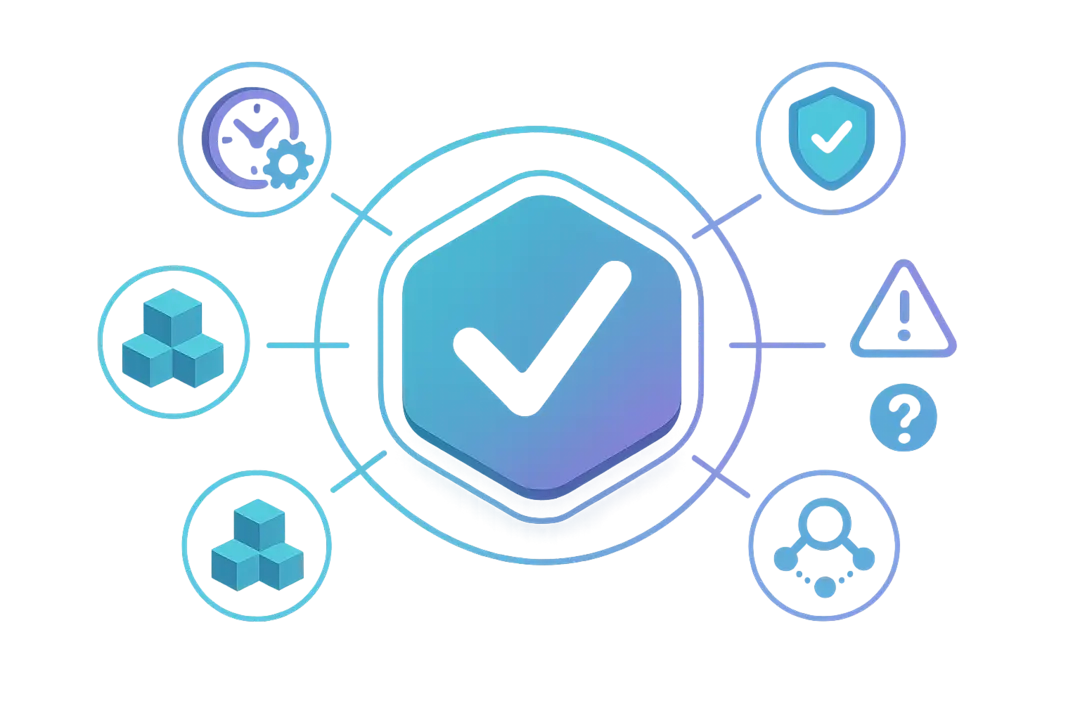
AI knowledge workflow automation delivers significant efficiency and compliance gains but requires careful implementation to avoid common pitfalls.
Key Benefits:
- Efficiency:
Automates knowledge-intensive steps, enabling 24/7 execution and reducing process times by 30–60% in real-world deployments. - Consistency & Compliance:
Ensures rules are uniformly applied, supporting audit trails and reducing manual errors that drive compliance failures. - Scalability:
Handles workload spikes without reducing quality or requiring proportionate headcount increases. - Improved Insights:
Captures process metrics, provides dashboards, and tracks bottlenecks for ongoing process improvement.
Limitations & Challenges:
- Data Quality:
Poor or unstructured data hampers automation accuracy; clean data is critical. - AI Hallucinations:
LLMs may generate plausible but incorrect outputs; human-in-the-loop checks are essential. - Integration Friction:
Legacy systems or poor APIs slow deployment. - Change Management:
Employees may resist, requiring focused onboarding and trust-building.
Pros and Cons Table:
| Benefit | Limitation |
| Rapid process acceleration | Requires high-quality input data |
| Consistent, auditable workflows | Potential AI hallucinations/errors |
| Reduces mundane manual tasks | Integration can become complex |
| Scales without adding headcount | Ongoing human review may be needed |
| Improves regulatory compliance | Security and governance must be robust |
Mitigations:
Start with clearly-scoped, high-ROI processes; use hybrid (AI+human) review; invest in integration capabilities; and prioritize transparent, auditable workflows.
Which Platforms Lead the 2026 AI Workflow Automation Landscape?
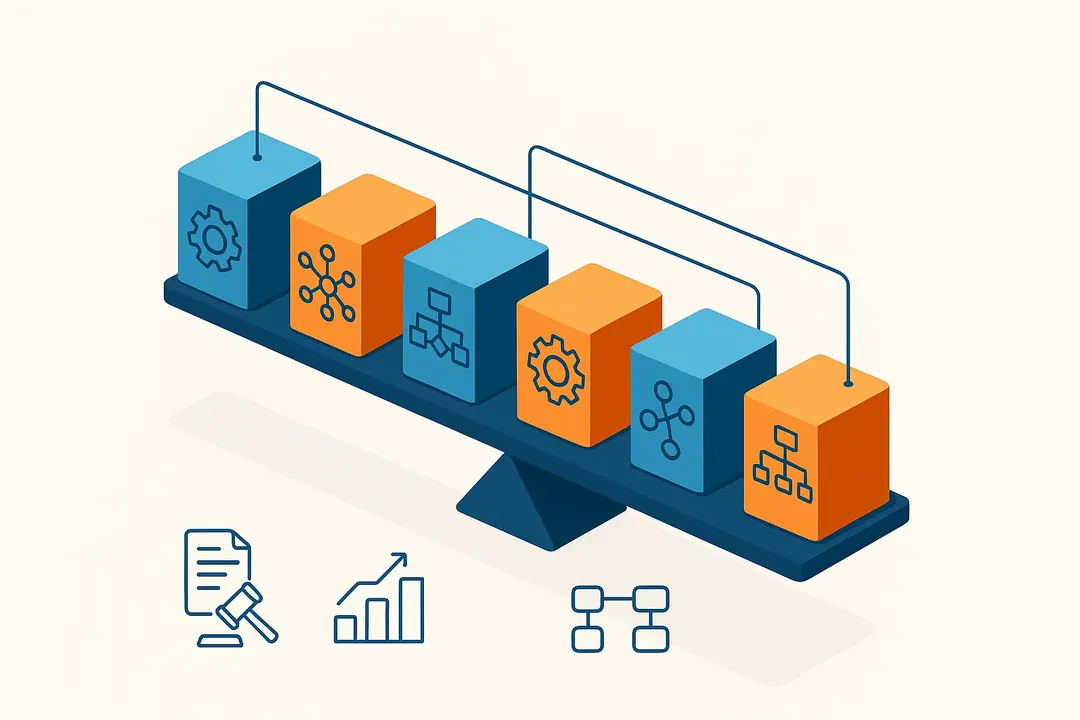
Selecting the right AI workflow platform means understanding the landscape and matching features to both technical and business needs.
Standout Platforms in 2026:
Here’s a snapshot of leading AI knowledge automation tools, their strengths, and best-fit scenarios.
| Platform | AI Approach | Strengths | Best Use Case | Integrations | Price Range |
| Gumloop | Agentic/LLM | Visual builder, playbooks, AI-native, free tier | Real-time knowledge sync | Modern SaaS, enterprise | Free – Premium |
| n8n | Open-source | Technical flexibility, community-driven | Custom complex workflows | APIs, webhooks | Free – Moderate |
| Streamline | Hybrid/Legal | Legal operations focus, governance, strong support | Legal intake, triage | Doc mgmt, case tools | Mid – Enterprise |
| Zapier | Rule-based | 1000+ apps, affordable, easy-to-use | Simple task automation | Major cloud apps | Free – Moderate |
| Make | Rule-based | Affordable, flexible templates | Entry-level automation | Cloud, web services | Free – Moderate |
| Domo | Enterprise AI | Data + automation in governed system | Analytics-driven workflows | Enterprise stack | Enterprise |
| IBM AI | Enterprise AI | Deep AI, security, scale | Regulated verticals | Major enterprise | Enterprise |
Platform Deep-dives:
- Gumloop:
AI-native platform with drag-and-drop workflow creation, agentic automation, and strong onboarding for both technical and non-technical users. Known for its open community, free plan, and playbook library. [G2 Rating: High; praised for UX.] - n8n:
Flexible, open-source visual workflow builder ideal for teams needing granular customization and secure self-hosting. - Streamline:
Excels in legal operations, blending agentic AI with robust audit and security controls. Trusted in enterprise legal teams for intake triage and compliance workflows. - Zapier/Make:
Perfect for fast, affordable integration with wide app ecosystems—ideal for SMBs automating common knowledge tasks.
Validation:
According to G2 and Capterra user reviews, platforms like Gumloop and Streamline are recognized for reducing manual hours and improving accuracy, while n8n is favored for developer-centric builds.
How to Choose the Right AI Workflow Automation Platform for Your Organization
Selecting an AI workflow automation platform requires matching business needs with platform strengths, security requirements, and real TCO.
Stepwise Summary:
Evaluate data integration capabilities, security/governance, actual costs, scalability, and vertical-specific needs to ensure future-proof, low-risk adoption.
Decision Criteria Checklist
- Integration/Connectors:
Assess if the platform natively connects with your key tools (email, CRM, knowledge base) and supports custom API/webhooks. - Security & Governance:
Prioritize platforms with SOC2 or similar certifications, strong PII handling, and comprehensive audit trails for regulatory alignment. - Total Cost of Ownership (TCO):
Go beyond licensing—factor in AI token/API consumption, ops, human review costs, and scaling fees. - Scalability & Support:
Does the vendor offer onboarding, user education, and responsive troubleshooting? - Compliance Controls:
For regulated industries, look for platforms with granular access management and data residency support.
Matching Solutions to Business Scenarios
- Legal:
Requires advanced document understanding, agentic workflows, SOC2 compliance (Streamline). - HR:
Emphasizes applicant/onboarding flows, easy integrations (Make, Zapier). - Sales:
Needs real-time knowledge sync, playbooks, API flexibility (Gumloop, n8n).
When to Choose Each Automation Type:
| Scenario | Best Fit Solution |
| Highly-structured, repetitive tasks | Rule-based (Zapier) |
| Unstructured data, context needed | Agentic AI (Gumloop) |
| Regulated environment, sensitive data | Hybrid/Enterprise (Streamline, Domo) |
| Developer customization | n8n, Open-source |
Best Practices for Implementing AI Knowledge Workflow Automation
Implementing AI workflow automation successfully hinges on careful planning, security-first design, and change management.
Summary:
Start simple, focus on security and compliance, manage costs proactively, and invest in end-user adoption.
Beginner-to-Advanced Learning Path
| Phase | Key Actions | Outcomes |
| Get Started | Map current workflows, choose simple process to automate | Early wins, confidence |
| Build & Test | Use visual/no-code builder, set up sample integrations | Proof of concept, iteration |
| Secure & Comply | Implement prompt logging, PII controls, audit trail | Compliance-ready, safe ops |
| Optimize | Monitor API/token use, iterate on human-in-the-loop review | Cost control, improvement |
| Scale Up | Expand to complex flows, add agentic modules | Organizational impact |
Security and Compliance Essentials
- Prompt Logging:
Capture all prompts and AI outputs for traceability. - Audit Trails:
Enable full user/action logging to support audits and investigations. - PII Handling:
Mask or redact sensitive fields before processing in AI models.
Cost Management Tips
- Monitor LLM token usage and optimize prompts for efficiency.
- Set budgets on API-driven workflows and idle runs.
- Benchmark human review time to avoid hidden manual review costs.
Change Management
- Communicate workflow changes clearly to impacted teams.
- Offer primers and hands-on workshops for end-users.
- Gather early feedback to build trust and refine automation.
AI Workflow Automation in Action: Real-World Use Cases & Sector Snapshots
Applying AI-powered workflow automation produces measurable results across industries—especially in knowledge-intensive functions.
Summary:
From legal operations to HR onboarding, automated AI workflows unlock clarity, speed, and reliability.
Highlighted Sector Use Cases:
| Industry | Use Case | Platform Example | Result/ROI |
| Legal Ops | Intake triage, compliance checks | Streamline | Up to 50% reduction in intake time |
| Sales | Real-time knowledge sync, proposal assembly | Gumloop | Faster customer response |
| HR | Onboarding document processing | Make, Zapier | Streamlined HR compliance |
| Finance | Invoice matching, document validation | n8n, Domo | Improved accuracy, auditability |
| Tech Support | Ticket parsing, auto-response | Gumloop, AI Chat | Faster resolution, less manual triage |
Quotes & Testimonials
“With agentic automation from Gumloop, our sales enablement process became fully up-to-date—no more stale playbooks.”
— SaaS Sales Director, mid-market user
“Streamline automated our legal intake workflows, cutting turnaround time for case triage by half.”
— Operations Lead, Enterprise Legal
What Are the Key Trends Shaping AI Workflow Automation in 2026 and Beyond?
The AI workflow space is evolving towards smarter orchestration, deeper knowledge integration, and stricter governance.
Summary:
Expect major advances in agentic automation, retrieval-augmented generation (RAG), and security standards in the coming years.
Top 2026 Trends
- Agentic Automation & LLM Orchestration:
AI agents will coordinate end-to-end processes and collaborate with humans more naturally, improving adaptability. - Retrieval-Augmented Generation (RAG):
Combining LLMs with knowledge graphs yields smarter, more contextually aware document handling and search. - Model and Cost Management:
Platforms embed LLMOps for smarter prompt routing and more granular budget control. - Security, Privacy & Compliance:
New AI regulations (GDPR++, evolving AI “bill of rights”) push platforms toward auditable, explainable workflows. - Enterprise Adoption:
Adoption rates continue to rise, with legal, finance, and compliance-focused sectors leading the charge.
“Agentic automation and knowledge-graph-augmented workflows are setting the new standard for knowledge work in 2026.”
— CTO, leading AI workflow platform (2026)
Conclusion
AI workflow automation transforms knowledge-intensive business processes with speed, precision, and strategic insight—not just cost savings. By choosing the right platform and following a secure, phased rollout, organizations can unlock a new level of efficiency and compliance.
Key Takeaways
- AI workflow automation streamlines complex knowledge processes, reducing manual work and improving compliance.
- Choose platforms based on integration, security, total cost, and industry fit, not just brand recognition.
- Begin with simple workflows and prioritize human-in-the-loop review to ensure safe, accurate automation.
- Adoption is growing fastest in legal, HR, sales, and compliance-heavy sectors.
- Advances in agentic automation and knowledge-graph integration will define the next wave of business transformation.
Frequently Asked Questions
What is an AI system for knowledge workflow automation?
An AI system for knowledge workflow automation combines artificial intelligence, workflow orchestration, and integration tools to automate processes involving the capture, routing, and management of business knowledge.
How do AI workflow automation tools compare to traditional automation?
Compared to traditional RPA, AI workflow automation tools can handle unstructured data, adapt to complex or changing scenarios, and include agentic AI for deeper understanding. They deliver more flexibility but may require stronger oversight.
What are the benefits of automating knowledge workflows with AI?
Key benefits include faster turnaround times, improved consistency, reduced manual effort, stronger compliance, and the ability to scale operations without proportionally increasing headcount.
How do I choose the right AI workflow automation platform?
Assess platforms based on integration with your data stack, security certifications, real total cost (including ongoing AI/API usage), scalability, and alignment with your industry’s needs.
Can AI workflow automation handle unstructured data?
Yes, modern agentic AI platforms are designed to parse, extract, and classify unstructured inputs like emails and scanned documents, whereas older rule-based systems may struggle.
What security and compliance considerations are important?
Critical factors include prompt logging, audit trails, user access controls, PII handling, and certifications like SOC2 or GDPR compliance for platforms processing sensitive information.
What is the difference between rule-based and agentic automation?
Rule-based automation executes predefined if-then steps, suitable for structured data. Agentic automation uses AI to interpret context and handle ambiguity, making it better for unstructured or variable workflows.
How much does AI workflow automation cost?
Costs include platform licensing, API/token consumption for LLM usage, operational expenses, and (sometimes) human review. Pricing varies from free tiers for simple tools (e.g., Gumloop, Zapier) to enterprise-level fees for advanced platforms.
What are some examples of sectors using AI for knowledge workflow automation?
Legal operations, HR, sales enablement, finance, and technical support are among the sectors achieving high ROI from automating knowledge workflows.
How long does it take to implement an AI knowledge workflow system?
Implementation can take anywhere from a few days (for simple, template-driven automation) to several weeks for complex, enterprise-wide deployments—especially where integration and compliance steps are required.
This page was last edited on 24 April 2026, at 11:12 am

Start a conversation with our team to solve complex challenges and move forward with confidence.










