
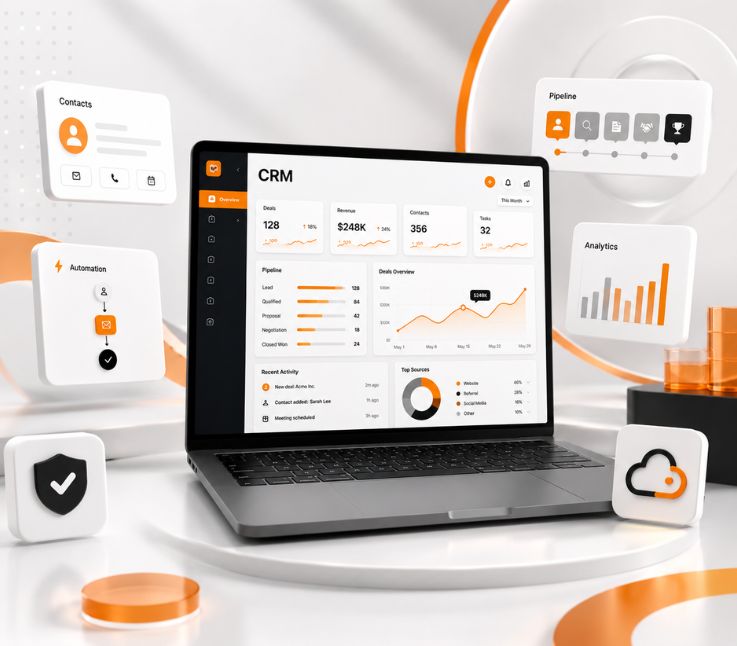
A CRM design guide is a structured framework for planning a customer relationship management system. It defines the CRM’s users, workflows, data structure, dashboards, integrations, automation, permissions, security, testing, migration, and deployment before full development begins.
A CRM can include every feature your team requested and still fail to improve sales, customer service, or reporting.
The problem often starts with the design. The system may not reflect how employees actually work. Forms become too long, dashboards become crowded, customer data becomes inconsistent, and users return to spreadsheets because the CRM slows them down.
A practical CRM design guide helps prevent those problems before development begins. It connects business goals with user workflows, information architecture, data structure, integrations, automation, security, testing, and rollout planning.
Good CRM design is not only about creating attractive screens. It is about making customer information easier to find, routine tasks faster to complete, and business decisions more reliable.
This guide explains the complete CRM design process, including essential features, design decisions, common mistakes, cost factors, partner selection, and CRM design best practices for building a system users will adopt.
What Is A CRM Design Guide?
A CRM design guide is a step-by-step plan for deciding how a CRM should work, what information it should store, how users should navigate it, and how it should connect with other business systems.
It covers both business and technical decisions. Business teams use the guide to define goals, processes, responsibilities, and reporting needs. Designers and developers use it to plan screens, workflows, data relationships, integrations, permissions, and testing.
A CRM design guide is useful when a company is:
- Building a custom CRM
- Configuring an existing CRM platform
- Replacing an outdated system
- Combining several customer databases
- Redesigning a CRM with low adoption
- Adding new workflows or integrations
The purpose is to remove uncertainty before development starts. Everyone involved should understand what the system needs to solve, who will use it, and how success will be measured.
Why CRM Design Matters
CRM design shapes how easily employees manage leads, update opportunities, support customers, and access reliable business data. When the system matches real workflows, users can complete routine tasks faster and maintain more accurate records.
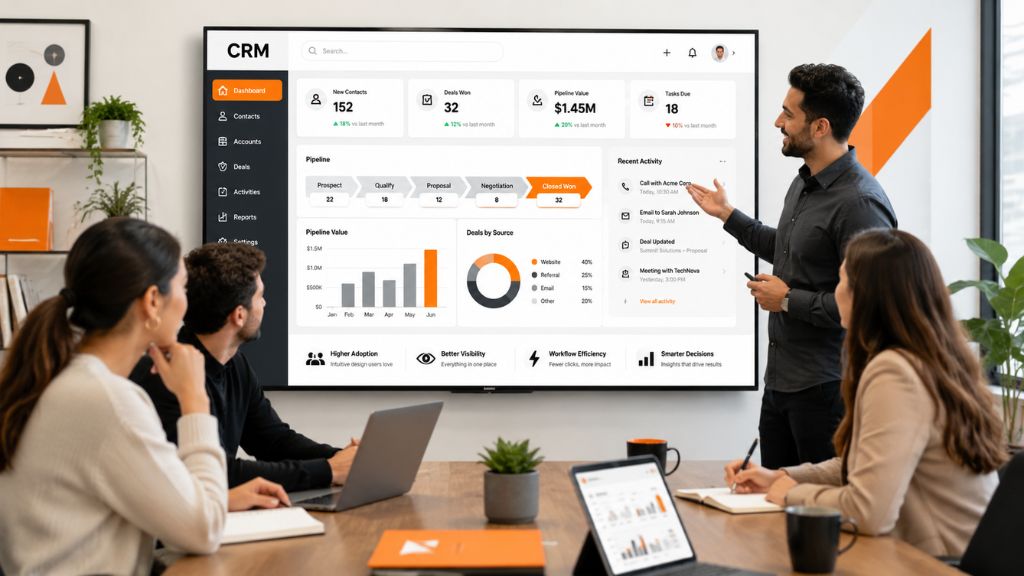
Poor CRM design creates the opposite result. Users may need too many clicks to update a deal, important information may be spread across several screens, and teams may create duplicate or incomplete customer records. Over time, employees return to spreadsheets, managers lose trust in reports, and the business may need costly redesign work.
The business impact can be significant. KPMG found that 53% of high-revenue-growth companies reported strong CRM adoption, compared with only 24% of companies experiencing minimal or declining growth. This suggests that a well-designed and widely adopted CRM can support better coordination, data visibility, and revenue performance.
Strong CRM design gives each user the right information, removes unnecessary steps, improves data consistency, and makes important actions easier to complete.
The best CRM is not necessarily the one with the most features. It is the one employees understand, trust, and use consistently.
Who Should Use This CRM Design Guide?
Business leaders can use this guide to connect CRM investment with sales performance, customer service, retention, and operational efficiency.
Product managers can use it to define scope, prioritize requirements, create user stories, and set acceptance criteria.
Designers can use it to plan navigation, forms, dashboards, record pages, and role-specific experiences.
Developers and architects can use it to plan the data model, technical architecture, integrations, security controls, and infrastructure.
Agencies and delivery partners can use it to clarify responsibilities, milestones, quality standards, and delivery risks.
Custom CRM Design Or Off-The-Shelf CRM?
One of the first decisions is whether to build a custom CRM or configure an existing platform.
| Area | Custom CRM | Off-The-Shelf CRM |
|---|---|---|
| Workflow Fit | Designed around your processes | Based on an existing product structure |
| Launch Speed | Usually slower | Usually faster |
| Initial Cost | Higher | Lower |
| Customization | Extensive | Limited by the platform |
| Integrations | Designed as required | Depends on available APIs and tools |
| Maintenance | Managed by your team or partner | Mostly handled by the vendor |
| Ownership | Greater control | Greater vendor dependency |
An off-the-shelf CRM may be suitable when your sales and service processes are relatively standard. It provides ready-made features and can reduce the time needed to launch.
Custom CRM design is usually more appropriate when the business has complex approval processes, unusual customer relationships, specialized permissions, industry-specific requirements, or integrations that standard products cannot support well.
Some organizations use a hybrid approach. They start with an established CRM platform and add custom modules, integrations, dashboards, and workflows around it.
Essential Features Of A Modern CRM
A modern CRM should help users manage customer information, complete routine tasks, collaborate with other teams, and make informed decisions.
Contact And Account Management
Contact and account management provides a central record of customers, companies, leads, partners, and communication history.
A useful customer record should show contact details, account ownership, recent activity, related deals, tasks, support history, and important documents. Users should not need to search several systems to understand the relationship.
Duplicate detection and validation rules are also important. Without them, teams may create several records for the same customer and produce inaccurate reports.
Lead And Opportunity Management
Lead and opportunity management helps sales teams understand where each prospect is in the buying process.
The CRM should support lead capture, qualification, assignment, pipeline stages, expected close dates, deal values, follow-up reminders, and win or loss tracking.
The pipeline should reflect the company’s actual sales process. Copying generic stages from another CRM may create confusion when those stages do not match how deals move internally.
Task And Activity Management
Users should be able to manage calls, meetings, emails, follow-ups, and deadlines without constantly switching tools.
Tasks should connect directly with the relevant customer, company, lead, or opportunity. This gives teams a clear history of what has happened and what needs to happen next.
Workflow Automation
Automation can reduce repetitive work and improve consistency.
For example, the CRM may automatically assign leads, create follow-up tasks, request approval, update deal status, send renewal reminders, or alert managers about inactive opportunities.
Automation should simplify work rather than make the CRM difficult to understand. Users should know what triggered an automated action and what they need to do next.
Dashboards And Reporting
Dashboards should present information users can act on.
A sales representative may need upcoming tasks, new leads, and deals requiring attention. A sales manager may need team pipeline, conversion rates, stalled opportunities, and forecast accuracy. An executive may need revenue trends, customer retention, and major risks.
Using the same dashboard for everyone usually creates unnecessary clutter.
Role-Based Permissions
Different users need different levels of access.
Sales representatives may need access to their own accounts and opportunities. Managers may need team-level visibility. Finance teams may need access to contracts and invoices. Administrators may need broader configuration rights.
Role-based permissions help protect customer information while keeping important data available to the right people.
CRM Integrations
A CRM rarely works alone. It may need to connect with email, calendars, marketing platforms, accounting systems, customer support tools, ecommerce platforms, ERPs, payment systems, and analytics tools.
Integration planning should happen early because integrations can affect the data model, architecture, security requirements, budget, and timeline.
Step-By-Step CRM Design Process
The CRM design process should move from business discovery to technical planning, validation, testing, and deployment.
Step 1: Define Business Goals
Start by identifying what the CRM needs to improve.
The goal should be more specific than “manage customers better.” Useful goals might include reducing lead response time, improving pipeline visibility, replacing manual reports, increasing follow-up consistency, or creating a single customer record across departments.
Connect each goal with a measurable result. This helps the team decide which features matter and which requests can wait.
Step 2: Identify Users And Roles
List every user group that will interact with the CRM.
This may include sales representatives, sales managers, marketers, customer service agents, account managers, finance teams, operations staff, administrators, and executives.
For each role, document the tasks they perform, the information they need, the records they can edit, the approvals they control, and the reports they use.
This prevents the CRM from being designed only for management while ignoring the employees responsible for daily data entry.
Step 3: Map Existing Workflows
Before designing the new system, document how work happens today.
For example, trace a lead from the moment it enters the business until it becomes a customer. Identify who receives it, what information is collected, how it is qualified, when it becomes an opportunity, and what happens after the deal closes.
Look for repeated work, unnecessary approvals, missing information, and unclear hand-offs.
Do not automate a broken process. Simplify the workflow first, then translate it into the CRM.
Step 4: Prioritize Requirements
Separate essential launch requirements from features that can wait.
A simple prioritization method is:
| Priority | Meaning |
|---|---|
| Must Have | Required for the CRM to function |
| Should Have | Important but not essential for launch |
| Could Have | Useful for a later release |
| Not Included Yet | Intentionally removed from the current scope |
This keeps the first version focused and makes cost and timeline estimates more reliable.
Step 5: Design The CRM Data Model
The data model defines what information the CRM stores and how different records relate to one another.
Common CRM entities include contacts, companies, leads, opportunities, products, activities, quotes, contracts, support tickets, campaigns, and users.
The design should clarify relationships. For example, one company may have several contacts, several opportunities, and multiple support requests. An opportunity may contain several products and activities.
The team should also define required fields, optional fields, validation rules, ownership, duplicate handling, retention periods, and record identifiers.
A weak data model leads to reporting gaps, integration problems, and costly restructuring later.
Step 6: Plan Information Architecture
Information architecture determines how users find features, records, reports, and actions.
Related functions should be grouped clearly. Contacts and companies may sit together, while leads and opportunities may form the main sales area. Tasks, reports, support tickets, campaigns, and administration should have logical locations.
Keep the main navigation focused. Less-frequent configuration features can sit deeper in the system.
Step 7: Create Role-Specific Dashboards
Each role should see the information most relevant to its responsibilities.
Sales representatives may need new leads, upcoming activities, open deals, and follow-up reminders. Managers may need team performance, pipeline value, conversion rates, and forecast reports. Executives may need higher-level trends and risks.
Role-specific dashboards improve readability and reduce the time users spend searching for information.
Step 8: Design Efficient Forms
CRM users may complete the same form many times each day. Small usability issues can create a large productivity problem.
Keep forms focused on the information needed at that stage. Group related fields, use clear labels, pre-fill known information, and hide fields that do not apply to the current user or workflow.
Avoid making too many fields mandatory. Users often enter inaccurate information when a form forces them to complete fields they do not understand or cannot answer.
Step 9: Prototype Important Workflows
Create wireframes or clickable prototypes before beginning full development.
Prioritize tasks that are frequent, complex, or risky. These may include creating a lead, updating a deal, assigning an account, requesting approval, closing an opportunity, or escalating a support issue.
Ask real users to complete these tasks using the prototype. Watch where they hesitate, misunderstand labels, or fail to find an action.
Early testing is cheaper than rebuilding the finished CRM.
Step 10: Plan Integrations
Create an inventory of every system the CRM needs to connect with.
For each integration, define what data will move, where it will come from, how frequently it will update, and which platform will remain the source of truth.
The plan should also cover authentication, duplicate prevention, error handling, monitoring, and recovery when an integration fails.
This is especially important when customer records are shared across sales, marketing, finance, and support platforms.
Step 11: Add Workflow Automation
Automation should focus on predictable tasks that do not require repeated manual decisions.
Useful examples include lead assignment, follow-up reminders, approval requests, renewal alerts, customer status updates, and inactive deal notifications.
Every automated workflow should have a clear trigger, expected outcome, responsible owner, exception process, and audit history.
Step 12: Design Security And Permissions
CRM systems often contain personal information, customer communication, contracts, financial data, and commercially sensitive records.
Security planning should include multi-factor authentication, encryption, least-privilege access, audit logs, session controls, backup procedures, secure APIs, data retention rules, and export restrictions.
Security should be part of the original CRM design rather than something added before launch.
Step 13: Include Accessibility
An accessible CRM is easier for more employees to use.
Check color contrast, keyboard navigation, screen reader labels, error messages, text resizing, focus indicators, responsive layouts, and touch target sizes.
Accessibility improvements often benefit every user, not only employees with disabilities.
Step 14: Test The CRM
CRM testing should cover more than individual buttons and screens.
The team should test complete workflows, integrations, permissions, reports, data validation, automation, performance, accessibility, and security.
Use realistic scenarios. Test duplicate contacts, failed data syncs, incorrect permissions, bulk imports, rejected approvals, incomplete records, and interrupted workflows.
Step 15: Plan Data Migration
Migrating old CRM records and spreadsheets can be one of the riskiest stages.
Start by identifying the source systems and responsible data owners. Then map old fields to the new structure, remove duplicates, clean incomplete records, and run a test migration.
Do not move every historical record simply because it exists. Outdated and low-quality data can damage the new CRM from the first day.
Step 16: Prepare Training And Deployment
Even a well-designed CRM requires onboarding.
Create training based on each role rather than giving everyone the same general demonstration. Sales representatives, managers, administrators, and executives need different guidance.
A phased rollout can also reduce risk. Start with a smaller user group, collect feedback, correct problems, and expand the launch after the main workflows are stable.
CRM Design Risk Matrix
A risk matrix helps teams identify potential problems before they become expensive.
| Design Area | Main Risk | What To Check |
|---|---|---|
| Business Goals | Features without clear value | Goals, KPIs, and priorities |
| User Research | Low adoption | Interviews and workflow mapping |
| Data Model | Poor reports and integrations | Entities and relationships |
| UX Design | Confusing workflows | Prototypes and usability tests |
| Integrations | Missing or duplicated data | Ownership and failure handling |
| Security | Unauthorized access | Roles, encryption, and audit logs |
| Testing | Defects after launch | QA plan and acceptance criteria |
| Deployment | Poor rollout | Training and support |
The purpose is not to remove every possible risk. It is to make risks visible, assign ownership, and reduce surprises.
CRM Design Best Practices
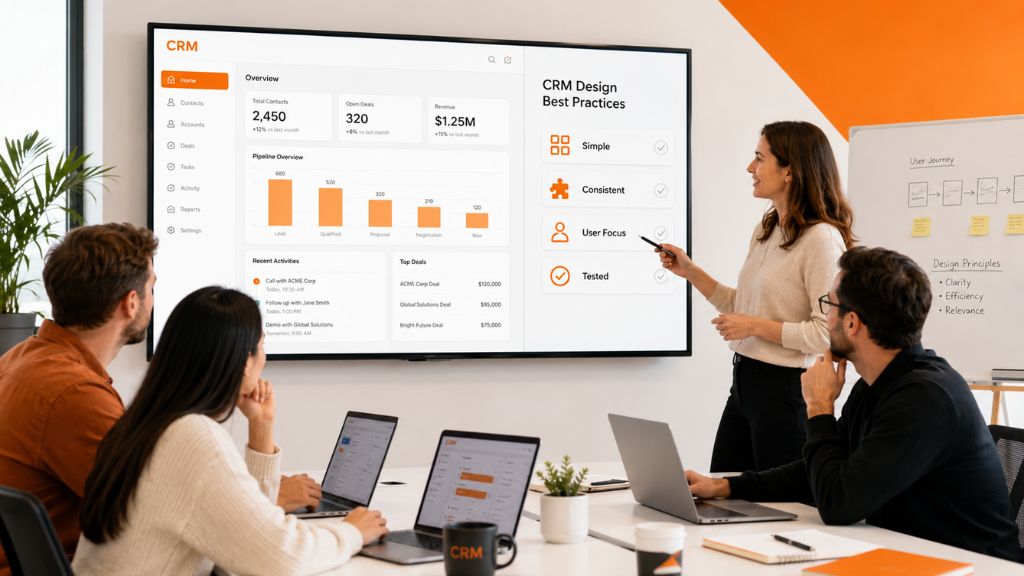
Effective CRM design should make everyday work easier, not add more steps for users. The following best practices help teams create a system that is clear, efficient, adaptable, and easier for employees to adopt.
- Design Around Daily Work: Prioritize the tasks employees complete most frequently.
- Keep Screens Focused: Give each page a clear purpose and primary action.
- Use Consistent Patterns: Make buttons, filters, forms, tables, and statuses behave consistently.
- Limit Required Fields: Ask only for information users can provide at that stage.
- Give Users Context: Show communication history, tasks, ownership, and related records together.
- Test With Real Users: Validate important workflows with the employees who will use the CRM.
- Plan For Change: Use flexible fields, workflows, permissions, and modules where possible.
Following these CRM design best practices makes the system easier to learn, reduces unnecessary work, and supports future business changes.
Common CRM Design Mistakes
CRM projects often struggle when teams focus on features instead of real workflows. Avoiding these mistakes can improve usability, adoption, and long-term performance.
- Designing from a feature list: Features should support actual user workflows.
- Copying another CRM: Another system may not fit your users or processes.
- Using one layout for everyone: Different roles need different dashboards and permissions.
- Ignoring data quality: Duplicate or incomplete records make reports unreliable.
- Planning integrations too late: This can increase cost, risk, and development time.
- Adding too much automation: Excessive automation can confuse users.
- Skipping user testing: Real users should test important workflows before launch.
- Choosing a partner only by price: A low quote may exclude testing, migration, security, or support.
Avoiding these issues helps create a CRM that users understand, trust, and use consistently.
CRM Design Cost And Timeline
CRM design and development costs depend on scope, user roles, workflows, integrations, migration, security, and reporting.
| Project Type | Typical Timeline | General Scope |
|---|---|---|
| CRM UX Redesign | 6 to 12 weeks | Research, workflows, UI, prototype |
| Simple Custom CRM MVP | 3 to 5 months | Contacts, pipeline, tasks, reports |
| Mid-Level Custom CRM | 5 to 9 months | Automation, roles, and integrations |
| Enterprise CRM | 9 to 18+ months | Multiple departments, migration, compliance |
These are planning ranges rather than fixed estimates.
The number of modules, custom workflows, third-party integrations, dashboards, mobile requirements, and security controls will affect both cost and timeline. Data migration and testing can also require more time than expected.
Clear requirements and validated prototypes make project estimates more accurate.
How To Choose A CRM Design Partner
The right partner should understand business workflows, CRM architecture, user experience, data, security, and delivery management.
Evaluate partners using evidence rather than sales presentations alone.
| Area | Evidence To Request |
|---|---|
| CRM Experience | Relevant project examples |
| Design Process | Research, workflow, and prototype samples |
| Technical Skills | Architecture and integration examples |
| Quality Control | QA plan and acceptance process |
| Security | Standards and testing approach |
| Delivery | Timeline, team structure, and reporting |
| Support | Maintenance and response process |
A capable partner should explain both what it will build and how it will manage delivery risk.
How To Measure CRM Design Success
CRM success should be measured after launch using both usage and business metrics.
Useful measures include adoption rate, active users, task completion time, data completeness, duplicate records, lead response time, conversion rate, sales cycle length, integration failures, support tickets, and user satisfaction.
Do not measure adoption through login count alone. Users may log in regularly while still avoiding key workflows or entering incomplete data.
Compare performance before and after launch to understand whether the CRM is actually improving work.
When is Riseup Labs a Good Fit for CRM Design or Delivery?
Riseup Labs is best suited for:
- CRM projects that need fit to unique workflows and complex user needs
- Organizations needing transparent process, technical architecture, or UX/UI support
- Agency partners seeking white-label or overflow delivery, including PM and QA support
- Teams adding specialist CRM resources or rescuing stalled projects
For teams seeking sustainable CRM delivery with flexible team models, Riseup Labs offers process strength and multi-disciplinary depth.
Final Thoughts
A successful CRM begins with understanding the work it needs to support.
Business goals, user roles, data structure, dashboards, integrations, automation, and reports should be defined before full development begins. This creates a clearer scope and reduces the risk of expensive rework.
Use this CRM design guide to map real workflows, prioritize the first release, test important tasks, and involve users throughout the process.
The best CRM is not the one with the longest feature list. It is the one that employees trust, understand, and use consistently.
FAQs About CRM Design
What Is A CRM Design Guide?
A CRM design guide is a framework for planning CRM goals, users, workflows, data, interface layouts, integrations, security, testing, migration, and deployment.
How Do You Design A CRM System?
Start by defining business goals and user roles. Then map workflows, prioritize requirements, create the data model, design dashboards and forms, plan integrations, prototype important tasks, test the system, migrate data, and prepare training.
What Makes A Good CRM Design?
A good CRM design is easy to navigate, supports real workflows, minimizes unnecessary data entry, gives each role relevant information, integrates with essential tools, and produces reliable reports.
What Are The Main CRM Design Principles?
The main principles include simplicity, consistency, workflow alignment, clear data structure, role-based access, accessibility, security, useful automation, and continuous testing.
What Is Custom CRM Design?
Custom CRM design involves creating a system around an organization’s specific workflows, data, roles, permissions, reporting needs, and integrations.
What Features Should A CRM Include?
Most CRMs include contact management, lead tracking, pipeline management, activities, tasks, dashboards, reporting, workflow automation, permissions, integrations, and communication history.
How Long Does CRM Design Take?
A focused CRM UX design project may take 6 to 12 weeks. A full custom CRM may take several months or longer depending on complexity, integrations, migration, and security requirements.
Why Do CRM Projects Fail?
Common causes include unclear goals, limited user involvement, poor data planning, confusing workflows, integration problems, insufficient testing, weak training, and low adoption.
How Can A Company Improve CRM Adoption?
Involve users early, simplify routine tasks, create role-specific dashboards, reduce unnecessary fields, provide training, explain the system’s value, and improve it using feedback and usage data.
Should A CRM Be Mobile-Friendly?
Yes. Sales, service, and field teams often need access away from a desk. The mobile experience should prioritize customer history, notes, tasks, updates, and essential actions.
What Should Be Tested Before A CRM Launch?
Test workflows, forms, permissions, reports, integrations, automation, data migration, accessibility, security, performance, and realistic user scenarios.
Should A Company Build Or Buy A CRM?
CRM Design Guide: Steps, Features, And Best PracticesAn existing CRM may be suitable when workflows are standard and rapid deployment is important. Custom CRM design may be better when workflows, data, permissions, reporting, or integrations are highly specialized.
This page was last edited on 24 July 2026, at 6:29 pm

Start a conversation with our team to solve complex challenges and move forward with confidence.










