
Executive dashboards are at a tipping point. Traditional dashboards—often static, slow, and highly manual—leave leaders without timely insights to navigate fast-changing markets. In an era of overwhelming data, relying on manual reporting is a liability that slows growth and exposes organizations to risk.
AI automation for executive dashboards is transforming how business leaders track KPIs, forecast trends, and make informed decisions. By leveraging automation, predictive analytics, and natural language querying, C-suites gain real-time visibility and actionable intelligence without bottlenecks.
This article delivers a complete strategic and tactical playbook: you’ll learn what AI-powered executive dashboards are, why they matter now, the core features and benefits, and how to successfully implement them in your organization. You’ll get practical frameworks, platform comparisons, real-world case studies, and readiness checklists to empower your next move.
What Is AI Automation for Executive Dashboards?
AI automation for executive dashboards refers to the use of artificial intelligence and machine learning to automate data collection, analysis, and reporting—enabling executives to interact with real-time business insights and predictive analytics in a single, user-friendly interface.
Unlike traditional dashboards, which rely on manual updates and static data visualization, AI-powered executive dashboards automate the end-to-end workflow. They ingest data from diverse sources—such as ERP, CRM, and cloud platforms—process and clean the data automatically, and present executives with insights, forecasts, and recommendations.

Key technologies used include:
- Natural language processing (NLP) for intuitive querying (“Show me Q2 sales deviations.”)
- Predictive analytics for forecasting trends and risks
- Workflow automation to trigger alerts, schedule reports, or initiate processes
Executive teams leverage these dashboards to monitor key performance indicators (KPIs), run scenario analysis, and receive automated alerts for emerging opportunities or issues. The result: faster, more informed decision-making and strategic agility.
What Are the Essential Features and Technologies of AI-Powered Executive Dashboards?
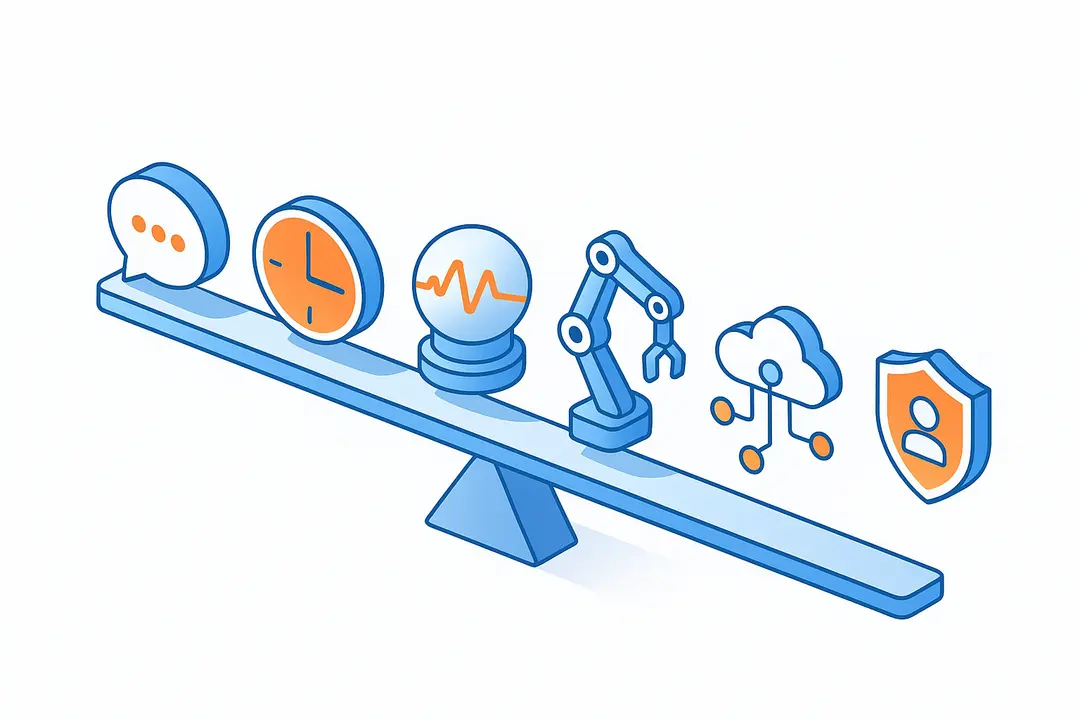
AI-powered executive dashboards feature a suite of technologies designed for business leaders. These features not only improve data accessibility but also drive higher-value, actionable insights.
Key Features:
- Natural Language Querying (NLP): Allows users to ask questions in plain English and instantly receive visualized answers.
- Real-Time Analytics: Dashboards update automatically as new data streams in from integrated sources.
- Predictive and Prescriptive Analytics: Surfaces forecasts, “what-if” scenarios, and tailored recommendations.
- Automated Workflow & Reporting: Effortlessly schedules reports, sets up alerts, and automates repetitive insights delivery.
- Deep Integrations: Connects with ERP, CRM, HRIS, BI tools, and external data feeds.
- Role-Based Access & Embedded Analytics: Ensures executives see focused insights relevant to their domain with robust permissions.
Comparison Table: Essential Features of Leading AI Dashboard Platforms
| Feature | Figma | Glide | Querio | Alithya |
| Natural Language Querying | ✓ | ✓ | ✓ | ✓ |
| Predictive Analytics | ✓ | ✓ | ✓ | ✓ |
| Workflow Automation | ✓ | ✓ | ✓ | ✓ |
| No-Code Customization | Limited | ✓ | Limited | Limited |
| ERP/CRM Integration | ✓ | ✓ | ✓ | ✓ |
| SOC2/GDPR Compliance | Basic | ✓ | ✓ | ✓ |
| Embedded Analytics | ✓ | ✓ | ✓ | ✓ |
Adopting dashboards with these advanced features ensures executives don’t just see the “what,” but also the “why” and “what next.”
Why Should Executives Adopt AI-Automated Dashboards? (Benefits and Business Impact)
AI-automated executive dashboards deliver measurable value by transforming decision cycles, reducing manual labor, and providing actionable insight at speed.
Key Benefits:
- Accelerated Decision-Making: Real-time and predictive insights support faster, data-driven strategies. According to McKinsey, organizations using advanced analytics see up to 5X faster decision speeds.
- Time and Cost Savings: Automated KPI tracking and reporting replace hours of manual work each week, freeing up executive bandwidth.
- Strategic Foresight: Predictive and prescriptive analytics not only flag risks earlier but often recommend next-best actions, sharpening your competitive edge.
- Quantifiable ROI: Companies report increased forecasting accuracy, lower operational costs, and improved responsiveness to market changes.
Mini-Case Studies by Industry:
- Healthcare: Automated dashboards enabled a hospital group to reduce manual reporting hours by 50% and identify performance bottlenecks before they impacted patient care.
- SaaS: AI-powered KPI dashboards helped a software provider boost upsell conversions by flagging at-risk accounts in real-time.
- Manufacturing: Predictive dashboards surfaced maintenance issues early, reducing unplanned downtime by 18%.
The bottom line: AI automation transforms executive dashboards from passive reporting tools into proactive strategic assets.
How Does AI Automation Work in Executive Dashboards?
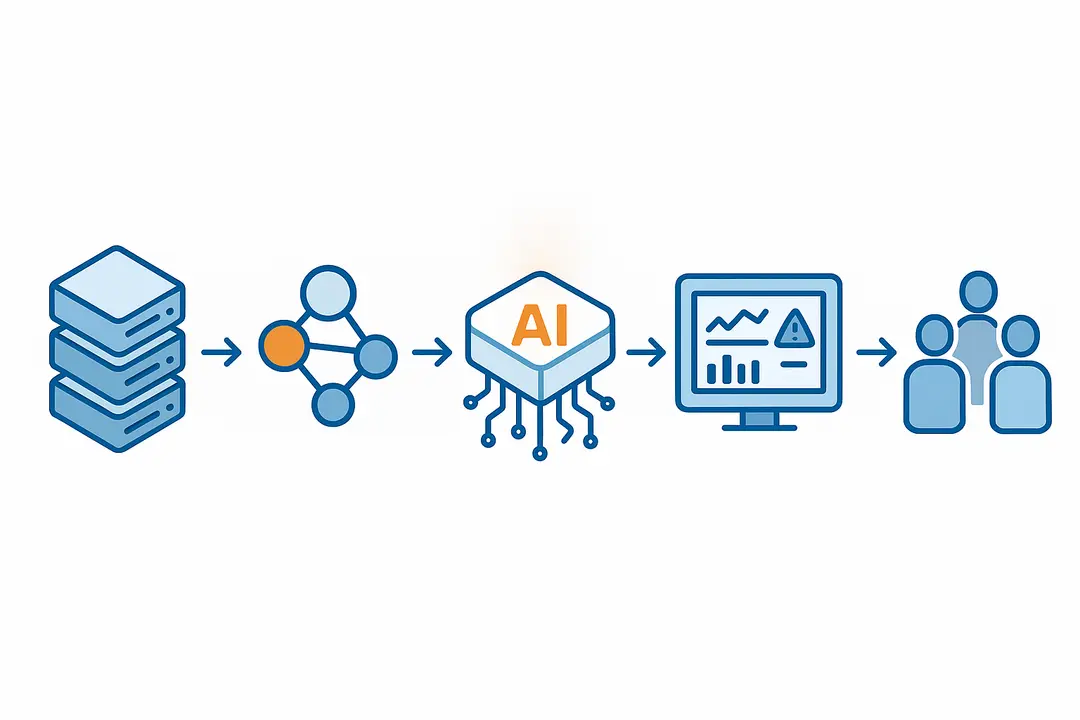
AI automation in executive dashboards follows a multi-step workflow, converting raw data into actionable executive insight seamlessly.
Process Overview:
- Data Ingestion and Integration: Dashboards connect to ERP, CRM, cloud systems, and internal data warehouses, aggregating relevant data automatically.
- Data Processing and Cleansing: AI algorithms clean, deduplicate, and standardize incoming data, ensuring accuracy.
- Automated Analysis: AI models run descriptive, predictive, and prescriptive analytics in real-time.
- Visualization and Alerts: Insights are visualized in dynamic dashboards; automated alerts are triggered for crucial changes, exceptions, or targets met.
- Continuous Feedback Loop: New data refreshes the dashboards, with models retraining and improving over time.

How to Implement AI Automation in Your Executive Dashboard (Step-by-Step Guide)
Implementing AI-driven executive dashboards requires a clear, disciplined approach. Below is a step-by-step framework for planning, executing, and operationalizing automation:
- Assess Organizational Readiness: Audit your technology stack, data quality, and executive appetite for change.
- Define Executive KPIs and Roles: Identify the most impactful metrics and responsible leaders; tailor dashboard outputs to these needs.
- Select the Right Platform: Compare no-code vs. pro-code options, required integrations, extensibility, and compliance.
- Integrate Data Sources: Securely connect all necessary systems (ERP, CRM, cloud) with seamless, governed data flows.
- Configure Security and Compliance: Define roles, access controls, encryption, and audit trails, ensuring alignment with SOC2 and GDPR.
- Train and Support Executives: Provide onboarding resources and support to drive adoption and user confidence.
- Iterate and Optimize: Continuously refine the dashboard based on executive feedback and evolving business needs.
AI Executive Dashboard Readiness Checklist
| Readiness Factor | Yes | No | Notes |
| Clean, unified data | |||
| Integrated tech stack | List systems | ||
| Defined executive KPIs | |||
| C-suite champion(s) | Who owns the project? | ||
| Compliance requirements | (e.g., SOC2, GDPR) | ||
| Executive training plan | Rollout scheduled? | ||
| Support resources ready | Helpdesk/docs linked? |
Completing this checklist ensures a smoother deployment and higher chance of project success.
Which Platforms Offer AI Automation for Executive Dashboards?
Selecting the right AI dashboard platform is critical. The following table compares leading providers on features, strengths, and fit:
| Platform | No-Code? | AI/NLP Query | Predictive Analytics | Integrations | Compliance | Strengths | Typical Use Case |
| Glide | Yes | Yes | Yes | ERP/CRM/BI | SOC2, GDPR | Ease-of-use, customization | Mid-size orgs/fast rollout |
| Figma | Limited | Yes | Yes | Cloud, REST | Basic | Design-centric, embeddable | Product, design teams |
| Querio | No | Yes | Yes | Deep ERP/BI | SOC2 Type II | Enterprise support, security | Enterprise BI, compliance |
| Alithya | Limited | Yes | Yes | ERP/CRM/BI | SOC2, GDPR | Strategy/consulting focus | Complex orgs, consulting |
No-code platforms like Glide accelerate deployment for non-technical teams, while platforms like Querio and Alithya offer robust compliance and deep integration for enterprises.
Choosing Tips:
- For agility and ease, prefer no-code tools.
- For heavy data governance, look for SOC2/GDPR features.
- For complex custom integration, pro-code or consulting-led platforms may be best.
How Do AI Executive Dashboards Ensure Security, Compliance, and Data Governance?
AI-powered dashboards enforce strict security, privacy, and compliance measures tailored for enterprise needs.
Essential Governance Measures:
- Access Control & User Roles: Granular permissions ensure only authorized users see sensitive KPIs or reports.
- Data Encryption: Both at rest and in transit, safeguarding confidential information.
- Audit Trails & Data Lineage: All user actions and reporting flows are logged; changes are traceable.
- Compliance Frameworks: Top platforms support SOC2, GDPR, and industry-specific standards, with regular audits.
- Vendor Risk Transparency: Evaluate third-party tools on data residency, cloud security, and compliance documentation.
Example: According to TechRadar, Querio’s dashboards enable full audit logging and SOC2 Type II compliance, a must-have for regulated industries.
A robust governance approach not only counters risk but builds trust with executive users and audit stakeholders.
What Common Challenges Occur with AI Automated Dashboards—and How Can You Solve Them?
AI-automated dashboards aren’t without challenges. The most common issues, and their solutions, include:
- Data Silos & Integration Issues: Fragmented systems stall automation. Solution: Consolidate sources using middleware or integration vendors.
- Executive Adoption Resistance: Change management is often underestimated. Solution: Appoint a C-suite champion, provide training, celebrate quick wins.
- Poor Data Quality (“Garbage In, Garbage Out”): Unreliable insights result from bad data. Solution: Invest in ongoing data auditing and cleaning processes.
- Security or Compliance Gaps: Overlooked requirements risk breaches or penalties. Solution: Embed governance from the outset and vet all vendors thoroughly.
Addressing these pitfalls proactively positions projects for smoother rollout and long-term impact.
Examples: AI-Automated Dashboards in Action
Organizations across industries are reaping tangible benefits from AI-automated executive dashboards.
Case Study Snapshots:
- Healthcare: A large medical network integrated its electronic records and financial data into a unified AI dashboard. Results included a 30% reduction in manual performance reviews and real-time alerts to C-suite for compliance risks.
- SaaS: By using predictive analytics dashboards to monitor customer engagement and churn signals, a SaaS firm increased upsell rates by 12% and improved renewal forecasting accuracy by 20%.
- Manufacturing: An industrial manufacturer replaced manual plant reporting with AI automation, discovering process bottlenecks and reducing downtime by 18%.
“AI-powered dashboards allowed our executive team to see across business lines in real time, spotlighting both risks and growth opportunities we previously missed.”
— CTO, SaaS company (via industry research)
Before-and-after snapshots consistently highlight operational speed, accuracy of insights, and more effective executive decisions.
Executive Dashboard Readiness Checklist: Is Your Organization Ready for AI Automation?
Before investing in AI-powered executive dashboards, assess your organization’s preparedness. Use this practical checklist to gauge readiness and identify necessary next steps:
- Do we have clean, unified data sources?
- Is our tech stack modern and well-integrated?
- Have we defined our executive KPIs and dashboard needs?
- Is there senior leadership buy-in and sponsorship?
- Are security/compliance (e.g., SOC2, GDPR) requirements understood?
- Do we have a plan for executive training and change management?
- Are support resources (internal or vendor) in place?
If you answer “no” to any question, address these gaps before deploying AI automation to ensure success.
Frequently Asked Questions About AI Automation for Executive Dashboards
What is AI automation for executive dashboards?
AI automation for executive dashboards uses artificial intelligence to streamline the collection, analysis, and reporting of business data, giving executives real-time, actionable insights through intuitive, automated interfaces.
How do AI-powered dashboards differ from traditional dashboards?
AI-powered dashboards automate data gathering and analytics, offer predictive and prescriptive insights, and support natural language querying—unlike traditional dashboards, which rely on static data and manual reporting.
What are the key benefits of automated executive dashboards?
Benefits include faster decision-making, time savings, predictive analytics, improved data accuracy, and enhanced strategic agility for leadership teams.
How does natural language querying work in dashboards?
Natural language querying lets executives type or speak questions (“Show Q3 revenue trends”) into the dashboard, which uses NLP to deliver instant, visualized answers.
What implementation steps are needed for AI executive dashboards?
Key steps include assessing readiness, defining KPIs, selecting a platform, integrating data, configuring security/compliance, training users, and continuous optimization.
How are data privacy and security ensured in AI dashboards?
Leading platforms enforce role-based access, encryption, audit trails, and compliance with standards such as SOC2 and GDPR, minimizing risk and maximizing trust.
Which platforms offer AI automation for executive dashboards?
Platforms like Glide, Querio, Figma, and Alithya provide varying AI, integration, and compliance features; the best fit depends on your organization’s needs.
What KPIs should be tracked in an executive dashboard?
Common KPIs include revenue growth, customer churn, operational efficiency, forecast accuracy, and risk indicators—tailored to your strategic objectives.
Can AI dashboards be customized for different executive roles?
Yes, most AI dashboard platforms support role-based views, ensuring each executive sees the most relevant metrics and insights.
What is the ROI of implementing AI-automated dashboards?
ROI is typically measured in faster decision cycles, reduced reporting costs, improved forecasting accuracy, and measurable gains in revenue or operational efficiency.
Conclusion
AI automation is redefining the executive dashboard—delivering real-time, predictive, and highly actionable intelligence that powers informed, strategic decision-making.
Key Takeaways
- AI-powered executive dashboards automate complex analytics, freeing C-suites to make faster, smarter decisions.
- Core features include natural language querying, real-time and predictive analytics, robust integrations, and workflow automation.
- Real-world organizations report improved ROI, forecasting accuracy, and operational agility after adoption.
- Addressing readiness, governance, and executive buy-in is vital for successful implementation.
- A clear checklist and platform comparison can jumpstart your journey to an AI-automated executive dashboard.
This page was last edited on 2 May 2026, at 2:50 pm

Start a conversation with our team to solve complex challenges and move forward with confidence.










