

Cloud app development now powers the world’s most innovative products, enabling businesses to launch, scale, and adapt at unprecedented speed. Yet, building applications for the cloud brings complexity—strategic choices, platform selection, tech architecture, costs, and compliance weigh heavily on leaders and teams alike. This complete guide cuts through the noise, providing a clear framework and actionable playbook for both technical decision-makers and business leaders. By the end, you’ll confidently navigate every step of the cloud app journey, from planning to deployment and beyond.
What Is Cloud App Development and How Does It Work?
Cloud app development is the process of designing, building, and deploying applications that operate on cloud infrastructure, giving users access to software and data via the internet rather than through local devices or legacy servers.
Compared to traditional software development—where applications are installed and maintained on-premise—cloud-based application development leverages remote servers, often running on platforms like AWS, Azure, or Google Cloud. This shift provides substantial benefits:
- Scalability: Instantly scale resources up or down as your user base grows.
- Accessibility: Access from anywhere, on virtually any device.
- Cost efficiency: Pay for only the resources you use, reducing upfront hardware investment.
- Innovation velocity: Rapidly integrate new features or services without rewriting core code.
Cloud app development strategies include:
- Cloud-native applications: Designed specifically for cloud environments, optimized for scalability, resilience, and performance (using microservices or serverless architectures).
- Cloud-enabled applications: Existing apps refactored to run on the cloud, but not built from scratch with cloud-first patterns.
- Legacy/traditional apps: Built to run on specific hardware, often requiring significant work to migrate to the cloud.
Entity context: You’ll often encounter overlapping terms like SaaS (Software-as-a-Service), PaaS (Platform-as-a-Service), IaaS (Infrastructure-as-a-Service), and DevOps—all of which are pillars of modern cloud development and are explained in detail below.
What Are the Main Types of Cloud-Based Applications?
Cloud-based applications can take many forms, each suited to different business models and technical needs. The main types and delivery models—SaaS, PaaS, and IaaS—define how much of the stack you build versus “rent” from a provider.
Cloud Service Models Explained
| Model | Description | Common Use Cases | Responsibilities |
| SaaS (Software-as-a-Service) | Complete apps delivered over the internet | CRM (Salesforce), email (Gmail), collaboration tools (Slack) | Provider manages all; users consume |
| PaaS (Platform-as-a-Service) | Platform for building/deploying custom apps | Custom web apps, APIs, e-commerce, mobile backend (Heroku, Google App Engine) | Provider manages infrastructure; users manage code/data |
| IaaS (Infrastructure-as-a-Service) | Virtualized compute, storage, networks | Hosting, big data processing, scalable infrastructure (AWS EC2, Azure VMs) | Users manage OS/applications; provider manages hardware |
Other architectures:
- Cloud-native: Built specifically for cloud environments—highly scalable, leveraging containers and microservices.
- Hybrid cloud: Mix of on-premises and public cloud resources; useful for regulatory, performance, or migration scenarios.
- Multi-cloud: Applications deployed across more than one cloud provider to enhance flexibility or resiliency.
- Edge computing apps: Process data closer to users/devices for real-time responsiveness (e.g., IoT platforms managing smart sensors).
Example Use Cases
- Real-time collaboration: Google Docs (SaaS), which allows synchronous document editing.
- IoT applications: Smart home platforms process data at the edge for instant feedback.
- E-commerce platforms: Shopify (SaaS) and custom stores built on AWS or Azure (IaaS/PaaS).
- B2B SaaS products: Project management, HR, or analytics tools delivered entirely via the cloud.
Pros & Cons: Cloud vs. Native vs. Hybrid vs. Multi-Cloud
| Approach | Pros | Cons |
| Cloud-native | Scalable, resilient, fast deployment | May require re-skilling, complex architectures |
| Hybrid | Flexible, supports legacy compliance | Integration complexity, potential for silos |
| Multi-cloud | Reduces vendor lock-in, enhances reliability | Increased management, higher costs |
| Traditional/native | Control, predictable performance | High upfront cost, slow to scale, difficult updates |
Choosing the right model depends on your business needs, technical constraints, and growth vision.
How Does the Cloud App Development Process Work?
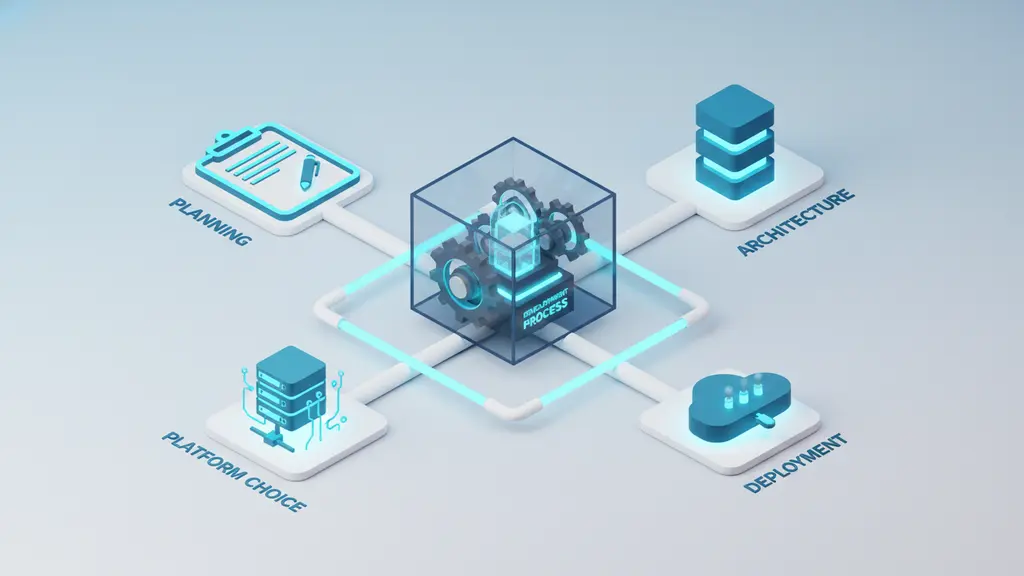
Developing a cloud application follows a structured, step-by-step process that helps teams move from concept to scalable deployment. Here’s an actionable framework covering all key stages:
1. Planning, Requirements, and Strategy
Start by clarifying business objectives, user needs, and any compliance or regulatory requirements (like GDPR or HIPAA). Prioritize core features and define the functional scope. Estimate initial costs and identify project risks to avoid missteps later.
Checklist:
- What business problem are we solving?
- Who are the users and what do they need?
- Are there data privacy or security standards (GDPR, HIPAA) to follow?
- Which features are “must-have” vs. “nice-to-have”?
- What is our initial budget and timeline?
2. Choosing a Cloud Model & Platform
Carefully evaluate whether SaaS, PaaS, or IaaS is the right fit—balancing customization, time-to-market, and ongoing management. Assess leading platforms such as AWS, Azure, Google Cloud, and Firebase with these decision criteria:
| Criteria | AWS | Azure | Google Cloud | Firebase |
| Ecosystem breadth | Largest | Microsoft integrations | Advanced AI/Data | Startup/mobile-friendly |
| Pricing | Usage-based | Hybrid-friendly | Flexible | Free tier, scalable |
| Developer experience | Deep services | Enterprise tooling | Analytics, ML | Fast prototyping |
| Compliance features | Global, robust | Enterprise-grade | Data-driven | Designed for rapid apps |
Decision factors:
- Preferred programming languages or stacks
- Regional data centers and compliance zones
- Integration needs with existing systems
- Support for serverless, containers, or AI
3. Designing Cloud Architecture
Design the application backbone with scalability, resilience, and security in mind.
- API-First Design: Modular, flexible endpoints for frontend and integration.
- Microservices/serverless: Break down monolithic apps into independent services for fault tolerance and rapid scaling.
- Security-by-design: Embed encryption, robust authentication/authorization, and secure data handling practices from the start.
Architecture workflow:
- Define service boundaries (microservices, APIs).
- Select data storage (managed DB, NoSQL, cloud storage).
- Plan for failover, backups, and geographic redundancy.
- Integrate monitoring and logging from day one.
4. Development & Integration
Choose a modern backend/frontend stack compatible with your chosen cloud platform. Integrate core cloud services such as authentication (OAuth, IAM), cloud storage, messaging, and—if needed—AI/ML features.
- CI/CD pipelines: Automate code integration, testing, and deployment using tools like AWS CodePipeline, Azure DevOps, or GitHub Actions.
- DevOps best practices: Encourage collaboration between development and operations for smoother releases and faster bug fixes.
5. Testing, Deployment, and Monitoring
Implement rigorous automated and manual testing—covering functional, security, and performance scenarios. Deploy to the cloud using blue/green or canary release strategies to minimize downtime.
- Automated testing: Unit, integration, and end-to-end tests included in pipelines.
- Monitoring/logging: Use tools like CloudWatch, Azure Monitor, or Stackdriver to catch issues early and optimize usage/costs.
- Ongoing updates: Regularly release improvements and security patches to keep your app—and data—safe.
At a glance: 7 Major Stages of Cloud App Development
- Planning & requirement gathering
- Cloud model & platform selection
- Architecture & security design
- Backend & frontend development
- Cloud service integration
- Testing & deployment
- Monitoring, support, and cost optimization
What Are the Top Platforms and Tools for Cloud App Development?
Choosing the right cloud platforms and tools determines the scalability, agility, and cost-effectiveness of your cloud app development. Each leading platform comes with its strengths and ideal use cases.
Platform & Tool Comparison
| Platform | Best For | Key Strengths | Notable Weaknesses |
| AWS (Amazon Web Services) | Broadest scalability, enterprises, SaaS | Market leader, rich ecosystem, deep DevOps | Can be complex, granular pricing |
| Azure | Enterprise, hybrid, Microsoft tech stack | Easy AD/Office365 integration, hybrid support | Steeper learning for non-MS users |
| Google Cloud Platform | Data/analytics, AI/ML apps | Leading in AI/ML, powerful data tools | Fewer legacy integrations |
| Firebase | Fast prototypes, mobile/web startups | Real-time database, serverless, generous free tier | Limited for large/complex, vendor lock-in risk |
Key Tool Categories
- No-code/low-code platforms: Platforms like OutSystems or Mendix accelerate prototyping when coding resources are scarce.
- Serverless frameworks: AWS Lambda, Azure Functions, Google Cloud Functions allow event-based execution without server management.
- Containers & orchestration: Kubernetes offers robust microservice orchestration; integrated across all major clouds.
- DevOps/CI-CD: Tools like CircleCI, Jenkins, and GitHub Actions unify deployment pipelines across clouds and teams.
- Monitoring/logging: Datadog, New Relic, and cloud-native solutions help track app health and performance.
Example:
A B2B SaaS startup might use Firebase for rapid MVP iteration, then migrate to AWS or Google Cloud for advanced scalability and compliance as the business grows.
How Much Does Cloud App Development Cost? (Cost Factors & Pricing Breakdown)
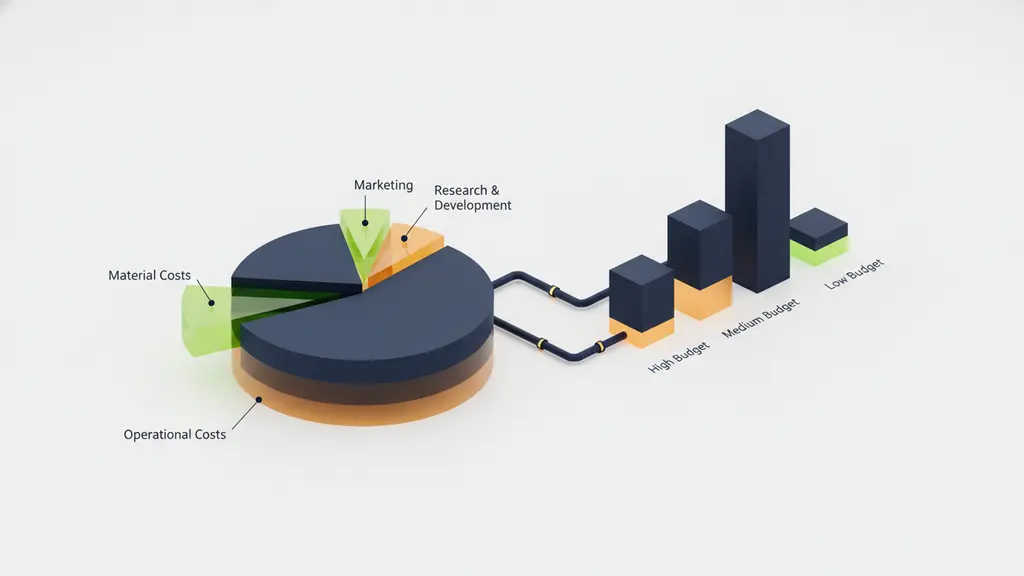
Cloud app development costs range widely based on features, complexity, platform choice, and security requirements. Budgeting with a clear breakdown helps avoid surprises.
Common Cloud App Development Cost Components
| Cost Component | Typical Proportion | Description / Examples |
| Development team | 40–60% | Salaries, agency/vendor fees |
| Cloud platform fees | 10–25% | Compute, storage, bandwidth, services |
| Third-party tools/services | 5–15% | APIs, analytics, compliance, integrations |
| QA/testing | 10–15% | Automated/manual testing, tools |
| Maintenance & support | 10–20% | Ongoing updates, monitoring, scaling |
| Security/compliance | Varies | Encryption, audit, certifications |
Example Budget Ranges
- Simple mobile/web app (MVP): $15,000–$50,000
- Custom SaaS product (mid-tier): $80,000–$250,000+
- Enterprise/platform-level app: $250,000–$1M+
Note: Costs shift with complexity (multi-cloud, advanced security), user volume, and uptime/SLAs required.
Hidden Costs and Optimization
- Scaling: Sudden user growth increases platform usage fees.
- Security/compliance: Audits, encryption, and certifications can add to costs.
- Third-party services: Data enrichment, email, messaging, and monitoring.
- Training and migration: Especially when shifting legacy systems to the cloud.
Cost saving strategies:
- Start with prototypes on low-cost platforms, then migrate as you scale.
- Monitor cloud resource usage—turn off or scale down unused services.
- Automate deployment and testing to reduce errors and manual rework.
Cloud providers like AWS and Google Cloud also offer cost calculators to help estimate ongoing cloud usage.
How Should You Secure and Ensure Compliance in Cloud Applications?
Security and compliance are central to every cloud application’s success and reputation. Protecting data, managing threats, and meeting regulatory standards are not just best practices—they’re essential competitive differentiators.
Key Cloud Security Risks
- Data breaches: Unauthorized access to sensitive business or user data.
- Misconfigurations: Poorly set permissions leading to open databases or vulnerable storage.
- DDoS attacks: Distributed denial-of-service attempts targeting critical services.
Security Best Practices Checklist
- Encrypt data at rest and in transit (TLS, AES-256).
- Use robust authentication/authorization (OAuth, SSO, MFA).
- Implement principle of least privilege with IAM roles.
- Adopt secure DevOps (DevSecOps) practices—automate vulnerability scanning.
- Continuously monitor logs, set up alerts for unusual activity.
- Regularly update and patch dependencies and vulnerabilities.
Compliance Checklist Table
| Regulation | Applies To | Key Requirements | Example Controls |
| GDPR (EU) | Personal data of EU residents | Data minimization, consent, breach notification | Encryption, access audits |
| HIPAA (US) | Health data (US) | Patient privacy, audit controls | Data masking, detailed logs |
| SOC 2 (NA) | SaaS/tech companies | Security, availability, processing integrity | Strong internal policies |
Ongoing Monitoring and Audit
- Use cloud-native tools (AWS CloudTrail, Google Cloud Audit Logs) for real-time tracking.
- Schedule penetration tests and regular policy reviews.
- Maintain clear documentation of compliance efforts and incident response plans.
By investing in strong cloud app security from the start, you safeguard customer trust and regulatory standing as you scale.
What Are the Top Trends Shaping Cloud App Development in 2026?
Cloud app development is evolving rapidly. Staying ahead means embracing emerging technologies and adapting strategies to meet the future head-on.
Key Trends
- Serverless architecture expansion: More apps are adopting serverless for agility and cost-saving, letting developers focus on code over infrastructure.
- Edge computing goes mainstream: Applications—especially IoT, AR/VR, or real-time analytics—are using edge resources to lower latency.
- Low-code/no-code adoption: Non-developers are increasingly empowered to launch and iterate on cloud-based apps, accelerating innovation cycles.
- Multi-cloud strategy: Businesses diversify across cloud providers to avoid vendor lock-in, boost reliability, and meet region-specific compliance.
- AI/ML cloud integration: Built-in cloud AI services (like Google Cloud AI or AWS SageMaker) make personalization and automation accessible to more products.
- Evolving security standards: With more data in the cloud, regulations like GDPR and HIPAA are driving stricter controls—and automated compliance tooling is on the rise.
Example:
A healthcare startup may leverage serverless and AI tools to deploy secure, compliant apps that deliver real-time patient insights, all while minimizing operational overhead.
At-a-Glance Summary Table: Platforms, Costs, Security, and Trends
| Category | AWS | Azure | Google Cloud | Firebase |
| Best for | Enterprise, SaaS | Hybrid, Microsoft | AI/analytics, ML | Startups, MVPs |
| Entry cost | Variable | Variable | Pay-as-you-go | Free tier available |
| Compliance strength | Global, robust | Enterprise, US/EU | Data-centric | Basic, startup focus |
| Security features | IAM, Key Mgmt, GuardDuty | AD, Sentinel | Identity Platform | Built-in auth, rules |
| Dev acceleration | DevOps, serverless | Hybrid, integration | Analytics, ML APIs | Real-time DB, fast deploy |
| Key 2024–25 trend | Serverless, multi-cloud | Edge, hybrid, compliance | AI-first, data centric | Low-code, rapid launch |
Legend:
– IAM = Identity and Access Management
– AD = Active Directory
Frequently Asked Questions About Cloud App Development
What is cloud app development?
Cloud app development is the process of designing, building, and deploying applications that run on remote cloud infrastructure, allowing access from anywhere and reducing the need for on-premise servers or hardware.
What are the main stages in cloud app development?
The main stages include planning and requirements, selecting a cloud model and platform, designing architecture, development and integration, testing, deployment, and ongoing monitoring and optimization.
How do I choose between SaaS, PaaS, and IaaS for my app?
Choose SaaS if you want a complete, ready-to-use solution; PaaS if you need to build custom functionality quickly without managing infrastructure; IaaS for maximum control and flexibility over the environment.
Which cloud platform is best for application development?
The best platform depends on your use case: AWS offers the most services and global reach; Azure excels for Microsoft integrations; Google Cloud leads in AI/data analytics; Firebase is ideal for rapid mobile/web startups.
How much does it cost to develop a cloud-based application?
Costs range from $15,000 for simple prototypes to over $250,000 for enterprise platforms, depending on features, user scale, platform choice, and required security/compliance.
What are security risks with cloud applications?
Common risks include data breaches, misconfigured storage or permissions, DDoS attacks, and lack of compliance controls. These can be mitigated by encryption, strong authentication, and proactive monitoring.
What trends are shaping cloud app development in 2024–2025?
Key trends include the rise of serverless architectures, edge computing for real-time responsiveness, adoption of low-code/no-code tools, multi-cloud deployments, and mainstream integration of AI/ML services.
How do low-code and serverless platforms impact cloud apps?
Low-code platforms speed up development and empower non-coders, while serverless architectures reduce operational overhead and streamline scaling. Both democratize and accelerate cloud software delivery.
What’s the difference between cloud-native and traditional apps?
Cloud-native apps are designed specifically for cloud environments, emphasizing scalability and resilience. Traditional apps are typically built for on-premises infrastructure and may require reengineering to run effectively in the cloud.
How do I migrate an existing app to the cloud?
Migration involves assessing your current architecture, selecting a cloud model, refactoring code if needed, planning data migration, testing thoroughly, and then deploying and monitoring the app in its new environment.
Conclusion: Expert Strategies and Next Steps
Cloud app development is the engine behind digital transformation—enabling resilience, agility, and continuous innovation. By applying the frameworks and best practices outlined in this guide, you’re well-positioned to build secure, scalable, and future-ready applications.
Ready to take action?
Schedule a consultation with our cloud architecture experts to accelerate your app’s journey from idea to successful launch.
Key Takeaways
- Cloud app development empowers scalable, accessible, and innovative software delivery for modern businesses.
- Choosing the right cloud model (SaaS, PaaS, IaaS) and platform sets the foundation for success.
- The development process—from planning to monitoring—requires clear strategy, best practices, and security by design.
- Costs vary based on features, scale, and compliance, but can be managed with careful planning and monitoring.
- Staying current with the latest cloud trends—such as serverless, AI/ML, edge, and low-code—is vital for future-proofing your apps.
References & Further Resources
This page was last edited on 9 July 2026, at 11:09 am

Start a conversation with our team to solve complex challenges and move forward with confidence.










