

Digital transformation is reshaping the insurance industry, demanding tailored software solutions for insurers to stay agile, compliant, and competitive.
Legacy systems are inefficient—limited in integration, slow to adapt, and costly to maintain—holding back growth and customer satisfaction.
This comprehensive playbook walks you step-by-step through how to develop insurance software, detailing everything from planning and core features to compliance, vendor selection, and next-gen trends.
By following this guide, you’ll gain the frameworks, checklists, and actionable strategies needed to successfully deliver or source custom insurance software that’s secure, compliant, and built for tomorrow’s market.
What Is Insurance Software? Types, Modules, and Real-World Use Cases
Insurance software automates and streamlines critical business processes in insurance organizations, covering policy management, claims processing, customer relations, underwriting, and more.
Modern insurance solutions are modular, scalable, and purpose-built for agencies, carriers, and brokers across multiple insurance lines.
Major Types & Modules:
- Policy Management Systems (PMS): Manage policy issuance, renewals, and endorsements.
- Claims Management Automation: Automate claim intake, assessment, and settlement.
- Insurance CRM Platforms: Track leads, manage customer relationships, automate communications.
- Underwriting Tools: Risk assessment, rules engines, workflow controls.
- Customer & Agent Portals: Secure self-service access, document upload, and real-time status.
- Document & Workflow Automation: E-signatures, document storage, compliance logging.
- Telematics & Data Integration: Connect usage-based and third-party data for pricing and analytics.
Business Processes Automated:
- Quoting and policy issuance
- Premium calculations and billing
- Claims filing and settlement
- Regulatory reporting
- Customer self-service requests
Use Case Examples:
- Independent Agency: Deploys a PMS + CRM to automate new business onboarding, renewal reminders, and policy endorsements, eliminating manual data re-entry.
- Health Insurance Provider: Uses claims automation and e-KYC to process claims 30% faster and comply with healthcare regulations.
- Commercial Insurer: Integrates underwriting tools with telematics data to offer dynamic pricing and risk-based product customization.
| Module Type | Primary Function | Typical Users |
| Policy Management (PMS) | Lifecycle policy admin | Agencies, Carriers |
| Claims Automation | Claims intake/settlement | Carriers, TPAs |
| CRM | Lead/customer relationship management | Agencies, Brokers |
| Underwriting Tools | Risk analysis & workflow | Carriers, Reinsurers |
| Customer Portal | Self-service policy/claim mgmt | All insurance customers |
| Telematics & Data | Usage analytics, pricing inputs | Auto, Health insurers |
What Must-Have Features Should Insurance Software Include?
Insurance software should offer a comprehensive set of features to streamline operations, ensure compliance, and deliver a modern customer experience.
Critical modules and emerging capabilities should be evaluated during requirements planning or vendor selection.
Essential Features Checklist:
- Policy Administration: Quote to bind, renewals, endorsements, cancellations
- Claims Management: Digital FNOL (First Notice of Loss), automated workflows, settlement tracking
- CRM Integration: Lead tracking, omnichannel communications, task automation
- Underwriting Engine: Automated risk assessment, rule-based decisioning
- Document Management: E-signatures, secure storage, audit logging
- Customer & Agent Portals: Self-service dashboards, status tracking, document upload
- Workflow Automation: Task routing, notifications, approval chains
- Reporting & Analytics: Regulatory, operational, and customer analytics dashboards
- Payments & Billing: Recurring billing, premium payments, refunds
- Compliance Tools: Audit trails, consent management, KYC integration
- Security Features: Role-based access, encryption, MFA (multi-factor authentication)
- Open API/Integration Layer: Supports third-party & legacy integration
- Mobile Accessibility: Responsive web or native mobile apps
Emerging “Must-Have” Features:
- AI & ML Capabilities: Chatbots, fraud detection, predictive analytics
- e-KYC & Digital Onboarding: Automated identity verification
- Telematics Integration: Real-time data from vehicles/devices for pricing and claims
- Low-Code/No-Code Configuration: Rapid rule or workflow updates by business users
- Scalability & Cloud Deployment: Supports usage growth and rapid expansion
What Are the Steps to Develop Insurance Software? (Step-by-Step Process)

Developing insurance software involves a structured, multi-phase process that ensures your solution meets business goals, compliance standards, and future growth needs.
Each phase includes critical decision points—aligning stakeholders, selecting technology, and embedding compliance from day one.
Insurance Software Development Process: Step-by-Step
- Discovery & Requirements Gathering
- Define project goals, key users, and business processes.
- Conduct stakeholder interviews and market analysis.
- Technology & Vendor Selection
- Decide between custom-built and off-the-shelf platforms.
- Evaluate tech stack options: cloud services (e.g., AWS, Azure), RPA (Robotic Process Automation), and low-code tools.
- UX/UI Design
- Map user journeys and priorities.
- Draft wireframes; review accessibility and compliance standards (“compliance by design”).
- MVP Development
- Start with a minimum viable product (MVP) for core features.
- Use agile sprints or modular builds for flexibility and speed.
- Conduct iterative testing and refinement.
- Integration & Data Migration
- Connect third-party APIs, core systems (ERP, AMS), and existing data sources.
- Plan secure data migration from legacy systems.
- Compliance & Security Implementation
- Map HIPAA, GDPR, PCI DSS, and local regulatory needs.
- Embed audit trails, consent capture, data encryption, and access controls.
- User Acceptance Testing (UAT) & Pilot
- Involve real users for feedback and scenario testing.
- Validate integration, process coverage, and performance.
- Deployment & Go-Live
- Launch in staging and then production, with rollback and backup strategies.
- Prepare staff training and customer communications.
- Ongoing Support & Optimization
- Monitor system performance and user feedback.
- Plan for updates, compliance patches, and growth enhancements.
Build vs. Buy: How Should Insurers Decide?

Choosing between custom-developed and off-the-shelf insurance software is pivotal.
Evaluate strategic needs, integration complexity, time-to-market, and total cost of ownership before committing.
| Criterion | Custom Build | Off-the-Shelf (SaaS/Platforms) |
| Flexibility | Fully customizable | Limited/module-based |
| Speed | Longer (months/years) | Faster deployment (weeks/months) |
| Upfront Cost | Higher | Lower/Subscription-based |
| Integration | Deep/unique possible | Pre-built, may require adaptation |
| Compliance | Tailored/localized | Generalized, may need extra validation |
| Total Cost | Lower long-term (complex needs) | Lower for simple, stable needs |
| Upgrades | Owner-managed | Vendor-managed |
When to Choose Custom Build:
- Complex, differentiated workflows
- Deep integration with existing/legacy systems
- Regulatory jurisdictions requiring tailored compliance
When Off-the-Shelf Is Preferred:
- Fast time-to-market is critical
- Budget or scope is limited
- Needs are standard and unlikely to change
Hybrid Options:
- Use modular SaaS for standard features, custom-build only unique processes
- API-first architectures enable extensibility and gradual phased enhancements
How Does Insurance Software Ensure Compliance & Data Security?
Insurance software must be designed for compliance and data security to meet regulatory obligations and protect sensitive customer data.
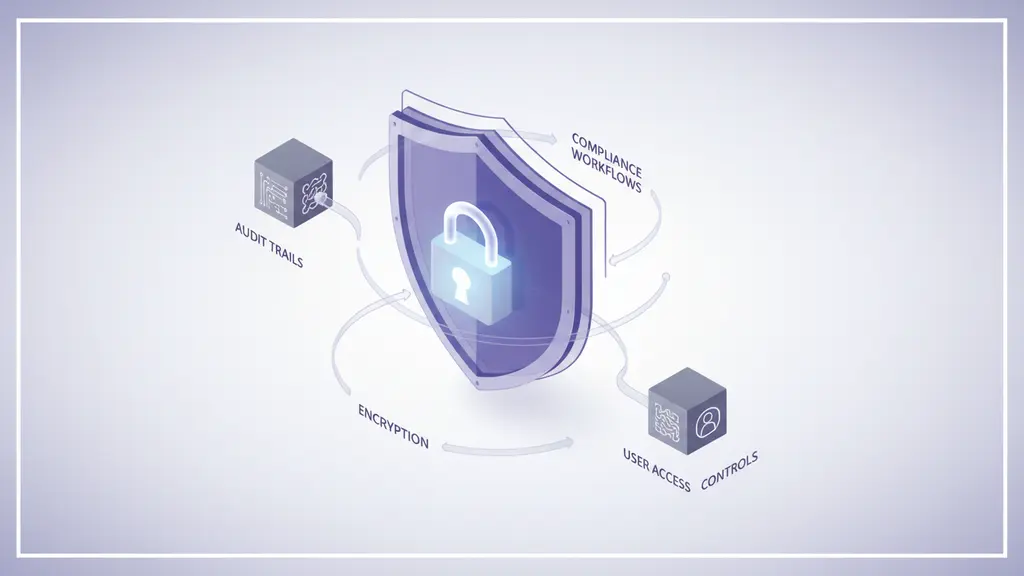
Proactively embedding compliance into each phase reduces risk and future costs.
Key Regulatory Frameworks:
- HIPAA: For health insurance and personal health data in the U.S.
- GDPR: For processing and storing EU customer data.
- PCI DSS: For handling payment and billing information.
- KYC/e-KYC: For customer identity verification, anti-money laundering (AML).
Compliance and Security Best Practices:
- Requirements Mapping: List all regulations relevant by region and business line at project outset.
- Compliance by Design: Integrate checkpoints into each development sprint—wireframes, code reviews, UAT, and deployment.
- Automated Compliance Tools:
- Audit trail logging
- Consent management modules
- User access controls (RBAC)
- End-to-end encryption (at rest and in transit)
Expert Insight
“Insurance software can only be future-ready by weaving in regulatory compliance at each layer—from data models to UI. Automation and real-time auditability are no longer optional.”—CTO, Leading Insurtech Platform
What Are the Main Challenges in Insurance Software Development—And How to Overcome Them?
Developing insurance software comes with unique hurdles—from integrating legacy systems to adapting to evolving regulations and managing project scope.
Awareness of these common challenges helps ensure on-time, on-budget delivery.
Top 5 Challenges & Mitigation Strategies:
- Legacy Integration:
– Challenge: Connecting new software with outdated or inflexible systems.
– Solution: Use API-based middleware and phased data migration. - Data Migration Risks:
– Challenge: Accurate, secure transfer of policy and customer data.
– Solution: Run multiple migration tests and validations before go-live. - Scope Creep:
– Challenge: Expanding requirements, leading to delays and cost overruns.
– Solution: Set clear milestones, regular stakeholder reviews, and agile change processes. - Regulatory Shifts:
– Challenge: Changing compliance laws during development cycles.
– Solution: Build for flexibility; follow “compliance by design” methodology. - UX Complexity:
– Challenge: Designing intuitive interfaces for diverse users (underwriters, agents, clients).
– Solution: Map key user journeys and engage real users early in testing.
Project Management Best Practices:
- Align teams with shared documentation and dashboards.
- Regularly revisit requirements with business and IT together.
- Plan for business continuity—fallbacks for outages, disaster recovery.
“The most successful projects prioritize incremental delivery, always address compliance early, and build in enough time for cross-functional input.”—Senior Product Lead, Insurtech Start-up
What Are the Latest Trends Shaping Insurance Software Development in 2026 and Beyond?
Emerging trends are transforming insurance software, enabling new business models and improving operational efficiency.
Staying ahead requires investing in flexible, future-proof architectures and harnessing new technologies.
Key Insurance Software Trends for 2026:
- Embedded Insurance & Open Ecosystems:
Partnerships via APIs enable insurance offerings within third-party apps and platforms, creating new revenue models. - Low-Code/No-Code & Modular Platforms:
Empower non-technical users to customize rules, workflows, or product offerings without deep developer involvement. - AI & Automation Expansion:
AI-powered chatbots, RPA, and predictive analytics for automated service, fraud detection, and claims processing. - ESG & Sustainability Integration:
Environmental, Social, and Governance metrics increasingly required by regulators; modern platforms offer reporting tools. - Data & Telematics Integration:
Real-time data for dynamic pricing, usage-based insurance, and risk analytics, especially in auto/health lines.
| Trend Area | Why It Matters | Example |
| Embedded Insurance | Reaches customers in moments of need | Retail checkout insurance offers |
| Low-Code Tools | Rapid feature iteration | Self-configurable workflows |
| AI/Automation | Drives operational efficiency | Chatbot-powered claims |
| ESG Reporting | Regulatory and reputational advantage | Automated carbon data tracking |
| Telematics/Data | Enables usage/pricing innovation | Pay-as-you-drive auto policies |
According to Statista, the global insurtech market is projected to nearly double by 2028, driven by these digital-first capabilities.
Real-World Examples and Case Studies
Case studies show how insurers can achieve measurable benefits—faster workflows, improved customer satisfaction, and regulatory confidence—with the right technology approach.
Case Study 1: Regional Property & Casualty Insurer
- Challenge: Slow claims processing, inefficient manual policy issuance
- Solution: Custom claims automation and policy management modules built using cloud-native microservices
- Outcomes:
- Claims processing time cut by 45%
- Policy issuance reduced from 3 days to hours
- Compliance errors reduced to near zero
Case Study 2: Health Insurance Start-Up
- Challenge: Rapid scaling and strict HIPAA/GDPR requirements
- Solution: Hybrid solution—off-the-shelf CRM, custom e-KYC and claims portal
- Outcomes:
- Launched MVP in 5 months
- Customer satisfaction up 30%
- Regulatory audits passed with no material findings
Case Study 3: Commercial Lines Agency
- Challenge: Multiple legacy systems, fragmented customer view
- Solution: API-driven customer portal with real-time document management and analytics
- Outcomes:
- Unified customer data model
- Reduced support calls by 40%
- Faster integration of new insurance products
How to Choose the Right Insurance Software Vendor or Development Partner
Selecting the right vendor is critical to long-term success in your insurance software project.
A structured evaluation process with clear selection criteria minimizes risk and maximizes value.
Vendor Selection Checklist:
- Insurance Domain Expertise: Demonstrated record with similar projects/verticals
- Technical & Product Capabilities: Review tech stack, modularity, support for regulatory integration
- Security & Compliance Awareness: Ability to embed region-specific laws (HIPAA, GDPR, etc.)
- Integration Experience: Track record integrating with core/legacy and third-party platforms
- References & Case Studies: Obtain client interviews and documented outcomes
- Transparency: Clear cost structure, delivery milestones, support SLAs
- Future Readiness: Ongoing support, innovation roadmap, upgradability
FAQs on Developing Insurance Software
What are the key steps to develop insurance software?
The main steps are: discovery and requirements gathering, technology/vendor selection, UX/UI design, MVP development, integration and data migration, compliance/security implementation, user acceptance testing, deployment, and ongoing support.
What features should be included in insurance software?
Essential features include policy management, claims automation, CRM, underwriting tools, document management, workflow automation, portals, analytics, billing, compliance tools, and security modules.
How much does it cost to develop insurance software?
Costs vary widely based on complexity, customizations, integrations, and compliance requirements. Basic modules may start in the low six figures USD, while large-scale custom builds can reach $1M+.
How do you choose between custom and off-the-shelf insurance solutions?
Opt for custom if you need deep integration, complex workflows, or differentiated user experiences. Choose off-the-shelf for speed, standard needs, or budget constraints. A hybrid approach can blend both.
What are the main compliance requirements for insurance software?
Key regulations include HIPAA (health), GDPR (EU data), PCI DSS (payments), and KYC (customer verification). Compliance features must be integrated at every stage, including auditability and secure data handling.
What technologies are commonly used in insurance software platforms?
Modern insurance software often leverages cloud infrastructure (AWS, Azure), open APIs, microservices, RPA, AI/ML modules, mobile apps, and data analytics tools.
How is customer data secured in insurance software?
Security best practices include role-based access controls, data encryption (at rest/in transit), regular audits, and automated threat detection.
Can insurance software be integrated with legacy systems?
Yes, using APIs, middleware, and phased data migration strategies, insurance software can connect with legacy policy, billing, or claims systems for a unified platform.
How does AI impact insurance software?
AI enables automation, predictive analytics, fraud detection, and better customer service (e.g., chatbots, faster claims). It supports process efficiency and new insurance products.
What is a typical timeline for insurance software development?
Timelines range from 3–6 months for MVPs or simple solutions, to 12+ months for complex, multi-module custom builds.
Conclusion
Modernizing your insurance technology is no longer optional—it’s essential for efficiency, compliance, and customer experience.
By following a structured development process, leveraging industry best practices, and selecting the right features and partners, insurers can build or buy solutions that scale for the future.
Key Takeaways
- Insurance software streamlines operations, compliance, and customer experiences across policy, claims, CRM, and analytics.
- Key steps: requirements, technology selection, UX/UI, MVP build, integration, compliance, and launch.
- Custom vs. off-the-shelf: Base your decision on complexity, speed, and future needs using a structured matrix.
- Compliance and security require proactive, embedded design—automate auditability and integrate checkpoints.
- Future trends (AI, embedded insurance, ESG) demand flexible, API-driven, and scalable technology choices.
This page was last edited on 25 February 2026, at 3:31 pm
Contact Us Now

Contact Us Now
Start a conversation with our team to solve complex challenges and move forward with confidence.


