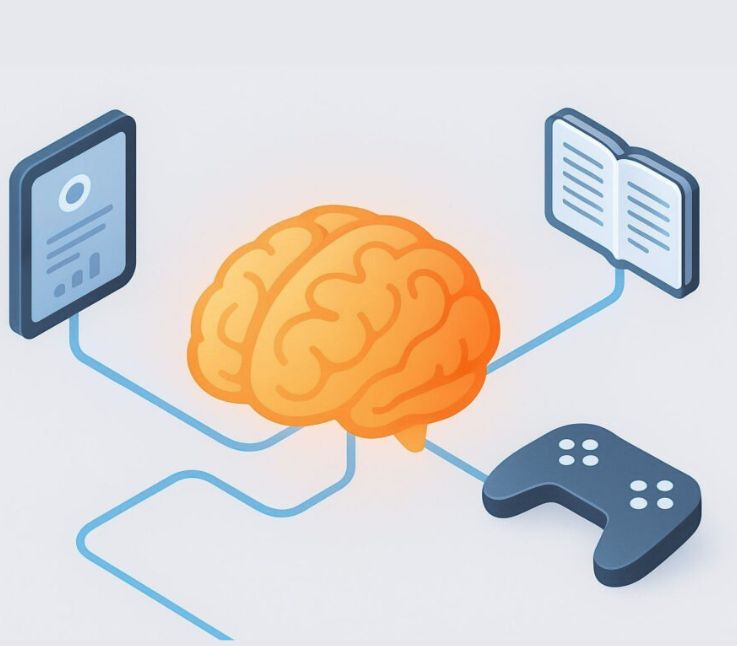
Educational software—tools like learning management systems, interactive eLearning apps, and educational games—is transforming how people learn at every stage of life. As demand grows for personalized, accessible, and remote learning, many organizations are asking how to develop educational software that is both effective and scalable.
However, understanding how to develop educational software goes beyond coding. It requires aligning educational objectives with technology, ensuring compliance and accessibility, and meeting the needs of diverse users without exceeding budget constraints.
This guide provides a clear, practical framework on how to develop educational software, with step by step guidance, key decision points, and actionable insights to help you move from concept to launch with confidence.
What Are the Steps to Develop Educational Software? (Process Overview)
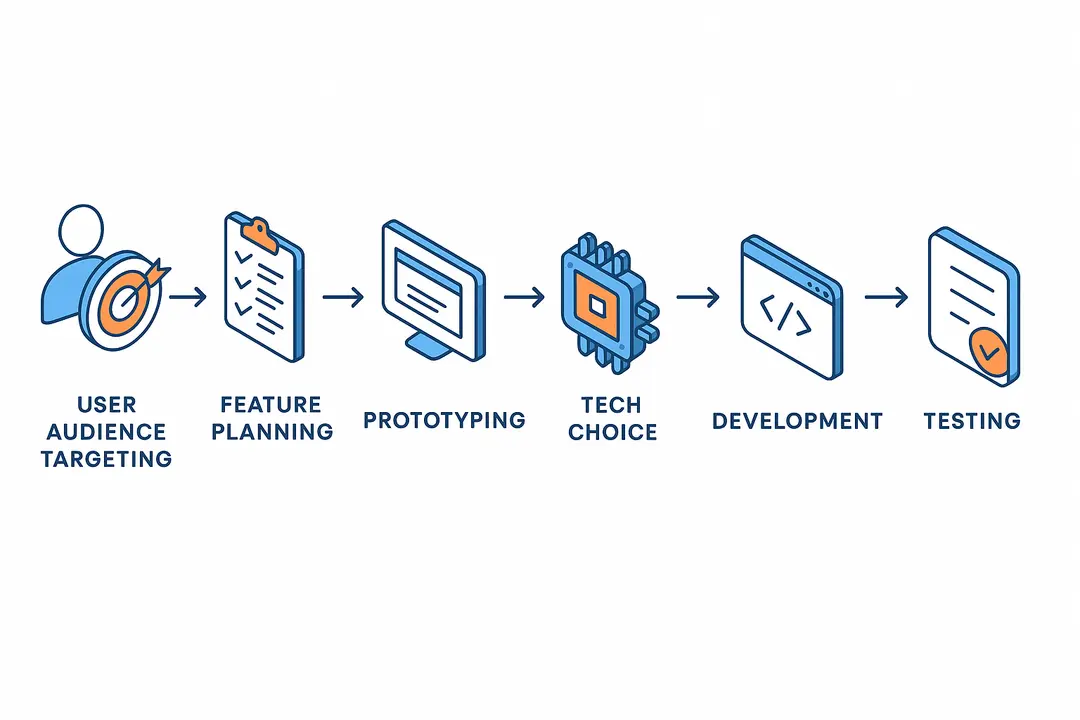
Developing educational software follows a proven, step-by-step framework that bridges teaching goals, technology, and user needs.
To develop educational software, follow these 8 essential steps:
- Define your audience and learning objectives
- Plan feature requirements and user flows
- Prototype and storyboard your app
- Choose your technology (no-code vs. code)
- Design for great UX/UI and accessibility
- Develop your MVP and integrate systems
- Test, launch, and iterate with feedback
- Ensure compliance, data privacy, and security
This roadmap breaks down the educational software development process, from concept through successful launch.
Who Are You Building For? How to Define Your Audience and Learning Objectives
Successful educational software starts by understanding who will use it and what learning outcomes you want to achieve.
Key Questions to Guide Your Process:
- Who are my target learners (age, skill level, academic needs, accessibility requirements)?
- What are their learning goals or challenges?
- How will progress and success be measured?
Steps for Defining Audience & Objectives:
- Identify User Personas: Map stakeholders such as K12 students, higher ed learners, teachers, special education (SEN) students, or corporate trainees.
- Set Clear Learning Objectives: Use frameworks like SMART (Specific, Measurable, Achievable, Relevant, Timely) to define outcomes—e.g., “Students will master algebra fundamentals by module 4.”
- Collect Feedback: Distribute short surveys or run empathy mapping sessions with real users.
- Examples:
- K12: Addressing reading comprehension for 2nd graders.
- Higher Ed: Building a mobile lab management app for chemistry students.
- SEN: Designing an app with text-to-speech for children with dyslexia.
- Corporate: Developing a compliance training program for remote employees.
Table: Typical User Types in Educational Software
| Persona Type | Example Needs | Channel |
|---|---|---|
| K12 Student | Accessible games, standards | Tablet/Web |
| Teacher | Progress tracking, grading | Web/LMS |
| Higher Ed | Peer collaboration, mobile | Mobile/Web |
| SEN Learner | Custom accessibility tools | Tablet/Web |
| Corporate | Microlearning, analytics | Mobile/Web |
Defining your audience and objectives early avoids wasted effort, ensures relevance, and creates a foundation for effective educational software development.
What Features Should Educational Software Include?
Effective educational software contains features mapped to learner needs, accessibility, engagement, and modern standards.
Core Features By App Type:
- Learning Management System (LMS):
- Course management
- Assignment submission
- Gradebook and analytics
- Integration with SIS (Student Information System)
- Educational Games & Apps:
- Levels, scoring, and adaptive difficulty
- Visual/auditory feedback
- Progress tracking
- SEN Tools:
- Text-to-speech/read-aloud
- Visual cues and easy navigation
- Personalizable font sizes/colors
Accessibility (Essential):
- Compliance with WCAG standards
- Keyboard navigation
- Alt text for images, video captions
Engagement Drivers:
- Gamification (points, badges)
- Feedback cycles (instant assessments, hints)
- Personalized learning paths
Data & Privacy Features:
- Student data protection (GDPR, FERPA compliance)
- Parental consent for minors (COPPA for US audiences)
- Data encryption and audit trails
Emerging Features:
- AI-driven recommendations
- Advanced analytics dashboards
- Adaptive learning (content adjusts by learner performance)
- AR/VR interactive modules
Comparison Table: Must-Have Features by App Type
| Feature | LMS | Game/App | SEN Tool |
|---|---|---|---|
| User Profiles | ✔ | ✔ | ✔ |
| Adaptivity | ✔ | ✔ | ✔ |
| Accessibility | ✔ | ✔ | ✔✔ |
| Progress Track | ✔✔ | ✔ | ✔ |
| Content Import | ✔ | – | – |
| Gamification | ✔ | ✔✔ | ✔ |
| Analytics | ✔✔ | ✔ | ✔ |
| Parental Ctrl | ✔ | ✔ | ✔✔ |
✔ = Essential; ✔✔ = Highly recommended
Building your “feature wishlist” with real user needs and compliance in mind ensures your educational software is both competitive and future-ready.
How Do You Plan and Prototype an Educational App? (Wireframing & Workflow)
Effective planning and prototyping help you visualize your app, reduce risk, and gather feedback before investing in full development.
Wireframing and Prototyping Steps:
- Create User Stories & Flows: Outline how different users (students, teachers, admins) will use your app.
- Storyboard Key Use Cases: Sketch basic screens and navigation paths—tools like Balsamiq or Figma make this easy.
- Design Wireframes: Develop low-fidelity mockups to map the user experience.
- Define Your MVP (Minimum Viable Product):
- List “must-have” features (core learning flows, login, reporting).
- Note “nice-to-have” features for future phases.
- Prototype Rapidly: Use no-code tools or clickable mockups to run early user tests with teachers or students.
- Get Stakeholder Signoff: Share prototypes with decision-makers for approval before development.
Quick Prototyping Checklist:
- Audience and objectives documented
- User flows/storyboards drafted
- MVP features prioritized
- Prototype reviewed by users/teachers
- Stakeholder approval secured
Early prototyping uncovers usability issues and aligns your team before costly development begins.
How Do You Choose the Right Technology for Educational Software? (No-Code vs. Code)
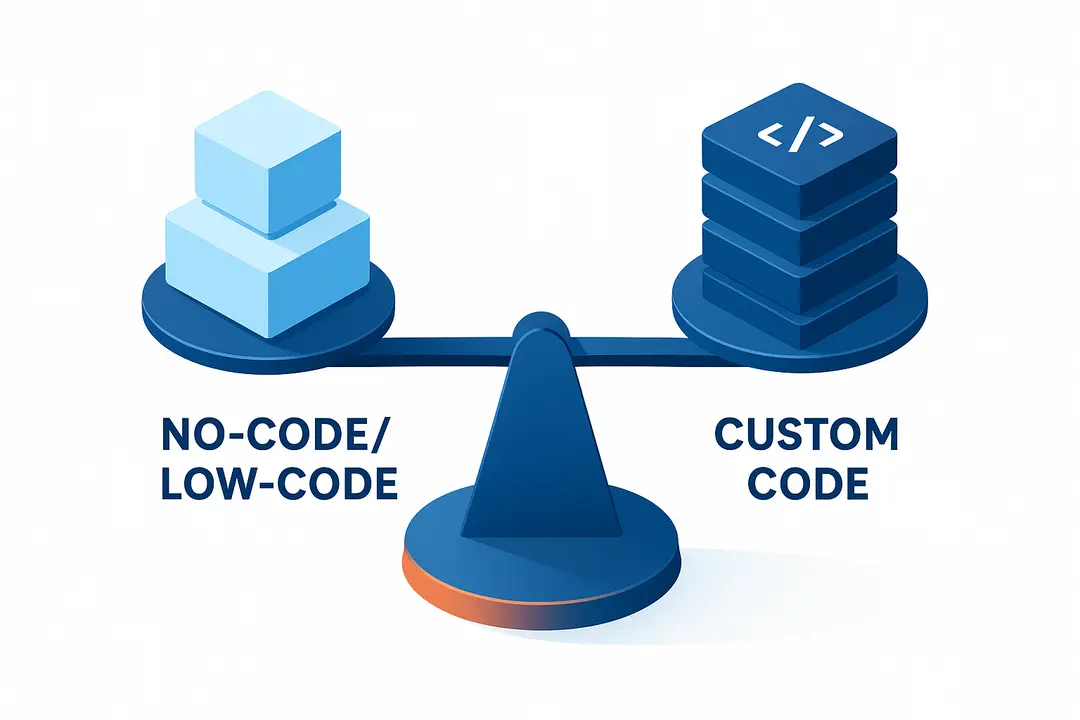
Choosing your development approach—no-code or custom code—impacts cost, flexibility, and scalability.
No-Code/Low-Code Platforms:
Use platforms like Glide, Thunkable, or Shoutem to drag-and-drop components and launch apps without programming.
- Best For: Small teams, MVPs, budget-conscious pilots, rapid prototyping.
- Pros: Fast, affordable, minimal technical skill needed.
- Cons: Customization limits, potential integration or scale issues.
Custom-Coded Solutions:
Build from scratch using frameworks like React Native, Flutter, or open-source LMS toolkits (e.g., Moodle, Canvas).
- Best For: Complex features, unique integrations, custom UI/UX, large-scale deployments.
- Pros: Total control, easy to scale and integrate, deep customization.
- Cons: Higher costs, longer timelines, requires skilled developers.
Build Approach Comparison Matrix
| Criteria | No-Code/Low-Code | Custom Code |
|---|---|---|
| Speed | Fastest (weeks) | Moderate–Slow (months) |
| Cost | Low upfront | High upfront, variable |
| Scalability | Limited | High |
| Customization | Basic–Moderate | Unlimited |
| Skills Needed | Non-technical | Developer team |
| Best For | MVPs, small orgs, pilots | Custom features, integrations |
Pro Tip:
Hybrid approaches are increasingly popular—prototype with no-code, then rebuild custom as your user base and feature needs grow.
When making your choice, weigh your team’s skills, budget, timeline, and future scalability. Always ensure your solution offers integration with must-have systems like LMS or SIS through APIs.
What Makes Great UX/UI in Educational Apps? Accessibility and Inclusive Design
User experience (UX) and user interface (UI) design greatly impact learner engagement and software adoption, especially in education.
UX/UI and Accessibility Best Practices:
- Device Optimization: Design for mobile-first, web, or cross-platform (responsive layouts).
- Accessibility Standards: Meet WCAG guidelines for color contrast, font scalability, keyboard navigation, and screen reader compatibility.
- Universal Design for Learning (UDL): Accommodate different learning needs—offer multiple ways to access content.
- Clear Visual Hierarchies: Use simple navigation, clear labels, and intuitive layouts.
- Language Simplicity: Use direct, age-appropriate language and avoid jargon.
- Personalization: Enable adjustable font sizes, high-contrast modes, and content pacing.
- Feedback Loops: Offer instant feedback and motivational cues for completed tasks.
- Test with Real Users: Validate with actual students and teachers, including those with SEN or disabilities.
Accessibility Checklist
- Color contrast passes WCAG
- Alt text and captions for images/videos
- Keyboard and screen reader support
- Adjustable font sizes and layout
- Error messages are clear and actionable
Compliance with accessibility standards like WCAG and UDL not only meets legal requirements but ensures all learners benefit from your software.
How Do You Test, Launch, and Iterate Your Educational Software?
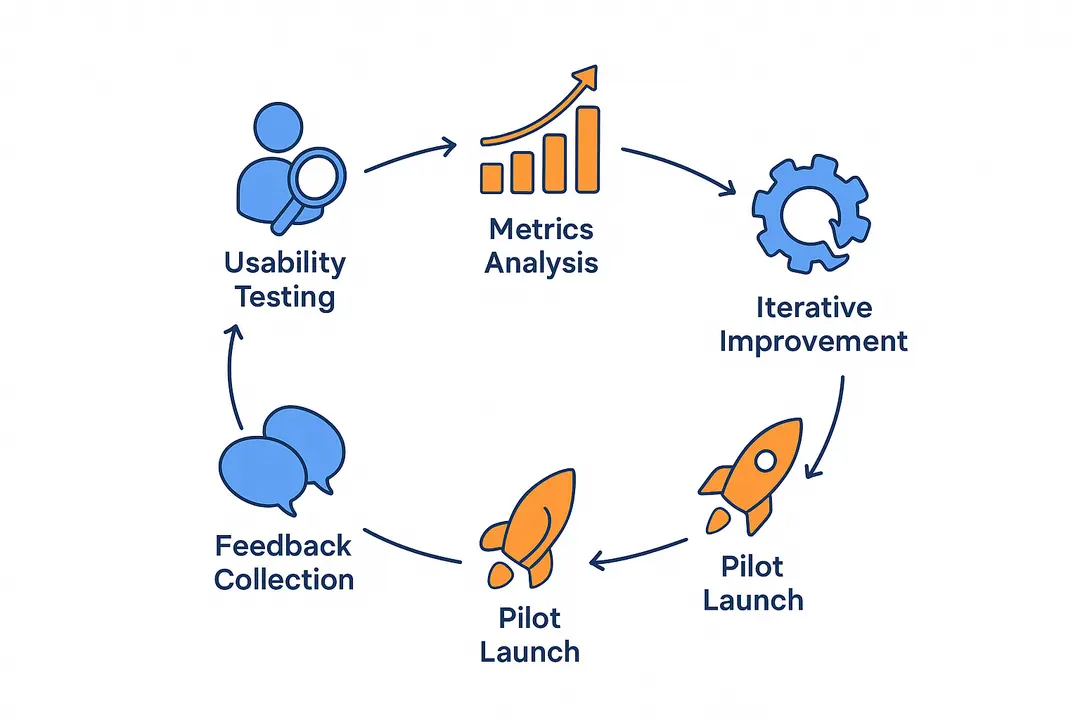
Testing and iterative feedback loops are essential to guarantee usability, engagement, and educational effectiveness.
Testing and Launch Steps:
- Usability Testing: Invite small groups of teachers, students, and admins to use your prototype. Gather qualitative feedback on navigation, clarity, and accessibility.
- Key Metrics: Track engagement rates, completion rates, and learning outcomes (pre-post assessments).
- Iterative Improvement: Use A/B testing and user surveys to refine features, content, and design.
- Beta and Pilot Programs: Do phased launches with pilot classrooms or focus groups to stress-test scalability and uncover hidden issues.
- Structured Rollout: Move from controlled pilots to wider deployment, monitoring user data and system stability at each phase.
Testing & Launch Checklist
- User groups recruited and onboarded
- Analytics and error tracking set up
- Feedback forms and support channels live
- Phased rollout plan documented
- Iteration cycles scheduled
Early and frequent testing saves time, reduces risk, and lays the groundwork for long-term product success.
What About Compliance, Data Privacy, and Security?
Educational software must adhere to strict legal and ethical standards to protect student data and ensure trust.
Key Compliance and Security Considerations:
- Regional Regulations:
- GDPR (EU) — covers personal data of EU users
- FERPA (US) — protects student educational records
- COPPA (US) — online privacy for children under 13
- Local education department requirements
- Data Privacy Best Practices:
- Encrypt user data at rest and in transit
- Collect only necessary data, with clear consent
- Assign strict access roles for sensitive information
- Special Considerations:
- SEN learners may have additional protection requirements
- Document clear data retention and deletion policies
Compliance Audit Checklist
- Compliance requirements identified for your region and user base
- Parental consent managed for minors
- Data encryption and anonymization implemented
- Roles and permissions audited
- External vendor compliance validated
Following robust compliance and security standards protects your users and organization from legal and reputational risk.
How Much Does It Cost to Develop Educational Software? (Budget, Time, Resources)
Costs for educational software development vary based on feature scope, technology approach, and resource choices.
Major Cost Drivers:
- Feature Complexity (basic content vs. advanced analytics/AI)
- Team Composition (in-house vs. contractors vs. agency)
- Platform (web, mobile, cross-platform)
- Integrations (LMS, SIS, third-party tools)
- Compliance & Security effort
Example Cost Estimates (for 2024):
| Build Type | Estimated Cost | Timeline |
|---|---|---|
| No-Code MVP | $5,000–$25,000 | 2–8 weeks |
| Custom Code | $50,000–$250,000+ | 3–12 months |
| Hybrid | $20,000–$100,000 | 6–20 weeks |
NOTE: Costs vary widely based on region, feature set, and developer rates.
Tips for Cost Control:
- Start with an MVP; expand as you learn from real users.
- Use open-source platforms where possible (e.g., Moodle, Canvas).
- Plan integrations and compliance early to prevent expensive rework.
What Types of Educational Software Can You Build? (Use Case Explorer)
Educational software spans a broad landscape—each type serves different audiences and learning goals.
Key Types and Use Cases:
- Learning Management Systems (LMS):
- Examples: Moodle, Canvas
- Manages assignments, grades, course content
- Mobile Learning Apps:
- Microlearning, spaced repetition, language learning (e.g., Duolingo)
- Educational Games:
- Engages learners through competition, rewards, and adaptive difficulty
- Special Education Tools (SEN/IEP):
- Apps designed for dyslexia, autism support, alternative inputs (text-to-speech, AAC)
- Corporate eLearning:
- Compliance training, soft skills, onboarding
- Emerging Tech:
- AI-powered personalized coaching
- AR/VR immersive simulations (virtual labs, virtual classrooms)
Mini Case Studies:
- K12 District: Deployed a custom LMS to connect teachers and students during remote learning.
- Nonprofit (SEN): Launched an app with customizable fonts and audio support for dyslexic users.
- Corporate: Built a gamified compliance eLearning platform, reducing training time by 30%.
Exploring these formats helps clarify which solutions best fit your learners and institutional goals.
Common Pitfalls & Expert Tips in Educational Software Development
Learning from common mistakes and real-world insights can save time and frustration during educational software development.
Top 5 Avoidable Mistakes:
- Skipping user research: Leads to poor alignment with learner needs.
- Underestimating compliance and accessibility: Can expose your organization to legal and reputational harm.
- Over-building too soon: Bloated feature sets stall launch and strain budgets.
- Ignoring stakeholder buy-in: Lack of teacher/admin input derails adoption.
- Neglecting iteration: “One and done” launches don’t keep products competitive or effective.
Practitioner Tips:
“Always involve real educators and students in prototyping and testing. Their feedback is your fastest route to a usable, impactful product.”
— Instructional Technologist, US School District
“Start small, measure everything, and iterate. Your first version is just the beginning.”
— EdTech Startup Founder
Sustain Engagement:
- Plan ongoing engagement campaigns with teachers and students.
- Update content and features based on analytics and direct feedback.
- Foster a user community to surface new needs and best practices.
Continue learning by joining EdTech associations, subscribing to EdTech Magazine, and exploring educational software standards.
Summary Table: End-to-End Pillar Checklist for Developing Educational Software
| Step | Critical Signoff | Complete? |
|---|---|---|
| Define audience & objectives | User research | [ ] |
| Plan features & workflows | Feature list | [ ] |
| Prototype & storyboard | Stakeholder review | [ ] |
| Select technology stack | Tech assessment | [ ] |
| Design UX/UI & accessibility | Accessibility audit | [ ] |
| Develop MVP & integrate systems | QA/Testing | [ ] |
| User/beta testing & rollout | User feedback signoff | [ ] |
| Compliance & privacy verified | Compliance signoff | [ ] |
Frequently Asked Questions About Educational Software Development
What are the steps in how to develop educational software?
Understanding how to develop educational software starts with defining users and learning goals, followed by planning features, prototyping, development, testing, and launch. A structured educational software development process ensures better outcomes.
How much does it cost in the educational software development process?
The cost of the educational software development process ranges from $5,000 for simple MVPs to $250,000+ for advanced platforms. When learning how to develop educational software, budget depends on features and compliance needs.
Which platforms help in building e learning applications without coding?
For building e learning applications, no code platforms like Glide, Shoutem, and Thunkable allow quick development. These tools simplify how to develop educational software for beginners and small teams.
What features are essential when learning how to develop educational software?
Key features in how to develop educational software include adaptive learning, gamification, analytics, accessibility, and secure data handling. These are core parts of a successful educational software development process.
How do you ensure accessibility in building e learning applications?
Accessibility in building e learning applications involves following WCAG guidelines, supporting screen readers, and offering flexible UI options. These steps are crucial in how to develop educational software for diverse users.
What is the difference between custom and no code in the educational software development process?
In the educational software development process, no code solutions are faster and cost effective, while custom development offers scalability and flexibility. Choosing the right option is key to how to develop educational software.
How do you test apps when learning how to develop educational software?
Testing in how to develop educational software includes usability testing, pilot programs, and analytics tracking. These steps improve quality in the educational software development process.
How is data security handled in building e learning applications?
When building e learning applications, data protection involves encryption, access control, and compliance with laws. Secure practices are essential in how to develop educational software.
Can educational software support special needs learners?
Yes, building e learning applications includes features like text to speech, visual aids, and adaptive interfaces. These are important considerations in how to develop educational software.
What compliance standards are required in the educational software development process?
The educational software development process must follow standards like FERPA, GDPR, COPPA, and WCAG. Compliance is a critical part of how to develop educational software responsibly.
Why is the educational software development process important for success?
A clear educational software development process helps reduce risks, improve user experience, and ensure scalability. It is essential when understanding how to develop educational software effectively.
How can beginners start building e learning applications successfully?
Beginners can start building e learning applications by using no code tools, focusing on core features, and testing early. This approach simplifies how to develop educational software step by step.
Conclusion & Expert Resources: Next Steps for Educational Software Creators
Building educational software is a complex but rewarding process that combines pedagogy, technology, and user experience. When approached with clear goals, thoughtful planning, and a focus on accessibility and compliance, it becomes much easier to create solutions that truly support learning outcomes.
By following a structured approach and staying aligned with user needs, you can reduce risks, manage resources effectively, and deliver meaningful learning experiences. With the right strategy in place, your educational software can make a lasting impact for learners and organizations alike.
Key Takeaways
- Start with clear learning objectives and understand your real users.
- Plan features and workflows based on must-have needs, not trends.
- Choose a development approach (no-code, custom, or hybrid) that matches your scale and resources.
- Prioritize accessible, inclusive design and legal compliance from day one.
- Test early, launch iteratively, and always gather feedback for improvement.
This page was last edited on 3 April 2026, at 11:28 am
Contact Us Now

Contact Us Now
Start a conversation with our team to solve complex challenges and move forward with confidence.


