Choosing between Flutter and Swift for iOS app development in 2026 is more critical than ever. The decision shapes your project’s cost, speed to market, and long-term scalability—whether you’re building an MVP, hiring a dev team, or picking a language to learn. With new cross-platform trends and native tech leaps, getting clear, data-driven answers is hard.
This guide delivers a practical, expert-backed comparison of Flutter vs Swift, with real benchmarks, actionable decision tools, and honest developer advice. You’ll leave confident in your tech choice, armed with the latest facts for today’s iOS landscape.
Flutter vs Swift: Quick Comparison Table & Verdict for 2026
Flutter and Swift both enable high-quality iOS apps, but the best choice depends on your goals, budget, and need for cross-platform reach. Below is a skimmable side-by-side summary for fast decision-making.
| Criterion | Flutter (2026) | Swift (2026) |
| Performance | Near-native; sometimes lags on intensive iOS features | Top-tier; direct access to Apple hardware/APIs |
| Cost | Lower for multi-platform (reuses code for Android) | Lower for pure iOS; doubles for iOS+Android |
| Development Speed | Fast iteration (hot reload, single codebase) | Fastest for iOS-only due to mature tools |
| UI/UX | Highly customizable, but “native feel” needs extra work | Best “Apple look & feel” out of the box |
| App Size | Generally larger binaries by 30–50% | Slimmer apps, optimized for Apple hardware |
| Learning Curve | Easy for web devs; Dart language; great docs | Familiar to iOS/macOS devs; more Apple conventions |
| Ecosystem | Vast community, growing package/plugin support | Deepest support for Apple tech, first-party APIs |
| Security/Compliance | Robust, but an abstraction layer over iOS | Direct, with full Apple security features |
| Best For | Rapid MVPs, cross-platform, teams with web skillset | Core iOS, optimized apps, pro Apple integration |
Choose Flutter if:
- You need to build for iOS and Android, fast.
- Your team values hot reload and code reuse.
- You’re focused on MVP or rapid iteration.
Choose Swift if:
- You want the best performance and “Apple feel.”
- Your app relies on new or advanced iOS/macOS features.
- Your focus is premium quality and deep Apple ecosystem fit.
What is Flutter?
Flutter is Google’s open-source UI toolkit that lets developers build natively compiled apps for mobile, web, and desktop from a single codebase—as of 2026, it’s a mainstream choice for cross-platform mobile development.
Originally launched in 2017, Flutter uses the Dart programming language and is known for features like hot reload (instant code updates), rich widget sets, and the ability to target iOS and Android with shared code. Since 2024, Flutter has focused on increased performance, reduced app size, and more seamless platform integrations, closing gaps with native SDKs.
- Single codebase: Write once, deploy to multiple platforms.
- Pre-built and custom widgets: Enables consistent, flexible UIs.
- Hot reload: Speeds up iterating and visualizing UI changes.
- Growing ecosystem: 160k+ stars on GitHub (as of 2025), and a vibrant developer community.
According to the Stack Overflow Developer Surveys (2023–2025), Flutter remains among the most loved frameworks, and its Stack Overflow question volume places it in the top five for mobile development tech.
Core Strengths and Limitations of Flutter
Flutter’s main advantage is speed and cost-effectiveness for projects targeting more than one platform—but it’s not perfect for every iOS use case.
Strengths:
- True cross-platform: One codebase for iOS and Android.
- Rapid development: Hot reload and extensive widget catalog.
- Active open-source ecosystem: Growing packages and plugins.
- UI flexibility: Customizable designs beyond platform defaults.
Limitations:
- Larger app size: Flutter builds are typically 30–50% bigger than pure Swift apps.
- Slight “non-native” feel: Replicates but doesn’t perfectly match iOS UI/UX out of the box.
- Advanced Apple features: Some new iOS APIs lag in plugin/package support.
- Integration friction: Occasional need for custom bridges to access certain hardware features.
What is Swift?
Swift is Apple’s modern, open-source programming language for native app development across iOS, macOS, watchOS, and beyond—designed for speed, safety, and full access to Apple’s latest platform features.
Swift was introduced in 2014 to replace Objective-C, offering easier syntax, memory safety, and direct hooks into the Apple ecosystem. With Swift 6 and ongoing improvements, Swift apps are now more stable, performant, and future-proof than ever. Apple’s frameworks (like SwiftUI) and dev tools (Xcode) make native development highly productive for iOS specialists.
- First-class Apple support: Immediate access to all native APIs and hardware.
- SwiftUI & Xcode integration: Simplifies UI creation and state management.
- Stable ABI: Easier long-term maintenance and app compatibility.
- Open-source ecosystem: Broad community support, with 100k+ GitHub stars and contributions.
Surveys such as Stack Overflow (2025) show Swift remains the go-to skill for iOS-specific career growth and enterprise-grade app development.
Core Strengths and Limitations of Swift
Swift is the gold standard for iOS-native apps but may not be ideal for teams targeting multiple platforms or those with non-Apple backgrounds.
Strengths:
- Maximum iOS performance: Direct compilation and hardware optimization.
- Best integration: Seamless with all Apple APIs and design guidelines.
- Up-to-date features: Immediate support for new iOS and device capabilities.
- Strong security/compliance: Apple-managed secure storage, privacy tools.
Limitations:
- Single platform focus: Code cannot be reused for Android or web natively.
- Higher cost for multi-platform: Requires separate teams/codebases for Android/web.
- Learning curve: Some complexity for developers new to Apple tech or iOS paradigms.
- Dependency on Apple: Roadmap and compatibility dictated by Apple’s releases.
Flutter vs Swift: In-Depth Side-by-Side Comparison
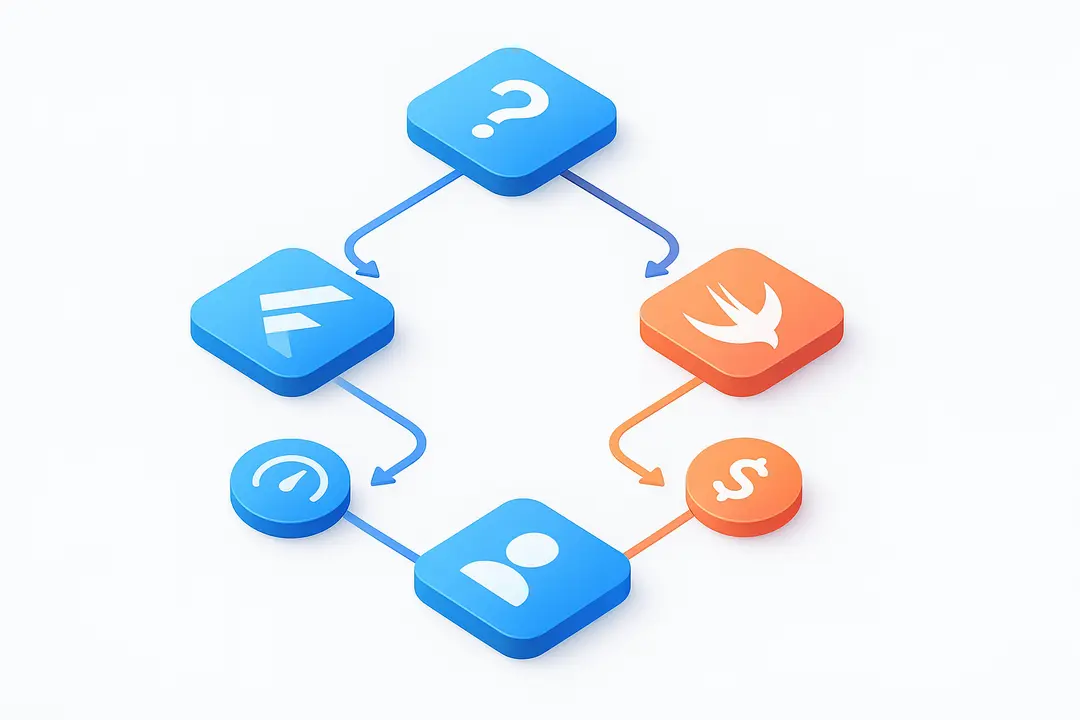
Comparing Flutter vs Swift for iOS in 2026 means looking at performance, app size, UI/UX, platform integration, development speed, learning curve, community strength, security, and accessibility. Here’s how each stacks up—using real benchmarks and practical lenses.
Which Has Better Performance—Flutter or Swift?
Swift apps remain the performance benchmark for iOS, but Flutter now delivers nearly native speed for most use cases, especially for standard interfaces and business apps.
- Startup Time: Swift apps typically launch milliseconds faster, especially on older devices.
- Frame Rate (FPS): Both can hit 60–120 FPS, but complex, animation-heavy UIs may perform slightly smoother in Swift.
- CPU/Memory Usage: Swift apps have direct system calls and optimized memory handling; Flutter is close but adds a lightweight abstraction layer.
- Battery & Resource Use: Intensive or hardware-heavy apps (e.g., games, AR) perform best in Swift due to maximized hardware control.
According to sample benchmarks from Theodo (2025), performance deltas for most business apps are unnoticeable to most users, but high-fidelity gaming or AR apps see 10–20% better responsiveness in Swift.
How Do App Size and Efficiency Compare?
Flutter apps are typically 30–50% larger than Swift apps, due to bundled engine and assets, but both platforms offer ways to optimize final build size.
| App Type | Typical Flutter Size | Typical Swift Size |
| “Hello World” | ~7–10 MB | ~2–4 MB |
| Medium App | 30–60 MB | 20–40 MB |
| Large/Enterprise | 60–150 MB | 40–120 MB |
Why is Flutter larger? The Flutter engine, assets, and Dart runtime add overhead.
Optimization: Both platforms support code splitting, asset compression, and dead-code elimination.
Impact: For most users in regions with robust connectivity, this difference is minor, but apps targeting markets with slow networks or low-end devices may need aggressive optimization.
Who Wins in UI/UX & Platform Integration?
Swift delivers the best iOS-native UI/UX with instant access to Apple’s guidelines; Flutter is customizable and close, but slight differences remain—especially for cutting-edge features.
- iOS Look & Feel: Swift (with SwiftUI/UIKit) is always current with Apple’s Human Interface Guidelines. Flutter uses Cupertino widgets to mimic iOS, but subtle differences can emerge, especially in transitions or gestures.
- Platform Features: Advanced features like Face ID, haptics, advanced camera access, or HealthKit are always supported first in Swift.
- Integration: Flutter’s plugin system bridges most APIs, but some features require custom native code or wait time for plugin updates.
- UX Consistency: For cross-platform apps or startups wanting a uniform look, Flutter shines; for “Apple perfection,” Swift is unrivaled.
Development Speed, Cost, and Team Considerations
Flutter usually reduces time and cost for projects targeting both iOS and Android, while Swift is fastest for iOS-only apps—but staffing and hiring trends affect this balance.
- Single vs Double Codebase: Flutter’s single codebase saves on design, QA, and ongoing maintenance. With Swift, separate iOS and Android (usually with Kotlin) teams are needed.
- Developer Salaries: According to Stack Overflow and Statista (2024–2026):
- Flutter developer: Median US salary ~$120,000
- Swift developer: Median US salary ~$130,000
- Hiring for mid-/senior Swift devs often takes longer, given deep iOS niche.
- Time to MVP: Flutter typically accelerates MVP/first-launch by 30–50% compared to building two native apps.
- Caveats: Projects deeply integrated into Apple’s ecosystem or requiring perfect iOS polish may see less time/cost benefit from Flutter.
Which is Easier to Learn—Flutter or Swift?
Flutter’s Dart language and widget-based approach are friendly to developers from web or C-style language backgrounds, while Swift is best for those committed to Apple’s ecosystem.
- Learning Curve: Flutter (Dart) is praised for readable syntax and robust docs; Swift is clean but has Apple-specific paradigms and tooling.
- For Beginners: Flutter often feels more approachable to web devs; Swift requires learning the Apple dev stack (Xcode, Interface Builder, SwiftUI).
- Docs & Tutorials: Both have extensive official documentation and vibrant learning communities.
“As a React developer, picking up Flutter was intuitive. Swift, while elegant, took longer to master because of Xcode and the iOS frameworks.” — 2025 survey respondent, Stack Overflow
Community, Support, and Ecosystem—Who Has the Edge?
Flutter boasts a fast-growing, globally inclusive open-source community; Swift is tightly integrated with Apple’s flagship and its passionate, specialized developer base.
- GitHub Stats (2025):
- Flutter: 160k+ stars, 2,400+ contributors.
- Swift: 65k+ stars, 1,300+ contributors.
- Stack Overflow Q&A: Flutter tags have surpassed 120k questions; Swift remains strong with over 180k, reflecting its maturity.
- Plugin/Package Ecosystem: Flutter’s registry exceeds 30,000 packages/plugins; Swift offers the richest access to Apple’s first-party libraries.
Which is More Secure & Compliant for iOS Apps?
Swift offers direct, first-class security compliance for iOS; Flutter apps are secure but rely on a bridge to iOS APIs, so security-sensitive apps may require extra diligence.
- Native Security: Swift apps leverage Apple’s Keychain, Face ID, App Sandbox, and all iOS privacy tools out-of-the-box.
- Flutter Security: Can access iOS secure storage and APIs through plugins, but must ensure plugins are up to date and audited.
- App Store Compliance: Both platforms produce apps fully eligible for App Store distribution—there is no official bias against Flutter, but complex apps should test all compliance rules carefully.
Accessibility—Can Both Meet iOS A11y Standards?
Swift enables best-in-class accessibility on iOS by default; Flutter offers strong accessibility support, but matching accessibility guidelines often requires extra attention and manual setup.
- Swift: Direct access to VoiceOver, Dynamic Type, and full iOS accessibility APIs.
- Flutter: Cupertino widgets support Apple accessibility, but some customization is needed for advanced features (custom widgets, ARIA labels, etc.).
- Best Practices: Test thoroughly on real devices; review Apple’s accessibility checklist regardless of tech stack.
Pros and Cons Table: Flutter vs Swift
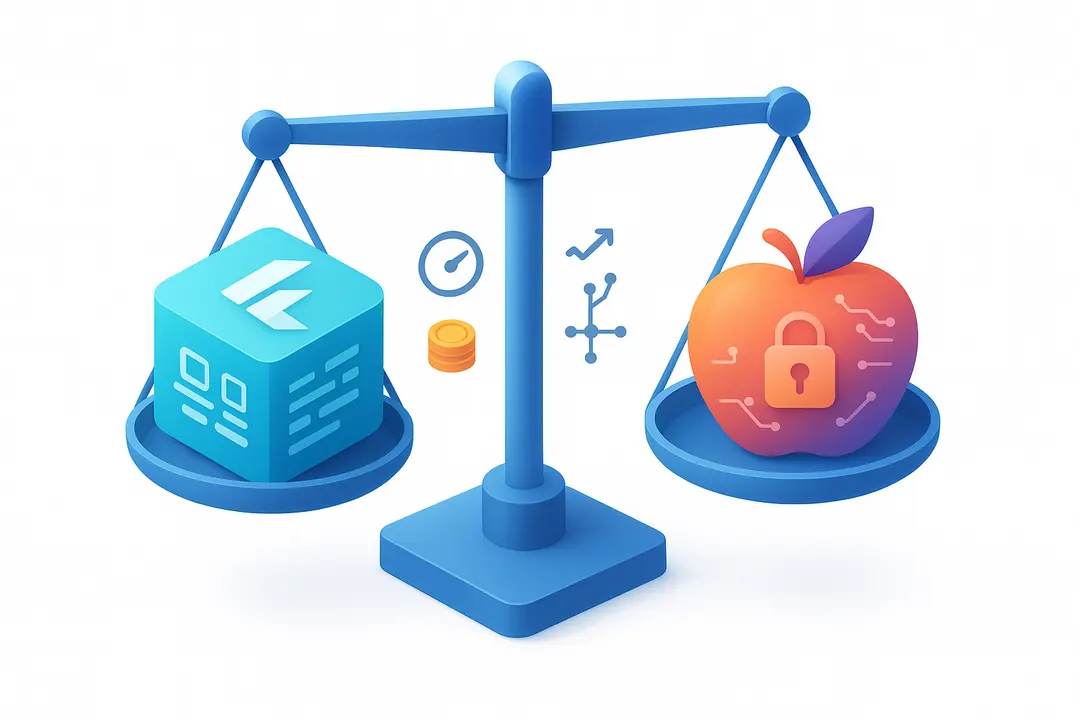
Quickly compare the strengths and weaknesses of Flutter and Swift for iOS app development.
| Criteria | Flutter | Swift |
| Pros | – Single codebase, cross-platform – Hot reload, fast iteration – Lower multi-platform cost – Big global community | – Top iOS performance – Best Apple integration – Full access to new iOS APIs – Robust security/compliance |
| Cons | – Larger app binaries – Some gaps in newest Apple features – iOS “feel” can require extra work | – iOS-only, no built-in cross-platform – Higher cost for Android/iOS – Learning curve for non-Apple devs |
How to Decide: Framework Choice Matrix & Flowchart
Choosing between Flutter and Swift for your iOS project depends on platform needs, timeline, budget, team skills, and project goals. Use the quick matrix and scenario guidance below.
Decision Matrix
| Scenario | Best Choice | Why |
| Startup, cross-platform MVP | Flutter | Fast launch, lower cost, one codebase |
| iOS-only, consumer app | Swift | Best Apple UI/UX, performance |
| Rapid prototyping, iteration | Flutter | Hot reload, flexible UI |
| Enterprise, strict security | Swift | Direct Apple security/compliance |
| Gaming, intensive graphics | Swift | Full hardware/native access |
| Team with web experience | Flutter | Eases learning curve |
| Team with Apple/iOS specialists | Swift | Plays to existing strengths |
Decision Flowchart (Textual Format):
- Need to deploy on both iOS and Android?
- Yes: Flutter will likely save time and cost.
- No: Go to 2.
- Is “Apple feel” or new iOS feature integration critical?
- Yes: Choose Swift.
- No: Go to 3.
- Is rapid iteration/low-cost MVP your main goal?
- Yes: Flutter is a strong fit.
- No: If long-term native excellence is needed, choose Swift.
Real-World Case Studies & Testimonials
Here are real-world examples of iOS projects (2026) and why teams picked Flutter or Swift, along with lessons learned from developers in the field.
Case Study 1: Fintech Startup MVP
- Tech: Flutter
- Outcome: Deployed to iOS and Android in under 4 months.
- Learning: “Flutter gave us 40% cost savings compared to native teams and let us quickly pivot on features after user feedback.” — Lead Developer, 2025
Case Study 2: Fitness App with Apple Watch Integration
- Tech: Swift
- Outcome: Delivered native iOS/watchOS app with best-in-class health tracking and prompt App Store approvals.
- Learning: “Deep HealthKit and Watch support was only possible natively. Flutter would have added months of dev time for these.” — iOS Lead, mid-sized health product team
Case Study 3: E-commerce Platform UI Overhaul
- Tech: Flutter
- Outcome: Unified iOS/Android interface, consistent branding, dramatic reduction in code maintenance.
- Learning: “We did need custom iOS plugins for advanced push notification support, but overall, development was twice as fast.” — CTO, B2C e-commerce
FAQs: Flutter vs Swift for iOS App Development
What is the main difference between Flutter and Swift?
Flutter is a cross-platform UI toolkit from Google (using Dart), allowing you to build iOS and Android apps from a single codebase. Swift is Apple’s native language designed specifically for iOS/macOS apps, offering top performance and seamless Apple integration.
Which is faster for iOS: Flutter or Swift?
Swift provides the highest possible performance on iOS, as it compiles directly to native code and accesses hardware features without abstraction. Flutter apps are very close for most business needs, but Swift leads in graphics-heavy or resource-intensive scenarios.
Is Flutter suitable for production iOS apps?
Yes. Flutter is widely used for production apps by startups and enterprises. With active ecosystem support and continued performance improvements, it delivers robust iOS experiences, though native Swift may be needed for the most advanced features or deepest Apple integration.
Can Flutter apps be published to the Apple App Store?
Absolutely. Apple accepts Flutter-built apps as long as they comply with App Store guidelines. There’s no official prejudice against Flutter; compliance mainly depends on proper use of APIs and quality standards.
How does app size compare between Flutter and Swift?
Flutter apps are typically 30–50% larger than equivalent Swift apps due to the included engine and assets. Both platforms offer tools to optimize final app size, and for many use cases the difference is not significant.
Is it easier to learn Flutter or Swift for beginners?
Flutter is often seen as easier for web developers or those with experience in C-style languages, thanks to its approachable syntax and comprehensive docs. Swift is clean and modern but requires learning the Apple development toolchain.
Which has lower development costs: Flutter or Swift?
Flutter usually lowers costs when building for both iOS and Android by enabling a single codebase. Swift is more cost-effective for pure iOS apps but requires separate code (and often teams) for Android/web.
Does Flutter support all native iOS features?
Most iOS features are available in Flutter via plugins, but the newest or more advanced APIs may require custom native code or take time to be fully supported.
Which is better for cross-platform app development: Flutter or Swift?
For cross-platform projects (iOS + Android), Flutter is purpose-built and offers maximum code reuse. Swift excels for native Apple-only apps.
How does security compare between Flutter and Swift?
Swift, being native, has direct access to all of Apple’s security features and compliance tools. Flutter apps can achieve high security but rely on plugins and abstraction layers to reach iOS-specific APIs.
This page was last edited on 11 April 2026, at 11:57 am
Contact Us Now

Contact Us Now
Start a conversation with our team to solve complex challenges and move forward with confidence.