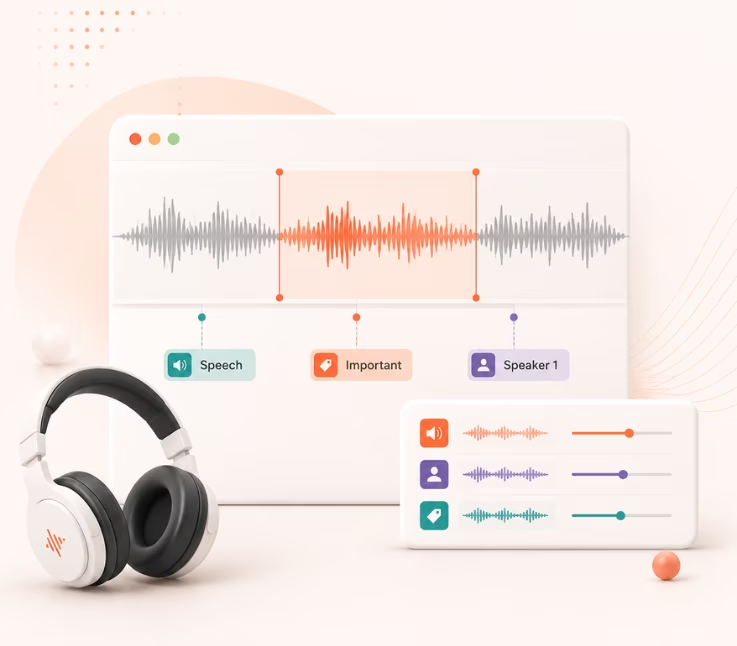
The best audio annotation software for AI in 2026 includes CVAT, SuperAnnotate, Encord, ELAN, and Label Studio. The right platform depends on your dataset size, workflow, and compliance needs. See the full comparison table below.
AI teams now rely on high-quality labeled audio to build accurate machine learning models. With so many annotation platforms launching new features every year, the choice has never been harder. Teams often waste weeks vetting tools and worrying about compliance.
The wrong choice can slow your project, introduce errors, or even cause compliance issues. If you need to boost your annotation speed, accuracy, or project security, picking the right tool is critical.
This expert guide compares the best audio annotation software for AI in 2026. You will find platform strengths, detailed side-by-side tables, and a clear framework to choose the right fit for your needs.
Why Audio Annotation Software Is Crucial for AI Success (2026 Update)
Audio annotation is the process of tagging, labeling, or transcribing sounds in audio files, often to train, test, or validate AI systems. Good annotation software helps experts mark out speech, background noise, music, events, or emotions for machine learning.
In my experience, quality audio annotation sets the ceiling for your ML model performance. If the tags are accurate, models learn faster and generalize better. This matters for use cases like speech recognition, emotion detection, and any voice-based interface. The biggest shifts in 2026 come from improved automation, stricter compliance rules, and the rising use of multilingual audio datasets. Teams now need software that not only handles complex tagging, but also fits enterprise security, privacy, and API integration needs.
How to Choose the Best Audio Annotation Software for Your AI Projects
Choosing the right audio annotation platform is more than a feature checklist. You need a clear method to match tools to your project size, workflow, and risk profile. Here’s how I guide teams when comparing today’s top options.
The best approach is to map your project requirements—such as supported audio types, automation level, user roles, and privacy—to current platform capabilities. Below, I break down key evaluation criteria, compare categories like open source vs. commercial, and highlight the must-have automation features in 2026.
Core Evaluation Criteria for Audio Annotation Platforms
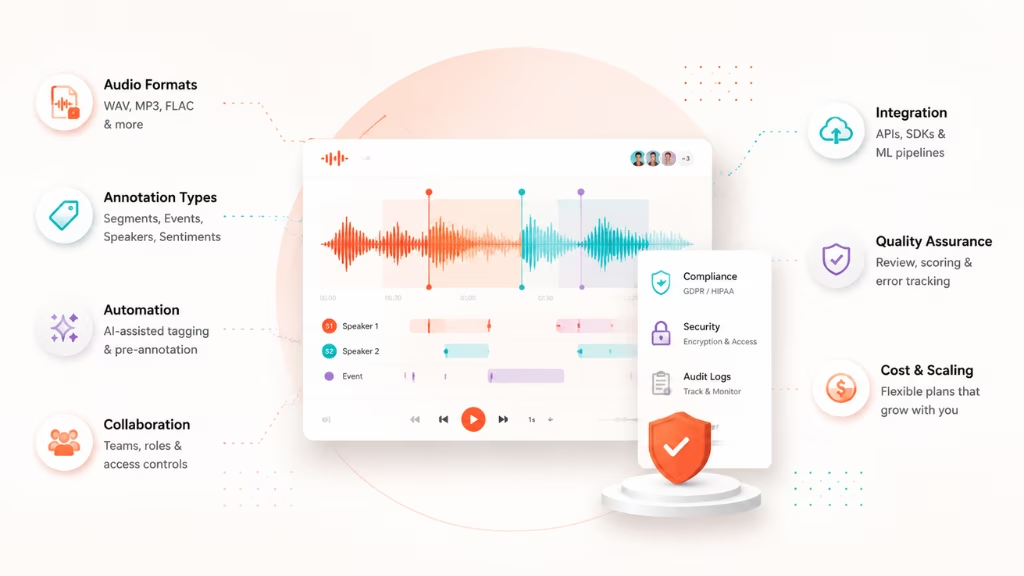
Before picking a tool, I recommend listing your key needs next to each critical evaluation area. Each factor directly affects annotation speed, quality, and total project cost.
- Supported Audio Formats: Make sure the tool handles your core file types—WAV, MP3, FLAC, or proprietary formats.
- Annotation Types: Can you tag segments, events, speakers, or sentiments? Advanced use cases often need multilabel or multitier support.
- Automation Features: Look for auto-labeling, AI-assisted tagging, or pre-annotation tools to speed up routine tasks.
- Collaboration & Access Controls: Can multiple annotators work together, manage roles, and control data access? Enterprise projects need strong team features.
- Integration with ML Pipelines: Check for REST API, Python SDKs, or cloud workflow integration. This is where many teams struggle, especially when automating batch ingestion and export. For example, tools like Label Studio provide API documentation and SDK support for integrating annotation workflows into ML pipelines.
- Compliance: GDPR and HIPAA compliance are essential for healthcare or EU work. Data encryption and audit logs are must-haves.
- Quality Assurance (QA): Look for review workflows, consensus scoring, and error metrics.
- Cost & Scaling: Compare free/Open Source, “per-user” plans, and managed pricing to avoid surprise costs.
| Criteria | Importance | Considerations |
| Audio format support | High | WAV, MP3, FLAC, custom formats |
| Manual vs. automated tools | Very High | AI-assisted auto-tagging, pre-labeling |
| API & integration | High | Python/REST APIs, cloud workflows |
| Collaboration features | Med-High | Roles, permissions, comment threads |
| QA tooling | High | Review, scoring, consensus, error tracking |
| Compliance (GDPR/HIPAA) | Critical for regulated | Encryption, data access, logs |
| Cost & support | Variable | Open source, usage-based, or subscription |
Open Source vs. Commercial vs. Managed Annotation Services
Selecting between open source, commercial, and managed annotation services is one of the biggest forks in the road for most teams. Each comes with tradeoffs you need to weigh.
Open source tools like CVAT or Label Studio offer no-cost entry and maximal customization. In my experience, they fit best for skilled teams needing total workflow control or deep integration with in-house ML pipelines. However, setup and support are your responsibility. This is where many smaller teams underestimate the ongoing maintenance.
Commercial platforms such as SuperAnnotate and Encord provide advanced features out of the box—like QA dashboards, granular user management, and compliance certifications. These often justify the price if you require enterprise scaling or need quick support.
Managed services (e.g., iMerit, Toloka) deliver outsourcing for annotation at scale. You avoid operational load but might sacrifice some control or transparency. Medical, automotive, or large call center projects often prefer this route, especially when datasets are massive and high accuracy is non-negotiable.
2026 Trends: Automation & AI-Assisted Annotation
The 2026 crop of annotation platforms focuses hard on automation and human-in-the-loop workflows. Teams expect tools to do more of the heavy lifting up front so experts can focus on edge cases and QA.
Here’s what is now standard among top solutions:
- Auto-segmentation: Automatically splits audio into speech, silence, or events to save time.
- AI-assisted labeling: Pre-labels with speech detection, speaker diarization, or emotion tagging.
- Batch processing: Tools can now process thousands of audio files at once.
- Hybrid review: Human review is built into the loop, ensuring model accuracy without manual overload.
- Cloud Integration: Cloud-based annotation is default, making it easy to scale and collaborate globally.
If your platform does not offer these, it is probably outdated or will not scale to large ML projects.
Top Audio Annotation Tools & Platforms in 2026
For quick comparison, here’s a table of the most-used audio annotation software for AI in 2026. I have included open source, enterprise, and managed service options. This should be your first stop when shortlisting tools.
| Tool | Type | Price | Key Features | Best Uses | Compliance | Automation | Support | Integration | 2026 Updates |
| CVAT | Open Source | Free | API rich, multi-format, scalable | Developers, IT teams | By config | Yes | Community | Python, REST API | Audio module expanded |
| SuperAnnotate | Commercial | Quote | Team workflows, QA, automation, cloud | Enterprises | HIPAA, GDPR | Yes | Priority ticket | SDKs, major clouds | Real-time QA insights |
| Encord | Commercial | Quote | AI assist, compliance, advanced QA | Pharma, healthcare | HIPAA, GDPR | Yes | Dedicated | SDKs, pipelines | Multimodal audio+video mix |
| ELAN | Open Source | Free | Multitier linguistic, research focus | Research, Linguistics | – | Partial | Community | Export options | Improved multi-speaker tools |
| Label Studio | Open Source | Free/$ | Extensible, strong community, wide plug-in | Data science, startups | By config | Yes | Community/premium | Python, cloud | UI, auto-labeling plugins |
| iMerit | Managed | Quote | Fully outsourced, healthcare focus | Medical, enterprise | HIPAA | Yes | Account manager | Export formats | Voice biometric annotation |
| Praat | Open Source | Free | Phonetics research, scripting support | Academic, phonetics | – | No | Community | Scripting | Script extensions added |
| Toloka | Managed | Variable | Crowd annotation at scale | Big datasets, events | By request | Yes | Project manager | API | Advanced consensus metrics |
| Labellerr | Commercial | Variable | Automation, team dashboards | Enterprises, startups | HIPAA, GDPR | Yes | Priority | ML pipeline | Enhanced annotation QA |
Below, I cover each tool’s fit, strengths, and 2026 details.
CVAT (Computer Vision Annotation Tool)
CVAT is an open source powerhouse popular with developers and technical AI teams. Originally for images, its audio module has improved in 2026. It’s highly extensible, and the API allows batch import/export.
If your team is technical and values customization, this is a solid option. Downsides can include complex setup and a steeper learning curve. In my experience, CVAT is best when you want total control and have dev resources for integration and workflow tweaks.
Quick Verdict: Best open source platform for technical teams or custom ML pipelines.
SuperAnnotate
SuperAnnotate is a leading choice for enterprises needing robust collaboration, QA, and automation. It offers a web-based interface, strong support, and easy onboarding for teams. In 2026, real-time QA analytics and auto-tagging for speech events stand out. Pricing is by quote.
SuperAnnotate’s user roles and review features are helpful when scale and regulatory needs matter. I have seen this platform simplify large, distributed annotation teams.
Quick Verdict: Best for enterprise teams needing compliance, QA, and team management.
Encord
Encord is built for teams that need AI assistance, quality management, and enterprise-grade compliance. The 2026 release focuses on AI-driven pre-labeling and hybrid audio-video workflows.
Their QA features and secure integrations fit regulated spaces like pharma or clinical research. The advanced audit trails help with GDPR and HIPAA audits, making it easier to pass risk reviews.
Quick Verdict: Best for regulated industries or any team that needs strong QA and compliance.
ELAN
ELAN is long valued in research and linguistics for multi-tier annotation—segmenting complex conversations, overlapping speech, or timing. It’s open source, free, and supports custom coding and formatting.
Limitations include less automation than commercial rivals and a less modern UI. If you work with detailed language research, ELAN remains a top pick, especially in academia.
Quick Verdict: Best for academic teams focused on research-grade linguistic annotation.
Label Studio
Label Studio combines open source flexibility with strong community support and extensibility. It adapts to almost any annotation workflow and now has a growing library of automation plug-ins for 2026.
It’s simple to deploy but also offers cloud/Python integration for data science use. I have seen fast ramp-up and easy workflow customization—great for teams that want full control with some support available.
Quick Verdict: Best open source pick for versatile, customizable workflows.
Other Noteworthy Tools: iMerit, Praat, Toloka, Labellerr
Several platforms fit niche use cases or provide managed services at scale.
- iMerit: Managed, with HIPAA-compliant healthcare annotation.
- Praat: Academic phonetics research, scripting.
- Toloka: Large-scale, crowdsourced event and speech annotation.
- Labellerr: Enterprise, automation, and dashboard-driven annotation.
Quick Verdict: Choose these for managed outsourcing, large-scale crowds, healthcare, or research-specific needs.
End-to-End Audio Annotation Workflow for AI: Step-by-Step Guide
Getting from raw audio to a clean, labeled dataset for machine learning requires a reliable workflow. Here’s how I recommend structuring your annotation process in 2026.
The following steps work for both manual and AI-assisted setups, whether you’re cloud-based or on-premise.
- Ingest Audio Data
- Import audio files into your annotation tool.
- Validate formats (WAV, MP3, etc.).
- Configure Annotation Schema
- Define what to label—speech, events, emotions.
- Set up tiers, tag lists, or boundaries as needed.
- Assign Tasks
- Split data among annotators.
- Grant user roles and access rights.
- Annotate (Manual/Auto)
- Use manual tools or AI auto-labeling.
- Review and adjust pre-labels as required.
- Quality Assurance Review
- Apply consensus scoring, dual review, or error checks.
- Iterate if error rates are too high.
- Export Labeled Data
- Select output format (JSON, CSV, XML, custom).
- Test sample imports into your ML pipeline.
- Pipeline Integration
- Link annotation data to training or evaluation workflows.
- Monitor feedback from your ML models to further tune annotation.
A better approach is to keep automation checkpoints and human review balanced. Last year when our dev team skipped formal QA, error rates rose. Now, we always build in a QA phase before data export.
Pitfalls, Compliance, and Key Considerations When Selecting Audio Annotation Software
Switching annotation platforms is costly. I have seen projects stall because teams chose tools based on a demo, not fit for workflow or compliance. The real issue is often underestimating security, support, or total cost of ownership.
Key areas to check:
- Overlooking regulatory compliance (HIPAA, GDPR, domain-specific needs)
- Lacking data encryption or fine-grained access control
- Weak QA workflows—error-prone annotations slow model training
- Underestimating integration costs with ML pipelines
- Lock-in with proprietary formats or hard-to-migrate workflows
Mistakes to avoid:
- Not mapping features to your workflow up front
- Failing to secure executive signoff for compliance needs
- Ignoring the effort needed for manual onboarding or customization
- Missing support for your core audio types
Why Choose Riseup Labs for Your Audio Annotation Needs?
Sometimes, an expert team saves months of effort. In my POV, Riseup Labs stands out for guiding organizations through multivendor deployments and complex compliance.
They design tailored workflows and help select, integrate, or even customize the right annotation stack. If you face scaling, security, or integration barriers, it is worth bringing in experienced consultants who specialize in annotation for regulated industries.
Conclusion
No single platform wins for every use case. The best audio annotation software for AI in 2026 is the one that maps to your data, workflow, regulatory needs, and technical resources. Start with your requirements, shortlist options from the comparison table, and run pilot projects rather than relying on demos or vendor claims.
In my experience, teams that build formal QA processes, plan for growth, and get compliance right avoid the most painful setbacks. I always advise downloading a feature matrix or workflow checklist before committing.
If you need help designing the right solution or scaling to enterprise needs, consulting specialists like Riseup Labs can close the gap. As AI projects become more complex, the mix of human expertise and smarter annotation workflows is the future.
FAQs about Audio Annotation Software for AI in 2026
What is the best audio annotation software for AI in 2026?
CVAT, SuperAnnotate, Encord, ELAN, and Label Studio are the top platforms. The best fit depends on project needs, automation, scale, and compliance.
Are there free, open source tools for audio annotation?
Yes. CVAT, Label Studio, ELAN, and Praat are free, open source options. Each supports key audio formats and is actively updated.
What features should I compare in audio annotation platforms?
Compare audio format support, automation, collaboration tools, integration options, compliance, QA workflows, and pricing.
How does automated audio annotation differ from manual?
Automated annotation uses AI to pre-label or segment audio. Manual annotation relies on humans. Most platforms use both, with AI speeding up repetitive tasks.
Which tool is best for large-scale, enterprise-grade annotation projects?
SuperAnnotate and Encord offer enterprise features, QA, automation, compliance, and integration vital for large-scale work.
This page was last edited on 11 August 2026, at 4:59 pm

Start a conversation with our team to solve complex challenges and move forward with confidence.