
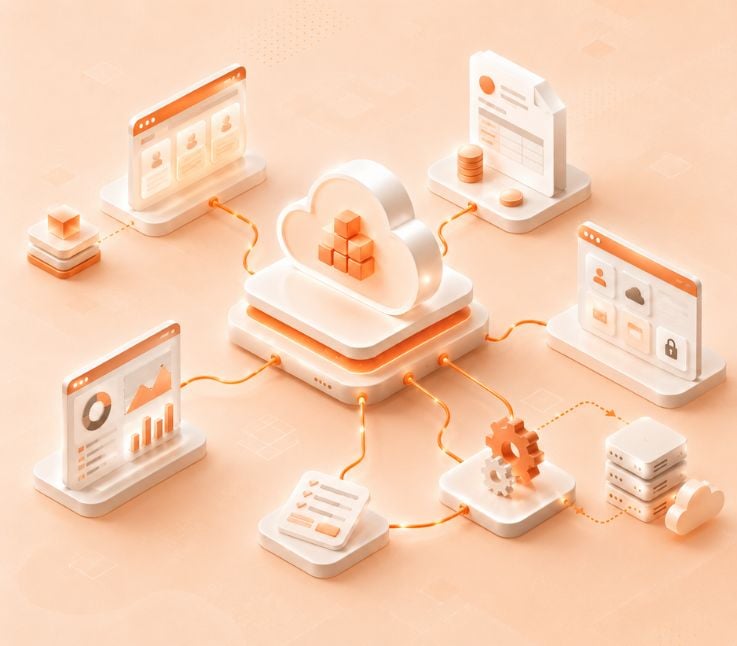
Microsoft CSP automation helps Cloud Solution Provider partners automate billing, license provisioning, subscription management, customer onboarding, reconciliation, reporting, and compliance workflows. It connects Microsoft Partner Center with business systems such as ERP, CRM, PSA, accounting, and customer portals to reduce manual work and improve operational accuracy.
Managing a Microsoft Cloud Solution Provider business can become complicated as customer accounts, licenses, subscriptions, usage charges, renewals, and invoices grow.
Manual processes may work at the beginning, but they often create problems when partners start handling more tenants, more Microsoft 365 licenses, more Azure usage, and more customer-specific billing rules.
That is where Microsoft CSP Automation becomes valuable.
Microsoft CSP automation helps partners automate repetitive cloud business operations such as license provisioning, subscription updates, billing, invoicing, reconciliation, customer onboarding, reporting, and compliance tracking. Instead of moving data manually between Microsoft Partner Center, ERP, CRM, PSA, and accounting tools, automation keeps the workflow more connected and accurate.
This guide explains what Microsoft CSP automation is, how it works, which workflows to automate, what benefits it brings, and how CSP partners can implement it properly.
What Is Microsoft CSP Automation?
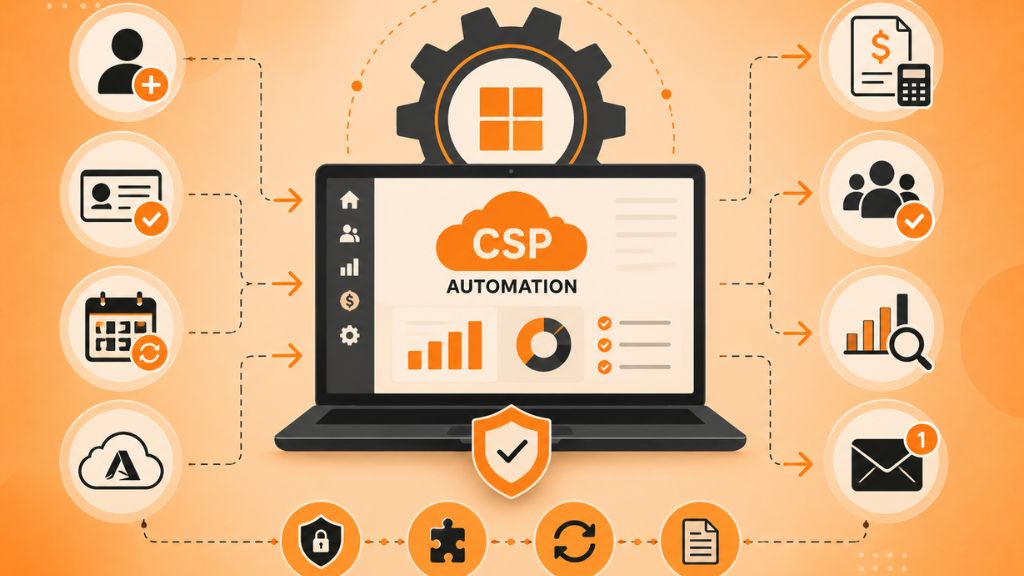
Microsoft CSP automation is the use of software, APIs, integrations, and workflows to manage Microsoft Cloud Solution Provider operations with less manual effort.
It helps partners automate tasks such as customer setup, license changes, subscription renewals, Azure usage billing, invoice generation, reconciliation, and customer reporting.
For example, when a customer adds new Microsoft 365 licenses, an automated CSP workflow can update the subscription, sync the change with billing, adjust the invoice, and record the update in the partner’s internal system.
Without automation, the same process may require support tickets, manual Partner Center updates, spreadsheet tracking, finance review, and separate invoice correction.
Why Microsoft CSP Automation Matters
Microsoft CSP partners manage recurring cloud services, usage-based billing, subscription terms, renewals, and customer changes. These workflows must stay accurate because small mistakes can affect revenue, customer trust, and compliance.
Automation matters because it helps partners:
- Reduce billing errors: CSP billing can include recurring charges, usage-based charges, prorated changes, renewals, and customer-specific pricing. Automation helps calculate and sync these details more accurately.
- Provision licenses faster: Customers do not want to wait for simple license increases or subscription changes. Automation speeds up provisioning and reduces support delays.
- Improve reconciliation: Microsoft billing data must match internal invoices. Automation helps detect mismatches before they become disputes or revenue leakage.
- Scale without adding more manual workload: As customer volume grows, automated workflows allow partners to manage more subscriptions without increasing finance and support workload at the same rate.
- Improve customer experience: Self-service portals, faster updates, and clearer billing give customers better control over their cloud services.
How Microsoft CSP Automation Works
Microsoft CSP automation connects Microsoft Partner Center with the partner’s internal tools and customer-facing systems.
A typical workflow looks like this:
- Customer request is created: A customer, reseller, sales team, or support team requests a new subscription, license change, renewal, or cancellation.
- Automation platform syncs with Partner Center: The system pulls or updates customer, subscription, usage, and billing data through secure API connections.
- Subscription or license is updated: The requested change is processed automatically or sent through an approval workflow if needed.
- Billing data is calculated: The platform calculates recurring charges, usage charges, prorated changes, discounts, and customer-specific margins.
- Invoice is generated: Billing data is pushed to accounting, ERP, or invoicing tools.
- Reconciliation is completed: Microsoft billing data is compared with internal records to find missing, duplicate, or incorrect charges.
- Reports are updated: Finance, operations, and customer success teams get updated reports on revenue, renewals, usage, and exceptions.
The main goal is to create one connected flow instead of several disconnected manual steps.
Key Microsoft CSP Workflows You Should Automate
Not every process needs to be automated at once. Partners should begin with workflows that create the highest risk, cost, or delay.
Billing and invoicing: Automate recurring charges, Azure usage billing, prorated changes, and invoice generation. This reduces manual finance work and helps prevent billing disputes.
License provisioning: Automate seat additions, removals, upgrades, downgrades, and subscription changes. This improves response time and reduces support tickets.
Customer onboarding: Automate tenant setup, customer account creation, subscription assignment, billing profile creation, and portal access. This helps new customers start faster.
Renewal management: Automate renewal reminders, subscription status tracking, contract updates, and renewal billing. This lowers the risk of missed renewals.
Reconciliation: Automate comparison between Microsoft billing records and internal invoice data. This helps identify missed revenue, duplicate charges, and quantity mismatches.
Customer self-service: Allow customers or resellers to view subscriptions, download invoices, check usage, and request license changes without waiting for support.
Reporting and analytics: Automate reports for revenue, usage, margins, renewals, billing exceptions, and customer growth. This helps leaders make faster decisions.
Benefits of Microsoft CSP Automation
Microsoft CSP automation improves both operational efficiency and customer experience.
The biggest benefits include:
- Fewer manual errors: Automation reduces repeated data entry across Partner Center, billing tools, CRM, ERP, and PSA systems.
- Faster billing cycles: Finance teams can close billing faster when usage data, subscription data, and invoices are synced automatically.
- Better revenue protection: Reconciliation automation helps partners catch missed charges, wrong quantities, and billing mismatches.
- Lower support workload: Self-service portals and automated provisioning reduce simple customer requests.
- Improved visibility: Teams can see subscription status, billing exceptions, customer usage, renewals, and revenue data in one place.
- More scalable operations: Partners can manage more customers and subscriptions without depending on spreadsheets or manual tracking.
- Stronger compliance control: Automated audit logs, approval workflows, and access controls help partners maintain cleaner records.
Microsoft CSP Automation Use Cases
Here are the most important use cases CSP partners should consider.
- Automated license changes: When a customer needs more Microsoft 365 licenses, automation can update the subscription, adjust billing, and sync records with internal systems. This saves time for support and finance teams.
- Azure usage billing: Azure consumption can change every month. Automation helps import usage data, calculate customer charges, apply margins, and include the correct amount on invoices.
- Monthly invoice generation: Instead of manually collecting subscription and usage data, partners can generate invoices from synced billing records. This reduces billing delays and manual review time.
- Customer onboarding: A new customer can be set up with tenant details, subscriptions, billing profile, portal access, and approval workflows through one connected process.
- Renewal tracking: Automation can track renewal dates and notify teams or customers before subscriptions expire. This helps prevent service interruptions and missed revenue.
- Billing reconciliation: The system can compare Microsoft billing files with internal invoice records. Any mismatch can be flagged for finance review before invoices are finalized.
- Self-service subscription management: Customers can view active services, request license changes, check billing history, and download invoices without creating a support ticket.
Key Features to Look for in a CSP Automation Platform
A good CSP automation platform should support the full cloud business workflow, not only billing.
Look for these features:
- Partner Center integration: The platform should connect securely with Microsoft Partner Center to sync customer, subscription, billing, and usage data.
- Billing automation: It should support recurring billing, usage billing, prorated changes, discounts, tax handling, and invoice generation.
- Subscription management: It should allow easy license provisioning, renewals, upgrades, cancellations, and subscription changes.
- ERP, CRM, PSA, and accounting integration: The tool should connect with systems your team already uses, such as Dynamics 365, Business Central, ConnectWise, Autotask, QuickBooks, or custom ERP tools.
- Self-service portal: Customers and resellers should be able to manage common requests without waiting for support.
- Reconciliation support: The platform should help compare Microsoft billing data with internal customer billing records.
- Reporting dashboards: Finance, operations, and leadership teams should be able to track revenue, margins, usage, renewals, and billing exceptions.
- Security and access control: The platform should include role-based access, audit logs, approval rules, and secure API connections.
Common Microsoft CSP Automation Platforms
Several platforms support CSP automation, billing, provisioning, marketplace management, and partner operations.
Common options include:
Work 365: Useful for Microsoft partners that work heavily with Dynamics 365, Microsoft 365, invoicing, subscription management, and provisioning.
Infiterra: Offers CSP automation, billing, live pricing, customer portals, cloud catalog management, and Microsoft integration.
AppXite: Supports marketplace automation, reseller management, provisioning, billing, and analytics for cloud businesses.
Pax8: Known for its cloud marketplace experience, partner enablement, provisioning support, and cloud service catalog.
N-able: Often used by MSPs that need cloud service management, automation, reporting, and operational support.
CSP Control Center: Built for CSP billing, provisioning, marketplace, customer portal, and subscription management workflows.
The best platform depends on your billing complexity, customer volume, reseller structure, integrations, and internal workflow.
How to Implement Microsoft CSP Automation
A successful CSP automation project should be planned carefully. Do not begin with the tool only. Start with your workflow.
- Audit your current process: Review how your team handles onboarding, billing, license changes, Azure usage, renewals, reconciliation, and reporting.
- Find the biggest bottlenecks: Identify where your team loses the most time or makes the most mistakes. Billing, reconciliation, and license updates are often the best starting points.
- Define clear goals: Decide whether you want faster billing, fewer invoice errors, better customer self-service, automated provisioning, or improved reporting.
- Choose the right platform: Compare tools based on Partner Center integration, NCE support, billing features, ERP or CRM integration, self-service portal, and reporting.
- Clean your data: Remove duplicate customers, outdated subscriptions, wrong license counts, and inconsistent pricing before migration.
- Test before going live: Run test scenarios for new subscriptions, license changes, renewals, cancellations, Azure usage billing, invoice generation, and reconciliation.
- Train your teams: Finance, support, sales, and operations teams need to know what is automated, what needs approval, and how exceptions are handled.
- Go live in phases: Start with one or two high-value workflows, then expand automation after the team is comfortable.
- Monitor and optimize: Track failed syncs, billing exceptions, customer portal usage, support ticket reduction, and time saved.
Best Practices for Microsoft CSP Automation
Use these best practices to reduce risk and get better results.
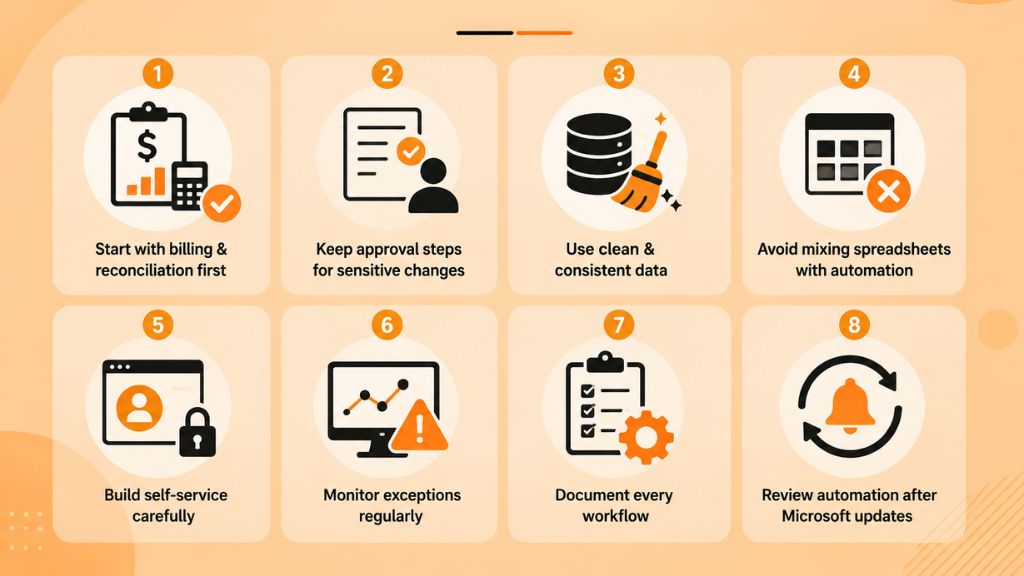
Start with billing and reconciliation first: These workflows directly affect revenue and customer trust. Automating them early helps reduce invoice errors, missed charges, and monthly finance workload.
Keep approval steps for sensitive changes: Do not fully automate every action. Large license increases, cancellations, discounts, credit holds, and contract exceptions should still include human review.
Use clean and consistent data: Automation depends on accurate customer, subscription, product, and pricing records. Poor data will create poor results, even with a strong platform.
Avoid mixing spreadsheets with automated workflows: If teams continue using old spreadsheets after automation starts, data conflicts may appear. Define one source of truth for each process.
Build self-service carefully: Customer portals are useful, but permissions should be controlled. Customers should only be able to perform actions that match your business rules.
Monitor exceptions regularly: Automation reduces manual work, but it does not remove oversight. Review failed syncs, reconciliation gaps, and billing exceptions daily or weekly.
Document every workflow: Keep clear documentation for billing rules, approval steps, integration points, exception handling, and support ownership.
Review automation after Microsoft updates: Microsoft CSP pricing, billing rules, APIs, and program requirements can change. Review your workflows after major updates.
Common Challenges in Microsoft CSP Automation
Microsoft CSP automation can create major improvements, but partners should prepare for a few common challenges.
- Poor data migration: If old customer and subscription records are inaccurate, automation may carry those mistakes into the new system.
- Integration complexity: ERP, CRM, PSA, accounting, and Partner Center systems may not connect perfectly without planning or custom development.
- NCE billing confusion: Teams need to understand billing terms, renewal dates, cancellation rules, prorated charges, and reconciliation timing.
- Weak exception handling: Some billing and subscription scenarios need human approval. If exceptions are not planned, teams may lose control.
- Low team adoption: Finance, support, and sales teams may continue using old processes if they are not trained properly.
- Unclear ownership: Failed syncs, billing mismatches, and portal issues need assigned owners so problems do not stay unresolved.
Why Choose Riseup Labs for Microsoft CSP Automation?
Riseup Labs can support Microsoft CSP automation projects that need custom software development, cloud engineering, API integration, automation, QA, and managed service support.
This can be useful for CSP partners that have complex workflows, legacy billing systems, custom ERP tools, or unique customer portal requirements.
Riseup Labs can help with:
- Partner Center integration planning
- Custom billing workflow automation
- Customer portal development
- ERP, CRM, and PSA integration
- Secure API development
- Cloud infrastructure support
- QA and automation testing
- Reporting dashboard development
- Managed support after launch
For CSP partners that cannot solve everything with an off-the-shelf platform, a custom automation partner can help connect systems and build workflows around real business needs.
Conclusion
Microsoft CSP Automation helps Cloud Solution Provider partners reduce manual work, improve billing accuracy, speed up provisioning, and manage subscriptions more efficiently.
As CSP businesses grow, spreadsheets and manual updates become harder to control. Automation gives partners a better way to connect Microsoft Partner Center with billing, ERP, CRM, PSA, accounting, customer portal, and reporting systems.
The best approach is to start with the workflows that create the most errors or delays, such as billing, reconciliation, license changes, and renewals. With the right platform, clean data, and clear team ownership, CSP partners can scale their cloud operations with more accuracy and confidence.
Frequently Asked Questions
What Is Microsoft CSP Automation?
Microsoft CSP automation is the process of automating billing, provisioning, subscription management, onboarding, reconciliation, reporting, and compliance workflows for Microsoft Cloud Solution Provider partners.
Why Is Microsoft CSP Automation Important?
It helps partners reduce manual errors, speed up billing, improve customer service, manage subscriptions more accurately, and scale cloud operations with less manual effort.
Can Microsoft CSP Billing Be Automated?
Yes. CSP billing automation can pull subscription and usage data, calculate charges, generate invoices, sync with accounting tools, and flag billing mismatches for review.
What Workflows Should CSP Partners Automate First?
Most partners should start with billing, reconciliation, license provisioning, customer onboarding, and renewal tracking because these areas create the highest operational risk.
What Systems Can CSP Automation Connect With?
CSP automation can connect Microsoft Partner Center with ERP, CRM, PSA, accounting, payment, support, reporting, and customer portal systems.
What Are the Biggest CSP Automation Challenges?
The biggest challenges include poor data quality, complex integrations, NCE billing rules, weak exception handling, unclear ownership, and lack of staff training.
This page was last edited on 9 July 2026, at 11:10 am

Start a conversation with our team to solve complex challenges and move forward with confidence.










