

Manual document-heavy processes are a significant barrier to efficiency and scalability in modern enterprises. Today’s organizations face mounting costs, delays, and compliance risks due to the sheer volume of paperwork and manual data entry involved in critical workflows. Traditional digital transformation efforts often fall short when they don’t leverage intelligent and automated solutions.
AI automation for document-heavy processes is transforming the way businesses handle large volumes of documents—from invoices to contracts—dramatically reducing errors and freeing staff for higher-value work. This end-to-end executive playbook reveals the proven strategies, leading tools, compliance frameworks, and real-world ROI insights you need. By following this guide, you will gain a practical roadmap for selecting, deploying, and scaling intelligent document automation—no matter your industry.

What Is AI Automation for Document-Heavy Processes?
AI automation for document-heavy processes refers to using artificial intelligence, machine learning, and automation technologies to extract, validate, and route data from both structured and unstructured business documents. This approach streamlines previously manual workflows, enhancing productivity and business outcomes.
- Data extraction from invoices, forms, and contracts
- Validation and verification of information against system records
- Automated document routing and approval across workflows
Both structured documents (like standard forms and invoices) and unstructured documents (emails, scanned contracts) can be transformed with intelligent document processing (IDP) platforms. The result: faster, more accurate, and more compliant business operations.
Benefits at a glance:
- Accelerated workflow speed
- Reduced manual errors
- Improved compliance and auditability
- Scalable handling of business volume
How Does AI Automate Document Workflows?
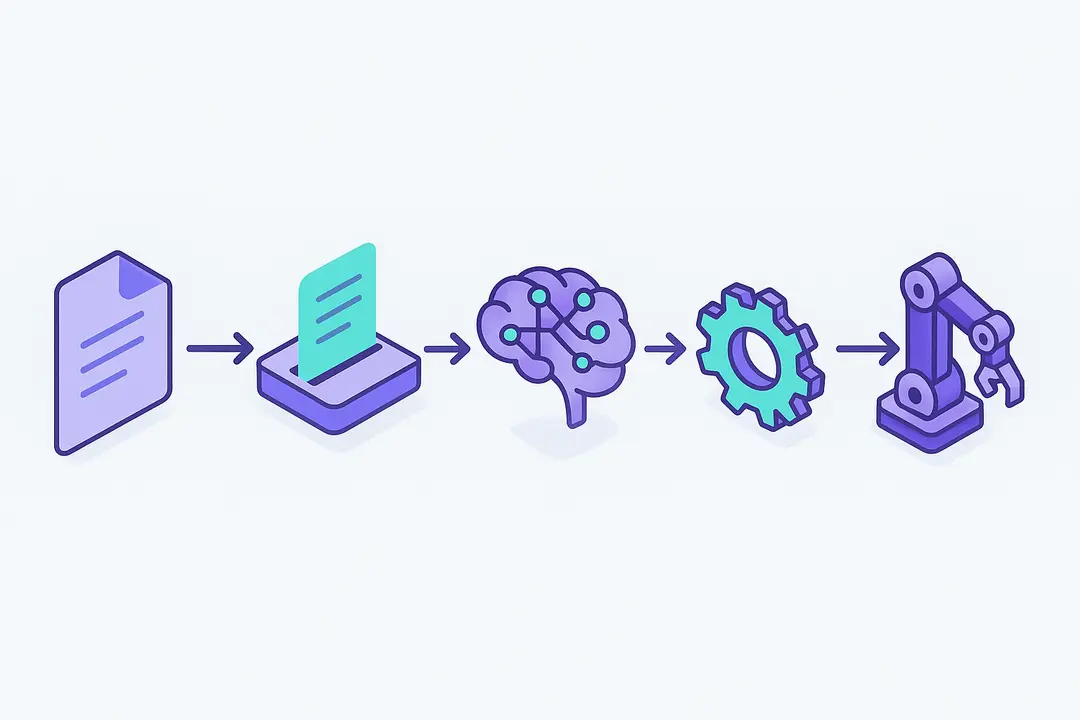
AI automates document workflows by combining several core technologies—each addressing specific aspects of the process. Together, these create an end-to-end system that digitizes, understands, and acts on incoming documents.
Key technologies and roles:
- Optical Character Recognition (OCR): Digitizes paper or scanned documents, converting them into machine-readable text.
- Natural Language Processing (NLP): Enables understanding and context extraction from unstructured text, such as legal contracts or emails.
- Machine Learning (ML): Learns document types and patterns to accurately classify, extract, and validate information over time.
- Robotic Process Automation (RPA): Orchestrates the movement of extracted data across systems (ERP, CRM), automating multi-step workflows.
Workflow Example:
INPUT DOCUMENT → OCR/SCRAPING → NLP/ML EXTRACTION → VALIDATION → RPA ROUTING/AUDIT
- A scanned invoice (input) is digitized (OCR).
- Relevant fields—like date, total amount—are recognized (NLP/ML).
- Data is cross-checked for accuracy, then automatically routed for payment (RPA).
This blend of AI-driven extraction and automation delivers reliable, repeatable workflows, reducing human intervention while maintaining high accuracy and compliance.
What Are the Key Business Benefits of AI-Powered Document Automation?

Implementing AI-powered document automation delivers measurable business outcomes by eliminating manual bottlenecks and reducing risks.
Key business benefits:
- Cost savings: Automation reduces labor costs associated with data entry by up to 70% in typical deployments (according to recent Forrester benchmarks).
- Accelerated workflow speed: Processing times for documents—such as invoices or contracts—can decrease from days to minutes.
- Reduced errors: AI-driven validation dramatically lowers the risk of costly human mistakes or duplicate entries.
- Improved compliance: Automatic audit trails and real-time controls simplify regulatory reporting and oversight.
- Scalability: Volume surges no longer require proportional staffing increases, as AI can process thousands of documents with consistent quality.
| Metric | Manual Process | AI-Automated Process |
| Avg. Invoice Processing | 5–10 days | 1–2 hours |
| Error Rate | 3–5% | <1% |
| Cost per Document | $5–7 | $1–2 |
By transforming document-centric workflows with AI, organizations improve accuracy, unlock faster cycle times, and ensure ongoing compliance—generating strong ROI across departments.

What Types of Business Documents Does AI Best Automate?
AI excels at automating a broad spectrum of business documents, turning manual processes into streamlined digital workflows.
Common document types and use cases:
| Document Type | Automated Process | Business Outcome |
| Invoices | Data extraction, approval | Faster payments, fewer errors |
| Purchase Orders | Validation, matching | Streamlined procurement, compliance |
| Contracts | Clause extraction, analysis | Risk reduction, audit readiness |
| Claims (Insurance) | Data entry, fraud check | Quicker processing, fraud control |
| HR Forms | Onboarding/offboarding | Enhanced employee experience |
AI-powered automation supports both structured (forms, invoices) and unstructured documents (emails, correspondence). Specialized models even handle multilingual content, making cross-border operations seamless.
Industry snapshot:
- Finance: Invoice and PO processing
- HR: Employee document management
- Legal: Contract review and analysis
- Healthcare: Claims, medical forms
- Supply Chain: Shipping and customs paperwork
Leveraging AI for document-heavy processes delivers efficiency gains and quality improvements in every sector relying on heavy documentation.
Which Industries Benefit Most from AI Document Automation?
AI document automation has broad applicability, but certain industries realize especially strong value due to regulatory demands, document volume, and risk exposure.
Industries leading in adoption:
- Finance & Banking: Accelerate loan applications, KYC, invoice approvals. Case study: A leading bank cut loan processing times by 60% with AI-driven document automation.
- Healthcare: Automate claims processing and manage patient records, improving both speed and compliance with regulations like HIPAA.
- Legal: Contract analysis and e-discovery made faster and more accurate; compliance with increased auditability.
- Insurance: Streamline claims intake, fraud detection, and policy management.
- Supply Chain & Logistics: Digitize bills of lading, customs documents for global logistics efficiency.
- Human Resources: Automate onboarding, compliance checks, and ongoing document management, ensuring privacy and data security.
Sector-specific challenges:
Each industry faces unique compliance frameworks—like SOC 2 in finance or HIPAA in healthcare—that intelligent document processing platforms are increasingly built to address.
How Do I Choose the Right AI Document Automation Tool?

Choosing the best intelligent document processing (IDP) solution involves evaluating vendors against your business’s specific needs.
Key evaluation criteria:
- Integration capability: Seamlessly connect with existing ERP, CRM, or ECM systems.
- Accuracy and adaptability: High extraction accuracy and ability to handle new document types or formats.
- Scalability: Support for increasing volume without loss of performance.
- Compliance: Built-in frameworks for GDPR, SOC 2, HIPAA, and robust audit trails.
- Usability: Intuitive setup, transparent training, and manageable for line-of-business users.
Leading Platforms Comparison:
| Feature | Automation Anywhere | UiPath | ABBYY FlexiCapture | Kofax |
| Integration | Deep (ERP, RPA) | Wide (RPA, APIs) | ERP, ECM, Cloud | Workflow suites |
| Accuracy | ~95% (benchmarks) | ~90–95% | High (esp. forms) | Strong OCR/NLP |
| Compliance | SOC 2, GDPR | GDPR, HIPAA | GDPR, SOC 2 | SOC 2, GDPR |
| Usability | User-friendly | Moderate | Tech-focused | Business UI |
Questions to ask vendors:
- What are proven ROI benchmarks for your platform in my industry?
- How is data secured, and what privacy controls exist?
- What is the product roadmap—AI updates, continuous learning?
- How flexible is pricing—per document, per user, or enterprise tier?
What Are the Steps to Implement AI-Powered Document Automation?
Deploying AI document automation successfully requires a structured approach, balancing technical rollout with people and process considerations.
Step-by-step implementation roadmap:
- Preparation
- Map current document workflows.
- Conduct a data quality audit—identify gaps and redundancies.
- Align stakeholders: process owners, IT, compliance.
- Vendor Selection & Integration Planning
- Shortlist platforms based on feature fit.
- Design integration points with core business systems.
- Pilot Deployment
- Launch with a defined document type (e.g., invoices).
- Monitor accuracy, exceptions, and user feedback.
- Refine models and workflows as needed.
- Rollout & Scaling
- Expand to additional document types and departments.
- Establish quality checkpoints and KPIs for continuous monitoring.
- Provide user training and adoption incentives.
- Change Management
- Communicate value and roles clearly to staff.
- Build in human-in-the-loop review where needed.
- Recognize and celebrate early wins to drive buy-in.
Tip: Start with a narrowly scoped pilot to prove value, then iterate and scale for broader impact.
How Does AI Automation Improve Compliance and Reduce Risk?
AI-powered document automation significantly enhances compliance and risk management through built-in governance, auditability, and security features.
Key compliance-enhancing features:
- Automatic audit trails: Every document action is logged and traceable for regulatory reporting.
- Role-based access: Sensitive data is protected, with permissions managed at user and document level.
- Built-in compliance frameworks: Leading solutions offer out-of-the-box support for SOC 2, GDPR, HIPAA, and more.
- Automated alerts & reporting: Real-time monitoring of rule violations and exception handling.
- Reduction of human error and fraud: Consistent, rules-based automation limits opportunities for manipulation or oversight.
By automating document-centric processes, organizations reduce manual handling risks, ensure regulatory alignment, and respond faster to audits and inquiries.
How Do I Calculate and Track the ROI of Document Automation?
Understanding and maximizing ROI is critical for gaining executive buy-in and ensuring long-term success of your document automation initiative.
Simple ROI calculation framework:
ROI (%) = [(Annual Cost Savings + Productivity Gains – Automation Investment) / Automation Investment] × 100
Inputs to consider:
- Saved labor hours (FTE reduction)
- Error and exception rates before/after
- Processing speed improvements
- Compliance/audit cost reductions
| Parameter | Pre-AI Automation | Post-AI Automation | Annual Benefit |
| Labor cost/document | $7 | $2 | $100,000+ |
| Error corrections | 5% | <1% | $20,000 |
| Cycle time (days) | 7 | 1 | 85% faster |
Best practices for ROI tracking:
- Set initial baselines and targets at project kickoff
- Use dashboards to monitor process KPIs in real time
- Regularly evaluate process improvements for continuous gains
What Are the Biggest Challenges and How Can I Overcome Them?
While the benefits are clear, implementing AI for document-heavy processes presents practical hurdles that require careful planning.
Top 5 challenges and solutions:
- Integration with Legacy Systems
Solution: Use middleware, APIs, or phased migration to connect old and new systems. - User Resistance and Change Fatigue
Solution: Early communication, visible leadership support, and involving teams in pilot feedback. - Data Quality and Silos
Solution: Data cleansing before deployment, ongoing quality checkpoints. - Complexity of Unstructured Documents
Solution: Leverage advanced NLP, machine learning, and human-in-the-loop workflows for exceptions. - Ensuring Human Oversight
Solution: Design blended workflows with both automation and manual review, especially in sensitive contexts.
Checklist for pitfall prevention:
- Scope pilot clearly, with measurable outcomes.
- Engage IT, compliance, and business users early.
- Track both technical and organizational KPIs from day one.
- Provide continuous training and support.
Strategically addressing these challenges significantly increases the likelihood of long-term automation success.
Frequently Asked Questions about AI for Document-Heavy Processes
What is AI automation for document-heavy processes?
AI automation refers to the use of artificial intelligence, such as machine learning and robotic process automation, to extract, validate, and process data from business documents—minimizing manual work and errors.
What types of business documents can be automated with AI?
AI platforms can process structured documents like invoices, purchase orders, HR forms, and unstructured documents such as emails, contracts, or correspondence.
How does intelligent document processing (IDP) work?
IDP combines technologies like OCR, NLP, and ML to digitize documents, extract information, classify document types, and seamlessly feed data into business workflows.
What are the main benefits of automating document workflows?
Key benefits include lower processing costs, reduced error rates, faster turnaround times, improved audit trails, and greater scalability for organizations.
How much ROI can businesses expect from document automation?
While results vary, many organizations see cost reductions of 50–70%, error reductions below 1%, and substantially faster document turnaround after implementing AI automation.
Which industries use AI for document-heavy processes?
Finance, insurance, healthcare, legal, HR, and supply chain industries commonly leverage AI document automation to manage large document volumes and meet compliance needs.
What’s the difference between RPA and AI-powered document workflows?
RPA automates repetitive tasks by mimicking manual processes, while AI-powered automation uses machine learning to understand and process complex, variable documents for greater intelligence.
How do I choose the right document automation tool?
Consider integration capabilities, accuracy rates, compliance features, scalability, usability, and vendor support. Use a structured RFP to compare leading solutions side-by-side.
How does automation improve compliance and security in document processing?
Automation ensures all document actions are traceable, enforces role-based access controls, and supports real-time compliance reporting for regulations like GDPR or HIPAA.
What are the biggest challenges to successful implementation?
Common hurdles include integrating with existing systems, user adoption, ensuring data quality, managing unstructured documents, and maintaining human oversight
Conclusion
AI automation for document-heavy processes is no longer optional—it’s a strategic imperative for organizations aiming to gain efficiency, reduce risk, and unlock new business value. As the regulatory and operational landscape grows more complex, investing in AI-driven document workflows helps future-proof your business.
This page was last edited on 25 April 2026, at 11:24 am

Start a conversation with our team to solve complex challenges and move forward with confidence.










