

Selecting between Flutter and React Native in 2026 is a pivotal decision that impacts your app’s performance, budget, and long-term success. Both frameworks are evolving rapidly, but making the wrong choice can mean delayed launches, higher costs, or scalability setbacks.
Outdated guidance and hype often cloud the real differences between these technologies. This article delivers the most up-to-date, actionable comparison to help you choose the best cross-platform mobile framework for your specific needs in 2026. Inside, you’ll find hands-on benchmarks, decision frameworks, migration risks, and hiring insights so you can confidently move forward.
TL;DR: For many projects, both Flutter and React Native can deliver excellent results, but the right pick comes down to your team’s skills, UI needs, ecosystem, and growth plans.
Flutter vs React Native at a Glance (2026)
![Flutter vs React Native at a Glance (2025) [Comparison Table]](https://riseuplabs.com/wp-content/uploads/2026/04/flutter-vs-react-native-at-a-glance-2025-comparison-table.webp)
A fast scan of Flutter and React Native reveals key strengths, trade-offs, and use cases in a single view. Use this table to quickly compare core features and see when to use—or avoid—each framework.
| Feature / Factor | Flutter | React Native |
| Owner | Meta (Facebook) | |
| Language | Dart | JavaScript (TypeScript supported) |
| Rendering Engine | Impeller (2025) — custom GPU-accelerated | Hermes (2025) — optimized JS engine, Native Bridge |
| UI/UX | Custom widgets, pixel-perfect, highly consistent | Uses native components; native look & feel per platform |
| App Size (Typical) | ~10–15 MB (min); optimization needed for smaller apps | ~7–12 MB (min); can grow with dependencies |
| Performance | High FPS, smooth animations, predictable UI | Good, sometimes less smooth on complex UIs |
| Ecosystem | pub.dev, growing, highly curated packages | npm, massive library selection, long legacy support |
| Supported Platforms | iOS, Android, Web, Windows, macOS, Linux, Embedded | iOS, Android, Web (beta/3rd party), Windows, macOS (3rd party) |
| Hiring Talent | Smaller pool, Dart-specific training required | Large pool, JS/TS familiar to most devs |
| Best For | Custom UIs, brand consistency, animation-heavy apps | Fast prototyping, teams with JS/React experience |
| When NOT to Use | Extremely small footprint needed, rare device APIs | Demanding custom UIs, ultra-smooth animation needs |
Summary: Flutter provides tighter UI control and strong performance, making it ideal for design-driven apps, while React Native excels in rapid development with JavaScript and a mature ecosystem.
What Is Flutter? Key Features and 2026 Updates
Flutter is Google’s open-source UI toolkit for building natively compiled applications across mobile, web, and desktop from a single codebase, using the Dart programming language.
Since its initial release, Flutter has stood out for its modern architecture, custom widget library, and unmatched control over every pixel, allowing for highly consistent UIs regardless of platform. A major highlight in 2026 is the stabilization of the Impeller rendering engine, bringing efficient GPU-powered graphics and smoother animation even on lower-end devices.
Recent updates include deeper support for Windows, macOS, Linux, and web targets, making Flutter viable beyond mobile. Leading brands like Alibaba and BMW rely on Flutter to deliver consistent cross-platform experiences.
What Is React Native? Core Traits and 2026 Innovations
React Native, backed by Meta (Facebook), is a popular open-source framework enabling developers to build mobile apps using JavaScript and React. It bridges JavaScript code to native UI elements, offering a “write once, deploy anywhere” approach.
As of 2026, React Native features the Hermes JavaScript engine for faster start-up times and lower memory usage, plus the JavaScript Interface (JSI) for smoother integration with native modules. The core value is leveraging the vast JavaScript ecosystem and enabling shared logic with web projects.
Leading apps like Facebook, Microsoft Office, and Shopify use React Native at scale, and ongoing improvements now support preliminary desktop and web targets through community packages.
How Does Performance Compare? Flutter vs React Native in 2026
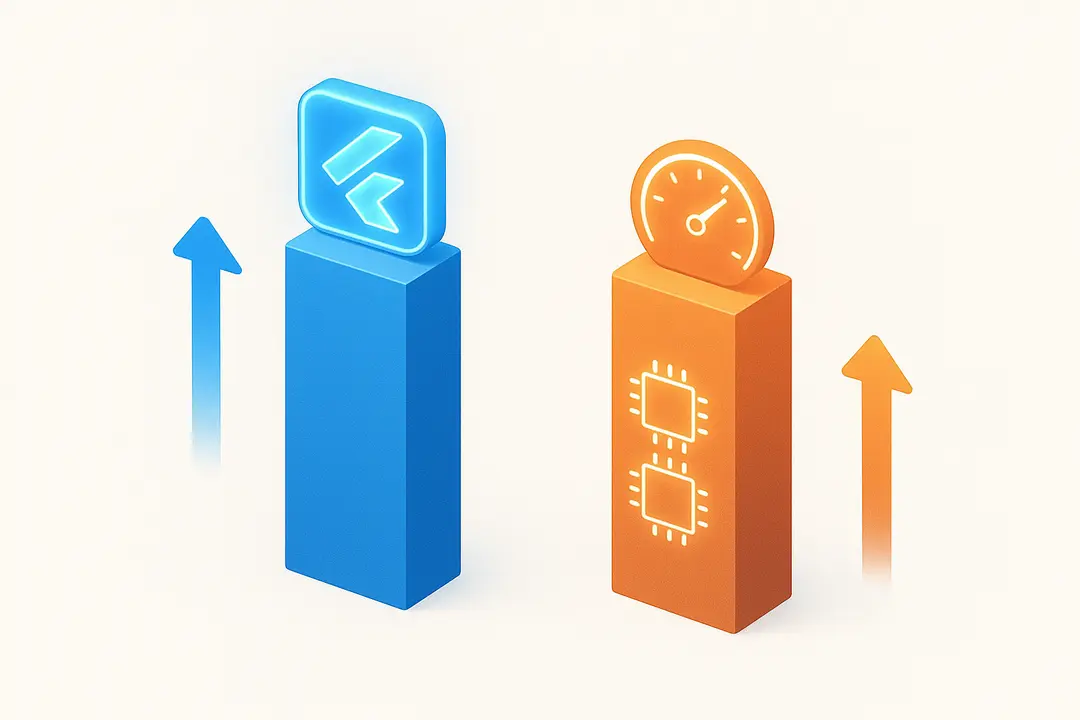
Flutter and React Native both deliver strong performance for most use cases in 2026, but their approaches and results differ, especially in graphics-heavy apps and startup speed.
- Flutter (Impeller Engine): Offers high, stable frame rates—commonly exceeding 60 FPS in animations. The Impeller engine bypasses platform UI layers, delivering low latency and smooth transitions.
- React Native (Hermes Engine): Delivers competitive start-up times and efficient memory use, especially with the Hermes engine. However, complex or custom animations may see minor lags compared to Flutter.
Key Benchmark Summaries (2026):
- App launch time: Flutter: ~1.1s, React Native: ~1.2s (Hermes enabled).
- Animation FPS (stress test): Flutter: 59–60 FPS, React Native: 54–58 FPS.
- Memory usage: Both frameworks have improved; React Native is leaner for lightweight apps, but Flutter is steadier under heavy UI loads.
- App size: Flutter tends to create larger binaries, though optimization narrows the gap.
In complex apps or design-led projects, Flutter typically offers smoother, more predictable performance.
UI/UX and Pixel Consistency: Which Framework Delivers Better Design Fidelity?
Flutter delivers superior pixel control and UI consistency across platforms, while React Native aims for a true native look by linking to platform components.
- Flutter: Renders UI entirely via its own engine—every pixel and animation is under your control. Pixel-perfect UIs, advanced transitions, and brand-driven experiences are easier to achieve and maintain.
- React Native: Uses native widgets under the hood, ensuring that each platform’s conventions are respected. This results in a UI that feels right for each device, but can introduce subtle differences and inconsistencies, especially as platforms evolve.
In summary:
- Designers who need custom animations or identical UI across platforms prefer Flutter.
- Apps targeting users who expect pure native look and feel often lean to React Native.
Design System Tips:
- Flutter: Build or adopt a custom widget system for brand consistency.
- React Native: Use component libraries (e.g., React Native Paper) but test across platforms for parity.
App Size and Footprint: How Much Space Do Your Apps Take?
App size affects downloads, updates, and device storage—often overlooked until distribution.
- Flutter: A minimal release app usually weighs 10–15 MB on Android/iOS, mainly due to bundling the Dart runtime and rendering engine. Recent optimizations, like tree shaking and deferred components, help reduce this.
- React Native: Smaller base footprint (7–12 MB), as it depends on the underlying OS components and the slimmer Hermes engine. App size grows with more dependencies or native modules.
App Size Comparison Table (2025):
| App Type | Flutter (Min) | React Native (Min) |
| Hello World | 10.5 MB | 7.8 MB |
| Typical App | 18–28 MB | 14–24 MB |
Optimization tools, such as flutter build --split-per-abi or React Native’s ProGuard + Hermes settings, can help minimize size. For heavy media or resource-driven apps, both frameworks scale similarly.
Ecosystem & Package Libraries: npm vs pub.dev in 2026
Both frameworks have robust ecosystems, but npm (for React Native) is larger, while pub.dev (for Flutter) is newer but rapidly growing.
- npm (React Native):
- Over 2 million packages.
- Mature libraries for Bluetooth, camera, payments, maps, and device APIs.
- Many modules are community-driven; quality and maintenance can vary.
- pub.dev (Flutter):
- ~50,000+ packages (2025).
- Strong official plugins (Firebase, maps, camera).
- More curated—official plugins often maintained by Google/community team.
- Some cutting-edge device APIs may have thinner support.
Edge Case Considerations:
- React Native: Better for obscure or legacy device integrations.
- Flutter: Strong for mainstream APIs, with rich UI/animation packages.
Summary List:
- npm: Broadest selection, check maintenance status before using.
- pub.dev: Smaller but high-quality core, fast-growing community offerings.
How Steep Is the Learning Curve? Dart vs JavaScript & Developer Experience
Developer adoption is shaped by language familiarity, toolchains, and resource availability.
- Dart (Flutter):
- New for many teams, though similar to TypeScript/Java.
- Excellent official documentation, strong widget-centric model.
- Learning curve is moderate, especially for experienced mobile or UI devs.
- JavaScript (React Native):
- Already well-known by web and frontend devs; TypeScript fully supported.
- Huge volume of tutorials, Stack Overflow solutions, and community blogs.
- Familiar hot reload and debugging tools.
Productivity Tools:
- Both frameworks support hot reload, fast compilation, integrated debuggers, and active IDE plugins (VSCode, Android Studio).
Typical ramp-up:
- Experienced React/JS team: React Native onboarding in days.
- New to Flutter/Dart: 1–3 weeks ramp-up for production-ready workflows.
Community & Industry Adoption: Who’s Betting on Each Framework?
A large, active community signals healthy long-term support and hiring pool.
Flutter Community
- GitHub: 160k+ stars (2025), high issue/PR activity.
- Stack Overflow: >120k questions tagged.
- Meetups: Global presence.
- Key brands: Alibaba, BMW, Google Pay, Nubank.
React Native Community
- GitHub: ~120k+ stars, very active forks/contributions.
- Stack Overflow: >220k questions tagged.
- Meetups: Widespread, especially in US/EU.
- Key brands: Facebook, Instagram, Microsoft, Shopify.
Observation: React Native benefits from longer history and broader JS developer base. Flutter’s community is newer but highly engaged and growing fast.
Backend & Cloud Integration: Firebase, Supabase, and Beyond
Most modern apps rely on cloud services for authentication, data sync, and push notifications. Here’s how Flutter and React Native integrate with popular backend technologies:
| Backend/API | Flutter Integration | React Native Integration | Vendor Lock-In Risk |
| Firebase | Official plugin (well maintained) | Community and official plugins | Medium-High (Google) |
| Supabase | pub.dev packages (official/unoff.) | npm packages (official) | Low-Moderate |
| AWS/Azure | Community libraries, REST/GraphQL | Mature SDKs, Amplify/REST/GraphQL | Low |
| Custom APIs | Native HTTP/Websocket built-in | Axios/fetch + native module support | None |
– Both frameworks can connect to any REST/GraphQL backend.
– Flutter’s Firebase integration is among the most seamless, with strong support for cloud messaging, analytics, and auth.
– React Native’s npm-based libraries are more abundant but may require more setup or review.
Costs: Development, Scaling, and Maintenance Breakdown
Assessing the true cost of Flutter vs React Native means looking beyond initial build time to include hiring, tooling, and maintenance over years.
Development Phase:
- Flutter: Slightly longer ramp-up if team is new to Dart. Robust tooling and integrated widgets reduce need for external UI libraries.
- React Native: Shorter time-to-market for experienced JS/React teams leveraging code reuse.
Maintenance:
- Flutter delivers predictable updates via Google’s schedules. Pub.dev plugins are curated but sometimes slower to support new OS releases.
- React Native’s widespread use ensures longer tail support, but community plugin maintenance varies.
Talent Costs:
- Flutter: Fewer experienced devs; may pay premium for senior specialists.
- React Native: Larger pool, lower average market rates; easier to scale up teams, especially in web-first companies.
Estimated 3-Year Cost Summary:
| Factor | Flutter | React Native |
| Talent Cost (avg) | Slightly higher | Lower |
| Build Speed | Competitive/slower | Fastest with JS teams |
| Maintenance Effort | Lower (few plugins) | Can be higher (tracking plugin health) |
| Training/Onboarding | Moderate | Light if JS/React background |
Budget-conscious projects or those with existing web teams often choose React Native. Highly branded apps, or those wanting investment in long-term UI consistency, may accept Flutter’s higher upfront costs.
Hiring & Team Considerations: Picking the Right Stack for Your Organization
Your organization’s success may depend on timely hiring and team ramp-up.
Talent Pool:
- React Native: Largest global pool of mobile-focused JS/TS developers.
- Flutter: Smaller but growing pool, especially strong in APAC, EMEA regions.
Typical Hiring Timelines (2026):
- React Native: 1–3 weeks to fill, broad contractor/agency pools.
- Flutter: 2–5 weeks for senior roles, but competition for top talent is rising.
Team Conversion:
- React or web frontend teams can shift to React Native quickly.
- Mobile/Java devs upskill to Dart/Flutter with moderate training.
Real-World Insight: Companies with urgent scaling needs or established JS shops often favor React Native for hiring flexibility.
Migration, Maintenance, and Vendor Lock-In: What to Know Before Switching
Migrating between Flutter and React Native involves planning for code rewrite, plugin compatibility, and organizational retraining.
- Audit existing code and dependencies for portability.
- Identify features relying on unsupported plugins.
- Rewrite UI/business logic in new framework (no 1:1 migration tool).
- Gradually replace modules, test every platform.
Major Risks:
- Downtime, feature gaps, or regression bugs during migration.
- Vendor lock-in with proprietary frameworks or plugins.
- Backwards compatibility issues during major upgrades (rare, but possible).
Best Practices:
- Pilot with a small feature, not the whole app.
- Keep backend APIs unchanged where possible.
- Monitor release schedules: React Native incremental, Flutter stable but fast-evolving.
Security & Compliance: How Do Flutter and React Native Protect Your App?
Security, compliance, and privacy features are vital for business-critical and regulated apps.
- Flutter: Source code compiled to native binaries, which enables code obfuscation and makes reverse engineering harder. Supports encrypted storage and secure APIs via plugins. GDPR compliance is up to the developer’s implementation and backend handling.
- React Native: Relies on JavaScript bundle, which is easier to read or unpack, so consider extra obfuscation steps and secure storage plugins. Mature support for data encryption, HTTPS, and enterprise auth via community or official libraries.
Best Practices:
- Always use secure storage and encrypted communication APIs.
- Stay updated with the latest patches; follow framework security advisories.
- Ensure GDPR (or local privacy law) compliance via both client and backend.
Which Framework Should You Choose? [Decision Tree / Scenario Matrix]
![Which Framework Should You Choose? [Decision Tree / Scenario Matrix]](https://riseuplabs.com/wp-content/uploads/2026/04/which-framework-should-you-choose-decision-tree-scenario-matrix.webp)
Selecting between Flutter and React Native in 2025 comes down to your team’s strengths, product needs, and tech stack. Use this scenario matrix to decide:
| Scenario / Need | Choose Flutter | Choose React Native |
| Custom UI or heavy animation | ✔️ Yes | Not recommended |
| Want pixel-perfect consistency | ✔️ Yes | No, platform-dependent |
| Rapid prototyping with web team | Not ideal | ✔️ Yes |
| Large developer pool/easy hiring | Not yet, but growing | ✔️ Yes |
| Fast time-to-market (shared web logic) | No | ✔️ Yes |
| Broadest device API coverage | Good, but some edge cases | ✔️ Mature npm ecosystem |
| Mobile+Web+Desktop with one team | ✔️ Best bet | Possible (extra plugins) |
| Minimizing app size | No (base size is larger) | ✔️ Yes |
| Risk averse to vendor changes | Medium, Google-owned | Medium, Meta-owned |
| Need proven enterprise deployments | ✔️ Yes | ✔️ Yes |
Rule of thumb:
Flutter is the best fit if you need tightly branded, high-performance UIs and can train or hire Dart devs.
React Native is ideal for teams with strong web/JS experience and broad hiring needs.
FAQs: Flutter vs React Native—Your Biggest Questions Answered
Which is faster in 2025: Flutter or React Native?
Flutter’s Impeller engine generally delivers slightly faster animations and more consistent frame rates in UI-heavy apps, while React Native’s Hermes engine offers competitive start-up times and is highly efficient for standard apps.
What are the pros and cons of Flutter vs React Native?
Flutter pros: excellent UI control, consistent look, smooth animations. Cons: larger app size, smaller talent pool. React Native pros: broad ecosystem, easy hiring, integration with web. Cons: UI can vary by device, custom UI is more complex.
Is Flutter or React Native better for large-scale apps?
Both frameworks scale to enterprise apps. Flutter offers more predictable UI and performance for large, design-driven apps. React Native excels when leveraging a wide JS talent pool and npm modules for rapid scaling.
Does Flutter or React Native produce smaller app sizes?
React Native typically yields smaller base app sizes due to its reliance on native components. Flutter’s custom engine adds 2–4 MB overhead, but recent optimizations are closing the gap.
Which language is easier to learn: Dart or JavaScript?
JavaScript is more widely used and often easier for teams with web experience. Dart is not difficult, especially for those familiar with Java/C#, but requires specific upskilling.
Which framework has better long-term support?
Both Flutter (Google) and React Native (Meta) are committed to long-term support. React Native benefits from a broader open-source base; Flutter’s roadmap is communicated clearly by Google.
Can you use the same codebase for web or desktop with Flutter/React Native?
Flutter supports production-ready mobile, web, and desktop builds from a single codebase. React Native offers some web/desktop support, but it is less mature and typically relies on third-party libraries.
How does backend integration differ between Flutter and React Native?
Flutter provides official Firebase integration and strong plugin support, while React Native taps into more npm backend SDKs. Both support custom APIs, but setup and plugin maturity may differ.
Are there risks with vendor lock-in for either framework?
Vendor lock-in exists with both, mainly if you rely on exclusive Google (Flutter) or Meta (React Native) services or plugins. Mitigate with open-source packages and portable backend choices.
How does hiring talent compare for Flutter vs React Native projects?
React Native currently has a larger, more readily available talent pool. Flutter’s talent pool is growing but can be harder or more expensive to hire, especially for senior roles.
Conclusion
Choosing between Flutter and React Native in 2025 demands a clear look at your app’s UI needs, team strengths, and growth plans. There is no universal winner—each framework shines in different scenarios.
Use this guide’s tables, decision matrix, and hands-on insights to accelerate your next move. Whether you aim for brand consistency, hiring agility, or maximum code reuse, the smartest choice is the one best aligned with your team, users, and future ambitions.
Key Takeaways
- Flutter excels at design consistency and high-performance UIs across all platforms.
- React Native offers faster ramp-up for teams with deep JavaScript/React experience.
- App size, hiring, and ecosystem differences can be deciding factors for your project.
- Backend integrations and vendor lock-in risks exist with both frameworks—plan accordingly.
- Use scenario-based decision guides to match framework strengths to your goals.
This page was last edited on 17 April 2026, at 2:58 pm

Start a conversation with our team to solve complex challenges and move forward with confidence.










