
A well-structured UX design process is the difference between products users love and those they abandon. A recent industry study found that poor user experience can reduce customer retention by up to 40%. The cost of unclear workflows? Lost time, missed goals, and frustrated teams.
But clarity is possible. Without a clear, step-by-step user experience process, even the most talented teams struggle to deliver consistent, effective solutions. This guide breaks the entire UX design process into simple, actionable phases—demystifying best practices from research to launch—so you can drive better outcomes, faster.
Whether you’re a beginner building your UX portfolio, a working designer refining your workflow, or a product manager aligning teams, this is your practical toolkit. Here’s what you’ll learn:
- The main steps of the UX design process—explained with real deliverables
- How industry-standard models (Classic, Lean, Agile) compare
- The best tools and checklists for each stage
- How to adapt, shortcut, or combine phases when resources are tight
- Portfolio and industry insights for standing out
What Is the UX Design Process?
The UX design process is a repeatable, user-centered framework for creating digital products that solve real problems and deliver meaningful experiences. It breaks down product development into clear, actionable stages—ensuring each decision is informed by user needs and rigorous testing.
How UX Design Process Evolved
Rooted in design thinking, usability engineering, and human-computer interaction, the UX process evolved to structure how teams turn user insights into functional digital solutions. Historical foundations such as “Design Thinking” (popularized by IDEO and the Stanford d.school) emphasized empathy, iteration, and problem reframing—principles still central to modern UX.
Today, the UX design process is both a mindset—prioritizing user needs and continuous improvement—and a methodology, enabling reliable, scalable design at startups and enterprises alike.
What Are the Key Stages of the UX Design Process? (Step-by-Step Walkthrough)
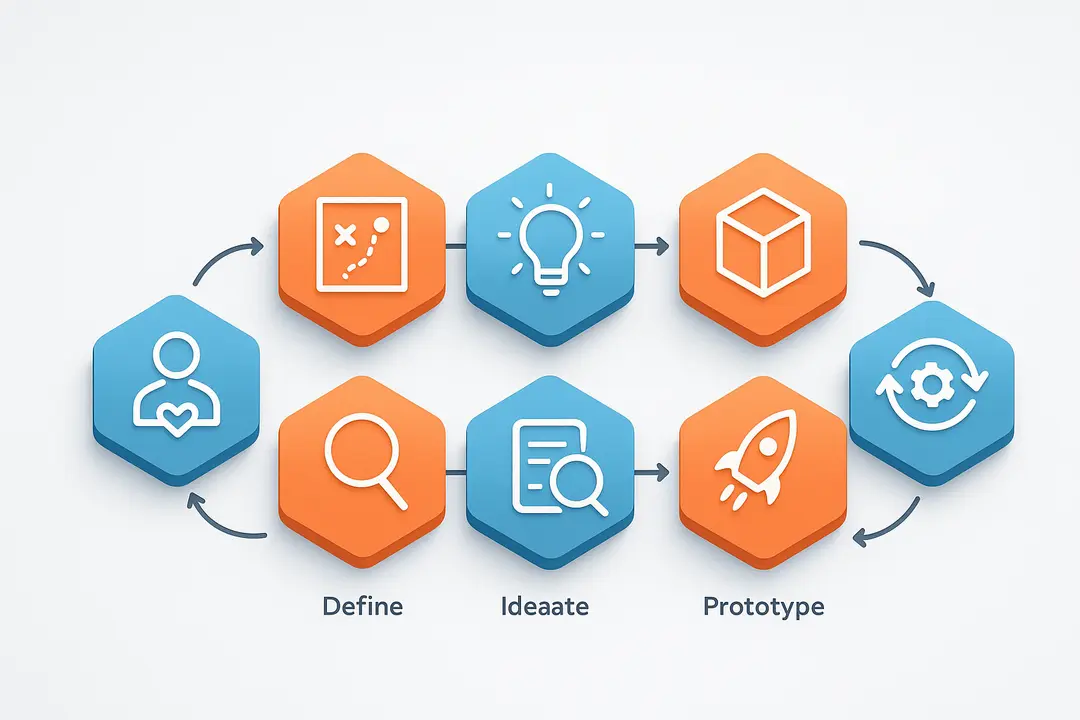
The UX design process typically follows five core stages—Empathize, Define, Ideate, Prototype, and Test—with many teams including Launch and Iteration as distinct steps. Each stage produces unique deliverables and involves distinct activities.
Below is a comprehensive step-by-step overview:
| Stage | Main Objective | Key Outputs | Typical Tools |
| Empathize | Understand users | Personas, journey maps | Miro, SurveyMonkey |
| Define | Frame the problem | Problem statements | Jira, Notion |
| Ideate | Generate solutions | Concepts, sketches | FigJam, MindMeister |
| Prototype | Visualize solutions | Wireframes, prototypes | Figma, InVision |
| Test | Validate design | Usability reports | Maze, Lookback |
| Launch | Deliver to users | Live product | Analytics platforms |
| Iterate | Improve post-launch | Enhancement roadmap | Google Analytics, Hotjar |
Stage 1: Empathize / User Research
Empathizing is about deeply understanding users’ needs, behaviors, and frustrations. This stage ensures products are built on real user insights—not assumptions.
- Main activities:
- Conduct user interviews and surveys
- Observe users’ workflows (contextual inquiry)
- Build empathy maps and personas
- Create customer journey maps
- Sample outputs:
- Detailed user personas
- Journey maps outlining user touchpoints
Example:
A SaaS startup might interview 10 target users, create two primary personas, and map how each interacts with their dashboard, highlighting pain points.
Common pitfalls:
Relying on too few users, or skipping direct research altogether, increases the risk of designing for imagined needs.
Stage 2: Define / Synthesize
Defining frames and prioritizes the core user problems to solve. It aligns teams and stakeholders on objectives and sets the stage for ideation.
- Main activities:
- Synthesize research findings
- Facilitate stakeholder workshops
- Prioritize user problems and business goals
- Draft problem and hypothesis statements
- Sample outputs:
- Clear problem statements (“Users can’t track spending efficiently due to poor categorization.”)
- Agreed requirements list
Tip:
Use affinity mapping (grouping related insights) to surface common patterns from research.
Stage 3: Ideate
Ideation brings together team creativity to brainstorm, sketch, and propose solutions to the defined problems.
- Main activities:
- Brainstorm sessions (in person or remote)
- “How Might We?” exercises
- Sketching, wireframing, storyboarding
- Mind mapping and concept exploration
- Sample outputs:
- Solution concepts or idea boards
- Low-fidelity sketches
Best practice:
Encourage divergent thinking—no idea is dismissed in the initial phase.
Stage 4: Prototype
Prototyping transforms ideas into tangible, interactive models for rapid learning.
- Main activities:
- Build low-fidelity wireframes or clickable prototypes
- Use design tools to simulate user flows
- Prepare design variations for feedback
- Sample outputs:
- Paper sketches
- Digital wireframes (Figma, Axure)
- Interactive prototypes (InVision, Adobe XD)
Example:
For a new mobile app, creating a simple clickable prototype allows for quick team and user feedback before any code is written.
Pitfalls:
Jumping to high-fidelity designs too early can waste effort if the concept isn’t validated yet.
Stage 5: Test
Testing gathers real feedback to measure usability, identify gaps, and refine the design.
- Main activities:
- Plan and conduct usability tests (remote or in-lab)
- Recruit representative users
- Analyze session recordings and feedback
- Sample outputs:
- Usability testing reports
- Actionable suggestions for improvement
Tip:
Even 5–7 users can reveal over 80% of usability problems (NNG research).
(Stage 6: Launch / Implement & Stage 7: Iterate)
Launch is when the product or new features go live, but the UX process doesn’t end here.
- Activities:
- Coordinate with developers for handoff
- QA and accessibility checks
- Release to a wider audience
- Outputs:
- Deployed product
- Team debrief/retrospective
Iteration:
Ongoing improvement based on analytics, user feedback, and post-launch user research.
- Activities:
- Track KPIs (engagement, conversion, errors)
- Schedule regular UX reviews
- Prioritize enhancements
Summary Table: Main UX Process Steps and Outputs
| Step | Activities | Outputs | Stakeholders | Common Tools |
| Empathize | Research, interviews | Personas, journey maps | UX researcher, designer, PM | Miro, Google Forms |
| Define | Synthesize, prioritize | Problem statements, reqs | Designer, PM, stakeholders | Jira, Notion |
| Ideate | Brainstorm, sketch | Idea boards, wireframes | Whole team, SMEs | FigJam, Sketch |
| Prototype | Wireframe, prototype | Prototypes, UI flows | Designer, front-end dev | Figma, InVision |
| Test | Usability test, iterate | Usability reports, findings | Users, PM, designer | Maze, UserTesting.com |
| Launch | Handoff, deploy | Live product | Dev, QA, PM | Jira, analytics platform |
| Iterate | Analyze, enhance | Updated roadmap/features | All | GA4, Hotjar |
Which UX Design Process Model Is Right for You? (Classic vs. Lean vs. Agile)
Choosing the right UX design process model depends on your team size, project timeline, and business needs. The three most common frameworks are Classic, Lean, and Agile UX.
Process Model Comparison Table
| Model | Stages | Best For | Pros | Cons |
| Classic UX | Empathize → Define → Ideate → Prototype → Test | Large, complex projects | Depth, clear milestones | Slower, less flexible |
| Lean UX | Research → Hypothesize → Prototype → Test (Repeat) | Startups, fast-paced teams | Rapid iteration, quick feedback | Risk of skipping depth |
| Agile UX | Sprint-based: All steps compressed per sprint | Cross-functional, dev-led | Integrates with dev, collaborative | Needs careful planning |
When to choose:
- Use a Classic (Waterfall) UX process for projects requiring extensive documentation and formal sign-offs, like regulated industries or large platforms.
- Choose Lean UX when speed is critical (MVPs, startups) and learning from users quickly is the main goal.
- Opt for Agile UX for environments where UX and development must move together in sprints, benefiting from flexibility and continuous delivery.
Major Watchouts:
Shortcutting too many steps in Lean or Agile can reduce product quality—always validate with users before launch.
What Are the Essential Deliverables and Tools at Each Stage?
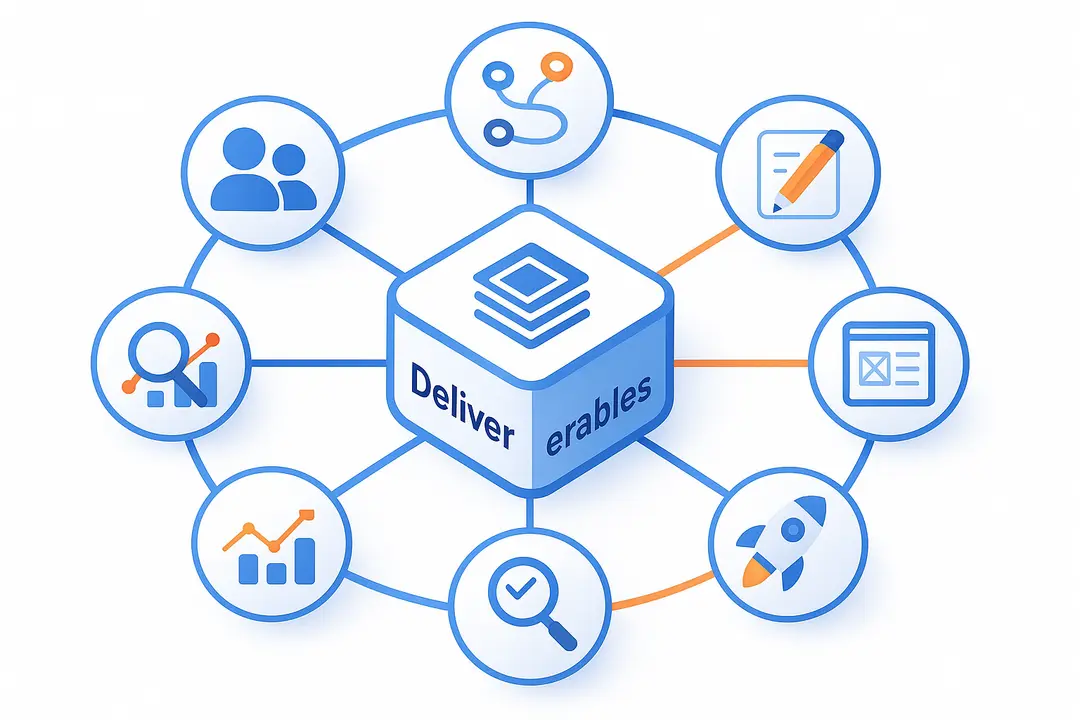
Each UX process stage produces valuable artifacts and benefits from specialized tools. Here’s a quick-reference checklist:
| Stage | Deliverables | Top Tools |
| Empathize | User personas, journey maps | Miro, Dovetail, Google Forms |
| Define | Problem statements, reqs | Notion, Jira, Trello |
| Ideate | Sketches, wireframes, mind maps | FigJam, Miro, Sketch |
| Prototype | Interactive prototypes | Figma, Axure, InVision |
| Test | Usability reports | Maze, UserTesting.com, Lookback |
| Launch | Design specs, handoff docs | Zeplin, Jira, Google Analytics |
| Iterate | Analytics reports, roadmap | Google Analytics, Hotjar |
Ready-made templates for personas, journey maps, and wireframe kits are available from top sources like Figma Community and UXTemplate.io
Tip:
Choose tools that support live collaboration and versioning to keep your team in sync—especially for remote or hybrid teams.
How Do You Adapt the UX Process for Portfolios, Industry, or Academia?
Adapting the UX process is essential whether you’re showcasing case studies, delivering to clients, or completing academic projects.
- Industry vs. Academic UX:
- Industry often merges or compresses stages for speed, prioritizing business metrics alongside user needs.
- Academia emphasizes the full research process, detailed documentation, and critical reflection.
- For Portfolios:
- Showcase each process stage clearly—recruiter reviews often look for evidence of every UX phase.
- Reflect on what you would improve, not just outcomes achieved.
- Include deliverables: show your sketches, personas, and usability findings with context.
Tips for Adaptation
- If time is short, prioritize user research and testing—but clearly explain trade-offs made.
- When writing UX case studies, focus on your decision-making process, not just the final design.
- In job applications, include “before and after” examples to demonstrate impact.
Example:
A student may combine Ideate and Prototype in one section, but should still show both ideation sketches and a clickable wireframe to demonstrate process depth.
Where Do Collaboration, Team Roles, and Stakeholders Fit In?
Effective UX design requires coordinated collaboration among diverse team members and stakeholders throughout each stage.
Typical UX Team Roles
- UX Designer: Orchestrates the process, creates design artifacts.
- UX Researcher: Leads empathy/research, analyzes findings.
- Product Manager: Aligns business goals, prioritizes requirements.
- Developer: Collaborates on technical feasibility and implementation.
- Stakeholders: Provide business context, review milestones.
RACI Table: Who Does What in the UX Process
| Stage | Responsible | Accountable | Consulted | Informed |
| Empathize | Researcher, Designer | PM | Stakeholder | Engineering |
| Define | Designer, PM | PM | Stakeholder | UX team |
| Ideate | Designer, team | Designer | Stakeholder, PM | Dev, Researcher |
| Prototype | Designer | Designer | Dev, PM | Stakeholder |
| Test | Researcher | Designer | Stakeholder, PM | Whole team |
| Launch | Dev, PM | PM | Designer | Stakeholder |
| Iterate | All | PM | Stakeholder, UX | Team, Leadership |
Integration Tips:
- Regular design reviews ensure feedback is gathered from key roles.
- Documenting decisions and feedback improves transparency and buy-in.
What Common Pitfalls or Shortcuts Should You Avoid?
Skipping essential UX process steps or misapplying shortcuts can lead to usability problems, higher development costs, and poor product-market fit.
Common Pitfalls:
- Skipping User Research:
Designing based on assumptions leads to mismatched solutions. - Jumping straight to high-fidelity prototypes:
Risks wasting time on unvalidated ideas. - Lack of user testing before launch:
Increases the likelihood of costly post-launch fixes. - Confusing UX and UI:
Focusing solely on visuals, not functionality or flows. - Not involving stakeholders:
Results in misaligned business goals and missed context.
When can steps be combined or skipped?
- In true MVPs, teams may combine Ideate and Prototype, but should never skip direct user feedback.
- Skipping the Empathize step is highly risky and rarely advisable.
Expert Quote:
“Every shortcut in UX needs to be paid back as UX debt down the line. The earlier the testing, the fewer surprises at launch.” — Adapted from NNGroup research
How to Build a Modular, Adaptable UX Process Toolkit
The most effective UX workflows treat process steps as modular “building blocks,” allowing teams to rearrange or repeat stages as needed.
Why Modularity Matters
- Fits process to project complexity and team resources
- Encourages continuous learning and rapid iteration
- Supports both linear (waterfall) and flexible (agile, lean) delivery
Toolkit Checklist:
- Core modules: User Research, Synthesis, Ideation, Prototyping, Testing, Launch, Iteration
- Adapt modules based on project goals, team structure, and deadlines
- Use templates for rapid setup (personas, journey maps, wireframes)
Template Example:
A “Process Flow” diagram showing arrows looping between steps (Test → Prototype → Test), emphasizing iteration.
Quick Reference: UX Design Process Cheat Sheet
For fast team reference, here’s a consolidated cheat sheet of UX process stages, key tasks, outputs, and stakeholders.
| Step | Core Task | Key Output | Stakeholders |
| Empathize | Research & Observe | Personas, Maps | Researcher, PM |
| Define | Synthesize & Align | Problem Statement | PM, Stakeholder |
| Ideate | Brainstorm & Sketch | Concepts | Designer, UX Team |
| Prototype | Wireframe & Build | Clickable Model | Designer, Dev |
| Test | Validate | Usability Report | Users, UX, PM |
| Launch | Deploy | Live Product | Dev, PM, QA |
| Iterate | Monitor & Improve | Improved Design | All |
Frequently Asked Questions about the UX Design Process
What are the main steps in the UX design process?
The main steps are: 1) Empathize (user research), 2) Define (problem framing), 3) Ideate (solution brainstorming), 4) Prototype (build models), and 5) Test (usability validation). Many teams add Launch and Iteration as extra phases.
How does the UX process differ between industry and academia?
Industry UX often adapts or merges steps for speed and business alignment, while academic UX emphasizes complete research documentation and critical reflection.
What is the difference between UX and UI design processes?
The UX process focuses on understanding user needs and designing flow and structure. The UI process centers on visual elements, look-and-feel, and branding. UX comes first; UI brings it to life.
How do you adapt the UX process for a portfolio or case study?
Showcase each process stage clearly, provide context for decisions, include key deliverables (personas, sketches), and reflect on learnings and impact.
What tools are commonly used in each phase of the UX design process?
Popular tools include Miro (research, mapping), Figma (prototyping), Maze (testing), Notion (documentation), and Google Analytics (iteration).
Can steps in the UX process be skipped or combined?
Some phases can be merged (e.g., ideation and prototyping) in rapid cycles, but skipping research or user testing increases usability risk.
How important is iteration in the UX design process?
Iteration is essential. Continuous testing and learning reduce errors, improve satisfaction, and support product evolution post-launch.
What deliverables are created at each stage?
Key artifacts include personas, journey maps, wireframes, prototypes, usability reports, and design specs.
Who is involved in each stage of the UX process?
UX designers, researchers, product managers, developers, and stakeholders collaborate—roles shift by phase (see RACI table above).
How do teams incorporate user feedback throughout the process?
Through interviews, usability tests, analytics monitoring, and regular reviews with real users, ensuring the design stays relevant and user-friendly.
Conclusion
A clear, adaptable UX design process leads to products that connect with users and deliver business results. Structured collaboration, the right tools, and evidence-based stages help teams avoid costly mistakes and unlock innovation.
Ready to design smarter? Use this guide and referenced cheat sheets to structure your next project, impress on your UX portfolio, or upskill your team. For extra templates, case studies, or to join our UX newsletter, download our free toolkit or explore the recommended resources below.
Key Takeaways
- A structured UX design process improves both outcomes and speed of delivery.
- Classic, Lean, and Agile models each fit different team and project contexts.
- Key deliverables at every stage include personas, wireframes, prototypes, and test reports.
- Adapting the UX process for portfolios or time constraints shows real-world skill.
- Collaboration and continuous iteration are crucial for long-term UX success.
This page was last edited on 14 April 2026, at 1:03 pm

Start a conversation with our team to solve complex challenges and move forward with confidence.










