
Flutter app development is rapidly transforming how businesses and developers create cross-platform apps for mobile, web, and desktop. Yet, for many, learning resources are scattered, and best practices evolve swiftly, making it hard to find a modern, end-to-end roadmap. This guide addresses that gap by walking you step-by-step—from environment setup to advanced deployment—through the essentials, trends, and expert tips that matter now. Whether you’re a new developer or a tech lead evaluating Flutter, you’ll discover how to build robust, scalable apps and deploy them with confidence.
What Is Flutter App Development?
Flutter app development is the process of creating high-quality, cross-platform applications using Google’s Flutter framework and the Dart programming language. With Flutter, you write a single codebase that delivers consistent performance and native-like interfaces on Android, iOS, web, desktop, and beyond.
Flutter stands out for several reasons:
- Single codebase: Write once, deploy to many platforms.
- Rich UI: Built-in widgets mimic native Android (Material Design) and iOS (Cupertino) styles.
- Fast development: Features like hot reload speed up testing and iteration.
Unlike native app development—where you build separate apps for each platform—Flutter enables streamlined cross-platform delivery without sacrificing user experience.
Why Choose Flutter for Cross-Platform App Development?
Flutter offers unique value for both technical teams and businesses seeking fast, consistent, and cost-effective app delivery.
Key Benefits:
- Speed: Hot reload instantly shows changes, accelerating development cycles.
- UI Consistency: Widgets deliver pixel-perfect design across platforms.
- Cost Savings: One codebase reduces development and maintenance costs.
- Performance: Compiles to native ARM code for near-native speed.
- Community & Ecosystem: Backed by Google and a rapidly growing community.
Industry Adoption Snapshot:
- According to Stack Overflow Developer Survey 2023, Flutter ranks among the top cross-platform frameworks.
- Used by brands such as Google, BMW, and eBay for large-scale production apps.
Flutter vs. React Native (and Others):
| Feature | Flutter | React Native | Xamarin |
| Language | Dart | JavaScript | C# |
| UI Consistency | High | Varies | Moderate |
| Performance | Near-native | Good | Variable |
| Hot Reload | Yes | Yes | Partial |
| Official Support | Strong (Google) | Strong (Meta) | Strong (MS) |
| Popular Business Cases | MVPs, production apps, IoT apps, enterprise portals |
When to Choose Flutter:
- You need high-performance apps across multiple platforms.
- Visual fidelity and custom UI matter.
- You want to future-proof app investments with regular updates.
- Teams prefer open-source technology backed by a major vendor (Google).
Getting Started: Prerequisites, Installation, and Environment Setup
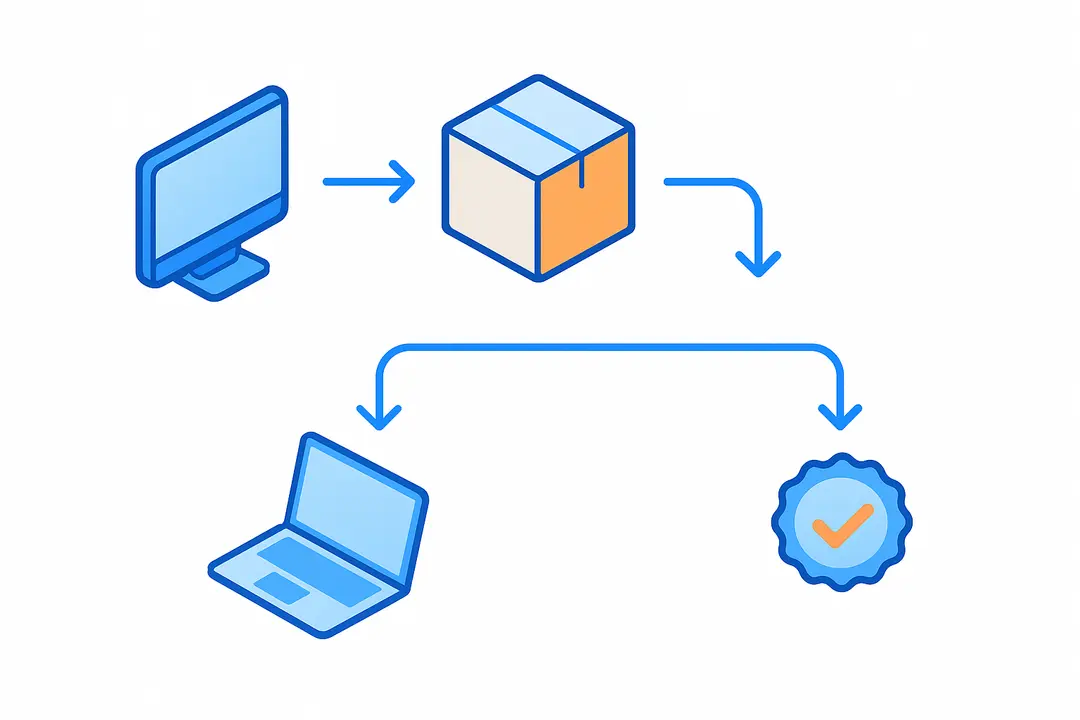
Setting up Flutter is quick and straightforward, provided you meet a few prerequisites and follow each step carefully.
Step-by-Step Setup Guide:
- System Requirements:
- Windows, macOS, or Linux OS
- 1.64 GB disk space (installation) plus storage for IDE and projects
- For iOS: macOS and Xcode required
- Install Flutter SDK & Dart:
- Download the latest Flutter SDK from flutter.dev.
- Extract and add the Flutter
bin/directory to your system PATH.
- Choose Your IDE:
- VS Code: Lightweight, extensible; good for most users.
- Android Studio: Full-featured with advanced debugging and emulators.
- Consider IntelliJ IDEA or Xcode for deeper integration with specific platforms.
- Verify Installation with Flutter Doctor: Run the following command to check your environment for common issues:
Address any reported issues (e.g., missing dependencies or plugins).flutter doctor - Troubleshooting Common Setup Issues:
- Java version errors: Ensure correct JDK installed for Android.
- Missing device/emulator: Verify device connection, enable developer mode.
- iOS: Install Xcode command-line tools.
Pro Tip: Always upgrade Flutter with:
flutter upgrade
Dart Language Essentials: What Every Flutter Developer Needs to Know
Dart is the programming language behind Flutter, designed for building fast, reliable, and maintainable client applications.
Key Features of Dart for Flutter:
- Null safety: Reduces runtime errors by catching null-related bugs at compile time.
- Asynchronous programming: Uses
async/awaitandFuturefor handling network requests and concurrency. - Object-oriented: Classes, inheritance, and generics make large app codebases manageable.
Dart Syntax Basics:
void main() {
  var name = 'Flutter';
  print('Hello $name!');
}

class Counter {
  int _count = 0;
  void increment() => _count++;
}

// Async example
Future<String> fetchData() async {
  await Future.delayed(Duration(seconds: 1));
  return 'Data loaded';
}
When to Go Deeper:
- Advanced Dart topics (generics, isolates) are crucial when building custom plugins or optimizing performance.
Building Your First Flutter App: End-to-End Walkthrough
Launching your first Flutter app is a rite of passage for any cross-platform developer. Here’s how to go from zero to running code.
Step-by-Step: Creating a Flutter App
- Scaffold a New Project:
flutter create my_first_app
cd my_first_app
This generates the core directory structure. - Explore
main.dart: The entry point looks like:void main() {
runApp(const MyApp());
}MyAppis your app’s root widget. - Widgets & Layout:
- Everything is a widget. Compose UIs using
Container,Column,Row,Text, etc. - Example:
class MyHomePage extends StatelessWidget {
  @override
  Widget build(BuildContext context) {
    return Scaffold(
      appBar: AppBar(title: Text('Hello Flutter')),
      body: Center(child: Text('Welcome!')),
    );
  }
}
- Everything is a widget. Compose UIs using
- Run on Emulator or Device:
- Android/iOS: Use the device manager in your IDE or run
flutter runin the terminal.
- Android/iOS: Use the device manager in your IDE or run
- Use Hot Reload:
- Make UI changes, save the file, and see updates instantly without a full restart.
Common Errors & Fixes:
- “No devices found”: Ensure the emulator is running or the device is connected.
- “Widget not showing”: Check the widget tree and build methods.
Mastering Flutter Widgets and UI Layout
Widgets are the backbone of Flutter—understanding them unlocks powerful, reusable, platform-adaptive UIs.
Widget Fundamentals:
- StatelessWidgets: Immutable; UI doesn’t change after build.
- StatefulWidgets: Store mutable state that can update UI.
Core Layout Widgets:
| Widget | Purpose |
| Row | Horizontal layout |
| Column | Vertical layout |
| Stack | Overlap children/widgets |
| Container | Padding, margin, decoration, size |
| ListView | Scrollable lists |
| Flex | Advanced direction-based layouts |
Material vs Cupertino:
– Material widgets deliver Android-style look-and-feel.
– Cupertino widgets mimic native iOS UI.
// Material example
MaterialApp(
  theme: ThemeData(primarySwatch: Colors.blue),
  home: Scaffold(body: Center(child: Text('Hello')))
);

// Cupertino example
CupertinoApp(
  home: CupertinoPageScaffold(
    navigationBar: CupertinoNavigationBar(middle: Text('iOS Style')),
    child: Center(child: Text('Hello')),
  ),
)
Accessibility Tip: Use semantic labels, appropriate color contrast, and test with accessibility tools.
App Architecture Patterns: How to Structure Codebases for Scale
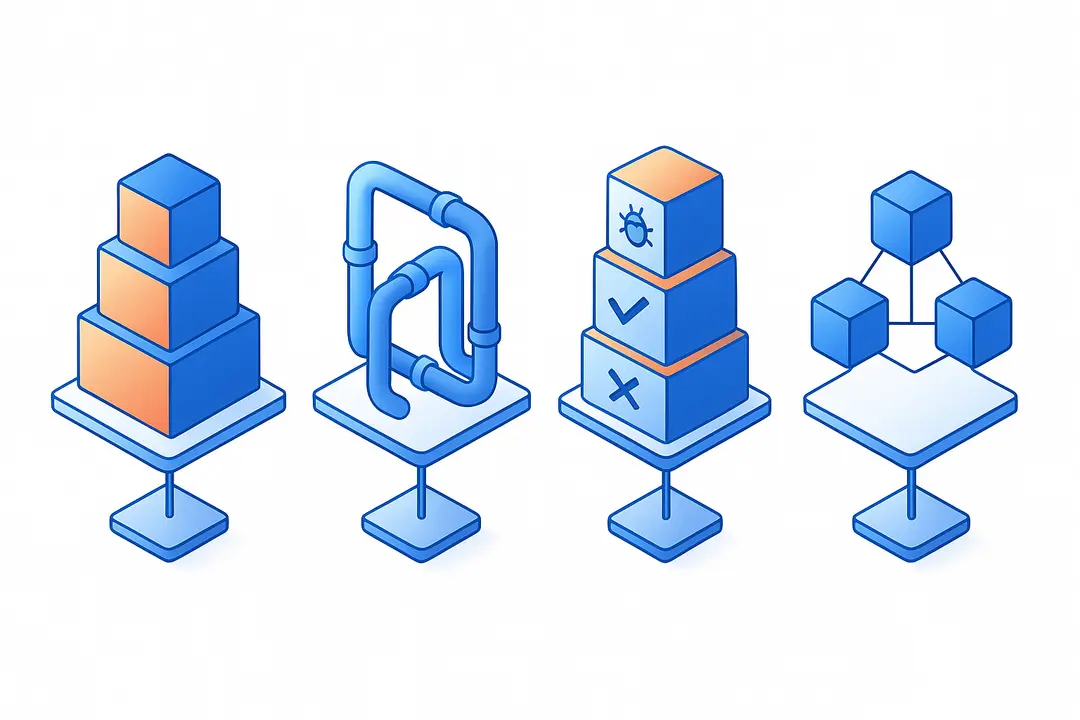
A robust architecture is essential for long-term maintainability and team collaboration in any significant Flutter app.
Why App Architecture Matters:
- Prevents spaghetti code and scaling headaches.
- Simplifies onboarding for new team members.
- Enables testability and clear responsibility splits.
Popular Architecture Choices (with Pros/Cons):
| Pattern | Pros | Cons | When to Use |
| MVVM | Separation of concerns, testable | Can become complex; more boilerplate | Medium/large apps, test focus |
| BLoC | Unidirectional data flow, reusable | Learning curve; verbose streams | Data-heavy, reactive UIs |
| Redux | Predictable state, powerful debugging | Verbose, can be overkill for simple apps | Complex, multi-layered state |
| DDD | Domain-driven, scalable | Steep learning curve, upfront design work | Large projects, enterprise-grade apps |
State Management in Flutter: Choosing the Right Approach
State management controls how data flows and UI updates happen—a frequent pain point, but essential to master for efficient development.
What is State Management?
It is the methodology by which shared and local app data is handled, updated, and consumed throughout your widget tree.
Popular Packages:
| Solution | Use Case | Pros | Cons |
| Provider | Simple to medium apps | Easy to learn; official | Boilerplate grows in scale |
| Riverpod | All app sizes | Robust, testable | Newcomers face learning curve |
| Bloc | Large, reactive apps | Scalable; by Google/devs | Verbose; setup overhead |
| Redux | Complex state | Debug tools; predictability | Overkill for most apps |
Simple Provider Example:
class Counter with ChangeNotifier {
  int value = 0;
  void increment() {
    value++;
    notifyListeners();
  }
}
Choose based on:
- App complexity
- Team experience
- Need for scalability or testability
Connecting Your Flutter App to Backends: Firebase & APIs
Real-world apps rely on backends for authentication, data storage, and dynamic content. Flutter simplifies backend integration via robust packages and APIs.
Integrating Firebase with Flutter:
- Setup Firebase Project:
- Create a Firebase project at console.firebase.google.com
- Add Android/iOS apps and download config files.
- Add Firebase Dependencies: Edit
pubspec.yaml:dependencies:
firebase_core: latest
firebase_auth: latest
cloud_firestore: latest - Initialize Firebase in Code:
import 'package:firebase_core/firebase_core.dart';

void main() async {
  WidgetsFlutterBinding.ensureInitialized();
  await Firebase.initializeApp();
  runApp(MyApp());
} - REST & GraphQL APIs:
- Use the
httppackage for REST:import 'package:http/http.dart' as http;
final response = await http.get(Uri.parse('https://api.example.com/data')); - Use
graphql_flutterfor GraphQL endpoints.
- Use the
- Security Best Practices:
- Never store sensitive API keys in your codebase.
- Use environment variables or secure backends.
- Apply rules in Firebase to restrict unauthorized access.
Alternative Backends:
- Supabase, Hasura, custom REST endpoints—Flutter supports all via packages.
Tooling, Debugging, and Harnessing Hot Reload
Flutter’s tooling ecosystem accelerates development and squashes bugs early.
Essential Tooling:
- Flutter DevTools: Browser-based suite for inspecting widget trees, timeline profiling, and memory monitoring.
- Breakpoints: Set in VS Code/Android Studio for stepwise debugging.
- Widget Inspector: Visualizes widget tree and UI structure.
Hot Reload vs Hot Restart:
- Hot Reload: Updates code changes on-the-fly without full app restart; ideal for UI tweaks.
- Hot Restart: Rebuilds the app but retains persisted state.
Common Debugging Workflow:
- Start app in debug mode.
- Set breakpoints in main business logic.
- Use DevTools to monitor performance and state.
- Troubleshoot errors with error logs and widget trees.
Productivity Boosters:
- Install extensions like Flutter Snippets and Dart Code for faster coding.
- Use integrated terminal and test runners inside your IDE.
Performance Optimization: How to Build Fast and Smooth Flutter Apps
A performant Flutter app keeps users happy and retention high. Small tweaks and conscious architecture choices make a big difference.
Quick-Start Performance Checklist:
- Minimize unnecessary widget rebuilds.
- Use
constconstructors wherever possible. - Profile with Flutter DevTools to catch bottlenecks.
- Leverage Impeller or Skia rendering engines for smoother animations (supported in Flutter 3.10+).
Key Techniques:
- Lazy Loading: Load data and images on-demand (
ListView.builder,CachedNetworkImage). - Image Optimization: Resize and compress images before bundling.
- Efficient UI Composition: Favor lightweight widgets and avoid nested builder functions.
- Support for Modern Devices: Test on foldables and large screens; use responsive layouts.
Advanced Tips:
- Use RepaintBoundary to isolate widget repaints.
- Profile and optimize frame build times.
- Explore platform channels carefully for native extensions.
Testing and Quality Assurance in Flutter Development
A complete testing strategy in Flutter boosts reliability and speeds up releases.
Types of Tests:
| Test Type | Scope | Example/Test Focus |
| Unit Test | Single function/class | Business logic, algorithm |
| Widget Test | UI components | Correct rendering, interaction |
| Integration Test | End-to-end workflows | Login flow, user onboarding |
Unit Test Sample:
void main() {
  test('Counter increments', () {
    final c = Counter();
    c.increment();
    expect(c.value, 1);
  });
}
Running Tests:
flutter testruns all local tests.- Integrate with CI tools for automated quality checks.
Mocking & Dependency Injection:
- Use packages like
mockitofor faking dependencies. - Follow Clean Architecture for better testability.
Coverage Tools:
- Generate coverage reports for compliance and reliability.
CI/CD and Automated Deployment: Taking Apps from Code to Stores
Continuous integration and delivery (CI/CD) automates building, testing, and deploying Flutter apps, ensuring higher code quality and faster releases.
Popular CI/CD Options:
- GitHub Actions: Free, flexible, easy integration for open source and enterprise.
- Codemagic: Built specifically for Flutter; automates Android/iOS builds.
Sample GitHub Actions Workflow:
name: Flutter CI
on: [push]
jobs:
  build:
    runs-on: ubuntu-latest
    steps:
      - uses: actions/checkout@v3
      - uses: subosito/flutter-action@v2
        with:
          flutter-version: '3.10.0'
      - run: flutter pub get
      - run: flutter test
      - run: flutter build apk
Deployment Essentials:
- Sign your application (keystore for Android, provisioning profile for iOS).
- Create build flavors for staging and production.
- Submit to Google Play and App Store via CI/CD pipelines.
Common Deployment Pitfalls:
- Mismatched certificates/profiles.
- Incorrect version codes.
- Failure to comply with app store guidelines.
What’s New and Next in Flutter? [2024 Trends]
Staying current in the Flutter ecosystem is critical to building future-proof apps in 2024 and beyond.
Top Trends:
- Flutter 3.41+ Upgrades: Impeller rendering engine greatly improves performance and animation smoothness.
- AI-Powered Dev Tools: Copilot, ChatGPT integration in the IDE for code completion, bug detection, and smart testing.
- Accessibility: Enhanced support for screen readers and adaptive layouts.
- Foldables and New Devices: Improved APIs for dual-screen and foldable device support.
- Web & Desktop Growth: Deeper capabilities for building responsive web and native desktop apps.
Community Hot Topics:
- Benchmark comparisons to native and React Native.
- Flutter on desktop (Windows, MacOS, Linux) is gaining business traction.
- Open-source contributions and plugin ecosystem expansion.
Common Mistakes in Flutter App Development and How to Avoid Them
Avoiding known pitfalls accelerates your journey and reduces project risk.
Top Mistakes:
| Mistake | Fix/Best Practice |
| Poor state management choice | Evaluate needs; start with Provider/Riverpod for most |
| Ignoring widget lifecycle | Understand initState, dispose |
| Deeply nested widgets (widget tree bloat) | Refactor into smaller reusable widgets |
| Not testing on real devices | Regularly test on both emulators and physical devices |
| Hardcoding values/logic | Use constants and configuration files |
| Weak error handling | Implement try/catch and surface user-friendly errors |
| Skipping performance profiling | Use DevTools to identify slow widgets |
| Not updating dependencies | Run flutter pub upgrade routinely |
Tip: Regular code reviews and knowledge sharing within your team prevent many of these issues.
FAQ: Answers to Top Flutter App Development Questions
What is Flutter app development?
Flutter app development is building cross-platform applications using Google’s Flutter framework, enabling a single Dart codebase to produce native-like apps for mobile, web, and desktop.
How do I get started with Flutter?
Download the Flutter SDK, install your preferred IDE (such as VS Code or Android Studio), and create your first app using the flutter create command. Follow setup instructions tailored to your OS.
What programming language does Flutter use?
Flutter uses Dart, a modern, object-oriented programming language developed by Google specifically for fast, client-side app development.
Which architecture pattern is best for Flutter apps?
The choice depends on app complexity and team needs: Provider and Riverpod are great for most applications, while BLoC and MVVM fit larger, more complex projects requiring scalability.
How do I implement state management in Flutter?
Pick a state management package (e.g., Provider, Riverpod, Bloc), create state classes, and supply them above your widgets using InheritedWidget or package-specific methods.
What are the benefits of using Flutter for cross-platform apps?
Flutter offers a single codebase, rapid development via hot reload, customizable UIs, and strong community support, reducing maintenance costs while maintaining performance.
How can I connect Flutter apps to a backend service?
Use packages like http for REST APIs, graphql_flutter for GraphQL, or integrate with Firebase for authentication and data storage, following recommended security practices.
How does Flutter compare to React Native?
Flutter provides more consistent UI across platforms with its own rendering engine and uses Dart, while React Native relies on native components and JavaScript. Both are popular, with suitability depending on your team’s skills and project requirements.
What are some common challenges in Flutter development?
Common challenges include choosing the right state management, optimizing performance, handling platform-specific bugs, and configuring CI/CD for deployment.
How do I deploy a Flutter app to iOS and Android?
Build and sign your app for each platform, then follow the publishing process for the Google Play Store and Apple App Store. CI/CD tools like Codemagic and GitHub Actions can automate this workflow.
Conclusion
Mastering Flutter app development in 2026 opens doors to efficient, cross-platform solutions backed by a thriving ecosystem and cutting-edge tooling. This guide has equipped you to set up your environment, write beautiful UIs, choose the right architecture, connect real data, and deliver your app to users—all while avoiding common mistakes and leveraging modern trends.
Now is the time to dive in: build your first prototype, contribute to the community, and keep growing your skills with advanced Flutter patterns and tools. Begin your project today or join active Flutter forums to accelerate your journey toward expert app development.
Key Takeaways
- Flutter delivers a single codebase for all major platforms, optimizing cost and speed.
- Dart fundamentals and widget composition form the core skills for every developer.
- State management, testing, and CI/CD are critical for scalable, maintainable apps.
- Stay current with trends—Impeller, AI tools, new device formats—to future-proof projects.
- Leverage the vibrant Flutter community and resources for ongoing support and mastery.
This page was last edited on 31 March 2026, at 5:25 pm

Start a conversation with our team to solve complex challenges and move forward with confidence.










