
Modern supply chains rely heavily on digital tools to manage transportation, delivery, and inventory operations efficiently. Many businesses are now exploring how to build a logistics app to gain real time visibility, automate manual processes, and improve coordination across drivers, warehouses, and customers. A well designed logistics application can reduce operational delays, optimize routes, and provide accurate tracking data that helps companies make faster and better decisions.
However, understanding how to build a logistics app requires more than just developing a mobile interface. Businesses need to plan the right features, select the appropriate technology stack, ensure scalable architecture, and estimate development costs before starting the project. This guide explains the complete process step by step, covering essential features, development strategies, technology choices, and practical insights to help you successfully build a logistics app that supports efficient and reliable operations.
What Is a Logistics App and How Does It Work?
A logistics app is software—usually mobile or web-based—that manages, automates, and optimizes tasks across the supply chain, such as routing, inventory, and delivery tracking. Companies like Uber Freight and modern 3PLs rely on logistics apps to connect drivers, shippers, warehouses, and dispatch teams in a unified system.
Common users include logistics managers, fleet operators, warehouse staff, distributors, and even end customers tracking their packages. Industries ranging from e-commerce to manufacturing to food delivery now consider logistics management apps foundational.
Key functions of logistics apps:
- Real-time fleet and inventory tracking
- Route planning and dispatch
- Warehouse and stock management
- Electronic proof of delivery (ePOD)
- Data analytics and reporting
By integrating with GPS, warehouse systems, and drivers’ mobile devices, logistics software provides up-to-the-minute visibility, automates manual tasks, and enables rapid decision-making throughout the supply chain.
What Are the Main Types of Logistics Apps?
Logistics apps fall into several main categories based on specific business needs. Selecting the right app type early is critical for project success and cost control.
The main types of logistics apps:
- Fleet Management Apps: Monitor vehicle locations, driver compliance, fuel, and maintenance.
- Warehouse & Inventory Management Apps: Track stock levels, automate barcoding, streamline picking/packing.
- On-Demand Delivery Apps: Uber-like solutions, enabling order placement, real-time delivery tracking, and driver dispatch.
- Route & Dispatch Optimization Tools: Plan efficient delivery routes, dynamically reroute for traffic or delays.
- Supply Chain Visibility & CRM Apps: Provide stakeholders with end-to-end tracking, status updates, and customer communications.
App Type vs. Feature Matrix
| App Type | Key Features |
| Fleet Management | GPS tracking, driver app, compliance logs, maintenance alerts |
| Warehouse/Inventory Mgmt | Stock levels, barcodes, inventory movements, reporting |
| On-Demand Delivery | Order booking, live driver ETA, proof of delivery, payments |
| Route/Dispatch Optimization | Multi-stop route planning, live traffic, dynamic rerouting |
| Supply Chain/CRM | End-to-end shipment visibility, alerts, customer interface |
Understanding these categories helps teams decide if their logistics app should be focused, all-in-one, or modular—with features that match exact use cases.
What Features and Modules Are Essential in a Logistics App?
The core value of a logistics app lies in its feature set. Both must-have modules and advanced capabilities should be considered at the start.
Essential logistics app features include:
- Real-Time Tracking: GPS-based vehicle, driver, or package tracking.
- Order Management: Create, edit, and assign orders to appropriate resources.
- Route Optimization: Automated, dynamic routing for cost and time savings.
- Inventory Tracking: Manage warehouse stock, batch numbers, expiries, and movements.
- Notifications & Alerts: Status updates, delays, delivery confirmations, exception alerts.
- User Roles and Permissions: Driver, dispatcher, warehouse manager, customer portal.
- Proof of Delivery (ePOD): Digital signatures, photo capture on delivery.
Advanced features:
- AI/ML Analytics: Predictive ETAs, demand forecasting, anomaly detection.
- Third-Party Integrations: Connect with existing ERP, CRM, GPS, payment gateways (e.g., Stripe, PayPal), and supply chain visibility platforms (Project44, FourKites).
- Multi-language & Multi-currency Support: For global or cross-border logistics.
- Security & Compliance Modules: Data encryption, audit logs, user authentication, GDPR/PCI-DSS compliance.
Sample feature checklist:
- Real-time tracking & ETA
- Route optimization engine
- Order & inventory management
- Push & SMS notifications
- Driver, admin, and client interfaces
- Payment and compliance integrations
- AI analytics (for advanced versions)
Building an app that covers critical modules up front and leaves room for advanced upgrades sets the foundation for long-term scalability.
Step-by-Step Guide: How to Build a Logistics App
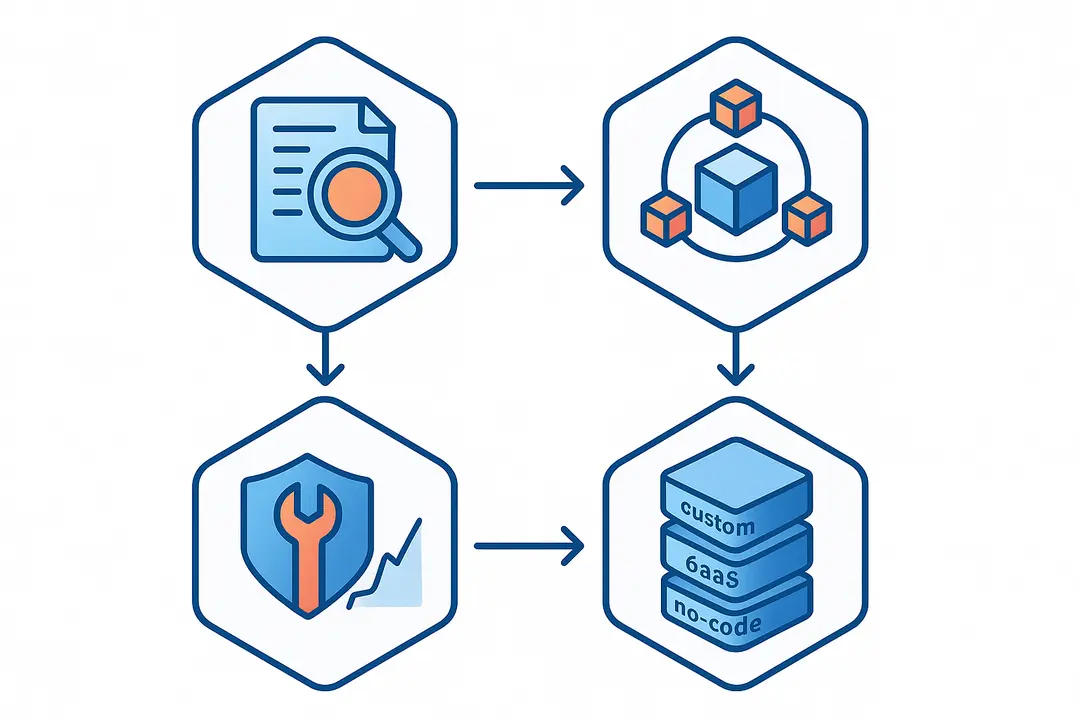
Developing a logistics app involves a structured, iterative process. Each step drives clarity, risk reduction, and alignment with business goals. Here’s a proven framework to take your app from idea to launch:
1. Requirements Gathering & Planning
Start by identifying your business goals, user workflows, and regulatory requirements. Stakeholder interviews across logistics, IT, finance, and operations reveal must-have features and constraints.
- Map out all logistics workflows (e.g., order to delivery).
- Document key pain points, compliance needs (GDPR, industry-specific), and scalability demands.
2. Feature Set & Module Selection
Divide features into “must-have” (MVP) and “nice-to-have” (future) categories.
- Prioritize modules that solve critical pain points (e.g., real-time tracking).
- Plan for future integration and scalability.
- Balance commercial needs with technical feasibility.
3. Choosing Your Architecture: Custom, No-Code, or SaaS
Select the development approach that matches your timeline, budget, and control requirements.
Comparison Table: Custom vs. SaaS vs. No-Code
| Criteria | Custom Development | SaaS Platform | No-Code Builder |
| Flexibility | Full, unlimited | Limited/customizable | Moderate, template-based |
| Time to Launch | 3–9 months | Days to weeks | Hours to days |
| Cost | $$$ (highest) | $$ (subscription) | $–$$ (low, pay-per-use) |
| Control | Very high | Vendor-controlled | Limited |
| Best for | Unique, complex needs | Standardized workflows | Fast prototyping, SMBs |
– Custom: For unique logistics needs or deep integrations.
– SaaS: For rapid rollout, best-practice features, easier maintenance.
– No-code: For pilots, proof-of-concept, or if internal dev resources are limited.
4. Selecting the Right Technology Stack & Tools
Select frameworks, APIs, and cloud services that support scalability and future modules.
- Frontend: React Native, Flutter, Swift/Kotlin (mobile); Angular/React (web).
- Backend: Node.js, Python (Django/Flask), Java Spring Boot.
- APIs: Google Maps or Mapbox (mapping/GPS), Stripe/PayPal (payments), Project44/FourKites (supply chain), third-party warehouse systems.
- Cloud: AWS, Azure, Firebase (hosting, real-time databases, analytics).
5. UX/UI Design for Logistics Apps
Design user journeys for each key role: driver, dispatcher, admin, and (optionally) end-customer.
- Use wireframes and clickable prototypes to test flows early.
- Emphasize clarity, low driver distraction, and mobile accessibility.
6. Integrations & Third-Party APIs
Integrate your logistics app with external systems to enable real-time tracking, compliance, and payments.
- Supply chain visibility: Project44, FourKites.
- Mapping/routing: Google Maps, Mapbox, Here API.
- Payment processing: Stripe, PayPal, enterprise invoicing.
- Compliance & reporting: Custom integrations with ERP/CRM as needed.
7. Ensuring Security & Compliance
Apply privacy by design at every stage.
- Implement end-to-end encryption of sensitive logistics and payment data.
- Comply with regional and industry standards (GDPR, PCI-DSS).
- Use authentication, access controls, and audit logging.
8. Testing & Quality Assurance
Validate with real-world scenarios to avoid costly errors post-launch.
- Functional Testing: Verify routing logic, notifications, and data accuracy.
- Performance Testing: Test mobile speed across regions and load levels.
- Device/Platform Testing: Ensure usability on iOS, Android, and web dashboards.
9. Deployment, Monitoring, & Maintenance
Plan a phased rollout and ongoing support structure.
- Use automated deployment pipelines for CI/CD.
- Continuous monitoring for downtime, bugs, and usage analytics.
- Schedule reviews for feature updates, compliance changes, and roadmap alignment.
How Much Does It Cost to Build a Logistics App?
The cost to build a logistics app depends on features, tech stack, integration needs, and team (in-house, agency, or hybrid). Here’s a summary to guide realistic budgeting.
Key logistics app cost factors:
- Number of modules (MVP vs. full app)
- Development hours by complexity
- Technology stack and integrations
- UI/UX sophistication
- Location and rates of development team
- Ongoing maintenance and updates
Typical cost breakdown:
| Cost Category | MVP App (USD) | Full Solution (USD) |
| Business Analysis | $5,000–$10,000 | $10,000–$20,000 |
| Design (UI/UX) | $5,000–$15,000 | $15,000–$30,000 |
| Development | $30,000–$60,000 | $60,000–$150,000 |
| API Integrations | $5,000–$10,000 | $10,000–$20,000 |
| Testing/QA | $5,000–$10,000 | $10,000–$20,000 |
| Deployment/Support | $3,000–$8,000 | $8,000–$20,000 |
| Total | $53,000–$113,000 | $113,000–$260,000 |
Note: SaaS or no-code solutions start lower (often $500–$5,000/month), but may accrue integration and scaling costs.
Hidden/ongoing expenses:
- Cloud hosting, data storage, and bandwidth (AWS, Azure, Firebase)
- Third-party API fees (routing, supply chain)
- Annual maintenance (10–20% of initial build cost)
- Updates for compliance and new features
A clear requirements phase and feature roadmap is the best way to control costs.
Custom Development vs. Ready-Made & No-Code Logistics Platforms: How to Choose?
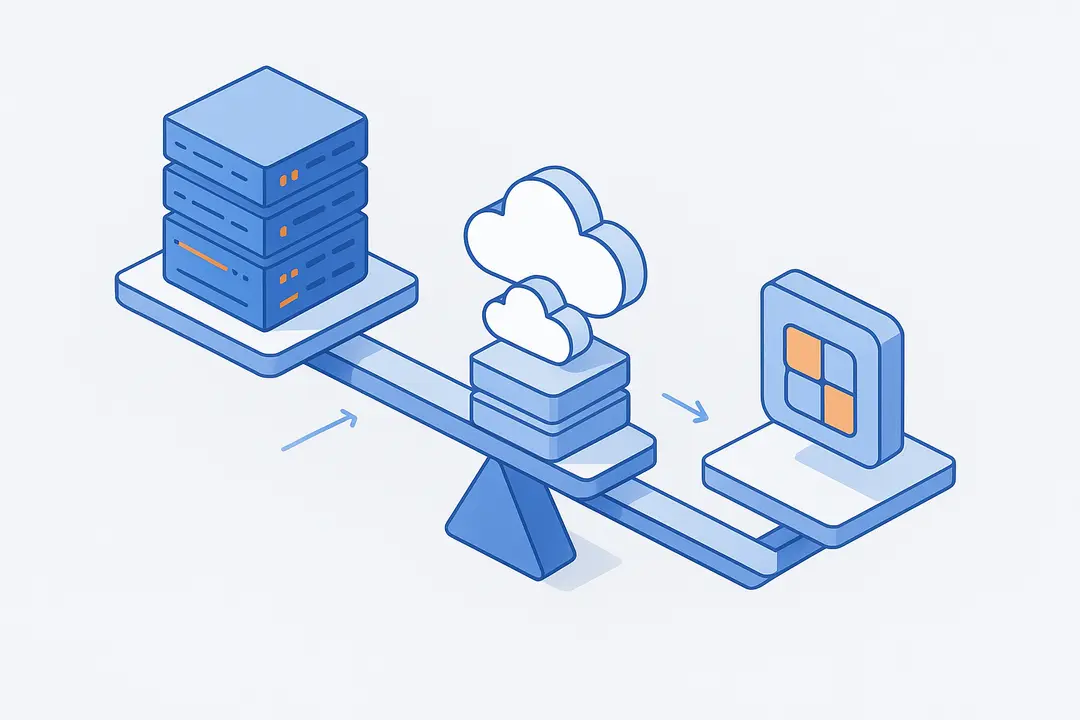
Choosing between building a custom logistics app, adopting SaaS, or using no-code platforms directly affects flexibility, cost, and time-to-market.
Custom development delivers full control and integration, but takes longer and costs more. SaaS logistics platforms are quicker to launch and lower risk, but may lack unique workflows or granular control. No-code tools empower fast testing and iteration for SMBs or MVPs.
Comparison Table:
| Criteria | Custom | SaaS | No-Code |
| Flexibility | Highest | Moderate | Moderate |
| Speed | Slowest | Fast | Fastest |
| Upfront Cost | High | Medium/Low | Low |
| Ongoing Cost | Low/maint. | Subscription | Tiered plan |
| Integration Level | Full | Good (API) | Limited |
| Notable Examples | Custom IT/Dev | Aireapps, FourKites | Glide, Airtable |
Choose custom if:
– You have unique processes, strict compliance, or need to own the tech stack.
Choose SaaS/no-code if:
– You want speed, proven features, and scalability with less upfront investment.
For hybrid or growth-focused firms, starting with SaaS/no-code and gradually layering in custom modules is often effective.
Integrating Real-Time Tracking and Supply Chain Visibility
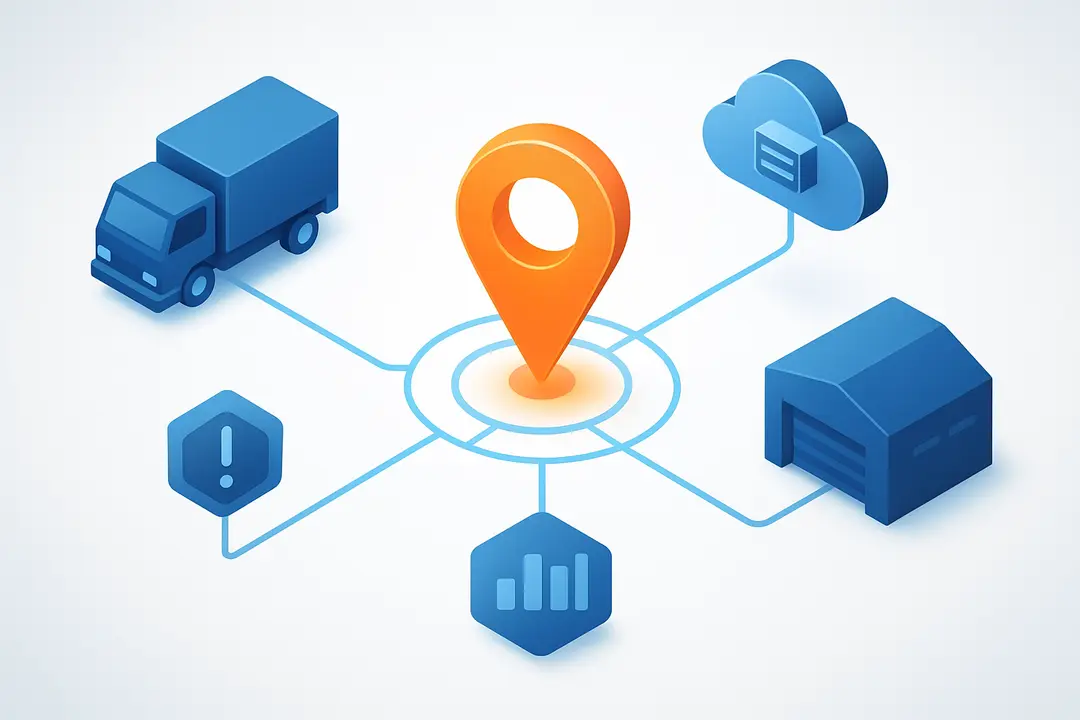
Real-time tracking and supply chain visibility are central to logistics app success in 2024 and beyond. They require thoughtful integration of hardware, APIs, and data pipelines.
How real-time logistics tracking works:
- GPS/Device Tracking: Vehicles and drivers share geolocation data via smartphone or IoT sensors.
- API Integration: Live tracking data is accessed through APIs (e.g., Google Maps, Mapbox, FourKites, Project44).
- Data Dashboard: Information is visualized for managers and, optionally, end customers.
- Alerts & Exception Management: Automatic alerts highlight delays, route issues, or compliance misses.
Popular tracking APIs/services:
- Mapbox, Google Maps: For live location, routing, and mapping.
- FourKites, Project44: Advanced supply chain visibility via multi-modal tracking.
- Custom hardware APIs: For sensor, RFID, or telematics data in the field.
Building robust real-time tracking not only improves delivery accuracy—it drives powerful data analytics for forecasting and continuous improvement.
Best Practices, Common Mistakes, and Success Tips in Logistics App Development
Logistics app development succeeds when best practices are baked in from day one. Avoiding common pitfalls saves time, money, and competitive position.
Logistics App Best Practices
- Map all user workflows: Validate each logistics step through user testing.
- Build security & compliance into every module: Encrypt data, comply with GDPR/PCI-DSS, manage access.
- Design for scalability: Keep APIs and data models modular, plan for growth.
- Iterate with real users: Pilot early and refine based on driver/dispatcher feedback.
- Monitor and adapt post-launch: Use analytics and bug-tracking tools for continuous improvement.
Common Mistakes to Avoid
- Underestimating integration complexity with existing systems.
- Building with outdated tech stacks or ignoring mobile usability.
- Overlooking compliance or privacy-by-design requirements.
- Failing to plan for long-term maintenance and feature upgrades.
Expert tip:
“Investing early in workflow mapping and process automation avoids the most expensive mistakes in logistics IT,” says Ahmed S., CTO at a leading European supply chain provider.
Real-World Example: [Mini Case Study] Building an Uber Freight-Style Logistics App
Examining successful implementations offers valuable learning. Uber Freight is a benchmark for digital logistics, but smaller companies can adopt similar success strategies.
Case Study: Building an Uber Freight-Style App
Business Challenge:
A mid-sized distributor faced delays, lost shipment visibility, and customer complaints with manual dispatch and outdated Excel tools.
Approach:
- Defined user journeys from shipper, carrier, and driver perspectives.
- Built a minimum viable product (MVP) with real-time load tracking, route optimization, digital documentation, and instant messaging.
- Integrated with Google Maps for routing and Project44 for supply chain data.
Feature Stack:
- Fleet and order management dashboards
- Mobile driver app with turn-by-turn navigation
- Customer web portal for tracking and notifications
- Secure payment gateway and e-signature for proof of delivery
Outcomes & Lessons Learned:
- Reduced shipment delays by 22% in six months
- Improved customer satisfaction (CSAT scores up 15%)
- Early user testing identified mobile design “pain points” that were fixed pre-launch
ROI & Post-Launch:
Ongoing analytics and proactive updates kept the platform competitive, reducing maintenance firefighting by 30% over the first year.
FAQ: Logistics App Development—Answers to Top Questions
How to build a logistics app step by step?
Understanding how to build a logistics app begins with defining business requirements and mapping the logistics app development process. Typical steps include requirement analysis, selecting essential features, choosing the right architecture, designing UX and UI, developing the backend and mobile interface, integrating third party APIs, testing the system, and finally deploying and maintaining the application.
What is the logistics app development process for businesses?
The logistics app development process usually involves planning the product scope, selecting the technology stack, building core modules, integrating logistics tools, and ensuring security compliance. Companies researching how to build a logistics app should also include continuous testing and post launch support as part of the development roadmap.
How much does it cost to build a logistics app?
The cost of learning how to build a logistics app and developing one can range from around 50,000 dollars for a minimum viable product to more than 250,000 dollars for a fully customized platform. The price depends on complexity, required logistics mobile app features, integrations, and the development team’s location.
What logistics mobile app features are essential for a successful logistics platform?
Key logistics mobile app features include real time shipment tracking, route optimization, order management, driver dashboards, notifications, and inventory monitoring. When companies explore how to build a logistics app, these features are usually the foundation for improving supply chain visibility and operational efficiency.
Which technology stack is commonly used when building a logistics app?
When planning how to build a logistics app, developers often choose frameworks such as React Native or Flutter for mobile apps, Node.js or Python for backend development, and mapping services like Google Maps or Mapbox. These technologies support scalable systems and enable advanced logistics mobile app features such as route planning and live tracking.
Should businesses choose custom development or ready made solutions when learning how to build a logistics app?
Businesses evaluating how to build a logistics app must decide between custom development and ready made solutions. Custom development provides flexibility and unique logistics mobile app features, while SaaS or no code platforms offer faster deployment and lower upfront costs.
How do you implement real time tracking in the logistics app development process?
A key step in the logistics app development process is integrating GPS tracking with mapping APIs. This allows drivers, vehicles, and shipments to be monitored in real time through the app interface. Real time tracking is one of the most important logistics mobile app features for logistics companies.
What integrations are needed when building a logistics app?
While exploring how to build a logistics app, companies often integrate payment gateways, route optimization APIs, warehouse management systems, and enterprise resource planning tools. These integrations expand the logistics mobile app features and improve overall logistics coordination.
How can security and compliance be handled during the logistics app development process?
Security is a critical part of the logistics app development process. Businesses learning how to build a logistics app should implement encrypted data transfer, secure authentication systems, and compliance with relevant standards such as GDPR or PCI DSS to protect sensitive data.
What are the biggest challenges when building a logistics app?
Common challenges in how to build a logistics app include integrating with legacy systems, managing complex delivery workflows, ensuring data security, and scaling the platform as operations grow. Careful planning of the logistics app development process can help reduce these issues.
How long does it take to build a logistics app?
The timeline for how to build a logistics app depends on complexity and features. A basic MVP with limited logistics mobile app features may take three to five months, while a full enterprise platform can require six to twelve months of development and testing.
Conclusion & Next Steps: Start Your Logistics App Project with Confidence
Building a logistics app can significantly improve how businesses manage transportation, deliveries, and supply chain operations. With the right planning, technology choices, and feature set, companies can create digital tools that provide better visibility, faster decision making, and more efficient coordination across logistics networks.
Understanding how to build a logistics app involves more than development alone. It requires a clear strategy, thoughtful design, reliable integrations, and continuous improvement as business needs evolve. By focusing on both functionality and long term scalability, organizations can develop logistics solutions that support growth, improve operational efficiency, and strengthen overall supply chain performance.
Key Takeaways: Building Your Logistics App for 2024 and Beyond
- A well-planned logistics app delivers operational efficiency, real-time visibility, and customer satisfaction.
- Critical features include real-time tracking, order management, route optimization, and robust security.
- Carefully select your technology stack, integration partners, and development approach (custom, SaaS, or no-code) to match business needs.
- Upfront planning and ongoing user feedback are essential to prevent costly missteps.
- Real-world benchmarks like Uber Freight demonstrate measurable ROI through digital transformation in logistics.
This page was last edited on 21 March 2026, at 10:08 am

Start a conversation with our team to solve complex challenges and move forward with confidence.










