
Budget overruns in software outsourcing are the rule, not the exception. A startup may plan to spend $100,000 on an offshore build—only to end up paying double after requirements shift and hidden costs surface. The core issue isn’t just missed estimates; it’s a lack of clear process and safeguards. Most “cost-saving tips” miss critical steps, such as precise requirements, contract protection, and real-time budget control.
This guide is different. You’ll get a step-by-step, actionable playbook—endorsed by outsourcing veterans—complete with templates, tools, and real scenario breakdowns. Follow these proven practices to reduce IT outsourcing expenses, control hidden costs, and achieve lasting software development outsourcing budget success.
What you’ll learn:
- Why software outsourcing projects go over budget—and how to prevent it
- A stepwise framework for smart outsourcing, from requirements to handover
- Sample checklists, contract clauses, and budgeting templates
- Tools for tracking costs, vetting vendors, and managing risks in real time
What Are the Most Common Causes of Overbudget Software Outsourcing?
The most common reasons software outsourcing projects exceed budget are incomplete requirements, poor vendor fit, weak contracts, and hidden costs. Recognizing these causes is the first step to prevention.
Key causes of budget overruns include:
- Unclear or shifting requirements
- Choosing the wrong outsourcing model
- Vendor misalignment or low transparency
- Missing or weak contract clauses
- Poor communication and change management
- Underestimating maintenance, handover, or license fees
According to recent industry benchmarks, more than 35% of IT outsourcing projects experience major budget overruns (PMI “Pulse of the Profession” 2024). A case in point: a European e-commerce startup selected a low-bid vendor without detailed specs or escalation clauses. Six months later, incomplete delivery and hidden charges forced a 50% unplanned budget increase.
| Cause | Example Impact | % of Projects Impacted* |
| Incomplete Requirements | Added revisions, scope creep | 46% |
| Poor Vendor/Model Choice | Misaligned incentives, lack of control | 33% |
| Contract Gaps/Weak Clauses | Open-ended payments, change order disputes | 22% |
| Hidden 3rd-Party Costs | Licenses, APIs, maintenance not forecasted | 18% |
*Per PMI/Statista reports; numbers may overlap due to multi-factorial causes.
How Do You Save Your Software Development Budget When Outsourcing? [Step-by-Step Guide]
![How Do You Save Your Software Development Budget When Outsourcing? [Step-by-Step Guide]](https://riseuplabs.com/wp-content/uploads/2026/03/how-do-you-save-your-software-development-budget-when-outsourcing-step-by-step-guide.webp)
To save your software development budget when outsourcing, follow a structured, eight-step process—clarify requirements, select the right model, focus on MVP, thoroughly vet vendors, protect contracts, track budget in real time, ensure knowledge transfer, and leverage open-source/cloud resources.
1. Clarify Requirements Before Vendor Talks
Start with clear, bulletproof requirements to avoid scope creep and expensive rework. Vague specs consistently lead to underestimated costs and repeated changes.
- Document essentials: Separate “must-haves” from “nice to haves.” Use checklists and prioritize features.
- Visual aids: Create user stories, wireframes, or low-fidelity prototypes.
- Engage experts: Use a business analyst (BA) to facilitate clarity, bridge business and technical expectations, and reduce downstream misunderstandings.
Example: A fintech startup hired a BA to map workflows and user journeys before requesting vendor bids. The final project cost came in at 12% under budget due to fewer revisions.
2. Choose the Right Outsourcing Model (Fixed Price vs. Time & Materials)
Your cost structure hinges on the outsourcing model you select. Each model impacts budget risk differently.
- Fixed Price:
- Use for clearly defined, feature-complete projects.
- Pros: Budget certainty, vendor accountability.
- Cons: Can limit flexibility; change requests add cost fast.
- Time & Materials (T&M):
- Best for evolving requirements or R&D projects.
- Pros: Flexibility, easier to change scope.
- Cons: Costs can mount if not tightly managed.
| Project Type | Best Model | Budget Certainty | Flexibility | Typical Use Case |
| MVP w/ clear specs | Fixed Price | High | Low | Well-scoped new app, simple SaaS |
| Ongoing Development | T&M | Moderate | High | Long-term enhancement, complex integrations |
Quick decision rule:
- If you can fully define, estimate, and freeze requirements—fixed price may deliver best control.
- If you expect ongoing changes—T&M is safer, with tight budget tracking controls.
3. Start with an MVP-First Approach
Building a Minimum Viable Product (MVP) first reduces sunk costs and validates your idea before going “all in.” An MVP approach means you build only what’s needed to test market fit and save on non-essential features.
- Benefits:
- Lower upfront investment
- Faster time-to-market
- Early user feedback to guide next phases
| Region | Avg. MVP Cost | Full Build Avg. | % Savings |
| Eastern EU | $30,000–50,000 | $80,000–120,000 | 55–65% |
| SE Asia | $18,000–32,000 | $60,000–95,000 | 60–70% |
| US/Canada | $70,000–120,000 | $180,000–260,000 | 55–65% |
Data: recent global surveys and vendor quotes.
Best practice: Build the MVP, validate, and then iterate in planned, budgeted phases—avoiding the “big bang” cost trap.
4. Use a Vendor Selection Checklist for Cost-Efficiency
Vetting vendors quickly and thoroughly is key to avoiding expensive pitfalls.
Vendor Selection Checklist
- Transparent pricing and terms
- Solid reputation (references, verified case studies)
- Aligned time zone and communication style
- Technical expertise relevant to your stack
- Cost controls: clear KPIs, regular reporting, issue escalation
- Locale awareness (IP protection, labor laws)
Tip: Compare total real costs, not just hourly rates. Account for expected quality, delivery reliability, and collaboration transparency.
5. Write Cost-Protective Contracts (and Essential Clauses)
Strong contracts are your primary defense against budget escalations and legal headaches.
Key contract clauses:
- Scope Definition: Detailed deliverables, timelines, and outputs.
- Change Control: Clear process for managing and pricing changes.
- Intellectual Property (IP): Explicit ownership terms and protection.
- Escalation Path: Steps for dispute or scope disagreement resolution.
- Payment Milestones: Tie payments to deliverables—not just dates.
- Non-solicitation & Confidentiality: Safeguards for your business data.
Expert tip from legal consultants: Avoid ambiguous language and “open-ended” terms that vendors might interpret loosely.
| Clause | What It Covers | Why It Matters for Budget |
| Scope | Work breakdown, features, timeline | Prevents “scope creep” extra costs |
| Change Control | Amendment process, pricing | Puts a price tag on changes |
| Payment Milestone | Paid only at clear checkpoints | Ties cost to real progress |
6. Integrate Project Budget Tracking Tools for Real-Time Control
Monitor spending in real time using purpose-built tools to eliminate budget blind spots.
Top tools for software budget tracking:
- Jira + Budget Plugins: Integrate financial KPIs with project tracking.
- Trello (with budget power-ups): Visual progress boards linked to spend tracking.
- Purpose-built SaaS tools: Monday.com, Forecast, and others enable cost variance alerts and reporting.
| Tool | Features | Integrations | Best For |
| Jira | Issue tracking + cost plugins | DevOps, API | Agile/Dev teams |
| Trello | Power-ups, cards with spend logs | Slack, API | Visual PM, SMBs |
| Monday.com | Time tracking, budgets, automations | API, webhook | Cross-team coordination |
Set up:
- Define cost KPIs and flags (e.g., % over planned, alerts at key thresholds)
- Schedule regular spend reviews with your vendor team
- Automate usage and overage alerts
7. Ensure Knowledge Transfer and Documentation to Avoid Repeating Costs
Protect your investment by insisting on comprehensive documentation and handover protocols.
Why it matters: When vendors or staff change, inadequate knowledge transfer leads to duplicate work and re-engineering costs.
- Require up-to-date documentation for code, APIs, deployments
- Hold handover walkthroughs at each phase/milestone
- Maintain a shared repository for all project artifacts
- Build knowledge transfer into contract milestones
Checklist:
- Technical and user documentation delivered
- Runbook for releases and maintenance
- Recorded demo/walkthrough sessions
- Access transfer (host, repo, cloud)
8. Leverage Open Source & Cloud to Cut Direct Expenses
Adopting open-source components and managed cloud services can significantly reduce direct development and infrastructure expenses.
- Open Source: Use proven libraries or frameworks (e.g., React, Django, Laravel) to avoid custom-building standard features.
- Cloud Services: Managed platforms (AWS, Google Cloud, Azure) save on server maintenance, provide scalability, and often “pay-as-you-go” costing.
| Solution Type | Example Tools/Platforms | Cost Impact |
| Open Source | React, Node.js, PostgreSQL, RabbitMQ | $0 license, faster dev |
| Managed Cloud | AWS Lambda, Firebase, GCP App Engine | Lower ops/infra cost |
| Hybrid | Deploy open-source on managed infra | Flex/scale + savings |
Tip: Build a checklist of third-party solutions before custom development to avoid “reinventing the wheel” on your budget.
How Can You Prevent Hidden Costs in Software Outsourcing? [Risk Playbook]
Preventing hidden software development outsourcing costs requires proactive risk identification, thorough contracts, and controlled change processes.
Hidden Cost Checklist:
- Ongoing maintenance and support
- Third-party API or tool licenses
- Infrastructure usage (“cloud bill shock”)
- Team ramp-up/ramp-down transition fees
- Post-launch bug fixes not in original scope
Mitigation Steps:
- Negotiate “all-in” contracts: Aim for total cost caps or explicit line items for extras (maintenance, support, hosting).
- Budget buffer: Reserve an additional 10–15% above base estimate for change requests or unforeseen issues.
- Define and enforce a formal change request process: Ensure all scope changes are priced, documented, and signed off.
Pro tip: Review historical projects—both internal and with similar vendors—for common unplanned expense categories.
What Budgeting Templates, Tools, and Calculators Can Help You Save?
Using budgeting templates and tracking tools increases your visibility and discipline—making budget overruns less likely.
Available Assets:
- Downloadable budget planning template (Excel/Google Sheet): Pre-built formulas for vendor quotes, scope changes, and maintenance.
- Interactive budget calculator: Scenario-planning for headcount, rate, location, and time.
- Comparison Table: Budget-Tracing Tools
| Tool | Pros | Cons |
| Jira Plugins | Deep project integration | Steep learning curve |
| Trello + PowerUps | Visual, easy to start | Basic spend tracking |
| Monday.com | Automations, robust reporting | Higher monthly cost |
| Google Sheets | Flexibility, free | Manual updates required |
How to deploy:
- Use the template to define your initial budget and factor in risk buffers.
- Plug all quotes, changes, and actuals into your live tracker.
- Set up alerts for spending breaches and scope shifts.
Quick Comparison Table: Offshore vs. Nearshore vs. Onshore Budget Impacts
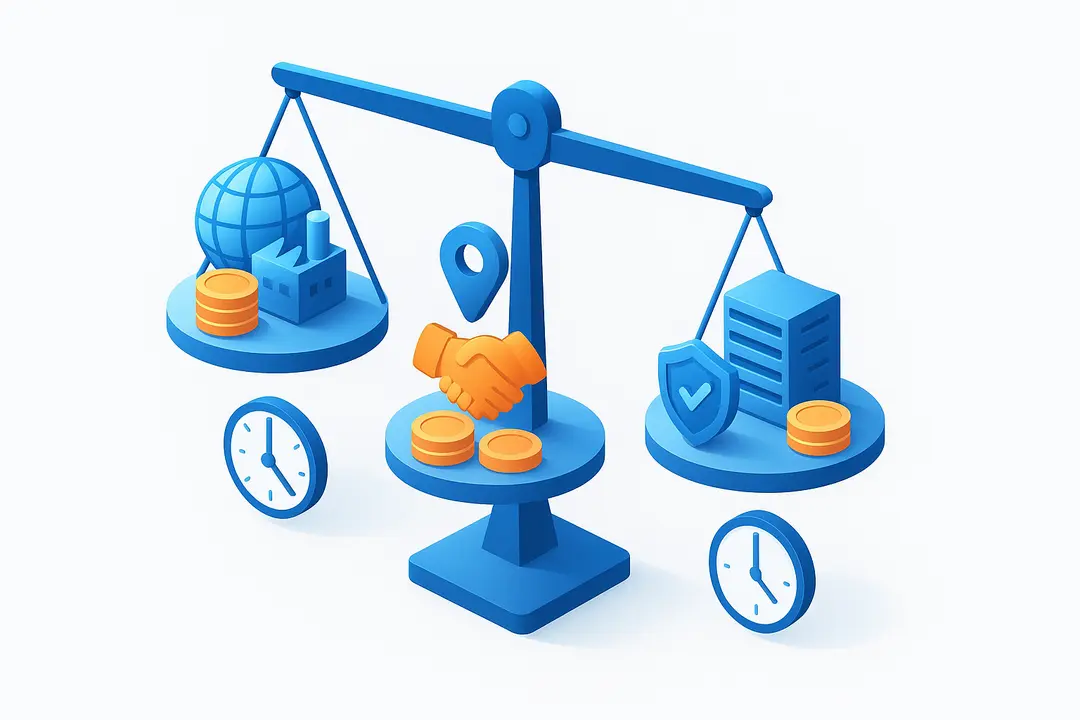
Choosing the right vendor location can save or cost you tens of thousands. Budget impact depends on rates, collaboration complexity, and hidden factors—not just list price.
| Region | Avg. Hourly Rate (USD, 2024) | Timezone/Comm. Fit | Legal/IP Risk | Common Use Case |
| Offshore (e.g., Bangladesh, India) | $20–40 | Low | Moderate | Cost-driven MVP, routine |
| Nearshore (e.g., Poland, Mexico) | $35–70 | Medium | Low–Moderate | Strategic, long-term |
| Onshore (USA, UK, EU) | $80–180 | High | Low | Complex, regulated, IP-secure |
Tip:
Blending nearshore and offshore models can optimize costs and mitigate risk (e.g., IP-sensitive work at home, feature dev offshore).
FAQ: Your Outsourcing Software Budget Questions Answered
How can I reduce my software development budget when outsourcing?
Clarify project requirements, choose the right outsourcing model, start with an MVP, vet vendors thoroughly, use protective contracts, track your budget with tools, and leverage open-source or cloud solutions.
What are the most common hidden outsourcing costs I should watch out for?
Consider ongoing maintenance, third-party licenses, cloud usage fees, team ramp-up/down costs, and post-launch bug fixes—not all of which are included in initial quotes.
Is fixed price or time & materials better for cost control?
Fixed price offers certainty for well-defined projects but limits flexibility. Time & materials allows for change but requires close budget monitoring. Choose based on your project’s clarity and likely scope changes.
How do I choose a reliable software outsourcing partner?
Prioritize transparency, proven track record, clear communication, technical expertise, and solid references. Use a structured vendor selection checklist to compare candidates.
What contract clauses are essential to prevent cost overruns?
Define detailed scope, establish a formal change management process, include clear payment milestones, specify IP and confidentiality terms, and set out escalation procedures.
How does starting with an MVP help save on development costs?
An MVP focuses on essential features for early validation, avoids building unnecessary functionality, and allows you to refine further investment based on real feedback—typically cutting upfront costs by 50–70%.
What tools can help me track outsourcing project budgets?
Popular options include Jira (with budget plugins), Trello (plus power-ups), Monday.com, and shared budget spreadsheets. Look for features that integrate cost tracking with project progress and alert on deviations.
How do I protect my intellectual property when outsourcing development?
Use strong contract language on IP ownership, prefer regions with compatible legal frameworks, and follow best practices for code access and escrow.
What’s the advantage of long-term vs. short-term outsourcing relationships?
Long-term relationships foster deeper vendor understanding, improved communication, and usually lower rates, while short-term engagements can be costlier due to ramp-up inefficiencies.
How do I ensure knowledge transfer when my outsourced team changes?
Embed documentation and handover milestones into your project plan, require technical and business process docs, and schedule handover sessions involving new team members and outgoing staff.
Conclusion: Sustainable Outsourcing Success Starts with a Smart Budget
Controlling your software development outsourcing budget is about more than finding the lowest quote. It’s a disciplined process—from scoping and model selection, to contract terms, cost tracking, and risk management. By following this end-to-end playbook, equipping yourself with the right tools, and implementing proven frameworks, you’ll drastically reduce software outsourcing costs and set up your project—and your organization—for sustainable growth.
Key Takeaways: The Outsourcing Budget Playbook at a Glance
- Thorough requirements and smart vendor selection prevent most budget overruns.
- Choosing the right development model impacts both control and flexibility.
- MVP-first, real-time budget tracking, and strong contracts yield substantial savings.
- Open-source and managed cloud tools reduce direct software and infrastructure costs.
- Continuous knowledge transfer and best-in-class documentation prevent costly repetition.
Ready to take the next step?
Consult with our software outsourcing experts today. Start winning your outsourcing budget, rather than losing sleep over it.
This page was last edited on 9 July 2026, at 11:09 am

Start a conversation with our team to solve complex challenges and move forward with confidence.










