

Fitness app development is booming in 2026 as more people seek personalized, mobile health solutions in their daily lives. The global fitness app market continues to expand rapidly, presenting a prime opportunity for trainers, entrepreneurs, and non-technical creators to engage users and build sustainable digital businesses. Yet, most available advice is either too shallow or overly technical, leaving a gap for those looking for a clear, actionable playbook.
This guide is your expert-driven, step-by-step handbook on how to create a fitness app. Whether you’re a gym owner adapting to new tech, an entrepreneur eyeing scalable SaaS models, or a no-code enthusiast, you’ll find strategies, feature lists, cost insights, and compliance tips grounded in industry benchmarks and expert advice. By the end, you’ll have a clear roadmap to move from idea to launch—and the confidence to grow beyond.
How Do You Create a Fitness App? A Complete 2026 Roadmap
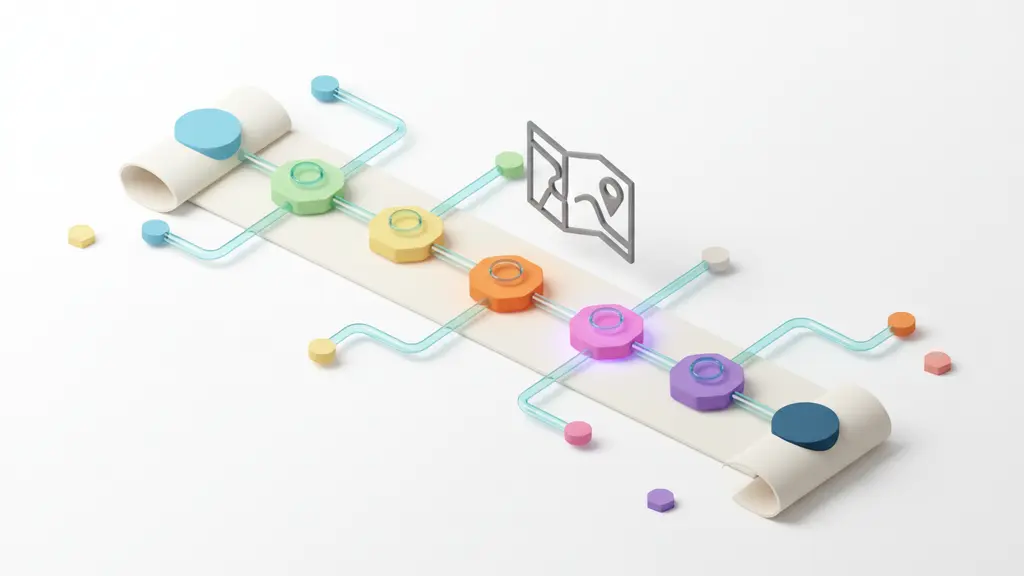
To create a fitness app in 2026, follow a series of clear, proven steps—from defining your audience and niche through design, development, and growth strategies. The process suits both no-code platforms and fully custom builds.
Stepwise Roadmap:
- Define your audience and niche.
- Choose your development approach (no-code builder, low-code, or custom).
- List and prioritize key features.
- Design the user journey and app interface.
- Develop and integrate functionality.
- Ensure security and legal compliance.
- Launch, market, and grow your app.
Choosing between no-code and custom solutions depends on your budget, timeline, and scalability needs. Visual app builders work well for rapid launches, while custom development offers maximum flexibility. For a visual breakdown, refer to the included roadmap diagram (add visual as needed).
What Are Your Options? No-Code vs. Custom Fitness App Development
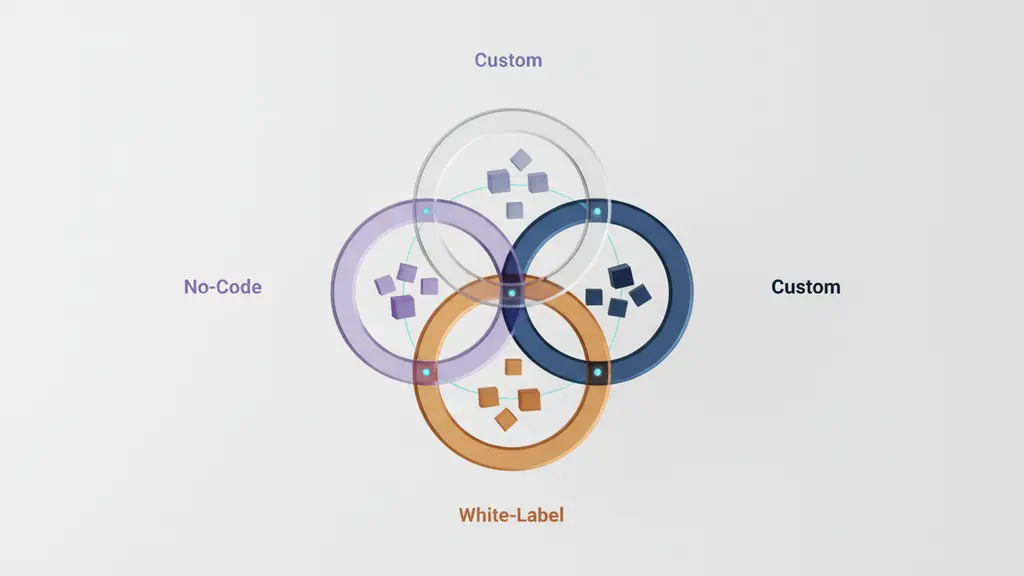
When developing a fitness app, you must weigh no-code builders against custom development. Each offers distinct advantages in cost, speed, and scalability, fitting different skills and business goals.
Comparison at a glance:
| Approach | Speed | Cost | Flexibility | Best For |
| No-Code | Fast | Low–Medium | Limited | Solo trainers, small gyms, rapid MVP |
| Custom | Slow–Medium | Medium–High | Unlimited | Startups, SaaS, brands with unique needs |
| White-Label | Fast | Medium | Moderate | Franchises, quick branding |
Definitions:
- No-Code: Drag-and-drop builders (e.g., BuildFire, Bravo Studio) requiring little technical knowledge.
- Custom Development: Apps coded from scratch using languages like Swift/Kotlin (native) or React Native/Flutter (cross-platform).
- White-Label: Pre-made apps you rebrand with your own look.
Pros and Cons:
- No-Code
- Pros: Low cost, launch within days/weeks, minimal technical barrier.
- Cons: Less customization, platform constraints, scaling limitations.
- Custom
- Pros: Full control over features, design, and scalability.
- Cons: Higher cost, longer development cycle, requires team or agency.
- White-Label
- Pros: Quickest to market, moderate customization.
- Cons: Recurring fees, limited unique branding.
When to Choose Which:
- Solo trainers or non-tech founders often start with no-code or white-label to validate an idea.
- Growth-focused startups or businesses with unique features should invest in custom builds to future-proof and differentiate their products.
Step-by-Step Guide: Building Your Own Fitness App from Idea to Launch

1. How Do You Define Your Audience and Niche?
Successful fitness apps solve a clear problem for a specific audience. Start by identifying who your users are and what unique value you’ll offer.
Essential steps:
- Identify Target Users: Are you building for personal trainers, gym chains, everyday fitness enthusiasts, or niche audiences (e.g., postpartum fitness, senior wellness)?
- Persona Mapping: Create fictional profiles representing your various user types. Outline their goals, frustrations, and app expectations.
- Trend Research: Explore top fitness app niche trends for 2026:
- Mental health & mindfulness integrations.
- Social/community challenges that drive motivation.
- AI-driven workout personalization.
- Competition Audit: Analyze 3–5 similar apps. Look for gaps, feature oversights, and user complaints in reviews.
- Validation: Use surveys, online community polls, or interviews to confirm demand before building.
Example Personas:
- “Jessica, a solo trainer looking to manage remote clients”
- “Mark, a weight loss enthusiast seeking daily accountability”
- “CityGym, a local chain wanting a custom member app”
Focusing on a clear niche improves user engagement and tailors your feature set for real market needs.
2. What Features Do Successful Fitness Apps Need?
Great fitness apps balance core functionality with innovative extras, aligning features to user needs and modern tech trends.
Feature Comparison Table:
| Feature Category | Must-Have Features | Advanced/Nice-to-Have |
| Workout/Activity | Tracking workouts, goal setting | AI program customization, AR demos |
| Nutrition | Meal logging, nutrition tracking | Barcode scanning, expert feedback |
| Engagement | Push notifications, streaks, reminders | Challenges, leaderboards, rewards |
| Social | Community feed, share progress | Group chats, UGC/video uploads |
| Integration | Apple Health, Google Fit, wearables | Real-time device data, 3rd-party APIs |
| Wellness/Mental | Mood tracking, meditation content | Mindfulness journeys, sleep cycles |
Core “must-haves” include reliable workout/meal tracking, push notifications, and basic user accounts. Advanced features such as AI-driven custom plans, interactive leaderboards, and social connectivity differentiate top apps and support long-term retention.
3. How Do You Design Your Fitness App for Maximum Engagement?
Effective design centers around a frictionless user experience that drives engagement and retention. Start with simple wireframes and prototype your flow before moving to full design.
Key Design Principles:
- User Journey Mapping: Map out actions from onboarding to daily use. Identify friction points users might face.
- Wireframing & Prototyping: Use tools like Figma or Sketch to draft screens. Prioritize simplicity and clarity.
- Onboarding Flows: Short, engaging, and personalized onboarding boosts first-week retention. Use tooltips and micro-tutorials.
- Gamification: Integrate progress bars, streaks, badges, and rewards to encourage daily habits.
- Accessibility: Design for all—use readable fonts, simple navigation, audio cues, and color choices suitable for colorblind users.
Example:
A streamlined app launches directly to the day’s workout with a single tap, highlights streaks, and shows community progress in one scrollable view.
4. What Are the Steps to Develop and Integrate Your App?
Building a fitness app involves both technical and strategic milestones, regardless of whether you use no-code, low-code, or custom development approaches.
Standard development workflow:
- Select Your Stack or Builder:
- No-code: Choose platforms like BuildFire or Bravo Studio for drag-and-drop app creation.
- Custom: Pick mobile frameworks (e.g., React Native, Flutter) for cross-platform; Swift/Kotlin for native development.
- Build the MVP:
- Prioritize essential features identified earlier.
- Focus on getting a stable, core version to market quickly.
- Integrate Essential Services:
- Wearable APIs: Integrate Apple HealthKit, Google Fit, Fitbit SDK.
- Payment Gateways: Include Stripe or PayPal for subscriptions.
- Social/Chat: Use SDKs like Sendbird or Twilio for messaging components.
- Testing:
- Usability testing (with real users).
- Security and compliance checks.
- Multi-device compatibility reviews.
- Iterate and Improve:
- Use analytics to refine features before wide launch.
Visual Example:
Show both no-code workflow (drag-and-drop builder interface) alongside a custom code structure (project folder breakdown).
5. How Do You Ensure Security, Compliance & Data Privacy?
Fitness apps must comply with strict data privacy laws and secure user health data using industry best practices.
Key Areas to Cover:
- HIPAA/GDPR Compliance:
- If handling sensitive health or location data, comply with HIPAA (US) or GDPR (EU).
- This often means ensuring user consent, the right to delete data, and explicit privacy policies.
- Data Encryption: Encrypt all user data at rest and in transit.
- Cloud Storage Security: Choose reputable cloud providers with clear compliance certifications.
- Consent and Age Verification:
- Obtain affirmative user consent for all data use.
- Include age checks, especially if minors may use your app.
- Compliance Checklist: Regular audits, documentation, and incident response plans.
Checklist Example:
- Written privacy policy and terms
- Secure sign-up/authentication
- End-to-end data encryption
- User consent logging/editing
- Compliance with local laws (HIPAA, GDPR, etc.)
How Much Does It Cost to Create a Fitness App in 2026?
The cost to build a fitness app in 2026 varies based on features, development method, and maintenance needs. MVP (minimum viable product) apps start from a few thousand dollars with no-code, while fully custom builds can range well beyond $50,000.
| Build Type | Estimated Initial Cost | Typical Timeline | Ongoing (per month) |
| No-Code | $2,000–$8,000 | 2–6 weeks | $50–$300 |
| White-Label | $5,000–$20,000 | 4–8 weeks | $100–$500 |
| Custom (MVP) | $25,000–$60,000+ | 4–6 months | $500–$2,000 |
Benchmarks:
According to Statista and OpenArc market research, most fitness app MVPs in 2026 fall between $20,000–$60,000, with monthly maintenance typically 10–15% of the initial cost.
Cost-saving strategies:
- Launch with a feature-light MVP, then add in phases.
- Use ready-made modules (chat, payments).
- Prioritize the most differentiated features for a custom build.
How Do You Monetize and Grow Your Fitness App?
To monetize your fitness app successfully, combine robust revenue models with proven marketing and engagement tactics.
Common Monetization Models:
- Subscriptions: Monthly/annual memberships unlock premium content or features.
- Freemium: Base app is free, users pay for upgrades.
- In-app Purchases: One-off sales (e.g., workout packs, meal plans).
- White-label licensing: License your platform to other trainers or organizations.
Growth Tactics:
- Influencer Partnerships: Collaborate with fitness influencers to launch your app to new audiences.
- Referral Programs: Reward users for bringing in friends.
- Engagement Analytics: Use in-app data to personalize experiences and prevent churn.
Retention Example:
Leading fitness apps often target retention rates above 30% after 6 months and consistently optimize ARPU (average revenue per user) using cohort analytics and tailored marketing.
How Do You Measure Success? Analytics, Retention & Iterative Growth
Tracking performance is key to long-term app growth. Focus on actionable analytics to identify what works and what needs refinement.
Essential Metrics:
- DAU/MAU: Daily and monthly active users, showing core engagement.
- Retention & Churn: How many users return, and how quickly users drop off.
- Feature Usage: Identify which features drive activity (or are ignored).
- Revenue Metrics: Track ARPU, conversion rates, and LTV (lifetime value).
Recommended Tools:
- Google Analytics for Firebase
- Mixpanel or Amplitude for advanced event tracking
- Built-in dashboards from no-code platforms
Data-driven improvement:
Regularly review analytic dashboards to inform updates, new features, and marketing campaigns. For example, if analytics show users drop off during signup, streamline onboarding and test new flows.
Common Mistakes and Pro Tips from Experts
Avoiding common pitfalls saves time, money, and user trust. Here are expert-driven insights into what works—and what to watch out for.
Top 5 Mistakes:
- Feature Bloat: Launching with too many or unfocused features that dilute user experience.
- Skipping Compliance: Ignoring legal/privacy requirements can lead to costly penalties.
- Neglecting User Testing: Missing critical UX bugs or workflow confusion.
- Poor Retention Focus: Focusing only on new installs, not long-term engagement.
- Underestimating Ongoing Maintenance: Failing to budget and plan for continual updates and support.
Pro Tips:
- “Test your prototype with actual trainers and clients before building full scale.” — App developer, 2024
- “Include quick win features, like daily streaks or milestone badges, right from launch.” — Fitness app product manager
- Post-launch, invest in community forums or in-app events to drive deeper engagement and retention.
Fitness App Development FAQs
What are the steps to create a fitness app?
Define your target users, choose your development method, list features, design the UX, build and integrate, ensure compliance, and launch with a go-to-market plan.
Can I build a fitness app without coding?
Yes. No-code platforms like BuildFire or Bravo Studio allow non-developers to assemble and launch functional fitness apps with drag-and-drop tools.
How much does it cost to develop a fitness app?
It ranges from $2,000–$8,000 for no-code MVPs to $25,000 and up for custom builds, depending on complexity and features.
What features should a fitness app have?
Core features include workout tracking, push notifications, user accounts, basic analytics, and integration with wearables. Advanced features may include AI customization, social sharing, and mental health modules.
How can I monetize my fitness app?
Popular approaches include monthly subscriptions, in-app purchases, freemium upgrades, and white-labeling for other professionals/organizations.
What are the best no-code fitness app builders?
Top platforms in 2026 include BuildFire, Bravo Studio, and Passion.io, each with distinct template options and integrations.
Do I need to integrate wearables with my fitness app?
If your app targets fitness tracking and personalization, wearable integrations (e.g., Apple Watch, Fitbit) are highly recommended to meet user expectations.
How do fitness apps keep users engaged?
Successful apps use gamification, regular content updates, targeted notifications, and community features to encourage daily use and retention.
What are the legal requirements for fitness apps?
Follow HIPAA/GDPR regulations for data privacy, provide clear consent options, and ensure secure storage and processing of user health data.
Should I build a native or cross-platform fitness app?
Native apps (Swift for iOS, Kotlin for Android) offer the best performance and device integration, while cross-platform tools (React Native, Flutter) reduce costs and speed up multi-device deployment.
Conclusion
Building a fitness app in 2026 is within reach for trainers, entrepreneurs, and innovators willing to combine a strategic approach with tactical steps for development and growth. By defining your niche, prioritizing impactful features, selecting the right development method, and planning for compliance and monetization, you’ll set the stage for a thriving digital health business.
Key Takeaways
- The fitness app market in 2026 offers significant growth and revenue opportunities for both solo trainers and startups.
- Clear audience targeting, lean feature selection, and strong UX are essential for successful fitness app development.
- Choose no-code for speed and cost-efficiency, or custom dev for flexibility and long-term scaling.
- Prioritize security, legal compliance, and data privacy to protect users and your business.
- Ongoing analytics, user feedback, and continuous iteration drive engagement and sustainable growth.
This page was last edited on 24 February 2026, at 10:04 am

Start a conversation with our team to solve complex challenges and move forward with confidence.










