

Keeping inventory accurate and efficient is crucial for every business, but outdated processes can cause costly stockouts, overstock, and manual errors. Many companies still rely on spreadsheets or disconnected systems, making it hard to track inventory, spot errors, or react quickly to demand changes. This article delivers a clear, actionable roadmap to level up your inventory management system—ensuring accuracy, efficiency, and real-time visibility.
Whether you manage a small warehouse or lead multi-location operations, this guide will help you achieve measurable gains in inventory optimization.
Why Should You Level Up Your Inventory Management System?
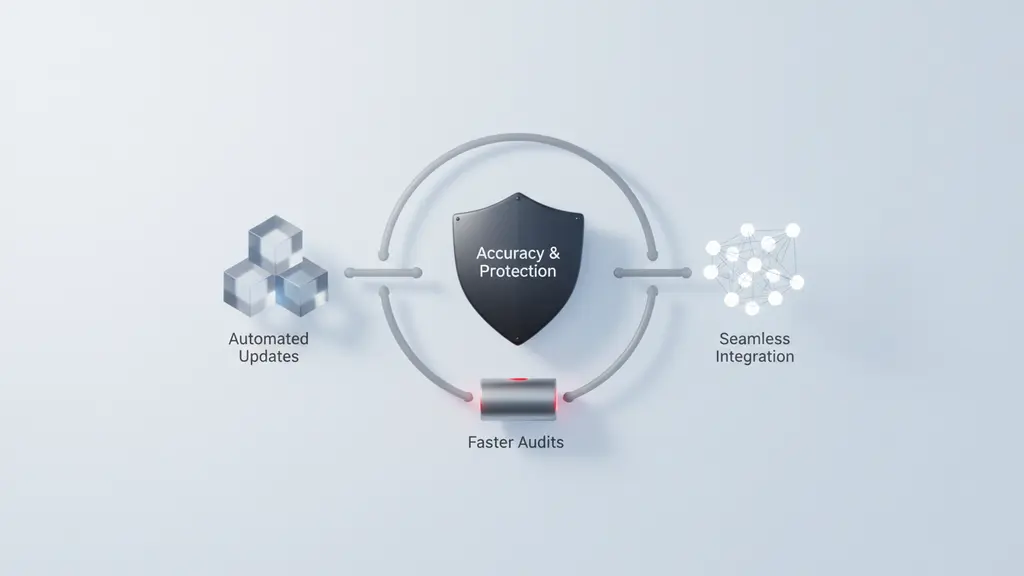
Modernizing your inventory management system directly impacts your bottom line by reducing errors, improving efficiency, and enabling better business decisions.
Making mistakes with inventory—like ordering too much, running out of stock, or losing track of products—can degrade profits and customer satisfaction. Upgrading your inventory system means:
- Greater inventory accuracy for fewer shortages and overstock
- Automated updates and alerts to eliminate guesswork
- Faster, more accurate audits and reporting
- Seamless integration with sales and supply chain platforms
- Competitive advantage through modern technology adoption
In today’s fast-paced supply chains, real-time tracking and optimization are essential for staying ahead of the competition.
How Do You Assess Your Current Inventory Management System?
A simple process audit benchmarks your system’s strengths and gaps, guiding you toward targeted improvements.

Start by mapping your current inventory workflows—capture everything from receiving to shipping, noting each manual or digital touchpoint. Key steps include:
- Conduct an Inventory Process Audit
- Use a checklist or downloadable template to record processes, tools, and responsibilities.
- Identify bottlenecks where errors or delays occur.
- Standardize Data for SKUs and Naming
- Ensure all products use consistent codes and descriptions.
- Take a baseline “snapshot” of your current stock counts.
- Measure Core Metrics
- Track error rates, update frequency, and how much manual work is involved.
- Evaluate cycle count compliance and reconciliation speed.
- Set a Maturity Benchmark
- Compare your system to industry best practices to prioritize next steps.
This assessment reveals immediate opportunities for inventory optimization.
Step 1: How to Standardize Data & Audit Inventory Processes
Standardizing inventory data and performing regular audits establishes the foundation for accuracy and reliability.
Begin by tackling inconsistent data, which is often the root cause of inventory accuracy problems:
- Standardize SKUs and Naming
- Assign unique, clear identifiers for every item.
- Create rules for naming (e.g., “Blue T-Shirt, Large” always follows the same syntax).
- Adopt Cycle Counting
- Replace overwhelming annual counts with smaller, regular counts targeting high-value or fast-moving items.
- Schedule Physical Audits
- Set regular intervals to verify that your records match what’s actually in stock.
Quick Audit Checklist:
- Is every item labeled with a unique SKU?
- Are naming conventions used consistently?
- Is cycle counting completed at least monthly?
- Have recent discrepancies been analyzed and corrected?
Download a customizable audit template to streamline this process.
Step 2: Which Automation & Mobile Tools Can Upgrade Your Inventory Tracking?
Automating inventory tracking with barcode systems, mobile apps, or RFID reduces manual errors and speeds up every process.
Technology can transform inventory control at any scale:
- Barcode and QR Code Systems
- Simplify data entry with barcode scanners or mobile devices.
- Use QR codes for multi-field product information or rapid updates.
- Mobile Inventory Apps
- Look for solutions that support real-time stock updates, offline mode, and easy integration.
- Enable staff to check and update inventory directly from tablets or smartphones.
- Inventory Automation Tools
- Automate replenishment triggers and order alerts based on actual usage.
- Capture every stock movement instantly to minimize delays and inaccuracies.
Example:
One mid-size retailer adopted mobile scanning and reduced mis-picks by over 30%, streamlining order fulfillment and cutting operational costs.
| Automation Tool | Key Features | Use Case |
|---|---|---|
| Barcode scanner | Fast, accurate item check-in/out | Warehousing, retail |
| Mobile inventory app | Real-time updates, offline access | Field inventory, stores |
| RFID tracking | Bulk scanning, location tracking | Large warehouses, assets |
Step 3: How Does Demand Forecasting & Smart Reordering Optimize Stock Levels?
Advanced forecasting and automated reordering lower the risk of costly stockouts and overstock, optimizing cash flow.
Key Practices:
- Set Reorder Points
- Calculate the minimum stock level triggering a reorder, factoring in demand and supplier lead times.
Reorder Point = (Average Daily Usage x Lead Time) + Safety Stock
- Calculate the minimum stock level triggering a reorder, factoring in demand and supplier lead times.
- Integrate Sales and Seasonality Data
- Use historical sales, promotions, and seasonal trends to improve forecast accuracy.
- Automate Purchase Orders
- Connect your system with vendors or suppliers to auto-generate POs when restock thresholds are met.
- Monitor Impact on Business Metrics
- Track fill rates, backorder frequency, and order lead times before and after implementing forecasting tools.
Businesses that automate demand forecasting and reordering consistently report improved service levels and reduced inventory holding costs.
Step 4: What’s Required for Multi-Location & Real-Time Inventory Tracking?
To prevent stock blind spots, modern inventory management systems offer synchronized, real-time tracking across multiple warehouses or stores.
How to Achieve Multi-Location and Real-Time Sync:
- Use Centralized Inventory Platforms
- Supports multi-warehouse or multi-store management from a single dashboard.
- Enable Remote Updates
- Staff can receive, count, and transact stock using mobile devices wherever they are.
- Continuous Data Synchronization
- Inventory changes at one location are instantly visible to all others, reducing transfer errors and shortages.
- Prevent Overselling
- Real-time updates help ecommerce or retail teams prevent double-selling or negative stock issues.
A beverage distributor, for example, eliminated stockouts by synchronizing all branch warehouses—gaining immediate visibility into available inventory and demand surges.
| Feature | Benefit |
|---|---|
| Central dashboard | One view for all locations |
| Remote/mobile updates | Inventory managed on-the-go |
| Location-specific rules | Tailor reorder points per site |
| Real-time syncing | No manual entry or spreadsheet merging |
Step 5: Why Integrate Your Inventory System with Other Platforms?

Integrating your inventory system with accounting, ecommerce, or ERP platforms amplifies automation and eliminates data silos.
Benefits of Integration:
- Unified Data Flow
- Automatically sync stock levels, orders, shipments, and finances.
- Streamlined Reporting
- Gain real-time analytics by connecting sales, inventory, and financial modules.
- Faster, Error-Free Processes
- Eliminate duplicate data entry, reducing costly mistakes and improving compliance.
- Scale with Your Business
- Use API-based integrations to add new sales channels or logistics partners without breaking existing workflows.
Real-World Outcome:
A manufacturer integrating inventory with their ERP and ecommerce platforms cut reconciliation time by half and improved on-time delivery rates.
Common Integrations Table:
| Integration Target | Example Benefit |
|---|---|
| Accounting software | Live inventory valuation, cost of goods sold |
| Ecommerce platforms | Prevent overselling with synchronized online stock |
| POS systems | Automatic update after each sale |
| Shipping providers | Trigger fulfillment and track deliveries |
| Supplier networks | Automated purchase order and status tracking |
Step 6: What KPIs & Analytics Will Drive Inventory Optimization?
Tracking the right inventory KPIs enables data-driven decisions, helping optimize stock levels, reduce shrinkage, and improve service.
Essential Inventory KPIs:
- Inventory Turnover Rate
Measures how often inventory is sold and replaced over a period:Inventory Turnover = Cost of Goods Sold ÷ Average Inventory Value
- Fill Rate
The percentage of customer orders fulfilled immediately from available stock. - Inventory Accuracy Rate
The match between physical counts and system records. - Shrinkage Rate
Inventory loss due to theft, damage, or errors.
Use a simple dashboard—either built into your inventory management software or a custom spreadsheet—to track these KPIs monthly. Visual alerts can highlight emerging trends, such as increasing backorders or falling accuracy.
| KPI | What It Measures | Why It Matters |
|---|---|---|
| Turnover Rate | Sales velocity/stock utilization | Cash flow, space efficiency |
| Fill Rate | Order fulfillment effectiveness | Customer service, sales |
| Accuracy Rate | Data/physical match | Trust, loss prevention |
| Shrinkage | Unexplained inventory loss | Risk control, cost reduction |
Consistent KPI tracking proves the ROI of inventory optimization efforts.
Step 7: How to Build Team Buy-In & Ensure Consistent Process Adoption?
Achieving inventory accuracy requires more than technology—it depends on staff training, change management, and consistent follow-through.
How to Drive Lasting Adoption:
- Address Common Barriers
- Tackle resistance to change, high turnover, or previous bad data practices upfront with clear communication and leadership.
- Comprehensive Onboarding
- Provide new and existing staff with easy, visual guides and hands-on training.
- Gamify and Incentivize
- Use leaderboards, recognition programs, or small rewards for perfect cycle counts or prompt updates.
- Maintain an Open Feedback Loop
- Encourage staff to suggest improvements and promptly address pain points.
- Troubleshoot Common Issues
- Create an FAQ or troubleshooting playbook accessible to all team members.
Checklist:
- Do all staff know inventory processes and why they matter?
- Is training provided with every system update or rollout?
- Are incentives aligned with accurate, timely inventory updates?
Successful process adoption ensures that technology upgrades actually deliver the intended benefits.
What Are the Most Common Inventory Management Pitfalls—and How Do You Fix Them?
Identifying and correcting common inventory pitfalls prevents costly setbacks and optimizes your system for ongoing success.
Typical Inventory Pitfalls:
- Inaccurate Data Entry
Caused by manual updates or unclear procedures; fix by automating transactions and standardizing data entry fields. - Delayed Updates
Leads to discrepancies and misplaced stock; solution is to enable real-time tracking via mobile or barcode tools. - Process Drift
Teams revert to old habits over time; counter with regular audits and retraining. - Untracked Inventory Movement
Items not properly checked in/out get lost; enforce scanning or mandatory record-keeping.
Quick Fix Recipes:
- Establish cycle counting schedules and enforce accountability.
- Use built-in checks in software to prevent double entries or missed steps.
- Regularly review and adapt SOPs to match operational realities.
Real-world scenario:
On Reddit’s r/InventoryManagement, users frequently cite “phantom inventory” (items showing in system but not on shelves) as a problem—solved most effectively through integrated scanning and regular cycle counts.
Advanced Strategies: IoT, Predictive Analytics, and the Future of Inventory Management
IoT sensors, predictive analytics, and AI-powered platforms represent the next evolution of inventory management, providing proactive, data-driven insights.
Trending Advanced Strategies:
- IoT Sensors
- Track real-time temperature, location, or condition of goods (ideal for perishables or high-value items).
- Predictive Analytics
- Machine learning analyzes sales trends, seasonality, and market data to recommend optimal stock levels or detect anomalies early.
- AI-Powered Systems
- Automate demand planning, error detection, and even supplier negotiations.
- Next-Gen Integrations
- APIs allow you to connect inventory data to anything—from B2B marketplaces to shipping robots.
Adoption rates of these technologies are rising, especially in manufacturing and retail logistics, where predictive accuracy and rapid adjustment are crucial for competitive advantage.
Tools, Templates & Resources
- Inventory Process Audit Template: Downloadable worksheet to kick off your audit.
- Inventory Cycle Count Checklist: Step-by-step guide for regular counting.
- Sample KPI Dashboard: Visual example for tracking key inventory metrics.
- Staff Onboarding Guide: Process outline for effective team training and adoption.
These actionable resources help implement improvements faster and sustain higher inventory accuracy.
Inventory Management System FAQ
What are the first steps to improve an inventory management system?
Begin by conducting a thorough audit of your existing inventory processes, standardizing SKUs and naming conventions, and identifying inefficiencies or frequent error points.
How do barcode or QR codes improve inventory accuracy?
Barcode and QR code systems automate item identification and logging, drastically reducing manual entry errors and enabling real-time, accurate tracking of inventory movements.
How can small businesses manage inventory across multiple locations?
Use a centralized inventory management platform with mobile capabilities, so teams can update, transfer, and view stock levels at any location in real time.
What are common inventory management mistakes and how can I avoid them?
Frequent mistakes include inaccurate data entry, delayed inventory updates, and lack of standardized procedures. Prevent these by automating tracking, enforcing cycle counts, and providing ongoing staff training.
Which KPIs are essential for inventory management success?
Key performance indicators include inventory turnover rate, fill rate, accuracy rate (physical-to-digital match), and shrinkage (loss or theft).
How do I get staff to consistently update stock levels?
Make inventory updates easy with mobile or barcode tools, provide proper onboarding, and incentivize timely, accurate updates through recognition or rewards.
What’s the difference between cycle counting and annual inventory?
Cycle counting involves counting small sections of inventory on a rotating schedule throughout the year, while annual inventory is a full stock count usually done once a year. Cycle counting improves accuracy and reduces disruption.
How do I choose the right inventory tracking software?
Assess your business needs (size, complexity, number of locations), prioritize features like real-time updates and integrations, and consider ease of use and scalability.
How does integration with accounting or sales platforms help inventory management?
Integration enables seamless data flow, ensuring inventory transactions immediately update related sales and financial records, reducing manual errors and improving decision-making.
What are the latest trends in advanced inventory systems?
IoT-enabled sensors, predictive analytics, and AI-driven platforms are rapidly evolving. These tools provide deeper insights, real-time condition tracking, and smarter automation to further optimize inventory operations.
Conclusion
A well-optimized inventory management system transforms operations, reduces costs, and drives customer satisfaction. By following this step-by-step playbook—auditing processes, leveraging automation, forecasting demand, enabling real-time tracking, and fostering team adoption—you set your business up for sustainable success.
Key Takeaways
- Start with a baseline audit and data standardization to uncover hidden inefficiencies.
- Upgrade tracking with automation and mobile tools to reduce manual errors and save time.
- Implement demand forecasting and smart reordering to balance inventory and improve cash flow.
- Synchronize inventory across all locations in real time for total stock visibility.
- Integrate your inventory system with sales, accounting, and ERP platforms to eliminate silos and manual data entry.
- Monitor essential KPIs with simple, actionable dashboards for continuous improvement.
- Prioritize team training and adoption to ensure improvements last.
This page was last edited on 16 February 2026, at 9:58 am

Start a conversation with our team to solve complex challenges and move forward with confidence.










