

Performance optimization guide for AI apps is becoming essential as organizations work to build scalable, reliable, and cost effective AI driven solutions. Growing AI workloads, rising user expectations for real time responses, and increasing cost pressures have raised the bar for engineering teams across industries.
When AI applications are not properly optimized, the impact is immediate and measurable. Teams face escalating cloud costs, degraded user experiences, and difficulty meeting service level objectives. As models grow more complex and deployment environments span cloud, edge, and hybrid setups, a fragmented approach to performance optimization is no longer sustainable.
This guide provides a complete, actionable workflow for improving AI application performance. You will learn step by step strategies to increase speed, reduce latency, control costs, and ensure long term reliability across the full AI lifecycle, from deployment to monitoring and continuous optimization.
Summary Table: Performance Optimization Guide for AI Apps
| Step | Metric/Goal | Recommended Tool | Key Consideration |
| Profile Current Performance | Latency, throughput | NVIDIA Nsight | Baseline pre-optimization |
| Algorithm & Code Optimization | Speed, CPU/GPU use | PyTorch Profiler | Vectorization, batch ops |
| Model Compression | Model size, speed | TensorRT, ONNX | Validate accuracy post-tuning |
| Hardware/Resource Tuning | Utilization, cost | MLPerf, Sedai | Right-size for workload |
| Data Pipeline & IO | Data loading time | Prefetching, Redis | Format, batch, cache data |
| CI/CD & Deployment | Rollout speed, SLOs | Docker, Kubernetes | Integrate tests, canaries |
| Monitoring & Alerting | SLO adherence | New Relic, Prometheus | Realtime anomaly detection |
| Cost & Energy Optimization | $/inference, kWh | AWS Cost Explorer | Sustainability, savings |
What Is AI Application Performance Optimization?
AI application performance optimization is the systematic process of improving the speed, efficiency, reliability, and resource utilization of AI-powered software. The main objectives are to achieve low latency, high throughput, and manageable costs for both training and inference across cloud, edge, and mobile deployments.
Optimizing AI apps means identifying and addressing bottlenecks in code, hardware, data pipelines, and model design, ensuring that AI workloads run efficiently on the chosen infrastructure while meeting user experience and business goals.
Key Performance Metrics and Bottlenecks in AI Apps
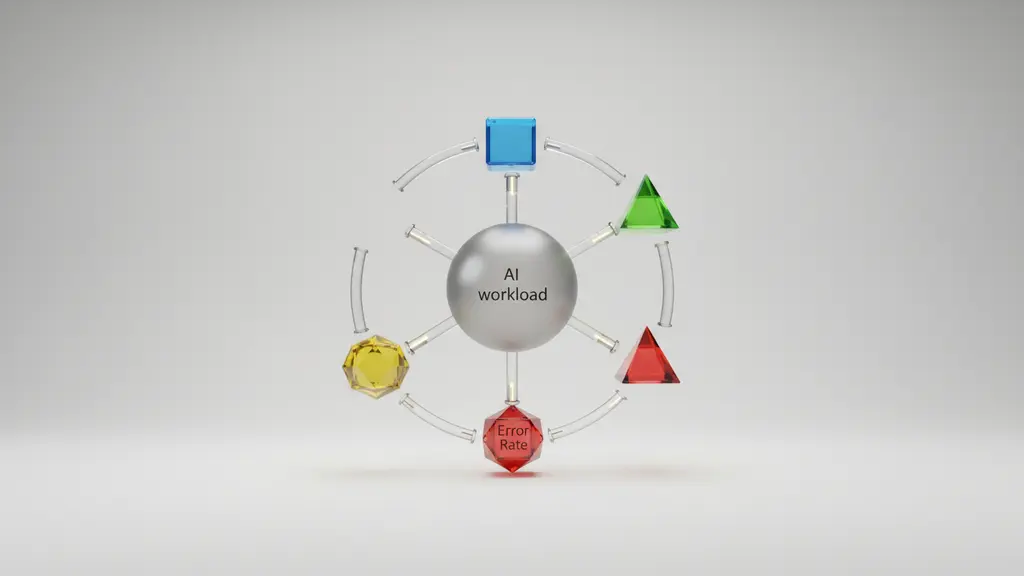
Optimizing AI application performance starts with measuring the right metrics and understanding common bottlenecks affecting speed, reliability, and cost. The right data enables you to diagnose and prioritize improvements across the AI workload lifecycle.
Core Metrics at a Glance
| Metric | Description | Why It Matters |
| Latency | Time per inference request or model response | Directly impacts user experience |
| Throughput | Number of requests processed per unit time | Drives scalability |
| Error Rate | Percentage of failed or inaccurate results | Impacts reliability |
| Resource Utilization | CPU, GPU, TPU, memory, and disk usage rates | Efficiency & cost control |
| Cost per Inference | Expense incurred per prediction or task | Budget & scaling implications |
| Service Level Objectives (SLOs) | Performance targets agreed with stakeholders | Reliability & business alignment |
Typical AI Bottlenecks
- Model complexity: Large or unoptimized neural networks slow down inference.
- Inefficient code: Non-vectorized, poorly parallelized code increases latency.
- Hardware mismatch: Underpowered CPUs or misconfigured GPUs cause resource contention.
- Data I/O: Slow data loading, inefficient formats, or insufficient caching stall the pipeline.
- Network and deployment: High cloud network latency or edge device limits can create lags.
How Latency Impacts User Experience:
Even minor latency increases can cause user frustration or lower engagement, especially in real-time AI-powered apps (e.g., search, recommendations). Research from cloud providers shows that every extra 100ms in latency can result in measurable user drop-off.
Popular Metric Tracking Tools:
- New Relic: End-to-end application and AI performance monitoring
- Prometheus: Open-source monitoring for metrics and alerting
- Custom Dashboards: Built with Grafana or cloud-native tools
How to Optimize AI App Performance: End-to-End Workflow
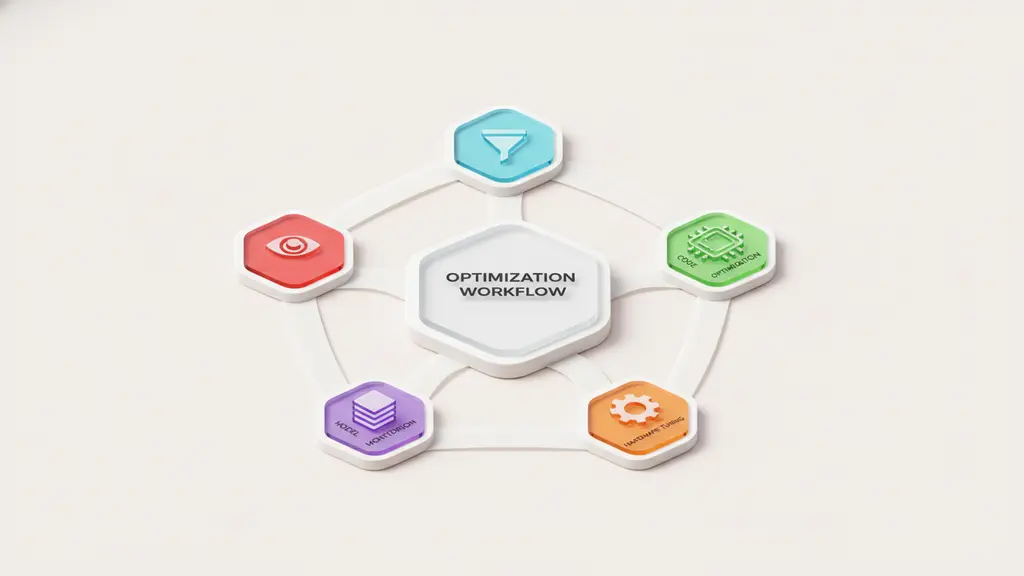
Performance optimization is most effective as a repeatable, end-to-end process. The following seven-step workflow provides a proven framework to analyze, optimize, and sustain peak AI application performance.
1. Analyze and Establish Performance Baseline
Begin by profiling your AI application’s current metrics—latency, throughput, resource consumption—to pinpoint bottlenecks and set optimization targets.
Steps:
- Use profilers (e.g., cProfile for Python, NVIDIA Nsight Systems) to capture current performance data.
- Select observability platforms (New Relic, Prometheus, cloud-native dashboards).
- Define Service Level Objectives (SLOs) to align engineering focus with business goals.
Tip: Establishing a clear baseline before any changes ensures you can objectively measure the impact of optimizations.
2. Code & Algorithm Optimization
Efficient algorithms and code dramatically reduce latency and improve throughput. Minor adjustments can lead to major gains.
Best Practices:
- Refine model architectures for speed (e.g., reduce layers, use efficient blocks).
- Replace slow loops with batch processing or vectorized operations in frameworks like NumPy or TensorFlow.
- Profile for bottlenecks (e.g., using Python’s
line_profiler). - Manage memory carefully to avoid unnecessary copies or leaks.
Example:
In TensorFlow, using tf.function can speed up model computations by converting Python functions into optimized graphs.
@tf.function
def fast_infer(inputs):
    return model(inputs)
3. Hardware & Resource Optimization (CPU, GPU, TPU)
Selecting the right hardware and tuning it for your workload can yield substantial performance and cost gains.
Considerations:
- Select GPUs/TPUs based on model size and concurrency needs; avoid over-provisioning.
- Benchmark cross-platform performance using industry frameworks (e.g., MLPerf).
- Where possible, use hardware-software co-design—leverage mixed precision or vendor-specific kernels.
- Evaluate cloud versus edge deployments for latency and bandwidth trade-offs.
Example:
Provision NVIDIA A100 GPUs for high-throughput inference, or select ARM-based CPUs for lightweight edge deployments.
4. Model Compression: Pruning, Quantization, Knowledge Distillation
Reducing model size and complexity can dramatically improve inference speed and resource efficiency, with minimal loss in accuracy.
When and How to Use:
- Pruning: Remove redundant weights or neurons to slim down models after training.
- Quantization: Reduce numeric precision (e.g., float32 → int8) to accelerate computation and reduce footprint.
- Knowledge Distillation: Train a smaller “student” model to mimic a larger “teacher” model, preserving performance.
Annotated PyTorch Quantization Example:
import torch.quantization
model_fp32 = torch.load('large_model.pth')
model_int8 = torch.quantization.quantize_dynamic(model_fp32, {torch.nn.Linear}, dtype=torch.qint8)
Impact Table:
| Technique | Speed Gain | Size Reduction | Typical Accuracy Loss |
| Pruning | 1.2–2x | 30–60% | 1–3% |
| Quantization | 2–4x | 50–75% | 0.5–2% |
| Distillation | 2–5x | 40–80% | Up to 1% |
Actual results depend on model architecture and use case.
5. Database & Data Pipeline Optimization
Data loading and I/O can become stealth bottlenecks if not designed for the scale and velocity of AI workloads.
Techniques:
- Use efficient formats (Parquet, TFRecords).
- Implement batch loading and prefetching.
- Apply caching layers (in-memory, Redis) to avoid redundant data access.
- Distinguish between real-time (streaming) and batch data pipelines to optimize for their unique profiles.
6. Deployment Strategies: CI/CD for AI Apps
Automating optimization steps in your CI/CD workflow ensures that every deployment is as efficient as possible.
Best Practices:
- Integrate performance checks into CI pipelines (e.g., run model benchmarks before production push).
- Use containerization (Docker) and orchestration (Kubernetes) for reproducible, scalable deployments.
- Employ advanced rollout techniques: canary deployments for gradual changes, and instant rollback for failed optimizations.
7. Continuous Monitoring, Alerting & Improvement
Continuous monitoring is crucial for maintaining peak AI performance and quickly responding to degradations.
Key Steps:
- Deploy real-time dashboards for metrics and health indicators.
- Set up alerting for critical SLO breaches or sudden behavior changes.
- Collect application telemetry and user feedback to guide iterative optimizations.
Example tools: New Relic, Grafana, custom alerts in cloud platforms.
Advanced Topics: Energy Efficiency, Sustainability, and Cost Optimization
Optimizing AI app performance increasingly requires attention to energy usage, sustainability, and operational costs. In 2024, with rising data center power demands and demand for green AI, these considerations drive both responsible engineering and business outcomes.
Measuring and Reducing Energy/Cost per Inference
- Energy per inference: Quantify using benchmarking tools or cloud provider metrics (e.g., AWS CloudWatch, NVIDIA-smi power stats).
- Cost per inference: Calculate by multiplying compute resource costs by workload volume.
- Sustainable optimization: Right-size models, select lower-carbon cloud regions, and use models supporting mixed-precision inference.
Sustainable AI Optimization Tactics
- Prefer smaller, efficient architectures (e.g., MobileNet, DistilBERT) for edge and mobile.
- Choose cloud providers committed to renewable energy or carbon offsets.
- Schedule compute-intensive tasks during off-peak energy times (where supported).
Cost Management Strategies & Tools
- Use automatic resource scaling and spot/pre-emptible instances to save on compute.
- Adopt SaaS cost-optimization solutions (e.g., Sedai, AWS Savings Plans) for ongoing efficiency.
- Continuously monitor and analyze cost metrics for trend deviations.
Example: Energy/Cost Comparison Table
| Optimization | Relative Energy Use | Relative Cost Impact | Best Use Case |
| Quantization | Low | High Savings | Real-time inference |
| Pruning | Moderate | Moderate Savings | Large DNNs |
| Distillation | Lowest | Highest Savings | Edge/mobile deployment |
| Cloud Instance Tuning | Variable | Variable | All deployments |
Edge vs. Cloud: Where to Deploy and Optimize AI Apps?

Deciding between edge, cloud, or hybrid AI deployment is critical for optimizing performance, cost, and data security. The right choice depends on your application’s latency, privacy, scalability, and infrastructure needs.
Factors to Consider
- Latency: Applications requiring real-time results (e.g., industrial robotics, diagnostics) benefit from edge deployment.
- Privacy: Edge reduces exposure of sensitive data (important in healthcare, finance).
- Bandwidth: Edge reduces reliance on high-bandwidth connections.
- Hardware: Cloud offers elastic, powerful GPUs/TPUs; edge may require model compression for limited devices.
Real-World Examples
- Edge AI in Healthcare: Real-time image analysis run on hospital equipment for instant feedback with data privacy.
- Cloud AI in E-commerce: Product recommendations served at scale with high throughput from centralized servers.
Checklist: Should You Use Edge or Cloud?
Need sub-second latency? → Edge
Handling sensitive data? → Edge
Need massive scale? → Cloud
Frequent model retraining? → Cloud
Unreliable network? → Edge
Both above? → Hybrid/Distributed
Hybrid models are emerging where some compute occurs at the edge (for speed/privacy) and heavy tasks are offloaded to the cloud.
Tools and Frameworks for AI Performance Optimization
The right tools accelerate and automate nearly every stage of AI app performance optimization—from profiling and tuning to deployment and monitoring.
Tools by Category
| Category | Example Tools/Platforms | Use Case |
| Model Optimization | TensorRT, ONNX Runtime, Apache TVM | Model quantization, acceleration |
| Profiling & Benchmarking | NVIDIA Nsight, PyTorch Profiler | Spotting bottlenecks |
| CI/CD & Deployment | Docker, Kubernetes, Triton Inference | Scalable deployment, orchestration |
| Monitoring & Alerting | New Relic, Prometheus, Grafana, Sedai | Real-time performance tracking |
| Cost & Sustainability | AWS Cost Explorer, Sedai, Optiblock | Cost/green optimization |
SaaS Versus Open Source
- SaaS platforms: Offer end-to-end optimization, auto-scaling, and cost management with minimal setup (e.g., Sedai).
- Open source tools: Provide flexibility, transparency, and customization, favored by engineering-heavy teams.
Integrating Tools Into Your Workflow
- Use profiling and benchmarking tools during baseline and post-optimization analysis.
- Automate model conversion with TensorRT or ONNX during CI/CD deployment.
- Incorporate real-time monitoring and alerting to catch regressions quickly.
Real-World Case Studies: AI App Optimization in Action
Latency Reduction in Healthcare AI
A leading telemedicine app reduced model inference latency from 350ms to under 80ms by:
- Pruning redundant network connections
- Deploying quantized models on high-memory edge devices
- Using ONNX Runtime for model serving
Performance gains: sub-second responses improved diagnostic throughput and user satisfaction.
Cost Savings in Retail AI Deployment
A retailer lowered their monthly AI cloud bill by 40% after:
- Moving to spot GPU instances for inference
- Using Sedai’s autonomous scaling and cost optimization SaaS
- Compressing large recommendation models using knowledge distillation
Outcome: maintained accuracy (>97%) while serving tens of millions of predictions/month at a fraction of prior costs.
Lessons Learned
- Always monitor baseline before and after optimization steps.
- Excessive compression can degrade model accuracy; test extensively across use cases.
- Automating resource scaling yields both cost and sustainability benefits.
FAQs: AI Application Performance Optimization
What Is AI Application Performance Optimization?
AI application performance optimization is the process of improving the speed, reliability, scalability, and cost efficiency of AI powered applications by optimizing models, code, infrastructure, and operational workflows.
How Can AI App Performance Optimization Reduce Latency?
AI app performance optimization reduces latency through techniques such as model pruning and quantization, batch inference, vectorized operations, hardware acceleration with GPUs or TPUs, and minimizing data input and output bottlenecks.
Which Model Optimization Techniques Balance Speed And Accuracy Best?
For AI application performance optimization, quantization and knowledge distillation provide strong performance gains with minimal accuracy loss. The ideal method depends on workload complexity, inference requirements, and deployment environment.
How Does Quantization Improve AI App Performance Optimization?
Quantization accelerates inference and reduces memory usage by lowering numerical precision. In most AI app performance optimization scenarios, it delivers two to four times faster inference with little or no impact on accuracy.
What Metrics Matter Most For AI Application Performance Optimization?
Key metrics include inference latency, throughput, error rates, resource utilization, cost per inference, and service level objective compliance to fully assess AI application performance.
Which Tools Support AI App Performance Optimization?
Common tools for AI app performance optimization include TensorRT, AWS SageMaker, ONNX Runtime, Sedai, and profiling solutions such as NVIDIA Nsight that automate or streamline optimization workflows.
How Do Edge And Cloud Deployments Affect AI Application Performance Optimization?
Edge deployments optimize AI app performance for ultra low latency, privacy, and offline use cases, while cloud deployments support scalability and centralized compute. Hybrid models are increasingly used to balance both approaches.
Does AI App Performance Optimization Reduce Model Accuracy?
Most AI app performance optimization techniques preserve accuracy, but overly aggressive compression or low bit quantization can reduce performance. Continuous validation against representative datasets is essential.
Why Is Continuous Monitoring Critical For AI Application Performance Optimization?
Continuous monitoring enables teams to detect latency spikes, resource inefficiencies, and performance degradation. Real time dashboards and alerts support ongoing optimization after deployment.
Can Platforms Like Sedai Automate AI App Performance Optimization?
Yes, AI driven platforms such as Sedai can automatically optimize infrastructure usage, scale workloads, and control costs, helping teams maintain optimal AI application performance in production.
Conclusion & Next Steps: Build Scalable, High-Performing AI Apps
Performance optimization for AI apps goes far beyond speed tweaks—it’s a holistic, continuous process that touches every step of the AI application lifecycle. By following a modular, step-by-step workflow and leveraging today’s top tools, you can build solutions that are fast, efficient, cost-effective, and sustainable.
Commit to ongoing monitoring and iterative improvement. Download the optimization checklist above, explore the highlighted tools, or connect with an optimization expert to kickstart your journey towards scalable, industry-leading AI performance in 2024 and beyond.
Key Takeaways
- AI application performance optimization combines code, hardware, and infrastructure strategies for speed, cost, and reliability.
- Measuring the right metrics is foundational—focus on latency, throughput, utilization, and costs.
- Adopt an end-to-end, repeatable workflow: profile, optimize, deploy, and monitor continuously.
- Modern tools and frameworks automate and accelerate every stage of the optimization lifecycle.
- Sustainability and efficient resource usage matter now more than ever for responsible AI growth.
This page was last edited on 10 February 2026, at 11:37 am

Start a conversation with our team to solve complex challenges and move forward with confidence.










