
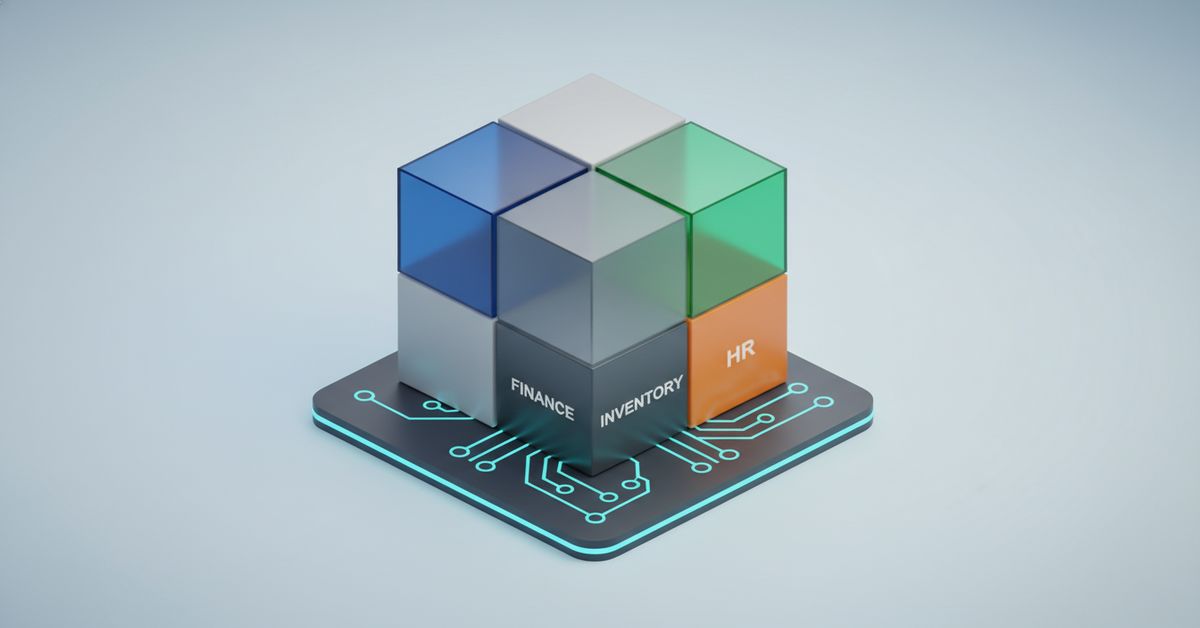
Building a custom ERP system can provide complete alignment with your unique business needs, but it comes with distinct risks and investment. Many organizations wonder whether they should build an ERP system from scratch or purchase an off-the-shelf solution. The wrong decision can lead to wasted time, costly overruns, and operational pain.
This playbook gives business and technology leaders a practical, expert-driven framework for ERP software development. You’ll get step-by-step guidance, real-world examples, decision matrices, and actionable checklists—so you can validate your approach, control risk, and maximize ROI from day one.
Is Building an ERP System Right For You?
| Question | Yes | No/Maybe |
|---|---|---|
| Do you have highly unique workflows? | ✅ | |
| Require deep integration/customization? | ✅ | |
| Internal IT capacity and budget? | ✅ | |
| Off-the-shelf ERP meets 80%+ needs? | ✅ | |
| Need rapid deployment, low maintenance? | ✅ | |
| Have strict compliance/security rules? | ✅ |
If you answered “Yes” to most on the left, a custom ERP build may be your path.
What Is an ERP System? Key Entities, Modules, and Business Impact
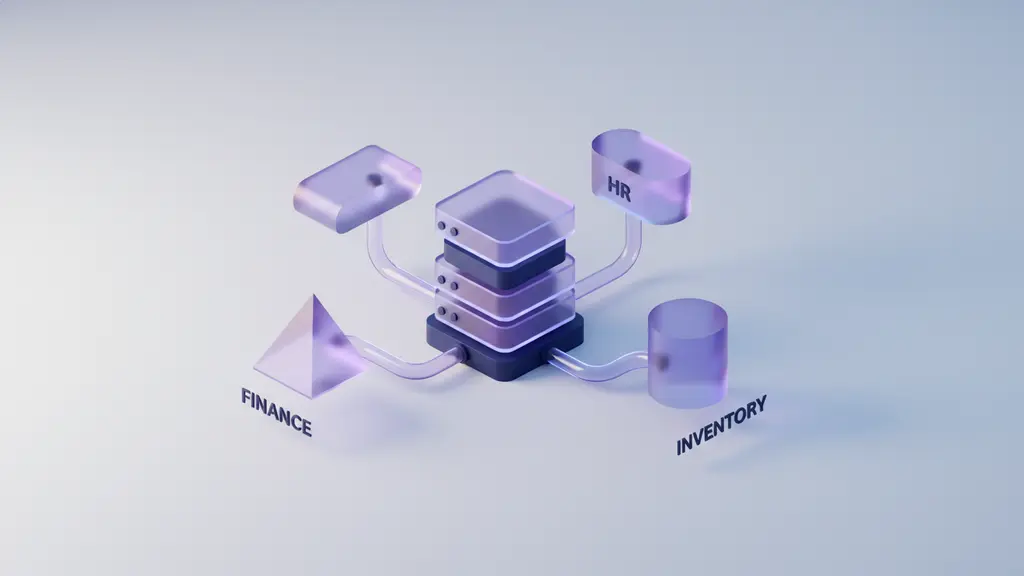
An ERP (Enterprise Resource Planning) system is an integrated software suite that centralizes and automates core business processes across finance, HR, inventory, manufacturing, and more.
Organizations use ERP systems to connect data, streamline workflows, and improve decision-making. Building a custom ERP system means designing each module—such as finance, HR, and inventory—to fit your exact processes and requirements.
Core ERP Modules and Functions
A typical ERP system includes several essential modules. Here’s a quick reference:
| Module | Function/Business Area |
|---|---|
| Finance | Accounting, financial reporting, billing, tax |
| Inventory | Stock tracking, warehouse management, procurement |
| HR | Payroll, recruitment, time tracking, performance mgmt |
| Manufacturing | Production planning, BOM, shop floor control |
| Sales & CRM | Customer database, sales pipeline, order management |
| Procurement | Supplier management, purchase orders, cost control |
| Projects | Project planning, resources, timelines |
| Analytics | KPIs, dashboards, business intelligence |
How Modules Connect:
A well-designed ERP system links these modules through shared databases and process automation. For example, a sales order in CRM triggers inventory checks, creates purchase orders, and books revenue in Finance—seamlessly, without duplicate data entry.
Business Impact of ERP:
“Implementing a modern ERP can increase process efficiency by 20–30% and drastically reduce manual errors,” notes Info-Tech Research Group. Custom ERP systems, in particular, can drive competitive advantage by matching exactly how your business runs.
Summary Checklist: Core ERP Modules
- Finance & Accounting
- Inventory Management
- Human Resources
- Manufacturing/Production
- Sales & Customer Relationship
- Procurement
- Analytics/Reporting
Build vs Buy ERP: Which Approach Fits Your Needs?
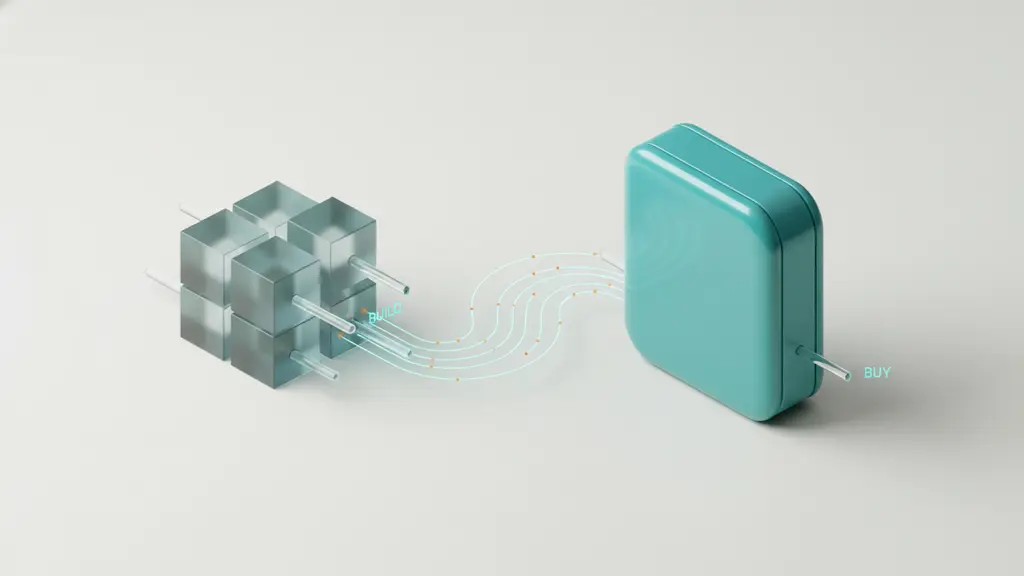
The decision to build or buy your ERP system is foundational—each has significant pros and cons.
Custom ERP offers control and flexibility, but requires substantial investment and technical expertise. Off-the-shelf or open-source ERP solutions are faster to deploy, with lower up-front cost, but can limit customization and scalability.
Build vs Buy ERP: Comparison Table
| Factor | Custom ERP (Build) | Open Source ERP | SaaS ERP Solution |
|---|---|---|---|
| Upfront Cost | High | Low/Moderate | Low |
| Ongoing Costs | Variable (maintenance/dev) | Support, hosting | Subscription |
| Customization | Full | Limited/moderate | Low/moderate |
| Time to Launch | 12–24+ months | 2–6 months | 1–3 months |
| Integration | Complete control | Varies (APIs) | API/limited |
| Maintenance | Fully in-house | Community/vendor | Vendor |
| Scalability | As required | May be limited | May be limited/extra fee |
| Compliance | Fully customizable | Varies | Vendor-defined |
Key Decision Criteria
- Do you need process-fit and deep integration?
- Is your organization ready for ongoing support?
- Do you require rapid deployment?
- Is there a strong open-source or SaaS ERP that fits 80%+ of your needs?
- Regulatory or compliance considerations?
Red Flags: When NOT to Build Your Own ERP
- Tight budgets or rapid go-live needed.
- Internal IT lacks bandwidth for long-term support.
- Reliable off-the-shelf products meet most requirements.
How to Build an ERP System: Step-by-Step Process
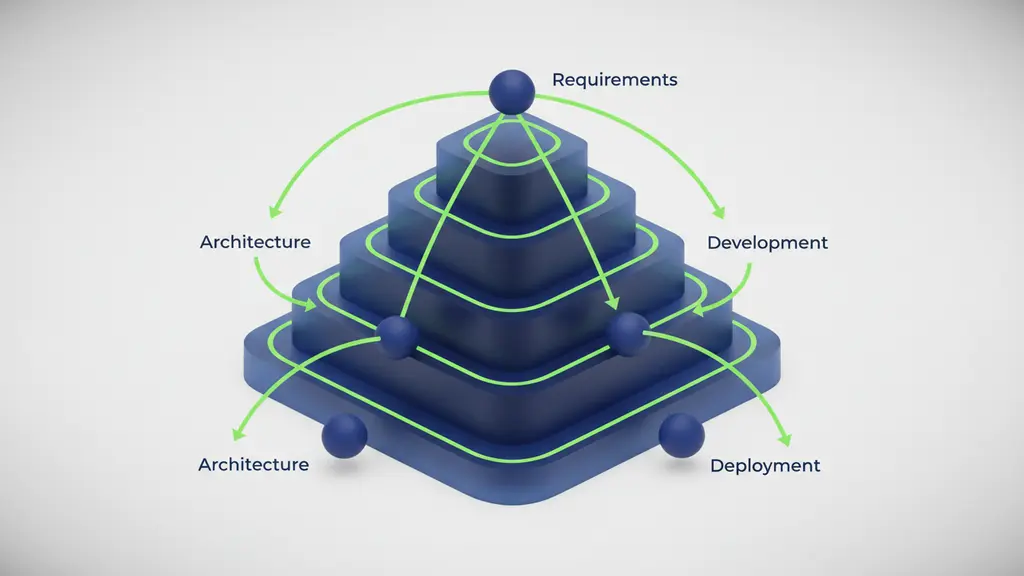
Building an ERP system involves several deliberate phases, each key to ensuring success. Here’s a high-level summary:
- Gather requirements and define the scope.
- Make architecture and tech stack decisions.
- Design and prioritize ERP modules.
- Develop, test, and iterate modules.
- Migrate data and integrate with legacy systems.
- Deploy, document, and train users.
- Maintain, support, and continuously improve.
Let’s break down each critical step.
Step 1: Gathering Requirements and Defining Your ERP Scope
Accurate requirements gathering prevents scope creep and costly rework in ERP software development.
How to Gather ERP Requirements
- Interview Stakeholders: Engage functional leaders from finance, HR, inventory, manufacturing, and IT to document workflows and bottlenecks.
- Map Core Business Processes: Visualize each process, noting dependencies and handoffs between departments.
- Prioritize Needs: Label each requirement as Must-Have (critical to operation) or Nice-to-Have (future/optional features).
- Identify System Gaps: Pinpoint where current tools fall short and what new capabilities are needed.
- Document Everything: Create a requirements specification document. Use checklists and flowcharts for clarity.
Sample Requirements Checklist
- User roles and access controls specified
- Required modules and feature sets are listed
- Data fields and reporting needs defined
- Integration points identified
- Compliance mandates (e.g., GDPR, SOX) noted
- Pain points in the current system outlined
Pro Tip:
“Bringing end users into early requirement workshops eliminates 80% of downstream change requests,” advises one ERP project manager.
Step 2: Making Architectural Decisions & Selecting Your Tech Stack
Early architecture and technology choices shape future flexibility, scalability, and cost to develop your ERP system.
Key Architecture Options
- Monolithic ERP:
• Single, unified codebase.
• Pros: Simpler to manage upfront, easier for smaller teams.
• Cons: Harder to scale or update by module; downtime risk. - Microservices ERP:
• Independent modules (services) communicating via APIs.
• Pros: Easier module upgrades, scale parts independently, robust for complex needs.
• Cons: More complex design, requires advanced DevOps.
Popular Tech Stacks for ERP Development
| Language/Framework | Used For | Why Choose It? |
|---|---|---|
| Java (Spring, JEE) | Backend/enterprise logic | Mature, scalable, security features |
| .NET/C# (.NET Core) | Backend/multi-platform | Integrates with Microsoft, modern tools |
| Python (Django, Flask) | Rapid prototyping, APIs | Fast dev, strong data handling, readable |
| JavaScript (Node.js, React) | Full-stack/API/UI | Modern, flexible, large talent pool |
| PostgreSQL/MySQL | Database | Reliable, open-source, scalable |
Key Architecture Decisions Checklist
- Monolithic vs microservices model selected
- Targeted programming language/framework identified
- Database choice set
- Security and compliance standards planned (e.g., encryption, audit logs)
- Technology aligns with internal skills/resources
- Third-party integration and extensibility evaluated
Security & Compliance:
Plan for role-based access, encryption standards, and regulatory protocols (e.g., SOX for finance data) from day one.
Step 3: Designing and Prioritizing ERP Modules
Breaking development into manageable modules ensures an ERP project remains on budget and delivers value early.
Module Roadmap Steps
- Map Business Processes to Modules: For example, procurement flows to inventory and accounts payable modules.
- Prioritize MVP Modules: Start with essentials—typically Finance, Inventory, HR, and Procurement.
- Design for Customization/Extensibility: Use APIs and modular code to adapt modules in the future.
- Sequence Development: Use a timeline or Gantt chart to schedule deliverables, allowing for parallel workstreams where possible.
| Module | Priority | Estimated Timeline |
|---|---|---|
| Finance | High (MVP) | Month 1–3 |
| Inventory | High (MVP) | Month 1–3 |
| HR | Medium | Month 4–5 |
| Manufacturing | Medium/Optional | Month 4–6 |
| CRM/Sales | Optional | Month 6–7 |
| Analytics | Optional | Month 8+ |
Pro Tip:
“Launching modules in phases enables real-world feedback and early ROI, reducing go-live risk,” explains a manufacturing CTO.
Step 4: Developing, Testing, and Iterating Each Module
Robust ERP software development depends on iterative delivery and quality assurance at every step.
Best Practices for Module Development
- Agile Over Waterfall: Break down work into sprints (2–4 weeks), focusing on one module at a time for better feedback cycles.
- Coding Standards & Version Control: Use source control tools (e.g., Git) and documented style guides.
- Automated Testing: Implement unit, integration, and regression tests for each module.
- User Acceptance Testing (UAT): Involve end users to validate features before full rollout.
- Iterative Integration: Regularly connect modules together to catch issues early.
How to Test an ERP Module
- Write unit and integration tests for key functions.
- Simulate business workflows using sample data.
- Review error handling and edge cases.
- Conduct user acceptance testing with live data scenarios.
- Document defects and retest after fixes.
Pro Tip:
“Never wait until the end to integrate modules—early, frequent integration finds bugs fast and avoids major rework later,” says a lead ERP developer.
Step 5: Data Migration & Integrating Legacy Systems
Seamless data migration and system integration are mission-critical for any successful ERP implementation. Poor planning here commonly leads to budget overruns and project delays.
How to Migrate Data into Your ERP System
- Data Mapping: Align fields from legacy systems to ERP database structure.
- Data Cleansing: Remove duplicates, correct errors, and standardize formats.
- Migration Tool Selection: Use APIs or ETL tools (Extract, Transform, Load) for safe transfer.
- Test Migration in Staging: Perform dry runs to ensure completeness and accuracy.
- Validate and Sign Off: Have stakeholders verify migrated data before go-live.
| Legacy System | Typical Integration Approach |
|---|---|
| Accounting (e.g., QuickBooks) | API or data export/import |
| CRM (e.g., Salesforce) | API, middleware connectors |
| Inventory/SCM | ETL scripting, direct database |
Pitfalls:
- Incomplete mapping leading to missing records
- Invalid or corrupt data causing process disruptions
- No rollback plan in case of failure
Step 6: Deployment, Documentation, and User Training
A smooth go-live phase is critical for ERP adoption and minimizing downtime.
ERP Deployment Best Practices
- Staged Rollout: Start with a pilot user group/department before organization-wide deployment.
- Deployment Checklist:
- Production environment staged and tested
- Rollback/contingency plan in place
- Backup of all critical data taken
- Documentation: Prepare both system documentation (for IT) and end user guides (screenshots, videos, FAQs).
- User Training & Onboarding: Offer interactive sessions, hands-on practice, and ongoing support resources.
- Feedback Loops: Create support channels for issue reporting and rapid response.
ERP Go-Live Checklist
- All modules tested in production
- Users trained and access assigned
- Support/helpdesk staffed and briefed
- Communication plan for go-live day
- Monitoring set up for system performance
Pro Tip:
“Change management is as important as technical deployment. Invest as much in user training as in software,” says a senior business analyst.
Step 7: Ongoing Maintenance, Support & Continuous Improvement
Maintenance of ERP software is not optional—plan for long-term health, upgrades, and evolving business needs.
Recurring Maintenance Checklist
- Schedule security patching and module updates
- Monitor performance metrics (response time, uptime)
- Gather and prioritize user feedback
- Review and implement regulatory/compliance changes
- Plan for periodic architecture reviews (scalability, obsolete components)
Best Practices
- Assign a dedicated support team or internal champion.
- Use monitoring tools to proactively identify issues.
- Budget for periodic upgrades/new features.
- Regularly communicate upgrades and improvements with users.
What Does It Cost to Build an ERP System?
The cost to develop an ERP system varies based on scope, customization, and company size. A custom ERP build typically involves a higher upfront investment but can offer significant long-term savings and value.
Typical ERP Development Cost Breakdown
| Cost Category | Small Business | Mid-Market/SME | Large Enterprise |
|---|---|---|---|
| Requirements & Design | $10k–$25k | $25k–$75k | $75k–$200k |
| Development | $50k–$150k | $150k–$400k | $400k–$1M+ |
| Data Migration | $5k–$20k | $20k–$50k | $50k–$150k |
| Integration | $10k–$30k | $30k–$100k | $100k–$300k |
| Testing/QA | $10k–$30k | $30k–$60k | $60k–$200k |
| Training/Onboarding | $5k–$15k | $15k–$40k | $40k–$100k |
| Maintenance (Annual) | $15k–$30k | $30k–$100k | $100k–$300k |
| Total Range | $105k–$250k | $250k–$750k | $750k–$2M+ |
Estimates vary by vendor/region. Data gathered from industry surveys and consulting benchmarks.
Hidden and Ongoing Costs
- Customization/project creep
- Third-party licensing fees (APIs, plugins)
- Extra integrations not in original scope
- Increased support as user base grows
How to Estimate and Control Budget
- Use phased rollouts (MVP first).
- Get fixed-bid quotes or clear SOWs where possible.
- Include 15–20% contingency for overruns.
What Are the Biggest Challenges—and How Can You Overcome Them?
ERP implementation challenges are well-documented—and costly if unprepared.
Top 7 ERP Implementation Challenges & Solutions
- Scope Creep:
Solution: Rigidly define and lock requirements; use change control processes. - Poor Requirements Gathering:
Solution: Validate needs with all stakeholders using structured workshops. - Data Migration Failures:
Solution: Clean and test data transfers multiple times before go-live. - Integration Issues:
Solution: Use standardized APIs, reference architectures, and prototype integration points early. - Change Management/User Resistance:
Solution: Involve end users throughout project; train extensively. - Security and Compliance Gaps:
Solution: Build security into architecture from the start; regularly audit/find gaps. - Underestimating Maintenance:
Solution: Budget for ongoing improvements, support, monitoring, and regulatory updates.
Real Case Studies and Expert Insights on ERP Builds
Learning from those who’ve built ERP systems reveals valuable lessons and best practices.
Case Study Snapshots
- Manufacturing SME:
A mid-sized manufacturer built a custom ERP to support unique production workflows that off-the-shelf SaaS could not support. They chose a microservices architecture with Python (backend) and React (frontend). The phased rollout of finance and inventory modules delivered ROI within 12 months but required significant internal training. - Startup Case:
A fast-growing e-commerce business customized an open-source ERP (Odoo), speeding up deployment but later investing heavily in data migration as their sales and inventory processes scaled beyond the standard modules.
Lessons Learned
- Start with MVP modules, deliver fast, and iterate.
- Invest early in data integration planning.
- Plan for more training and change management than you think you’ll need.
FAQs: All Your ERP Development Questions Answered
What are the key steps to build an ERP system from scratch?
The main steps are: requirements gathering, choosing architecture and tech stack, designing modules, developing/testing, migrating data, deploying/training, and ongoing maintenance.
How long does it take to develop a custom ERP system?
A typical custom ERP project for an SME takes 9–24 months, depending on scope, internal resources, and how many modules are prioritized in phase one.
What is the typical cost to build an ERP system?
Costs for small to mid-sized organizations often range from $100,000 to $750,000. Larger projects can surpass $2 million. Budget depends on customization, integration, and maintenance needs.
What are the core modules required in an ERP system?
Most ERPs include Finance, Inventory, HR, Procurement, Manufacturing (if relevant), CRM/Sales, and Reporting/Analytics.
What technologies or programming languages are best for ERP development?
Common stacks include Java (Spring), .NET/C#, Python (Django), and JavaScript frameworks (Node.js, React). The best stack aligns with your team’s skills and business requirements.
What are the main challenges in ERP software development?
Top challenges are requirements creep, data migration, integrations, end-user adoption, and maintaining security/compliance.
Should I build or buy an ERP system?
Build if you have unique workflows or need deep customization. Buy or customize open-source/SaaS ERP if you need rapid deployment and standard features.
How do I integrate an ERP with existing software?
Plan for API-led or ETL-based integration, and test connections with legacy systems early and often.
What are the best practices for ERP data migration?
Map fields, clean data, run multiple test migrations, and verify results before go-live. Involve business owners in validation.
How do I maintain and update a custom ERP system?
Schedule regular updates, security patches, monitor performance, gather user feedback, and review for compliance changes at least annually.
Conclusion
Building an ERP system is a transformative project that can unlock tailored business efficiencies—but demands rigorous planning, technical discipline, and a focus on user adoption.
If your processes are complex, your need for customization is high, and you have long-term IT capacity, a custom ERP may give you the competitive edge you seek. But heed common pitfalls: invest in requirements gathering, prioritize modular rollouts, and never skimp on training or maintenance.
Ready to move forward? Download our ERP Build Checklist or connect with an ERP consultant for an in-depth readiness assessment.
Key Takeaways
- A custom ERP system provides deep business alignment but requires significant investment and planning.
- Success depends on comprehensive requirements gathering, phased module delivery, and robust data integration.
- Architecture and technology choices early in the process set your ERP’s future scalability and cost.
- Budget for both up-front and ongoing maintenance—user training and change management are vital.
- Learn from real projects: phased deployment, agile iteration, and proactive risk management are proven best practices.
ERP System Build Checklist
| Step | Status [ ] |
|---|---|
| Stakeholder interviews & requirements | [ ] |
| Scope definition & process mapping | [ ] |
| Architecture & tech stack finalized | [ ] |
| MVP module roadmap & sequencing | [ ] |
| Module development & integration started | [ ] |
| Automated/unit tests designed | [ ] |
| Data mapping & cleaning plan complete | [ ] |
| Test migrations successfully run | [ ] |
| Go-live staging & rollback plan prepared | [ ] |
| User documentation & training delivered | [ ] |
| Support channels/feedback loop established | [ ] |
| Ongoing maintenance plan in place | [ ] |
Use this as your running project tracker from start to finish.
This page was last edited on 9 July 2026, at 11:09 am

Start a conversation with our team to solve complex challenges and move forward with confidence.










