
Do you want to automate repetitive tasks and save time for more important work? That’s where Zapier comes in.
This robust automation tool connects your favorite apps and automates tasks, streamlining your workflow and boosting productivity. With Zapier, you can integrate over 5,000 apps and eliminate the need for manual data entry, switching between tools, or dealing with time-consuming processes.
In this post, we’ll discuss what Zapier is, how it works, and how you can get started with this game-changing tool.
What is Zapier?
Zapier is a powerful, web-based automation tool that helps you connect over 8,000 apps, including Slack, Google Sheets, Gmail, and many more, to automate everyday tasks without requiring any coding or technical expertise. Whether you’re managing emails, social media, marketing campaigns, or e-commerce orders, Zapier works as a connector between apps, streamlining your workflows.
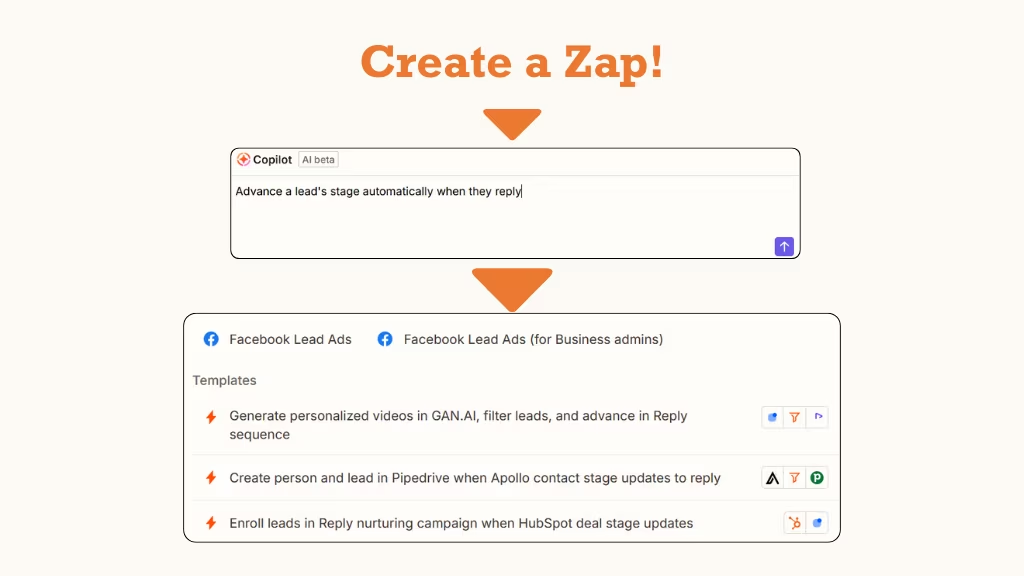
By creating Zaps automated workflows that link two or more apps, you can automatically perform actions whenever specific triggers occur. Each Zap consists of a Trigger (an event that starts the workflow) and one or more Actions (tasks that follow the trigger). For example, when a new email arrives in Gmail (Trigger), Zapier can automatically add the details to a Google Sheet (Action), keeping everything organized without manual effort.
Imagine running a small business with a website that processes orders. With Zapier, you can create a Zap that triggers whenever a new order is placed. This Zap could then update your inventory spreadsheet and instantly notify your team via Slack, keeping everything up to date in real time without having to manually enter the data.
In essence, Zapier acts as the “glue” that connects your favorite apps, automating workflows and freeing you from the tedium of repetitive tasks.
Main Components of Zapier
Zapier operates using two main building blocks: Triggers and Actions. To create a Zap (automation), you must define both the trigger and the action.
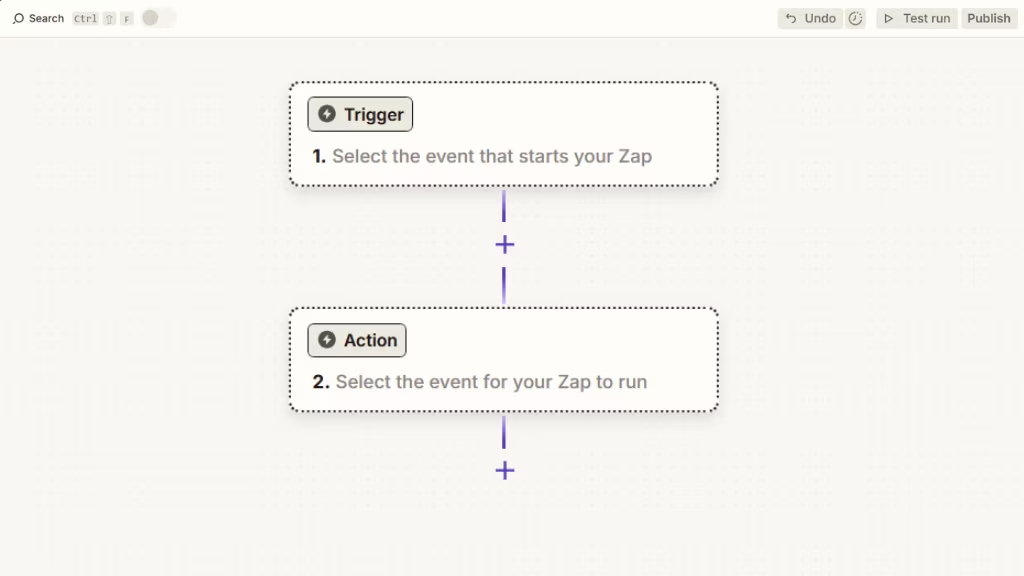
Let’s dive into each component in detail:
Triggers
Triggers are the events or actions that initiate an automation workflow. When a trigger event happens in one app, Zapier detects it and triggers the associated actions in the connected apps.
Triggers act as the starting point for automation, allowing you to automate tasks based on specific events or conditions. For example, receiving a new email, a new form submission, or a new entry in a spreadsheet can all act as triggers. When one of these events occurs, Zapier detects it and initiates the connected action.
Triggers in Zapier vary depending on the app you are using. Each app has its own set of trigger events you can choose from when creating a Zap. There are two main types of triggers in Zapier:
- Polling Triggers: These check for new data or events at regular intervals.
- Instant Triggers: These are triggered in real-time, as soon as the event happens.
Actions
Actions are the tasks that an app performs as a result of a trigger event. Once the trigger is activated, actions are carried out automatically to complete the desired task.
Actions can include:
- Creating a new entry
- Sending a message or notification
- Updating a record
- Performing any other function supported by the connected apps
For example, if you receive a new email in Gmail (trigger), the action could be sending a Slack message to notify your team.
Zaps
Zaps are the automated workflows created in Zapier. A Zap comprises a Trigger and one or more Actions that are executed when the trigger event occurs.
When a Zap is active, it continuously monitors the trigger and performs the associated actions whenever the trigger event occurs.
Example:
Let’s say you run a lead generation website and want to automatically add new leads from a Google Form submission to your email marketing tool (Mailchimp). Here’s how the trigger and action would work in Zapier:
- Trigger: “New Form Response in Google Forms”
(Whenever a new lead fills out the Google Form) - Action: “Add Subscriber to Mailchimp”
(Automatically add the lead as a subscriber in your Mailchimp email list)
In this example, when someone submits the Google Form (trigger), Zapier automatically adds that person to your Mailchimp list as a subscriber (action).
This seamless automation ensures that the leads captured through the form are instantly added to your email marketing system, making it easier to send targeted campaigns and nurture customer relationships.
So, to summarize: Zap = Action + Trigger
Once you understand these components, you can begin automating tasks efficiently with Zapier.
How Zapier Works
At its core, Zapier is about simplifying automation without requiring technical expertise. Here’s how it works:
1. Choose Your Apps
Start by selecting the apps you want to integrate. Zapier supports thousands of popular apps, including those for project management, customer relationship management (CRM), marketing, e-commerce, and more.
2. Set Up a Trigger
Each Zap begins with a trigger. This could be an event like receiving an email, adding a row to a spreadsheet, or a new lead entering a CRM system. Zapier listens for the trigger to occur.
3. Define the Actions
Once the trigger is detected, Zapier will automatically perform one or more actions in another app. For example, when a new sale happens in Shopify, Zapier can update inventory in Google Sheets, notify a team on Slack, and even send a confirmation email to the customer.
4. Customize Workflow with Filters and Paths
Advanced users can add filters and paths to make their Zaps more dynamic. For instance, you can set conditions like “Only send a Slack message if the deal value exceeds $500,” or create multiple actions based on the type of lead entered in your CRM.
5. Let Zapier Work in the Background
After setting up your Zaps, you can sit back and let Zapier handle the rest. It runs in the background, completing tasks whenever the trigger conditions are met. This ensures your workflows are always efficient and streamlined.
Zapier’s intuitive interface lets users of all skill levels build, manage, and customize their Zaps, providing a user-friendly experience without sacrificing functionality.
Which Apps and Services Can Be Integrated with Zapier?
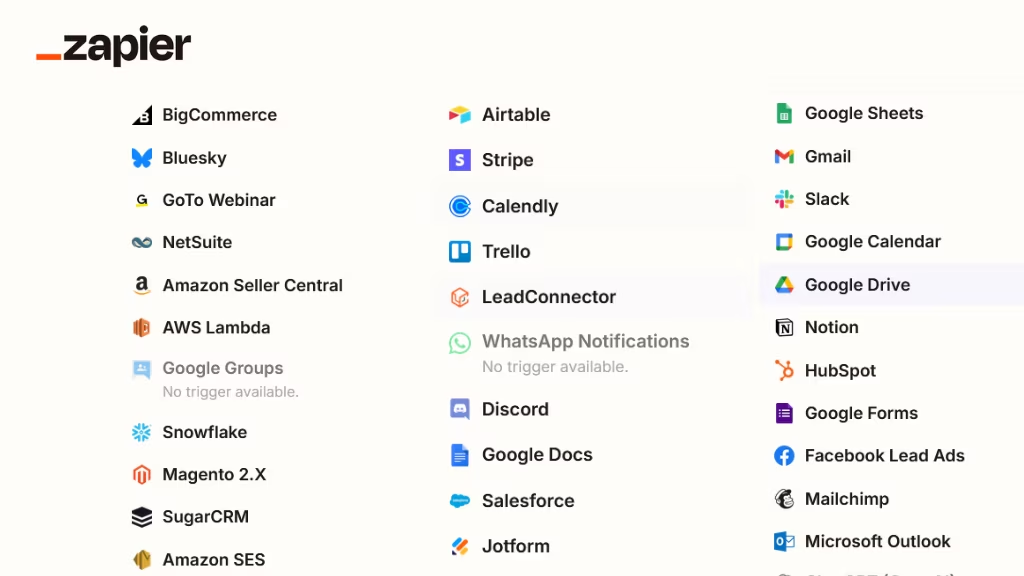
Zapier connects to 8,000+ apps, making it a powerful tool for automating workflows across various business functions. Here are some categories and notable apps that can be integrated:
Customer Relationship Management (CRM)
- Salesforce
- HubSpot
- Pipedrive
- Zoho CRM
- ActiveCampaign
Zapier automates tasks like syncing customer data, capturing leads, and updating deal stages across these popular CRM platforms.
E-commerce Platforms
- Shopify
- WooCommerce
- BigCommerce
- Magento
- Etsy
Zapier can automate processes such as order management, inventory updates, customer notifications, and more across your e-commerce platforms.
Email and Marketing Tools
- Mailchimp
- Klaviyo
- Campaign Monitor
- ConvertKit
- Marketo
Zapier allows you to automate email list management, campaign triggers, and customer data synchronization between your marketing tools.
Communication Tools
- Slack
- Microsoft Teams
- Zoom
- Twilio
- Google Chat
These integrations help streamline communication workflows by automating notifications, reminders, and event triggers across your team’s collaboration tools.
Project Management and Collaboration
- Trello
- Asana
- Monday.com
- ClickUp
- Basecamp
Zapier automates task creation, project tracking, and collaboration between team members, keeping everyone on the same page without manual data entry.
Finance and Accounting
- QuickBooks
- Xero
- Stripe
- PayPal
- FreshBooks
Automate financial workflows like invoicing, expense tracking, payment processing, and syncing transaction data between your financial tools.
Social Media and Marketing Platforms
- Facebook
- Instagram
- Twitter
- LinkedIn
Automate social media posts, monitor engagement, and integrate interactions across your social media platforms for a more efficient marketing process.
Cloud Storage and File Management
- Google Drive
- Dropbox
- OneDrive
- Box
Zapier can help automate file management tasks like organizing documents, updating spreadsheets, and syncing files between your cloud storage systems.
Customer Support and Helpdesk
- Zendesk
- Freshdesk
- Intercom
- Help Scout
Automate customer support workflows, including ticket creation, customer feedback collection, and communication between support tools.
Survey and Form Tools
- Typeform
- Google Forms
- JotForm
- SurveyMonkey
Zapier helps automate the processing of survey responses, adding leads to CRMs, and triggering actions based on form submissions.
Web and Analytics Tools
- Google Analytics
- Google Sheets
- Zapier Webhooks
- Facebook Ads
Automate reporting, tracking, and data collection processes to sync insights across your apps for a more comprehensive analysis.
With these integrations, Zapier connects almost every tool in your business ecosystem, enabling you to automate repetitive tasks, save time, and improve efficiency.
How to Automate Workflows and Processes with Zapier
You don’t need to know any coding or hire a developer to benefit from workflow automation. With Zapier, anyone can create automated workflows called Zaps that move information between apps and save valuable time. Starting with Zapier is free, and you can automate both simple tasks and more complex processes.
Here’s how to get started with workflow automation:
Get Familiar with Zapier Basics
The core of automating with Zapier is the Zap, which we call our automated workflows. A Zap always consists of two parts:
- Trigger: This is the event that starts the automation. For example, when a new lead is submitted in a form or when a new order is placed.
- Action: This is the task that happens in response to the trigger. For example, sending a confirmation email or updating a database.
In essence, every Zap follows the structure: When this happens, do that.
Automate Your First Task
Once you understand how Zapier works, it’s tempting to dive straight into automating complex processes. But start simple. Think of it as your “automation training wheels.” Start with a straightforward, repeatable task that doesn’t require deep strategic thinking. This could be something like adding a new email lead to a CRM system, or posting your blog updates to social media.
When to automate a task:
- It’s something you do frequently or on a schedule.
- It involves moving information between apps.
- It’s a repetitive task that doesn’t require critical decision-making.
Outline the Process You Want to Automate
Before diving deeper into automation, start by outlining the existing process step by step. Identify inefficiencies and manual steps, such as copying and pasting data or waiting for approvals. Writing this down helps you discover where automation can truly make a difference.
Research the Solutions
After identifying areas for automation, check if the apps you’re using have Zapier integrations. With thousands of apps in Zapier’s directory, you’ll likely find the tools you’re already using. Make a list of the triggers and actions available in those apps to plan your automation process effectively.
Create and Iterate
Now it’s time to create your Zaps! Use Zapier’s intuitive editor to build your workflows. We recommend testing each step of your automation to ensure everything works correctly. If any errors arise, don’t panic. Zapier offers troubleshooting guides to help you resolve issues.
Once you’ve set everything up and tested your Zap, turn it on! While Zaps generally run in the background without needing any additional input, it’s always good practice to revisit them periodically. As your business evolves, your automation needs might change, and your Zaps may need adjustments to stay aligned with new processes.
Why Use Zapier?
Zapier offers a wide range of benefits that make it an essential tool for businesses of all sizes. Here are a few reasons why you should consider using Zapier for your workflows:
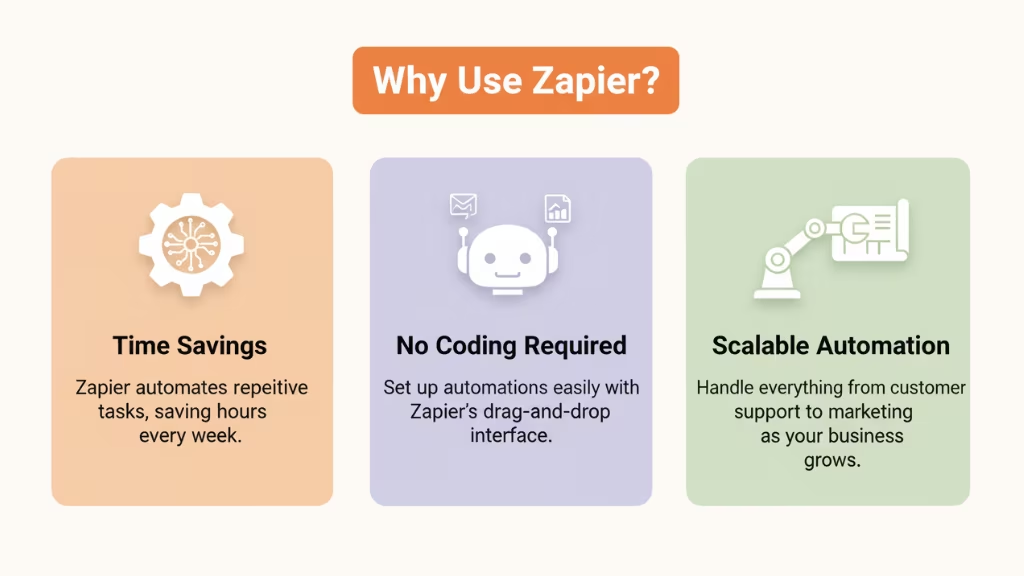
- Time Savings
Zapier eliminates the need for repetitive, manual tasks. Once set up, Zaps run automatically, freeing your team from mundane work and allowing them to focus on higher-value activities. This can save hours of time every week. - No Coding Required
With its intuitive, drag-and-drop interface, Zapier makes it easy for non-technical users to set up automations. You don’t need to know how to code to create complex workflows across multiple apps. - Error Reduction
Manual data entry is prone to human error. With Zapier, workflows are executed automatically, which reduces the chances of mistakes in transferring information between apps. This leads to more accurate data, fewer errors, and increased productivity. - Increased Efficiency
Zapier integrates with thousands of apps, making it easy to connect tools and systems you already use. This ensures that data flows seamlessly across your business, improving internal communication and operational efficiency. - Scalability
As your business grows, so do your workflow automation needs. Zapier allows businesses to scale their automations without needing additional staff or complicated software. With over 8,000 app integrations, Zapier can handle workflows for everything from customer support to marketing and beyond. - Customizable for Every Need
Whether you’re automating a simple process like adding leads to your CRM or a more complex task like syncing e-commerce orders to multiple systems, Zapier can be customized to fit any workflow. It also provides advanced features like conditional logic and multi-step workflows for more complex automation needs. - Security and Compliance
Zapier takes security seriously, offering enterprise-grade encryption, GDPR compliance, and more to ensure that your data is protected. This is especially important for businesses handling sensitive customer data.
With these benefits in mind, it’s clear that Zapier is more than just a tool for small tasks it’s a powerful platform for enhancing efficiency, productivity, and accuracy across your entire organization.
Popular Zapier Use Cases
Now, let’s explore some common and highly effective use cases for Zapier that can make your daily workflows a lot smoother. Here are some powerful ways you can use Zapier to automate and streamline your business processes:
1. Streamlining Email Marketing
Zapier is a great tool for automating your email marketing workflows. By connecting your email marketing platform (e.g., Mailchimp, SendinBlue, or ActiveCampaign) with Zapier, you can easily manage your email lists and campaigns.
For example:
- Add new subscribers automatically to your mailing list as soon as they sign up through your website or any form on Dorik.
- Segment contacts based on specific criteria, such as location or purchase behavior.
- Trigger personalized email campaigns whenever a user subscribes, purchases a product, or completes an action on your site.
This automation helps maintain consistent and effective email marketing without the need to manually update lists or send emails individually. It’s a huge time-saver and boosts marketing efficiency.
2. Automating Social Media Posting
Managing social media can be a daunting task when done manually. If you’re regularly posting on multiple platforms, Zapier can significantly reduce your workload.
For example:
- Automate blog promotions by sharing new blog posts across Twitter, LinkedIn, Facebook, and other platforms when they go live on your website.
- Set up Zaps that use your RSS feed to trigger posts across various social media channels automatically.
- Distribute your content to multiple platforms, ensuring your message reaches a larger audience without extra effort.
This process allows you to focus on content creation while Zapier ensures your posts are shared consistently across your social media channels.
3. Managing Projects and Deadlines
Project management can quickly become complex, but Zapier can simplify this by automating task assignments, deadline tracking, and team notifications.
For example:
- Sync your CRM and project management tools (like Trello, Asana, or Basecamp) to ensure that new leads, tasks, or deadlines automatically trigger actions.
- Automatically create a new task in your project management tool whenever a new lead is added to your CRM, ensuring nothing falls through the cracks.
- Receive automatic notifications or reminders when deadlines approach, helping your team stay on top of their responsibilities.
Zapier makes it easy to maintain smooth operations, even as your project list grows.
4. Integrating CRM and Sales Tools
Zapier also helps streamline your sales and CRM processes, ensuring that your sales team has up-to-date information and never misses a lead.
For example:
- Generate new deals in your CRM (Salesforce, HubSpot, Pipedrive) automatically when a prospect completes a contact form on your website or subscribes to your newsletter.
- Assign leads to sales representatives instantly, without having to manually check and update your CRM system.
- Set follow-up reminders for your team, ensuring timely responses to leads or customer inquiries.
This workflow automation ensures that your sales process remains efficient, and no opportunities are missed.
5. Organizing and Tracking Customer Support Tickets
Zapier can help enhance your customer support process by automating the organization, tracking, and prioritization of support tickets.
For example:
- Categorize and prioritize tickets automatically based on specific conditions (e.g., urgency, customer type) and assign them to the appropriate team member.
- Notify your support team via Slack or email whenever a new high-priority ticket is created, ensuring immediate attention.
- Track ticket status and keep your team informed on resolution progress without needing to check the system manually.
With Zapier, customer support becomes more organized and streamlined, reducing response times and improving customer satisfaction.
6. Managing E-commerce Website
For businesses running e-commerce websites (e.g., Shopify), Zapier simplifies processes like order management, inventory tracking, and fulfillment.
For example:
- Automate order processing by connecting your e-commerce platform (like Shopify) to your inventory management system or fulfillment service (like ShipStation).
- When a new order is placed, Zapier can automatically send the shipping information to ShipStation, trigger the fulfillment process, and even update inventory levels.
- Sync customer data between your e-commerce platform and CRM tools, keeping your sales and customer service teams on the same page.
Zapier’s e-commerce automation allows you to focus on growing your business while handling the operational tasks automatically.
These are just a few of the most popular ways Zapier can enhance your workflows. From marketing to customer support, and project management to e-commerce, Zapier’s flexible integrations help save time, increase efficiency, and automate many business processes that would otherwise require manual work.
Conclusion
Zapier is more than just a tool for automating repetitive tasks; it’s a powerful platform that connects your tech stack, streamlines workflows, and saves valuable time. Whether you’re a small business or part of a large enterprise, Zapier helps you break down silos, increase efficiency, and reduce human errors.
By leveraging Zapier’s nearly 8,000 app integrations, you can automate everything from marketing campaigns to internal operations, improving collaboration and boosting productivity across your organization. Its user-friendly, no-code interface makes it accessible to all team members, while advanced features ensure IT departments maintain control and security.
FAQs
How secure is Zapier for my data?
Zapier ensures the safety of your data by implementing industry-standard encryption (AES-256) for both data in transit and at rest. Additionally, Zapier does not store personal data from connected apps, offering an extra layer of privacy. They also adhere to best practices for data handling and storage, ensuring that sensitive information remains protected.
Is there any alternative to Zapier?
Yes, there are alternatives to Zapier. Platforms like Integrately and Make (formerly Integromat) offer similar automation capabilities, allowing users to automate workflows across various apps. These alternatives provide options tailored for both personal and business automation needs.
Is Zapier beginner-friendly?
Absolutely! Zapier is designed to be user-friendly, even for those with little or no coding experience. It offers an intuitive, drag-and-drop interface with step-by-step guidance to help users create Zaps (automated workflows). This makes automation accessible to all team members, regardless of technical expertise.
Can I customize my Zaps in Zapier?
Yes, Zapier allows users to fully customize their Zaps. You can define triggers, set up actions, and add filters to refine the data. Zapier also provides advanced features like conditional logic, enabling you to control the flow of automation based on specific conditions, ensuring a more personalized and dynamic workflow.
Can Zapier handle large volumes of data?
Zapier is capable of handling large volumes of data, but performance can vary depending on the specific apps you’re integrating. Some apps may have their own limitations, which could impact how efficiently data is processed within your Zaps. It’s important to check each app’s data limitations to ensure smooth automation.
Can I use Zapier for free?
Yes, Zapier offers a free plan that lets users automate tasks without any cost. The free plan supports a limited number of tasks (Zaps) per month and includes basic features and integrations. If you require more functionality or higher task limits, you can explore their paid plans for additional features and flexibility.
What is the difference between triggers and actions in Zapier?
In Zapier, triggers are events that start the automation workflow, like receiving an email or a new form submission. Actions are tasks that Zapier performs once the trigger occurs, such as sending a notification, creating a new contact, or updating a spreadsheet. Together, they form the backbone of Zaps, automating processes across apps.
How long does it take to set up automations in Zapier?
Setting up automations in Zapier is quick, especially for simple workflows. A basic Zap can be created in just a few minutes. For more complex automations involving multiple steps or conditional logic, it may take a little longer. However, Zapier’s intuitive interface and templates make the setup process easy and fast.
This page was last edited on 9 July 2026, at 11:08 am

Start a conversation with our team to solve complex challenges and move forward with confidence.










